Local File Integration Guide
Use the Local File connector to work with files on a local filesystem within a configured base directory. Create reusable functions to fetch files (read) or write files with parameter support, timeouts, and size limits.
Overview
The Local File connector provides:
- Scoped access: All operations are restricted to a configured absolute base path
- Fetch and Write functions: Build reusable read/write functions with parameters
- Safety limits: Discovery limit, maximum file size, and symlink policy
- Testability: Test connection and test functions before using them in pipelines
Connection Configuration
Creating a Local File Connection
From Connections → New Connection → Local File, configure the profile using the references below.
1. Profile Information
| Field | Default | Description |
|---|---|---|
| Profile Name | - | A descriptive name for this connection profile (required, 1–100 characters, unique) |
| Description | - | Optional free text description |
| Labels | - | Optional key-value labels (e.g., env=prod, type=csv) |
2. File System Configuration (Connection tab)
| Field | Default | Description |
|---|---|---|
Base Path (basePath) | - | Absolute path to the root directory for all operations (required). Windows: starts with C:\\/D:\\… (^[A-Za-z]:[\\\/]). Linux/Unix: starts with /. Relative paths (e.g., ./data, ../files) are not allowed. |
- On Linux/Unix, paths are case-sensitive.
- All file operations are constrained under the configured Base Path.
3. Advanced Settings (Advanced tab)
3a. File Discovery Settings
| Field | Default | Range | Description |
|---|---|---|---|
Discovery Limit (discoveryLimit) | 2000 | 1–100000 | Max files scanned during discovery. UI shows a performance warning when > 10000. |
Max File Size (MB) (maxFileSizeMB) | 5 | 1–124 | Maximum allowed file size for operations in MB. |
3b. Security Settings
| Field | Default | Description |
|---|---|---|
Allow Symlinks (allowSymlinks) | false | Follow symlinks during discovery. Not recommended—enabling may allow access outside the base path. |
Enabling symlink following can expose files outside the base path. Keep disabled unless absolutely necessary and validated.
4. Other Defaults
| Field | Default |
|---|---|
| Config Version | 1.0.0 |
Test Connection
Use the Test Connection button (visible outside the Functions tab) to validate connectivity and configuration. The UI validates the form and sends an internal request similar to:
On success, a confirmation message and optional duration are displayed.
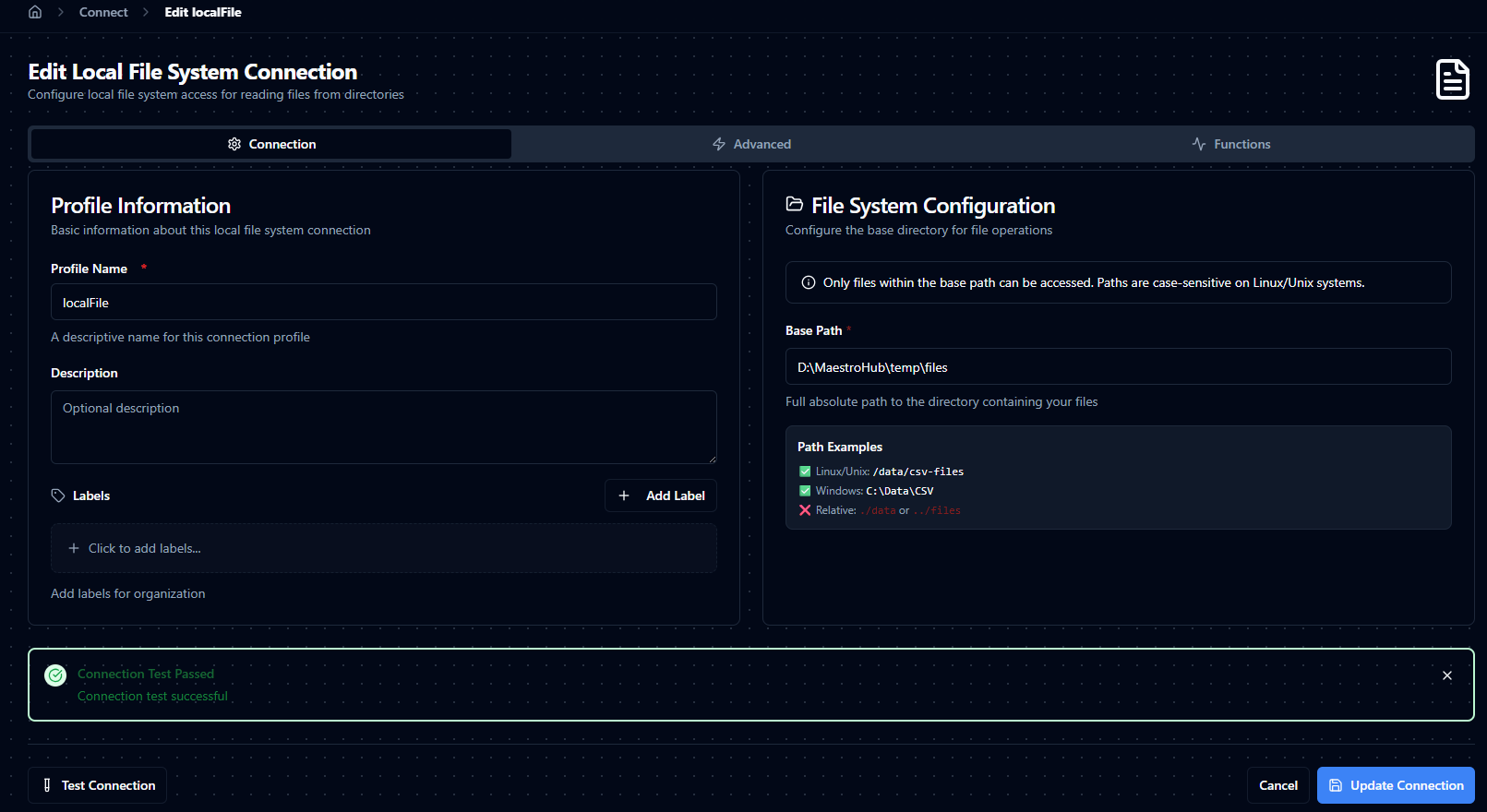
Connection configuration and Test Connection feedback
Function Builder
Creating Local File Functions
After saving the connection profile:
- Open the connection and go to its Functions tab → New Function
- Choose Fetch File, Write File, List Directory, Delete File, or Move/Rename File
- Fill out the function configuration (and Write Options if applicable)
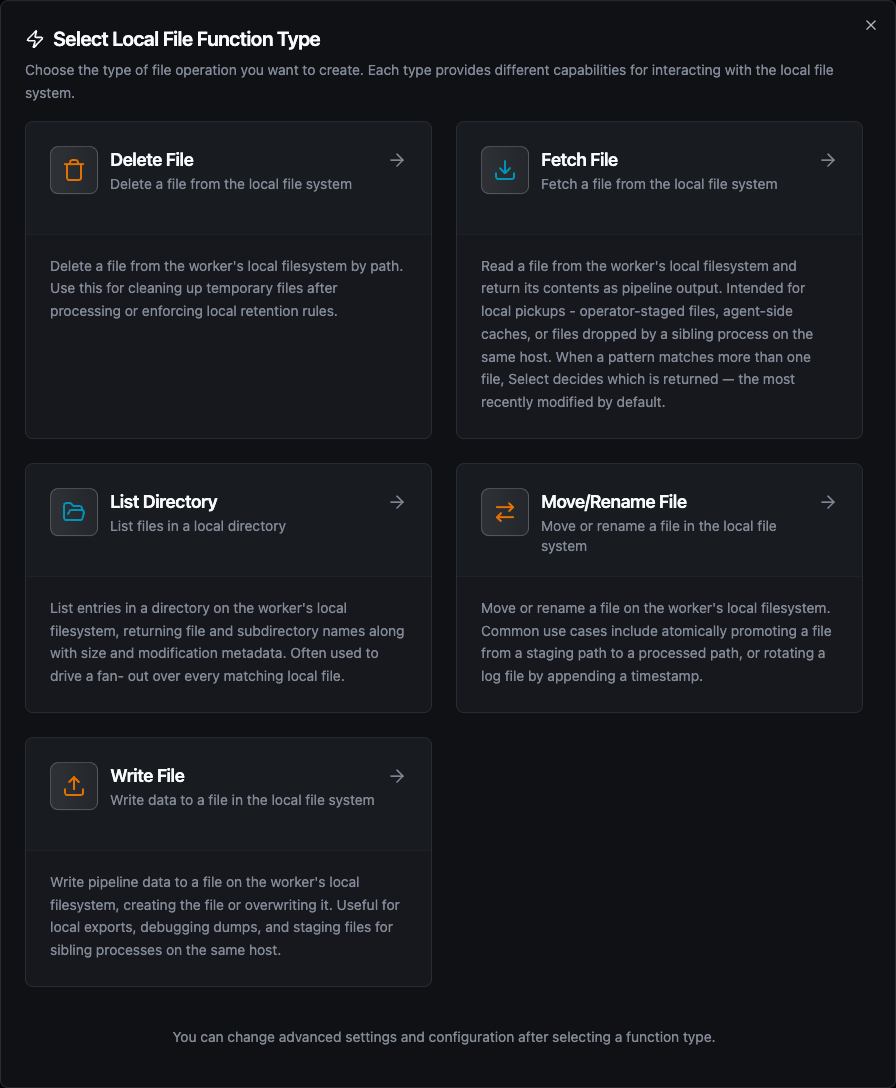
The five Local File function types: Fetch, Write, List Directory, Delete File and Move/Rename File
Functions support parameter placeholders using ((parameterName)). The system auto-detects parameters from templated fields and lets you define types, required flags, defaults, and descriptions in the Function Parameters section.
Fetch File
- UI Name: Fetch File
- Category: read
- Description: Read one file under the base path: the file with an exact name, or the one a wildcard, regex or parameterized pattern selects.
Examples:
sales_data.csv— exact filesales_*.csv— wildcardsales_[0-9]+\.csv$— regex((fileName)).csv— parameter-baseddata_((date))_((region)).csv— multiple parameters
Configuration (Configuration tab)
| Field | Type | Required | Default | Range | Description |
|---|---|---|---|---|---|
File Name (fileName) | String | Yes | - | - | File name, wildcard or regex pattern, or expression; supports parameters. |
When Several Files Match (select) | Enum | No | lastModified | lastModified, name | Which file a pattern returns when it matches more than one. See Which file a pattern returns. |
Timeout (requestTimeout) | Duration | No | "30m" | 1s–1h | Total time allowed for discovery and reading. Duration string ("30s", "5m"). |
Max File Size (MB) (maxFileSizeMB) | Number | No | inherit | 1–124 | Overrides connection maxFileSizeMB. Leave blank to inherit. |
Discovery Limit (discoveryLimit) | Number | No | inherit | 1–100000 | Overrides connection discoveryLimit. Leave blank to inherit. |
Use exact names for performance. Prefer specific regexes or parameterized expressions when scanning large directories.
Which file a pattern returns
The pattern decides which files are candidates. When Several Files Match then picks one of them:
| Option | Returns |
|---|---|
Most recently modified (lastModified, default) | The file with the newest modification time. Files with the same modification time fall back to the one whose path sorts last. With symlinks allowed, a link counts with the time of the file it points at |
Last by name (name) | The file whose path sorts last as text. The whole path is compared, folders included, so a folder name outranks everything after it |
To leave files out, narrow the pattern: a file the pattern does not match is never returned. The result's metadata.selectedBy and metadata.matchCount say which rule picked the file and how many matched.
The modification time is the one the file carries on disk. Copy tools that preserve times (cp -p, robocopy) keep the source file's time, so a freshly copied old file still counts as old. A file that is still being written already carries the newest time and can be picked before it is complete — have the producer write under another name and rename the file when it is done.
2.6 always returned the match that sorts last by name. Functions created on 2.6 are set to Last by name by the upgrade and keep returning the same file; change the option on the function to get the most recently modified one.
Advanced (Advanced tab)
requestTimeout: 1s–1h, default"30m"if unsetmaxFileSizeMB: 1–124 (MB)discoveryLimit: 1–100000- Blank fields inherit from the connection profile.
Testing
- If parameters are detected in
fileName, the Test dialog prompts for values. - If no parameters exist, test runs immediately.
- Result shows success/failure, message, metadata (file content is suppressed), duration, and timestamp when available.
Write File
- UI Name: Write File
- Category: write
- Description: Write text or base64-encoded content with directory creation, append/overwrite controls, and encoding options.
Examples:
output.csv— simple filelogs/app.log— nested pathsreports/((date))/sales.csv— parameterized paths((department))/((year))/report.csv— multiple parameters
Configuration (Configuration tab)
| Field | Type | Required | Default | Range | Description |
|---|---|---|---|---|---|
File Name (fileName) | String | Yes | - | - | Destination path relative to base path; supports parameters. A full absolute path preview is shown when base path is known. |
Data (data) | String | Yes | - | - | Content to write. Plain text by default; set Input Format to base64 for binary payloads. Can be parameterized. |
Input Format (inputFormat) | Enum | No | text | text, base64 | How Data is interpreted. text writes the string verbatim as UTF-8 bytes. base64 strict-decodes first — pick this for binary files. Invalid base64 fails the call rather than silently writing the literal text. |
Write Options (Write Options tab)
| Field | Type | Required | Default | Description |
|---|---|---|---|---|
Create File (createFile) | Boolean | No | true | Create parent directories and the file if missing. |
Append to File (appendToFile) | Boolean | No | false | Append data instead of overwriting. |
Append Newline (appendNewline) | Boolean | No | true | Shown when appendToFile = true. Prepend \n before appended data. |
Overwrite Existing (overwriteExisting) | Boolean | No | false | Shown when createFile = true and appendToFile = false. Overwrite file if it exists. |
Encoding (encoding) | Enum | No | utf-8 | Encoding for text data: utf-8, utf-8-bom, utf-16le, utf-16be, binary, auto. Use binary/auto for non-text/base64. |
Validation refinement: appendToFile and overwriteExisting cannot both be true at the same time.
Advanced (Advanced tab)
| Field | Type | Required | Default | Range | Description |
|---|---|---|---|---|---|
Timeout (requestTimeout) | Duration | No | "30m" | 1s–1h | Total time allowed for writing. Duration string ("30s", "5m"). |
Max File Size (MB) (maxFileSizeMB) | Number | No | inherit | 1–124 | Maximum allowed size for this write. Leave blank to inherit the connection default. |
Testing
- If parameters are detected in
fileNameordata, the Test dialog prompts for values. - If none, test executes directly.
- Result shows success/failure, message, and metadata (content not displayed).
List Directory
- UI Name: List Directory
- Category: read
- Description: List files within the base path, with optional glob filtering and recursive listing.
Examples:
/— list the base path itselfreports/— list a subdirectorydata/((year))/— parameter-based path
Configuration (Configuration tab)
| Field | Type | Required | Default | Range | Description |
|---|---|---|---|---|---|
Directory Path (path) | String | No | / | - | Directory to list, relative to the base path; supports parameters. Must be a directory inside the base path. |
File Pattern (pattern) | String | No | - | - | Glob matched against each entry's name (e.g. *.csv, report_*.txt). Leave empty to list everything. |
Recursive (recursive) | Boolean | No | false | - | List files in subdirectories too. When off, subdirectories appear as entries with isDir: true; when on, only files are returned. |
The listing counts files against the connection's Discovery Limit. A directory holding more files than the limit fails with discovery limit exceeded rather than returning a partial list.
Advanced (Advanced tab)
| Field | Type | Required | Default | Range | Description |
|---|---|---|---|---|---|
Timeout (requestTimeout) | Duration | No | "30m" | 1s–1h | Total time allowed for the listing. |
Output
The result holds path (the directory listed, relative to the base path), count, and files. Each entry in files has name, path (relative to the base path), size, isDir, and modified.
Delete File
- UI Name: Delete File
- Category: write
- Description: Delete one file under the base path. Directories cannot be deleted.
Examples:
processed/old_data.csv— delete a specific file((fileName))— parameter-based deletiontemp/((date))_export.csv— dynamic file deletion
Configuration (Configuration tab)
| Field | Type | Required | Default | Range | Description |
|---|---|---|---|---|---|
File Name (fileName) | String | Yes | - | - | File to delete, relative to the base path; supports parameters. |
Deletion cannot be undone. A path that does not exist fails with file not found, and a directory fails with cannot delete directories, only files.
Advanced (Advanced tab)
| Field | Type | Required | Default | Range | Description |
|---|---|---|---|---|---|
Timeout (requestTimeout) | Duration | No | "30m" | 1s–1h | Total time allowed for the delete. |
Move/Rename File
- UI Name: Move/Rename File
- Category: write
- Description: Move or rename one file. Source and destination must both be inside the base path.
Examples:
incoming/data.csv→processed/data.csv((source))→archive/((source))temp/report.xlsx→final/report.xlsx
Configuration (Configuration tab)
| Field | Type | Required | Default | Range | Description |
|---|---|---|---|---|---|
Source Path (sourcePath) | String | Yes | - | - | File to move, relative to the base path; supports parameters. Must be a file, not a directory. |
Destination Path (destinationPath) | String | Yes | - | - | New path of the file, relative to the base path; supports parameters. Missing parent directories are created. |
Overwrite Existing (overwrite) | Boolean | No | false | - | Replace a file that already exists at the destination. When off, the move fails with destination file already exists. |
A source and destination that resolve to the same path are refused, so a misconfigured move fails instead of reporting success without moving anything.
Advanced (Advanced tab)
| Field | Type | Required | Default | Range | Description |
|---|---|---|---|---|---|
Timeout (requestTimeout) | Duration | No | "30m" | 1s–1h | Total time allowed for the move. |
Output
The result holds sourcePath and destinationPath, both as full paths on disk.
Using Parameters (Shared)
Parameters are detected from templated fields using the ((parameterName)) syntax and are validated at test/execute time.
| Property | Description | Examples |
|---|---|---|
| Type | Enforces value types | int, float, bool, string, object, array |
| Required | Must be provided if true | Required / Optional |
| Default | Fallback value when not provided | 0, "N/A", {} |
| Description | Guidance for callers | "Year for report folder", "Content JSON payload" |
- Create mode: tests the config without a saved function (config-only testing)
- Edit mode: tests the saved function with current form overrides
- If there are unsaved changes, the dialog warns that the test uses current form values
Defaults & Inheritance
- Connection defaults:
- Config Version:
1.0.0 - Discovery Limit:
2000 - Max File Size:
5MB - Allow Symlinks:
false
- Config Version:
- Function defaults:
- Timeout:
1800000ms (if not set) - Fetch:
maxFileSizeMB/discoveryLimitinherit from connection when blank - Write:
createFile=true,appendToFile=false,appendNewline=true,overwriteExisting=false,encoding='utf-8',requestTimeout="30m"
- Timeout:
Practical Examples
Fetch: Simple exact file
fileName:sales_data.csvrequestTimeout:"30s"
Fetch: Pattern with parameter
fileName:sales_((date))*.csv- Parameters:
date(string, e.g.,2024-08-31) - Returns the most recently modified file whose name starts with
sales_2024-08-31and ends with.csv
Write: Parameterized path and content
fileName:reports/((year))/((region))/summary.csvdata:((content))createFile:trueappendToFile:falseoverwriteExisting:true(ensureappendToFileis false)encoding:utf-8
Pipeline Integration
Use Local File functions as nodes in the Pipeline Designer. Bind fileName, data, and other parameters to upstream outputs or constants, set timeouts and size limits, and compose flows that combine file I/O with other connectors (REST, MQTT, PLCs) for end-to-end automation.
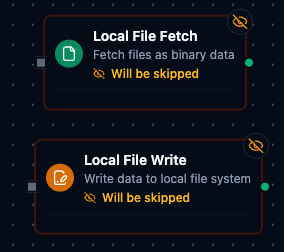
Local File Fetch node with connection and function bindings