Local File Integration Guide
Use the Local File connector to work with files on a local filesystem within a configured base directory. Create reusable functions to fetch files (read) or write files with parameter support, timeouts, and size limits.
Overview
The Local File connector provides:
- Scoped access: All operations are restricted to a configured absolute base path
- Fetch and Write functions: Build reusable read/write functions with parameters
- Safety limits: Discovery limit, maximum file size, and symlink policy
- Testability: Test connection and test functions before using them in pipelines
Connection Configuration
Creating a Local File Connection
From Connections → New Connection → Local File, configure the profile using the references below.
1. Profile Information
| Field | Default | Description |
|---|---|---|
| Profile Name | - | A descriptive name for this connection profile (required, 1–100 characters, unique) |
| Description | - | Optional free text description |
| Labels | - | Optional key-value labels (e.g., env=prod, type=csv) |
2. File System Configuration (Connection tab)
| Field | Default | Description |
|---|---|---|
Base Path (basePath) | - | Absolute path to the root directory for all operations (required). Windows: starts with C:\\/D:\\… (^[A-Za-z]:[\\\/]). Linux/Unix: starts with /. Relative paths (e.g., ./data, ../files) are not allowed. |
- On Linux/Unix, paths are case-sensitive.
- All file operations are constrained under the configured Base Path.
3. Advanced Settings (Advanced tab)
3a. File Discovery Settings
| Field | Default | Range | Description |
|---|---|---|---|
Discovery Limit (discoveryLimit) | 2000 | 1–100000 | Max files scanned during discovery. UI shows a performance warning when > 10000. |
Max File Size (MB) (maxFileSizeMB) | 5 | 1–124 | Maximum allowed file size for operations in MB. |
3b. Security Settings
| Field | Default | Description |
|---|---|---|
Allow Symlinks (allowSymlinks) | false | Follow symlinks during discovery. Not recommended—enabling may allow access outside the base path. |
Enabling symlink following can expose files outside the base path. Keep disabled unless absolutely necessary and validated.
4. Other Defaults
| Field | Default |
|---|---|
| Config Version | 1.0.0 |
Test Connection
Use the Test Connection button (visible outside the Functions tab) to validate connectivity and configuration. The UI validates the form and sends an internal request similar to:
On success, a confirmation message and optional duration are displayed.
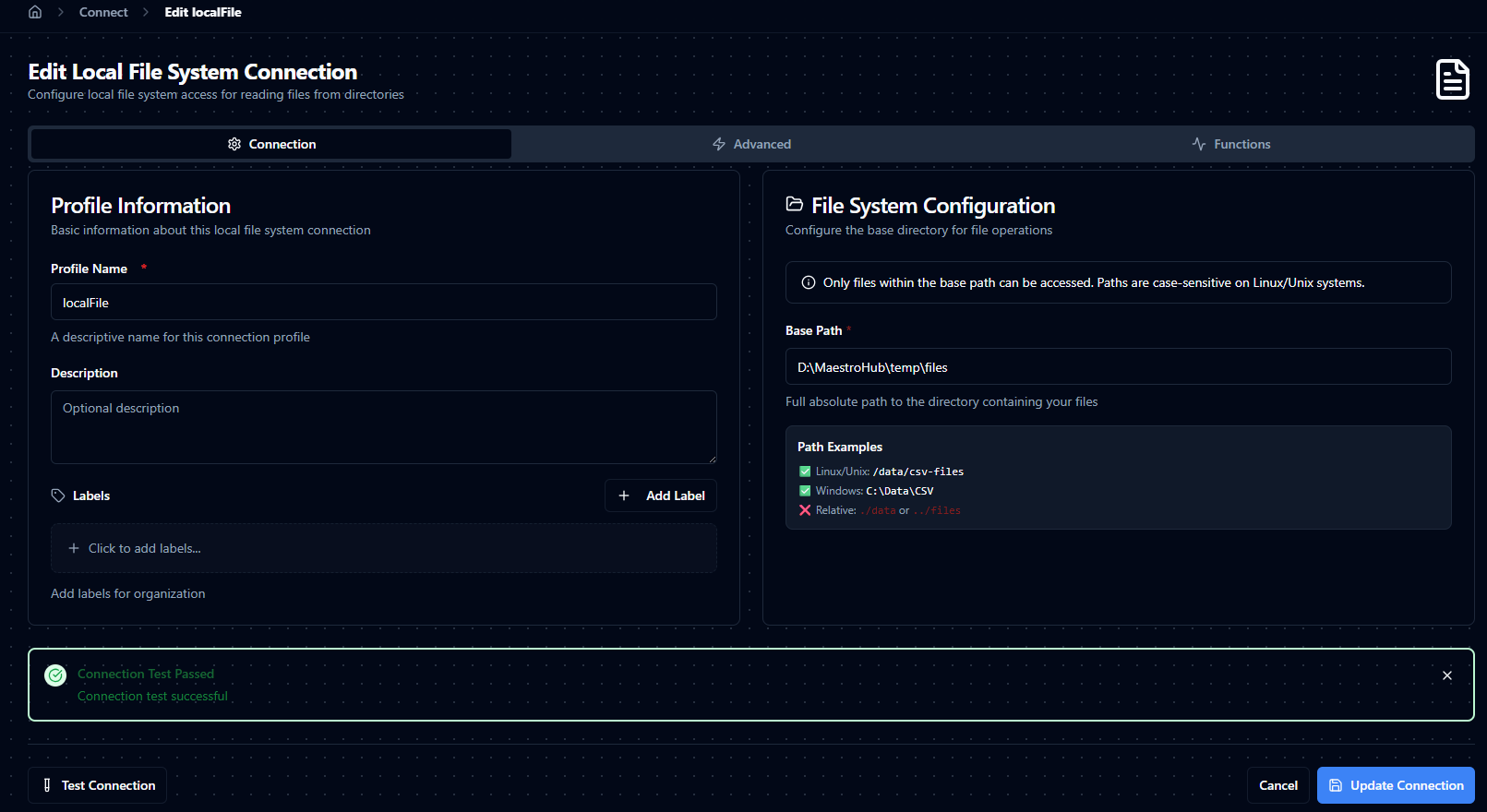
Connection configuration and Test Connection feedback
Function Builder
Creating Local File Functions
After saving the connection profile:
- Go to Functions → New Function
- Choose Fetch Local File or Write to Local File
- Select the Local File connection profile
- Fill out the function configuration (and Write Options if applicable)
Functions support parameter placeholders using ((parameterName)). The system auto-detects parameters from templated fields and lets you define types, required flags, defaults, and descriptions in the Function Parameters section.
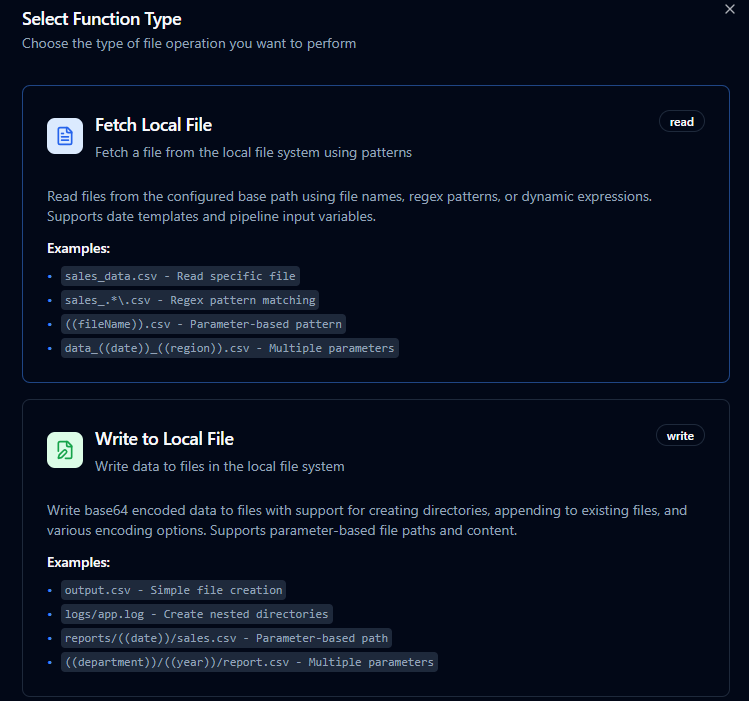
Select Fetch or Write function types for the Local File connector
Fetch Local File
- UI Name: Fetch Local File
- Category: read
- Description: Read files under the base path via exact names, regex patterns, or parameterized expressions.
Examples:
sales_data.csv— exact filesales_.*\.csv— regex((fileName)).csv— parameter-baseddata_((date))_((region)).csv— multiple parameters
Configuration (Configuration tab)
| Field | Type | Required | Default | Range | Description |
|---|---|---|---|---|---|
File Name (fileName) | String | Yes | - | - | File name, regex pattern, or expression; supports parameters. |
Timeout (ms) (timeoutMs) | Number | No | 30000 (used if unset) | 100–300000 | Total time allowed for discovery and reading. |
Max File Size (MB) (maxFileSizeMB) | Number | No | inherit | 1–124 | Overrides connection maxFileSizeMB. Leave blank to inherit. |
Discovery Limit (discoveryLimit) | Number | No | inherit | 1–100000 | Overrides connection discoveryLimit. Leave blank to inherit. |
Use exact names for performance. Prefer specific regexes or parameterized expressions when scanning large directories.
Advanced (Advanced tab)
timeoutMs: 100–300000 (ms), default 30000 if unsetmaxFileSizeMB: 1–124 (MB)discoveryLimit: 1–100000- Blank fields inherit from the connection profile.
Testing
- If parameters are detected in
fileName, the Test dialog prompts for values. - If no parameters exist, test runs immediately.
- Result shows success/failure, message, metadata (file content is suppressed), duration, and timestamp when available.
Write to Local File
- UI Name: Write to Local File
- Category: write
- Description: Write text or base64-encoded content with directory creation, append/overwrite controls, and encoding options.
Examples:
output.csv— simple filelogs/app.log— nested pathsreports/((date))/sales.csv— parameterized paths((department))/((year))/report.csv— multiple parameters
Configuration (Configuration tab)
| Field | Type | Required | Default | Range | Description |
|---|---|---|---|---|---|
File Name (fileName) | String | Yes | - | - | Destination path relative to base path; supports parameters. A full absolute path preview is shown when base path is known. |
Data (data) | String | Yes | - | - | Content to write. Plain text by default; set Input Format to base64 for binary payloads. Can be parameterized. |
Input Format (inputFormat) | Enum | No | text | text, base64 | How Data is interpreted. text writes the string verbatim as UTF-8 bytes. base64 strict-decodes first — pick this for binary files. Invalid base64 fails the call rather than silently writing the literal text. |
Write Options (Write Options tab)
| Field | Type | Required | Default | Description |
|---|---|---|---|---|
Create File (createFile) | Boolean | No | true | Create parent directories and the file if missing. |
Append to File (appendToFile) | Boolean | No | false | Append data instead of overwriting. |
Append Newline (appendNewline) | Boolean | No | true | Shown when appendToFile = true. Prepend \n before appended data. |
Overwrite Existing (overwriteExisting) | Boolean | No | false | Shown when createFile = true and appendToFile = false. Overwrite file if it exists. |
Encoding (encoding) | Enum | No | utf-8 | Encoding for text data: utf-8, utf-8-bom, utf-16le, utf-16be, binary, auto. Use binary/auto for non-text/base64. |
Validation refinement: appendToFile and overwriteExisting cannot both be true at the same time.
Advanced (Advanced tab)
| Field | Type | Required | Default | Range | Description |
|---|---|---|---|---|---|
Timeout (ms) (timeoutMs) | Number | No | 30000 (used if unset) | 100–300000 | Total time allowed for writing. |
Max File Size (MB) (maxFileSizeMB) | Number | No | inherit | 1–124 | Maximum allowed size for this write. Leave blank to inherit the connection default. |
Testing
- If parameters are detected in
fileNameordata, the Test dialog prompts for values. - If none, test executes directly.
- Result shows success/failure, message, and metadata (content not displayed).
Using Parameters (Shared)
Parameters are detected from templated fields using the ((parameterName)) syntax and are validated at test/execute time.
| Property | Description | Examples |
|---|---|---|
| Type | Enforces value types | int, float, bool, string, object, array |
| Required | Must be provided if true | Required / Optional |
| Default | Fallback value when not provided | 0, "N/A", {} |
| Description | Guidance for callers | "Year for report folder", "Content JSON payload" |
- Create mode: tests the config without a saved function (config-only testing)
- Edit mode: tests the saved function with current form overrides
- If there are unsaved changes, the dialog warns that the test uses current form values
Defaults & Inheritance
- Connection defaults:
- Config Version:
1.0.0 - Discovery Limit:
2000 - Max File Size:
5MB - Allow Symlinks:
false
- Config Version:
- Function defaults:
- Timeout:
30000ms (if not set) - Fetch:
maxFileSizeMB/discoveryLimitinherit from connection when blank - Write:
createFile=true,appendToFile=false,appendNewline=true,overwriteExisting=false,encoding='utf-8',timeoutMs=30000
- Timeout:
Practical Examples
Fetch: Simple exact file
fileName:sales_data.csvtimeoutMs:30000
Fetch: Regex with parameter
fileName:sales_((date)).*\.csv- Parameters:
date(string, e.g.,2024-08-31)
Write: Parameterized path and content
fileName:reports/((year))/((region))/summary.csvdata:((content))createFile:trueappendToFile:falseoverwriteExisting:true(ensureappendToFileis false)encoding:utf-8
Pipeline Integration
Use Local File functions as nodes in the Pipeline Designer. Bind fileName, data, and other parameters to upstream outputs or constants, set timeouts and size limits, and compose flows that combine file I/O with other connectors (REST, MQTT, PLCs) for end-to-end automation.
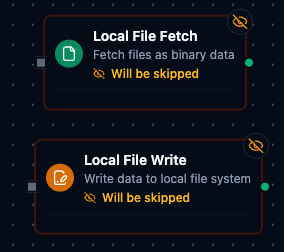
Local File Fetch node with connection and function bindings