 LoRaWAN Integration Guide
Connect MaestroHub to a LoRaWAN Network Server (LNS) to ingest field-deployed sensor telemetry — wireless temperature, humidity, level, vibration, GPS trackers, and any other LoRaWAN device — and process it inside MaestroHub pipelines. This guide explains the LoRaWAN concepts you need, walks through connection setup, and shows the event shape downstream nodes consume.
What Is LoRaWAN, and Why Do I Need an LNS?
LoRaWAN is a low-power, long-range wireless protocol used heavily in industrial monitoring (think: hundreds of battery-powered sensors across a facility, reporting every few minutes for years on a single battery). LoRaWAN devices do not speak HTTP, MQTT, or any IP protocol — they transmit short radio frames to nearby gateways, which forward them to a LoRaWAN Network Server (LNS). The LNS terminates the LoRaWAN session, decrypts the frame, and exposes the payload over a familiar IT-friendly interface — almost always MQTT.
So MaestroHub does not connect to LoRaWAN devices directly. It connects to the LNS's MQTT broker, where uplinks land already decrypted as JSON.
Common LoRaWAN Network Servers MaestroHub supports out of the box:
| LNS | Profile to pick | Topic shape |
|---|---|---|
| ChirpStack v4 (self-hosted, AWS, GCP marketplace) | chirpstack | application/{appID}/device/{devEUI}/event/up |
| ChirpStack v3 (older self-hosted deployments) | chirpstack_v3 | application/{appID}/device/{devEUI}/rx |
| The Things Stack v3 (TTN cloud, TTI cloud, self-hosted) | the_things_stack | v3/{appID}@{tenant}/devices/{devID}/up |
| Milesight UG6x gateway (built-in LNS) | milesight | ChirpStack v3-compatible envelope |
| RAK WisGate (built-in LNS) | rak | ChirpStack v3-compatible envelope |
| AWS IoT Core for LoRaWAN, generic JSON LNS | generic | Free-form |
Each LNS publishes uplinks in a slightly different JSON envelope shape. Picking the right profile tells MaestroHub which envelope to expect, so it can normalize every uplink — regardless of LNS — into a single LoRaWANUplinkEvent shape your pipeline can rely on.
Overview
The LoRaWAN connector delivers:
- Multi-LNS support — ChirpStack v4 / v3, The Things Stack v3, Milesight, RAK, and a Generic JSON profile for AWS IoT Core for LoRaWAN and other systems
- Vendor-agnostic event shape — every uplink, regardless of source LNS, becomes a single
LoRaWANUplinkEventwith consistent field names - MQTT 3.1 and 3.1.1 over TCP, TLS, WebSockets, and secure WebSockets
- Username/password and TLS client certificate authentication — covers ChirpStack API keys, TTS application keys, and AWS mTLS
- Strict and permissive parser modes — choose between dropping malformed uplinks (strict) or forwarding them with a
parse_status: warning(permissive) - Per-DevEUI and per-application allowlists — narrow function output to specific devices or applications
LoRaWAN sensor telemetry pairs naturally with downstream nodes for transformation, contextualization, and forwarding. Combine LoRaWAN triggers with InfluxDB / TimescaleDB writes for historian storage, MQTT publish for SCADA bridging, or SiteWise writes for AWS asset modeling.
Connection Configuration
Creating a LoRaWAN Connection
Navigate to Connections → New Connection → LoRaWAN and fill in these details.
LoRaWAN Connection Creation Fields
1. Profile Information
| Field | Default | Description |
|---|---|---|
| Profile Name | - | A descriptive name for this connection profile (required, max 100 characters) |
| Description | - | Optional description for this LoRaWAN connection |
2. LNS Profile
| Field | Default | Description |
|---|---|---|
| LNS Profile | chirpstack | The LoRaWAN Network Server flavor your broker speaks. Determines the JSON envelope MaestroHub expects on every uplink. Required. |
Profile Options
| Value | Use when… |
|---|---|
chirpstack | ChirpStack v4 (self-hosted, AWS Marketplace, GCP Marketplace deployments) |
chirpstack_v3 | Older ChirpStack v3 deployments still in production |
the_things_stack | The Things Network (TTN) Community Edition, The Things Stack Cloud, self-hosted TTS |
milesight | Milesight UG6x series gateways using their built-in LNS (envelope is v3-compatible) |
rak | RAK WisGate gateways using their built-in LNS (envelope is v3-compatible) |
generic | AWS IoT Core for LoRaWAN, custom LNS, anything that publishes free-form JSON to MQTT |
If you don't know which LNS you have, check the URL of the admin UI: chirpstack.example.com or eu1.cloud.thethings.network give it away. If the device data lands on AWS via IoT Core for LoRaWAN, pick generic.
3. MQTT Broker Configuration
| Field | Default | Description |
|---|---|---|
| Broker Hostname | - | LNS-side MQTT broker hostname or IP (e.g., chirpstack.example.com, eu1.cloud.thethings.network). Required. |
| Port | Auto | Broker port. Auto-selects based on Protocol: 1883 (tcp), 8883 (ssl), 80 (ws), 443 (wss). |
| Protocol | tcp | tcp (plaintext), ssl (TLS), ws (WebSocket), wss (WebSocket over TLS). |
| Client ID | Auto | Unique client identifier. Auto-generated as maestrohub-lw-<connectionID> if empty. Avoid setting a fixed value when running multiple replicas — duplicate client IDs cause broker-side disconnects. |
4. Tenant & Application Scope
| Field | Default | Description |
|---|---|---|
| Tenant ID | - | Optional. When present, the UI suggests The Things Stack's tenant-scoped default topic filter (v3/<app>@<tenant>/...); ChirpStack v4 carries the tenant in the envelope but not the topic. Only the suggestion uses it — the connection subscribes to each function's saved topic filters. |
| Application ID | - | Optional default application ID. When present, the UI suggests narrower default topic filters (e.g., application/12/device/+/event/up instead of application/+/device/+/event/up). Empty = wildcard across all applications. |
5. Authentication
| Field | Default | Description |
|---|---|---|
| Username | - | Broker username. TTS form: <application-id>@<tenant-id> (e.g., myapp@my-tenant). ChirpStack form: an API key user (anything; the password carries the API token). |
| Password | - | Broker password / API key. Encrypted at rest. Masked on edit; leave empty to keep the stored value. |
The Things Stack uses API keys, not user passwords. In the TTS console, generate an API key for your application with traffic:read rights, then use:
- Username:
<application-id>@<tenant-id>(e.g.,factory-sensors@acme-corp) - Password: the API key starting with
NNSXS....
ChirpStack v4 uses application-level API keys issued from the Application → Integrations → MQTT page. The username is irrelevant; put any string. The password is the API key.
6. MQTT Advanced
| Field | Default | Description |
|---|---|---|
| MQTT Version | 3.1.1 | Protocol version (3.1 or 3.1.1; MQTT 5 is not supported). The Things Stack v3 only supports 3.1.1 — enforced at save time. |
| Keep Alive (seconds) | 60 | MQTT keep-alive interval (0–65535). |
| Connection Timeout (seconds) | 30 | TCP connect timeout (1–300). |
| Clean Session | true | Start with a clean session (no persistent subscriptions). Set to false if your broker queues messages for you during brief disconnects. |
| Parser Mode | permissive | How the connector handles parse errors. See below. |
Parser Mode
| Value | Behavior |
|---|---|
permissive (default) | A malformed envelope is still emitted, with parse_status: error (or warning for partial parses) and a warnings array. Pipelines can filter on parse_status to handle bad data explicitly. |
strict | A malformed envelope is dropped after logging — the pipeline never sees it. Use when downstream nodes assume well-formed data and you want loud failures instead of silent garbage. |
7. TLS / SSL
| Field | Default | Description |
|---|---|---|
| Enable TLS | false | Enable TLS/SSL. Always on when Protocol is ssl or wss; with tcp the connection uses ssl; not available with ws (use wss). |
| Skip Certificate Verification | false | Skip TLS certificate verification. Development only — never use in production. |
| Client Certificate (PEM) | - | PEM-encoded client certificate for mutual TLS. Required for AWS IoT Core for LoRaWAN. |
| Client Private Key (PEM) | - | PEM-encoded client private key. Encrypted at rest, masked on edit. |
| CA Certificate (PEM) | - | PEM-encoded CA certificate. Only required for self-signed brokers. |
If you provide a client certificate, you must provide a client private key (and vice versa). The connector rejects half-configured mTLS at save time.
For AWS IoT Core for LoRaWAN:
- Profile:
generic - Broker Hostname: your AWS IoT data endpoint (e.g.,
a1b2c3d4ef5g6h-ats.iot.us-east-1.amazonaws.com) - Protocol:
ssl, Port:8883 - Auth: Leave Username/Password empty; use Client Certificate + Private Key (the AWS IoT thing certificate)
8. Connection Labels
| Field | Default | Description |
|---|---|---|
| Labels | - | Key-value pairs to categorize and organize this connection (max 10 labels) |
Example Labels
environment: productionlns: chirpstack-eu1team: facilities
- Profile changes after saving affect parsing of new uplinks immediately — there is no migration step. Existing functions on the connection keep working but the envelope shape switches.
- The Things Stack v3 requires MQTT 3.1.1 and rejects QoS > 0. The connector enforces both at save time, so misconfiguration surfaces immediately rather than at the first message.
- One connection → one MQTT session. Two connections sharing a Client ID will fight at the broker. If you need to scale ingestion, leave Client ID auto-generated.
Function Builder
Creating a LoRaWAN Function
After saving the connection:
- Open the Functions tab on your connection
- Click New Function
- Choose Uplink Subscribe as the function type
- Configure the topic filters and (optionally) per-device or per-application allowlists
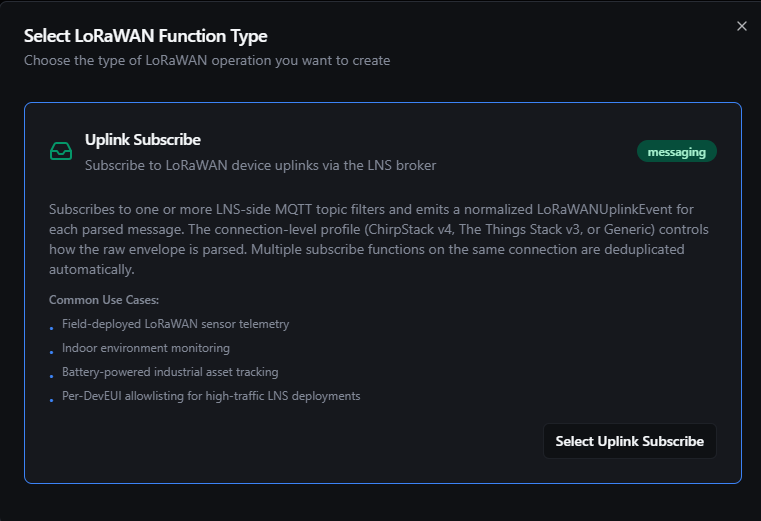
Define which LNS topics to listen on, and optionally which DevEUIs or applications to forward
The LoRaWAN connector currently exposes a single function type — Uplink Subscribe. Other operations (downlinks, join-accept listeners, status events) will land in V2.
Uplink Subscribe Function
Purpose: Subscribe the connector to one or more LNS-side MQTT topic filters. Every incoming uplink is parsed with the connection's profile and emitted as a normalized LoRaWANUplinkEvent to whatever pipelines reference this function via a LoRaWAN Trigger node.
Configuration Fields
| Field | Type | Required | Default | Description |
|---|---|---|---|---|
| Function Name | String | Yes | - | Unique name for this function (max 100 characters) |
| Description | String | No | - | Optional description |
| Topic Filters | Array | Yes | Profile-suggested | MQTT topic filters to subscribe to. Wildcards + (single segment) and # (rest) supported. The UI suggests profile-aware defaults — see the table below. |
| QoS Level | Integer | No | 0 | MQTT QoS for the subscription (0, 1, or 2). The Things Stack v3 requires QoS 0 — enforced at save time. |
| Device EUI Allowlist | Array | No | - | Optional list of DevEUIs to forward. Empty = forward all devices on the matched topics. Case-insensitive. |
| Application ID Allowlist | Array | No | - | Optional list of application IDs to forward. Empty = forward all applications. Case-sensitive (vendor-defined). |
Default Topic Filters per Profile
The UI seeds a sensible default based on the connection's profile and the connection-level Application ID. You can override anytime.
| Profile | Topic filter suggestion |
|---|---|
chirpstack (v4) | application/+/device/+/event/up (all apps, all devices). With Application ID = 12: application/12/device/+/event/up |
chirpstack_v3 | application/+/device/+/rx |
the_things_stack (multi-tenant) | v3/+/devices/+/up. With Application = myapp + Tenant = acme: v3/myapp@acme/devices/+/up |
the_things_stack (single-tenant) | v3/+/devices/+/up. With Application = myapp: v3/myapp/devices/+/up |
rak | Defaults to the v3-compatible shape application/+/device/+/rx |
milesight | application/+/device/+/up (the v3 envelope with an /up suffix) |
generic | None — Generic has no envelope assumption, so you must supply a filter explicitly |
How Multiple Functions Compose
Multiple Uplink Subscribe functions on the same connection can coexist. The connector deduplicates broker-level subscriptions: if function A subscribes to application/+/device/+/event/up and function B subscribes to application/12/device/+/event/up, the broker delivers each message once and the connector fans it out to both functions in memory — saving bandwidth on the broker.
This makes it natural to split functions per use case (e.g., one function for "all temperature sensors", another for "all GPS trackers") without paying the network cost twice.
Allowlist Behavior
Per-function deviceFilter and applicationFilter apply after parsing, against the parsed event fields:
- An empty list means "accept all" — no filtering.
- A non-empty list keeps only events whose
dev_eui(orapplication_id) appears in the list. - DevEUIs are matched case-insensitively (the parser lowercases on emit).
- Application IDs are matched case-sensitively (vendors use mixed casing).
Function Example — ChirpStack v4
Function Configuration:
- Topic Filters:
["application/12/device/+/event/up"] - QoS Level:
0 - Device EUI Allowlist: (empty)
- Application ID Allowlist: (empty)
At runtime, this subscribes the connector to every device under application 12 on the configured ChirpStack v4 broker. Every uplink is normalized and emitted to any downstream LoRaWAN trigger on this function.
Function Example — The Things Stack v3 (multi-tenant)
Function Configuration:
- Topic Filters:
["v3/factory-sensors@acme-corp/devices/+/up"] - QoS Level:
0(TTS requires QoS 0) - Device EUI Allowlist:
["0102030405060708"]
At runtime, only uplinks from a specific device (0102030405060708) under the factory-sensors application in the acme-corp tenant flow downstream — all other devices on the same topic are silently dropped at the connector layer.
Discover Tab
The connection's Discover tab shows the uplink topics live on the LNS broker, so you can create Uplink Subscribe functions from them. It becomes usable once the connection is saved.
- Check the Topic Pattern. It is pre-filled with the topic filter suggested for the connection's profile (see Default Topic Filters per Profile); for the Generic profile it falls back to
application/+/device/+/event/up. Edit it if your LNS publishes elsewhere, then click Start Discovery. Discovery always subscribes at QoS 0. - Arriving topics build up in the Topic Tree. Select a topic to see its latest uplink in Device Uplink Details.
- Click Create Subscribe Function and confirm the function name. The new Uplink Subscribe function subscribes to that topic at QoS 0 with empty allowlists; refine it in the Functions tab. The button reads Subscribe Function Exists when a function on the connection already covers that topic.
- Click Stop Discovery when you are done. A running session shows its idle timeout and maximum duration, and stops collecting new topics once it reaches its topic limit.
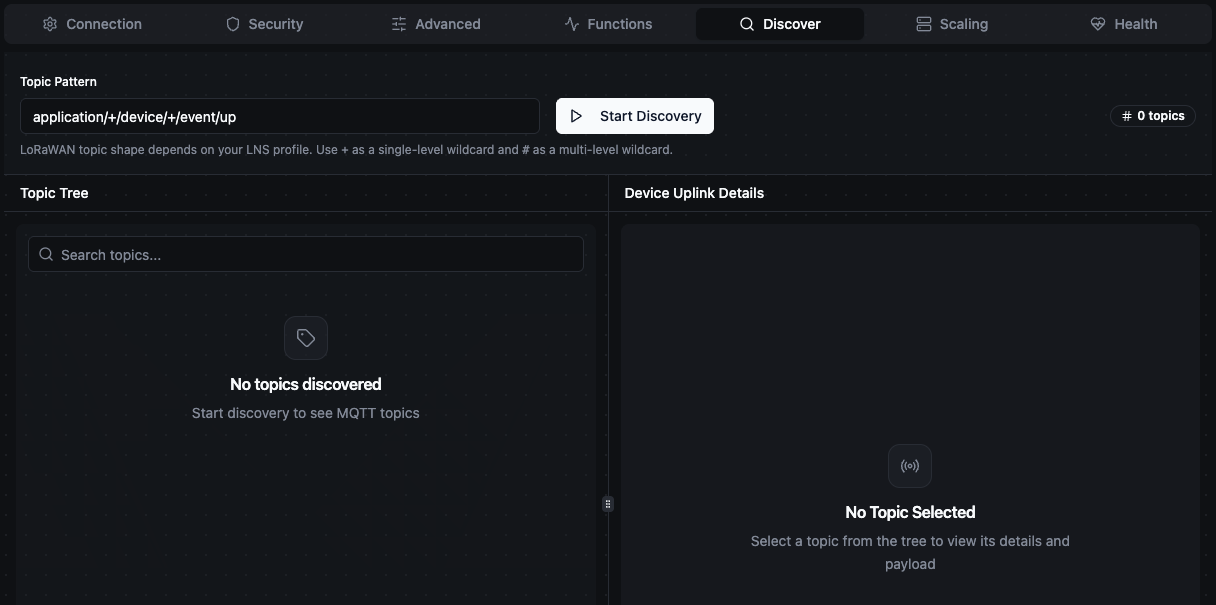
Discover tab with the topic pattern pre-filled for ChirpStack
Pipeline Integration
Use this Subscribe function as the source for a LoRaWAN Trigger node in the Pipeline Designer. The trigger node fires once per uplink, exposing the normalized event to downstream nodes via the $input variable.
For broader patterns that mix LoRaWAN with downstream historian writes, MQTT bridging, or alerting, see the Connector Nodes page.
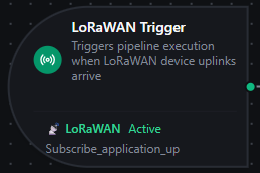
LoRaWAN trigger feeding a transform → InfluxDB write pipeline
Event Shape Reference
Every uplink is normalized into the same LoRaWANUplinkEvent shape regardless of which LNS produced it. Downstream nodes never need to branch on the source profile.
The full shape (from a happy-path ChirpStack v4 uplink with a decoded payload):
{
  "schema_version": "1.0",
  "profile": "chirpstack",
  "event_type": "uplink",
  "connection_id": "bf29be94-fc0a-4dc4-8e5c-092f1b74eb4b",
  "function_id": "aef374c3-aa2b-454e-aabc-5657faac5950",
  "source_topic": "application/12/device/0101010101010101/event/up",
  "received_at": "2026-05-05T10:23:01.412Z",
  "tenant_id": "tenant-7",
  "application_id": "12",
  "device_profile_id": "profile-em300",
  "device_name": "Boiler Room Sensor 7",
  "dev_eui": "0101010101010101",
  "dev_addr": "00189440",
  "f_port": 1,
  "f_cnt": 142,
  "confirmed": false,
  "raw_payload_base64": "AwH//w==",
  "raw_payload_hex": "0301ffff",
  "decoded_payload": {
    "temperature": 24.8,
    "humidity": 51.2
  },
  "radio": {
    "rx_info": [
      {
        "gateway_id": "0016c001f153a14c",
        "rssi": -57,
        "snr": 10.0
      }
    ],
    "tx_info": {
      "frequency": 868300000,
      "data_rate": {
        "spreading_factor": 7,
        "bandwidth": 125000,
        "code_rate": "4/5"
      }
    }
  },
  "parse_status": "ok"
}
Field Reference
| Field | Type | Description |
|---|---|---|
schema_version | string | Event shape version. 1.0 for V1; bumped on breaking changes. |
profile | string | The LNS profile that produced this event (chirpstack, the_things_stack, etc.) |
event_type | string | Always uplink in V1 |
connection_id | string | UUID of the connection profile |
function_id | string | UUID of the subscribe function that matched |
source_topic | string | The exact MQTT topic the uplink arrived on |
received_at | RFC3339 timestamp | LNS-reported uplink time, falling back to ingestion time when the LNS doesn't include one |
tenant_id | string | LNS tenant ID (ChirpStack v4 multi-tenant, TTS); empty for single-tenant deployments |
application_id | string | LNS application ID |
device_profile_id | string | Device profile / model ID assigned in the LNS (ChirpStack only) |
device_name | string | Human-readable device name set in the LNS |
dev_eui | string | 16-hex-char device EUI, lowercased |
dev_addr | string | LoRaWAN session DevAddr (changes on rejoin), lowercased |
f_port | integer | LoRaWAN application port (omitted if not in the envelope; 0 is a meaningful value) |
f_cnt | integer | LoRaWAN frame counter (omitted if not in the envelope) |
confirmed | boolean | Whether the device requested an ACK |
raw_payload_base64 | string | Encrypted-data-decrypted payload bytes, base64-encoded |
raw_payload_hex | string | Same bytes as hex (convenience — derived from raw_payload_base64) |
decoded_payload | object | Codec output if the LNS ran a payload codec. Empty / absent otherwise — see below. |
radio.rx_info[] | array | One entry per gateway that received this uplink (LoRaWAN frames are often heard by multiple gateways) |
radio.tx_info | object | The radio parameters the device transmitted at (frequency, spreading factor, bandwidth, code rate) |
parse_status | string | ok, warning, or error |
warnings | array | Human-readable warnings when parse_status is warning |
When Will decoded_payload Be Present?
LoRaWAN devices send raw bytes over the air. Whether decoded_payload is populated depends on whether the LNS ran a codec — a small JavaScript function that maps device bytes to a JSON object.
| Scenario | decoded_payload |
|---|---|
| LNS has a codec configured for the device profile (most common in production) | Populated with the codec's JSON output |
| LNS has no codec, or a codec error occurred | Empty / absent — the bytes are still in raw_payload_base64 and raw_payload_hex |
| Device uses Cayenne LPP and the LNS has the standard LPP codec | Populated with {"temperature_1": 24.8, "humidity_2": 51.2, ...} |
If decoded_payload is empty, you can decode the raw bytes inside MaestroHub using a JavaScript node downstream of the LoRaWAN trigger. See the LoRaWAN Trigger documentation for a working example.
Configure codecs on the LNS side when possible — it gives every consumer (MaestroHub, Grafana, AWS, anyone subscribing to the same broker) the decoded values for free. Only fall back to in-MaestroHub JavaScript decoding when you can't change the LNS configuration.
Common Use Cases
Industrial Sensor Telemetry
Hundreds of battery-powered LoRaWAN sensors (Milesight EM300 temperature/humidity, Decentlab DL-MBX-100 level sensors, Adeunis pulse counters) report every 5–15 minutes across a factory or campus. Subscribe the connector once to application/+/device/+/event/up (ChirpStack) and let pipeline-side filters pick out which sensors feed which destinations — historian, dashboards, alerting.
Asset Tracking
Battery-powered GPS trackers report position once an hour. The trigger fires per uplink, the JS node decodes lat/lon from the raw bytes (or reads the LNS-decoded GPS object), and a downstream node writes to the asset's row in your tracking database.
Cold Chain Monitoring
Temperature-and-humidity sensors in refrigerated trucks or cold storage uplink every minute. Combine the LoRaWAN trigger with a Condition node ("if temperature > 8 °C") and a Slack/SMS notification node to alert operators in real time.
Multi-Tenant LNS Bridging
A managed-service operator runs ChirpStack v4 with one tenant per customer. Create one connection per tenant (each with its tenant_id and an API key scoped to that tenant), then route their telemetry to per-customer destinations — without ever risking cross-tenant data leakage.
Cloud-Edge Bridging
A Milesight or RAK gateway runs its built-in LNS at a remote site with intermittent connectivity. Pick the matching profile, point at the gateway's local broker, and let MaestroHub's pipeline retry/buffer logic handle the WAN side.