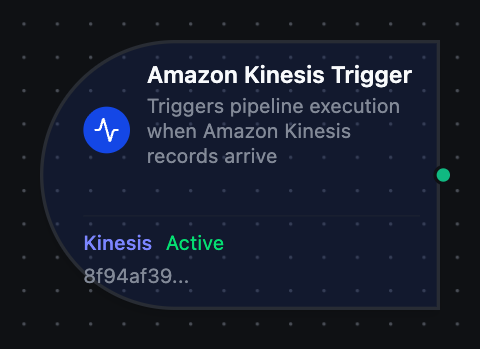
Kinesis trigger node
Amazon Kinesis Trigger Node
Overview
The Kinesis Trigger Node automatically initiates MaestroHub pipelines when records arrive on an Amazon Kinesis Data Stream. Unlike the Kinesis Put/Get nodes which act within an already-running pipeline, the Kinesis Trigger starts new pipeline executions in response to incoming records — enabling fully event-driven stream processing.
Core Functionality
What It Does
The Kinesis Trigger enables real-time, event-driven pipeline execution by:
1. Event-Driven Pipeline Execution A long-running consumer polls every shard of the stream and fires the pipeline once per record, without manual intervention. Ideal for stream processing, real-time ingestion, and fanning Kinesis events into UNS topics.
2. Shard Discovery Automatically discovers the stream's shards and re-discovers them across resharding, so new shards are consumed without reconfiguration.
3. Record Payload and Metadata Passthrough
Each record's payload is passed to the pipeline along with metadata (streamName, shardId, partitionKey, sequenceNumber, and approximateArrivalTimestamp), available to downstream nodes via the $node and $trigger variables.
The consumer is single-instance: durable cross-restart checkpointing and enhanced fan-out are not yet supported. Without durable checkpointing, restarting the consumer re-applies the configured Start Position.
Configuration Options
Basic Information
| Field | Type | Description |
|---|---|---|
| Node Label | String (Required) | Display name for the node on the pipeline canvas |
| Description | String (Optional) | Explains what this trigger initiates |
Parameters
| Parameter | Type | Default | Required | Constraints | Description |
|---|---|---|---|---|---|
| Connection ID | string | "" | Yes | -- | Kinesis connection profile to use. |
| Function ID | string | "" | Yes | -- | Consume function within the connection. Only Consume (Trigger) functions are listed. |
| Trigger Mode | select | "always" | No | always / onChange | always: Trigger on every record. onChange: Only trigger when the payload differs from the last received value for its key. |
| Enabled | boolean | true | No | -- | Enable/disable the trigger. When disabled, no records are consumed from the stream. |
| Dedup Max Keys | number | 1000 | If onChange | 1–10,000 | Maximum number of distinct partition keys tracked for change detection. Least recently used key is evicted when exceeded. |
The selected function must be a Kinesis Consume (Trigger) function type. Put and Get functions cannot be used with Kinesis Trigger nodes. The stream name and start position are configured on the Consume function itself — see the Consume (Trigger) function reference.
Settings
Description
A free-text area for documenting the node's purpose and behavior. Notes entered here are saved with the pipeline and visible to all team members.
Execution Settings
| Setting | Options | Default | Description |
|---|---|---|---|
| Timeout (seconds) | number | Pipeline default | Maximum execution time for this node (1–600). Leave empty for pipeline default. |
| Retry on Timeout | Pipeline Default / Enabled / Disabled | Pipeline Default | Whether to retry the node if it times out. |
| Retry on Fail | Pipeline Default / Enabled / Disabled | Pipeline Default | Whether to retry on failure. When Enabled, shows Advanced Retry Configuration. |
| On Error | Pipeline Default / Stop Pipeline / Continue Execution | Pipeline Default | Behavior when node fails after all retries. |
Advanced Retry Configuration (visible when Retry on Fail = Enabled)
| Field | Type | Default | Range | Description |
|---|---|---|---|---|
| Max Attempts | number | 3 | 1–10 | Maximum retry attempts. |
| Initial Delay (ms) | number | 1000 | 100–30,000 | Wait before first retry. |
| Max Delay (ms) | number | 120000 | 1,000–300,000 | Upper bound for backoff delay. |
| Multiplier | number | 2.0 | 1.0–5.0 | Exponential backoff multiplier. |
| Jitter Factor | number | 0.1 | 0–0.5 | Random jitter (+-percentage). |
Output Data Structure
When a Kinesis record triggers pipeline execution, the following data is available to downstream nodes via the $trigger variable.
Output Format
{
  "_metadata": {
    "type": "kinesis_trigger",
    "streamName": "plant-telemetry",
    "shardId": "shardId-000000000000",
    "partitionKey": "line-3",
    "sequenceNumber": "49590338271490256608559692538361571095921575989136588898",
    "approximateArrivalTimestamp": "2026-09-05T14:47:19.123Z",
    "protocol": "kinesis",
    "connectionId": "bf29be94-fc0a-4dc4-8e5c-092f1b74eb4b",
    "functionId": "aef374c3-aa2b-454e-aabc-5657faac5950",
    "timestamp": "2026-09-05T14:47:19.123Z"
  },
  "result": {
    "deviceId": "line-3",
    "temperature": 21.5
  }
}
Accessing Record Data
In downstream nodes, use the $trigger variable to access the trigger output:
| Field | Expression | Description |
|---|---|---|
| Record Payload | $trigger.result | The record data. Valid JSON is delivered parsed — an object, array, number or string — so $trigger.result.<field> reads a field directly. Anything that is not valid JSON is delivered as a string |
| Stream | $trigger._metadata.streamName | The stream the record was read from |
| Shard | $trigger._metadata.shardId | The shard the record came from |
| Partition Key | $trigger._metadata.partitionKey | The partition key the producer wrote the record with |
| Sequence Number | $trigger._metadata.sequenceNumber | The record's sequence number in the shard — unique and ordered per shard |
| Arrival Time | $trigger._metadata.approximateArrivalTimestamp | When Kinesis accepted the record (RFC 3339, UTC) |
| Protocol | $trigger._metadata.protocol | Always kinesis |
| Connection ID | $trigger._metadata.connectionId | The connection profile the trigger runs on |
| Function ID | $trigger._metadata.functionId | The subscribe function that received the message |
| Trigger Type | $trigger._metadata.type | Always kinesis_trigger |
| Timestamp | $trigger._metadata.timestamp | When MaestroHub received the message (RFC 3339, UTC) |
Every _metadata value is a string — "3", not 3; "false", not false — so compare them as strings. The message itself keeps its JSON types:
$trigger.result.deviceId— a field of a JSON record$trigger.result— the whole record
Validation Rules
The Kinesis Trigger Node enforces these validation requirements:
Parameter Validation
Connection ID
- Must be provided and non-empty
- Must reference a valid Kinesis connection profile
- Error: "Kinesis connection is required"
Function ID
- Must be provided and non-empty
- Must reference a valid Kinesis Consume (Trigger) function
- Function must belong to the specified connection
- Error: "Consume function is required"
Enabled Flag
- Must be a boolean if provided
- Error: "Enabled must be a boolean value"
Usage Examples
Real-Time Telemetry Processing
Scenario: Consume equipment telemetry records from a Kinesis stream, enrich them with asset metadata, and write the result onward.
Configuration:
- Label: Telemetry Processor
- Connection: Production Kinesis
- Function: Consume from
equipment-telemetry(Start Position: LATEST) - Trigger Mode: always
- Enabled: true
Downstream Processing:
- Parse the record payload to extract readings
- Enrich with asset metadata from a MongoDB lookup
- Apply data-quality validations
- Publish enriched events to UNS topics
Fan Kinesis Events into the UNS
Scenario: Bridge an analytics stream into the Unified Namespace in real time.
Configuration:
- Label: Kinesis → UNS Bridge
- Connection: Analytics Kinesis
- Function: Consume from
processed-events(Start Position: TRIM_HORIZON) - Trigger Mode: always
- Enabled: true
Downstream Processing:
- Map the record to a UNS topic by partition key
- Publish to the UNS
- Log throughput for monitoring
Deduplicated Status Processing
Scenario: Process equipment status records but only when the status actually changes.
Configuration:
- Label: Equipment Status Monitor
- Connection: Factory Kinesis
- Function: Consume from
equipment-status(Start Position: LATEST) - Trigger Mode: onChange
- Dedup Max Keys: 5000
- Enabled: true
Downstream Processing:
- Extract equipment ID and new status from the payload
- Update equipment state in MongoDB
- Send a notification via MS Teams for critical status changes