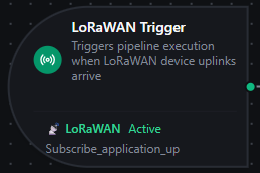
LoRaWAN trigger node
LoRaWAN Trigger Node
Overview
The LoRaWAN Trigger Node automatically starts a pipeline execution every time a LoRaWAN device uplink arrives on a LoRaWAN connection's subscribed topic — fully event-driven, no polling, no manual intervention.
If you're new to LoRaWAN: devices send short radio frames to LoRaWAN gateways, which forward them to a LoRaWAN Network Server (LNS) like ChirpStack or The Things Stack. The LNS decrypts the frame and republishes it to its MQTT broker. MaestroHub's LoRaWAN connector subscribes to that broker, normalizes the uplink into a single LoRaWANUplinkEvent shape, and this trigger fires the pipeline with the event as $input.
Core Functionality
What It Does
1. Event-Driven Pipeline Execution Start pipelines automatically when a LoRaWAN device reports — temperature/humidity sensors, GPS trackers, level sensors, pulse counters, anything LoRaWAN-capable. No polling.
2. Automatic Subscription Management The connector handles broker subscriptions, fan-out across multiple triggers, and reconnection to the LNS. You don't manage MQTT subscriptions directly.
3. Vendor-Agnostic Event Shape
ChirpStack v4, The Things Stack, Milesight, RAK, and Generic-JSON LNSs all produce the same LoRaWANUplinkEvent JSON shape. Pipelines built against one LNS work unchanged when you migrate to another.
4. Per-Device Change Detection
Optional onChange mode suppresses re-fires when the same device reports the same payload. Each device (DevEUI) gets its own dedup slot — two devices on the same MQTT topic don't suppress each other.
Connection Health & Reconnection
When the connection to the LNS broker is lost and restored, MaestroHub re-establishes subscriptions automatically — the trigger keeps firing once the LNS broker is reachable again.
| Scenario | Behavior |
|---|---|
| Brief network blip | Subscriptions auto-resume on reconnect |
| LNS broker restart | Subscriptions restored when the broker comes back online |
| MaestroHub restart | Subscriptions re-established on startup for all enabled pipelines |
LoRaWAN devices uplink only every few minutes (often every 15 minutes for battery savings). A short broker outage can still result in lost frames — LoRaWAN itself does not retransmit application uplinks once the LNS has acknowledged them on the radio side. Configure your LNS to queue messages during disconnects if you need durable delivery, and use QoS 1 on your subscribe function (where the LNS supports it — TTS does not).
Configuration Options
Basic Information
| Field | Type | Description |
|---|---|---|
| Node Label | String (Required) | Display name on the pipeline canvas |
| Description | String (Optional) | Free-form notes — what this trigger is for, which devices feed it, etc. |
Parameters
| Parameter | Type | Default | Required | Constraints | Description |
|---|---|---|---|---|---|
| LoRaWAN Connection | string | "" | Yes | -- | The LoRaWAN connection profile to listen on (must be a lorawan connector) |
| Subscribe Function | string | "" | Yes | -- | An Uplink Subscribe function on the selected connection. The function defines which topic filters and device/application allowlists apply. |
| Trigger Mode | select | "always" | No | always / onChange | always: fire on every uplink. onChange: fire only when the payload differs from the device's last seen value. |
| Enabled | boolean | true | No | -- | Toggle to pause uplink processing without deleting the trigger |
| Max Tracked Devices | number | 1000 | If onChange | 1–10,000 | Maximum DevEUIs tracked for change detection. LRU eviction when exceeded. |
| Sample Payload | json | - | No | -- | Sample uplink emitted as result when you run the node with Test Node in Sandbox mode. When empty, a built-in sample is used. The live subscription and the node's Fire Trigger action do not use it. |
| Sample Quality | select | Good | No | Good / Uncertain / Bad | The quality the sandbox sample reports in $trigger._metadata.quality. Ignored by the live subscription. |
The selected function must be of type Uplink Subscribe (lorawan.uplink.subscribe). Other function types are filtered out of the dropdown.
onChangeLoRaWAN devices often send the same value repeatedly (e.g., a temperature sensor reporting the same reading for hours when the room is stable). onChange mode skips those repeats so your pipeline only runs when something actually changed.
The change is computed against $input[0].result — typically the entire LoRaWANUplinkEvent, including frame counters and radio metadata. If you only care about decoded sensor values, consider using always mode plus a downstream Condition node comparing against historian state for a more targeted definition of "changed."
Settings
Description
A free-text area for documenting the node's purpose. Saved with the pipeline and visible to all team members.
Execution Settings
| Setting | Options | Default | Description |
|---|---|---|---|
| Timeout (seconds) | number | Pipeline default | Maximum execution time for this node (1–600). Leave empty for the pipeline default. |
| Retry on Timeout | Pipeline Default / Enabled / Disabled | Pipeline Default | Whether to retry the node if it times out |
| Retry on Fail | Pipeline Default / Enabled / Disabled | Pipeline Default | Whether to retry on failure. When Enabled, exposes Advanced Retry Configuration. |
| On Error | Pipeline Default / Stop Pipeline / Continue Execution | Pipeline Default | Behavior when this node fails after all retries |
Advanced Retry Configuration (visible when Retry on Fail = Enabled)
| Field | Type | Default | Range | Description |
|---|---|---|---|---|
| Max Attempts | number | 3 | 1–10 | Maximum retry attempts |
| Initial Delay (ms) | number | 1000 | 100–30,000 | Wait before first retry |
| Max Delay (ms) | number | 120000 | 1,000–300,000 | Upper bound for backoff delay |
| Multiplier | number | 2.0 | 1.0–5.0 | Exponential backoff multiplier |
| Jitter Factor | number | 0.1 | 0–0.5 | Random jitter (±percentage) |
Output Data Structure
When a LoRaWAN uplink arrives, the trigger fires the pipeline with $input shaped as:
$input
├── _metadata          // protocol, profile, device identifiers, parse status
└── payload            // the full LoRaWANUplinkEvent
$input[0]._metadata — at a glance
{
  "type": "lorawan_trigger",
  "connectionId": "bf29be94-fc0a-4dc4-8e5c-092f1b74eb4b",
  "connectionId": "bf29be94-fc0a-4dc4-8e5c-092f1b74eb4b",
  "functionId": "aef374c3-aa2b-454e-aabc-5657faac5950",
  "timestamp": "2026-05-05T10:23:01Z",
  "protocol": "lorawan",
  "profile": "chirpstack",
  "sourceTopic": "application/12/device/0101010101010101/event/up",
  "parseStatus": "ok",
  "quality": "good",
  "devEui": "0101010101010101",
  "fPort": "1"
}
_metadata is intended for routing decisions: filter pipelines by devEui, branch on parseStatus, log the sourceTopic for audit. The values are normalized to strings in _metadata for fast comparison.
quality is the platform's canonical band derived from parseStatus: good for a clean parse, uncertain when the parser reported warnings, bad when a parse failed and permissive mode emitted the partial event anyway. A UNS Publish node downstream inherits it, so a partial uplink is never stored as a trusted reading.
$input[0].result — the full event
The complete normalized event. Use this for the actual sensor data, decoded values, radio info, and frame counters.
Example: ChirpStack v4 with LNS-decoded payload
{
  "schema_version": "1.0",
  "profile": "chirpstack",
  "event_type": "uplink",
  "connection_id": "bf29be94-fc0a-4dc4-8e5c-092f1b74eb4b",
  "function_id": "aef374c3-aa2b-454e-aabc-5657faac5950",
  "source_topic": "application/12/device/0101010101010101/event/up",
  "received_at": "2026-05-05T10:23:01.412Z",
  "tenant_id": "tenant-7",
  "application_id": "12",
  "device_profile_id": "profile-em300",
  "device_name": "Boiler Room Sensor 7",
  "dev_eui": "0101010101010101",
  "dev_addr": "00189440",
  "f_port": 1,
  "f_cnt": 142,
  "confirmed": false,
  "raw_payload_base64": "AwH//w==",
  "raw_payload_hex": "0301ffff",
  "decoded_payload": {
    "temperature": 24.8,
    "humidity": 51.2
  },
  "radio": {
    "rx_info": [
      {
        "gateway_id": "0016c001f153a14c",
        "rssi": -57,
        "snr": 10.0
      }
    ],
    "tx_info": {
      "frequency": 868300000,
      "data_rate": {
        "spreading_factor": 7,
        "bandwidth": 125000,
        "code_rate": "4/5"
      }
    }
  },
  "parse_status": "ok"
}
Example: The Things Stack v3 with LNS-decoded payload
{
  "schema_version": "1.0",
  "profile": "the_things_stack",
  "event_type": "uplink",
  "connection_id": "bf29be94-fc0a-4dc4-8e5c-092f1b74eb4b",
  "function_id": "aef374c3-aa2b-454e-aabc-5657faac5950",
  "source_topic": "v3/factory-sensors@acme-corp/devices/boiler-room-7/up",
  "received_at": "2026-05-05T10:23:01.412Z",
  "application_id": "factory-sensors",
  "device_name": "boiler-room-7",
  "dev_eui": "0202020202020202",
  "dev_addr": "00189441",
  "f_port": 1,
  "raw_payload_base64": "AVgC8A==",
  "raw_payload_hex": "015802f0",
  "decoded_payload": {
    "temperature": 22.0,
    "humidity": 60.0
  },
  "radio": {
    "rx_info": [
      {
        "gateway_id": "tts-gw-01",
        "rssi": -65,
        "snr": 8.0
      }
    ],
    "tx_info": {
      "frequency": 868300000,
      "data_rate": {
        "spreading_factor": 7,
        "bandwidth": 125000,
        "code_rate": "4/5"
      }
    }
  },
  "parse_status": "ok"
}
Same field names as ChirpStack — your pipeline doesn't need to know which LNS produced the event. Only profile, source_topic, and any LNS-specific identifiers (tenant_id, device_profile_id) differ.
Example: Raw bytes (no LNS codec configured)
When the LNS has no payload codec for the device, decoded_payload is omitted and you'll only see the raw bytes:
{
  "schema_version": "1.0",
  "profile": "chirpstack",
  "event_type": "uplink",
  "connection_id": "bf29be94-fc0a-4dc4-8e5c-092f1b74eb4b",
  "function_id": "aef374c3-aa2b-454e-aabc-5657faac5950",
  "source_topic": "application/12/device/0303030303030303/event/up",
  "received_at": "2026-05-05T10:23:01.412Z",
  "application_id": "12",
  "device_name": "Pump Room Sensor (raw)",
  "dev_eui": "0303030303030303",
  "f_port": 2,
  "raw_payload_base64": "CqwXig==",
  "raw_payload_hex": "0aac178a",
  "radio": {
    "rx_info": [{"gateway_id": "0016c001f153a14c", "rssi": -71, "snr": 6.5}],
    "tx_info": {"frequency": 868100000}
  },
  "parse_status": "ok"
}
In this case, decode the bytes downstream — see the JavaScript decoder section below.
Accessing Fields in Downstream Nodes
| What you want | Expression |
|---|---|
| The decoded sensor reading | $input[0].result.decoded_payload |
| A specific decoded field | $input[0].result.decoded_payload.temperature |
| Device EUI | $input[0].result.dev_eui |
| Device name set in the LNS | $input[0].result.device_name |
| Frame counter | $input[0].result.f_cnt |
| Application port | $input[0].result.f_port |
| Best-gateway RSSI | $input[0].result.radio.rx_info[0].rssi |
| Number of gateways that heard the frame | $input[0].result.radio.rx_info.length |
| Raw payload bytes (base64) | $input[0].result.raw_payload_base64 |
| Raw payload bytes (hex) | $input[0].result.raw_payload_hex |
| Parse status | $input[0].result.parse_status |
| MQTT topic the uplink arrived on | $input[0].result.source_topic |
| Tenant (multi-tenant LNS) | $input[0].result.tenant_id |
| Application the device belongs to | $input[0].result.application_id |
| Device profile in the LNS | $input[0].result.device_profile_id |
| Device address (lowercase hex) | $input[0].result.dev_addr |
| Whether the uplink was a confirmed-data frame | $input[0].result.confirmed |
What kind of event this is (uplink, join, …) | $input[0].result.event_type |
| Version of this event's shape — locked, so expressions keep working across upgrades | $input[0].result.schema_version |
Parser warnings when parse_status is not ok (fields missing or coerced) | $input[0].result.warnings |
| The LNS message as received, before normalization | $input[0].result.raw_envelope |
| The MaestroHub connection and function that received it | $input[0].result.connection_id, $input[0].result.function_id |
Decoding Raw Bytes in a JavaScript Node
When decoded_payload is empty — meaning the LNS didn't run a codec for this device — decode the raw bytes inside MaestroHub using a JavaScript node downstream of the trigger.
Worked Example
Suppose the device is a 4-byte temperature/humidity sensor:
| Byte offset | Meaning |
|---|---|
| 0–1 | Temperature × 100, big-endian unsigned 16-bit |
| 2–3 | Humidity × 100, big-endian unsigned 16-bit |
A real uplink lands as:
{
  "raw_payload_base64": "CqwXig==",
  "raw_payload_hex": "0aac178a"
}
That is 0x0A 0xAC 0x17 0x8A:
0x0AAC= 2732 → temperature = 27.32 °C0x178A= 6026 → humidity = 60.26 %
JavaScript Node Code
Wire the JS node directly downstream of the LoRaWAN trigger and paste:
// Convert hex string to byte array
function hexToBytes(hex) {
  const bytes = [];
  for (let i = 0; i < hex.length; i += 2) {
    bytes.push(parseInt(hex.substr(i, 2), 16));
  }
  return bytes;
}

const hex = $input[0].result.raw_payload_hex;
const bytes = hexToBytes(hex);

// Big-endian 16-bit unsigned reads, scaled by 1/100
const temperature = ((bytes[0] << 8) | bytes[1]) / 100;
const humidity    = ((bytes[2] << 8) | bytes[3]) / 100;

return {
  dev_eui: $input[0].result.dev_eui,
  device_name: $input[0].result.device_name,
  temperature_c: temperature,
  humidity_pct: humidity,
  received_at: $input[0].result.received_at,
};
For the example uplink above this returns:
{
  "dev_eui": "0303030303030303",
  "device_name": "Pump Room Sensor (raw)",
  "temperature_c": 27.32,
  "humidity_pct": 60.26,
  "received_at": "2026-05-05T10:23:01.412Z"
}
Many low-cost LoRaWAN devices use Cayenne LPP — a self-describing format where each measurement is {channel}{type}{value...}. If your device follows LPP, the decoder is a single parsing loop and the device manufacturer almost certainly publishes a reference codec. Search GitHub for <device-model> cayenne lpp decoder and adapt the function.
Most industrial LoRaWAN device vendors publish per-model codecs in JavaScript already — usually on their documentation site or in the public TheThingsNetwork/lorawan-devices repository. Copy the decoder function, adapt the input from the vendor's bytes/port parameters to MaestroHub's $input[0].result.raw_payload_hex / $input[0].result.f_port, and you're done.
Validation Rules
The LoRaWAN Trigger Node enforces:
Parameter Validation
LoRaWAN Connection
- Must be provided and non-empty
- Must reference a connection of type
lorawan
Subscribe Function
- Must be provided and non-empty
- Must be a
lorawan.uplink.subscribefunction - Must belong to the selected connection
Enabled
- Must be a boolean if provided
Settings Validation
On Error
- Must be one of:
pipelineDefault,stopPipeline,continueExecution
Usage Examples
Cold Storage Temperature Monitoring
Scenario: Several Milesight EM300 temperature/humidity sensors in a refrigerated warehouse uplink every 5 minutes. Alert if any sensor reports above 8 °C for two consecutive readings.
Configuration:
- LoRaWAN Connection:
Warehouse ChirpStack - Subscribe Function:
WarehouseSensors-up(topic filterapplication/4/device/+/event/up) - Trigger Mode:
always
Downstream Pipeline:
- Condition node — branch on
$input[0].result.decoded_payload.temperature > 8 - Counter node — increment per device; reset on reading below 8
- Slack node — alert when counter reaches 2 with the device name and reading
GPS Asset Tracking
Scenario: 200 battery-powered GPS trackers report position once an hour. Update each asset's last-known location in the asset registry.
Configuration:
- LoRaWAN Connection:
Fleet TTS - Subscribe Function:
Trackers-up(topic filterv3/fleet@acme/devices/+/up) - Trigger Mode:
onChange(devices in motion send distinct positions; idle devices report the same coordinates and don't need to refire)
Downstream Pipeline:
- JavaScript node — extract
lat/lonfrom$input[0].result.decoded_payload(or decode raw bytes) - PostgreSQL node —
UPDATE assets SET last_lat=:lat, last_lon=:lon, last_seen_at=NOW() WHERE dev_eui=:dev_eui
Per-Device Pipeline Routing
Scenario: A handful of "VIP" devices (critical machinery) need real-time alerting; everything else just goes to the historian.
Configuration (VIP pipeline):
- LoRaWAN Connection:
Plant ChirpStack - Subscribe Function:
Critical-up(topic filterapplication/+/device/+/event/up, Device EUI Allowlist:["a1...", "a2...", ...]) - Trigger Mode:
always
Configuration (historian pipeline):
- LoRaWAN Connection:
Plant ChirpStack - Subscribe Function:
Historian-up(same topic filter, no allowlist — accepts everything) - Trigger Mode:
always
Both functions can coexist on the same connection — the connector deduplicates broker subscriptions, so the LNS only delivers each uplink once.
Multi-Tenant Bridging
Scenario: Managed-service operator runs ChirpStack v4 with one tenant per customer. Each customer's pipeline must stay scoped to their own data.
Configuration:
- One LoRaWAN connection per tenant, each with the tenant's API key and
tenant_idset - One trigger per pipeline, scoped to that tenant's connection
Topology guarantees no cross-tenant leakage — the broker-side ACL on the API key already enforces it, and _metadata.connectionId lets you audit which tenant fired which pipeline.
Best Practices
Picking Trigger Mode
| Use case | Recommended mode |
|---|---|
| Historian / time-series ingestion | always (you want every reading, even repeats) |
| Alerting on threshold breach | always + downstream Condition node (the threshold is the dedup, not "value changed") |
| Asset tracking, where idle devices report the same value | onChange (skip the repeat reads from stationary trackers) |
| Critical-event detection where the device only uplinks on event | always (every uplink already represents an event) |
Performance Considerations
| Scenario | Recommendation |
|---|---|
| Hundreds of devices on one wildcard topic | Run them through one Subscribe function and one trigger — much cheaper than per-device subscriptions |
| Multiple destinations per device | Use one Subscribe function and fan out at the pipeline layer (e.g., a parallel branch into historian + alerting), not multiple parallel subscriptions |
| Pipeline doing heavy work | Set On Error: Continue Execution so a slow downstream node doesn't back-pressure subsequent uplinks; consider buffering inside the pipeline |
| High-FCnt devices | LoRaWAN frame counters are 32-bit unsigned. If you compare frame counters, treat them as uint32 to avoid negative values after >2^31 reads. |
Reliability Patterns
| Practice | Rationale |
|---|---|
| Use QoS 1 on the Subscribe function (where the LNS supports it) | Survives brief broker disconnects without dropping uplinks. The Things Stack v3 only supports QoS 0 — accept that constraint. |
| Set Clean Session = false on the connection | Lets the LNS broker queue uplinks for the connector during brief outages |
| Configure LNS-side codecs when possible | Decoded payloads land directly in decoded_payload — every consumer (MaestroHub, Grafana, AWS) benefits, not just MaestroHub |
Monitor parse_status | If you start seeing warning or error, the LNS envelope shape changed — investigate before downstream pipelines silently drop bad data |
Branching by Profile
If you mix multiple LNSs into one pipeline (e.g., a customer migrating from TTS to ChirpStack and bridging both during cutover), branch on $input[0].result.profile:
if ($input[0].result.profile === 'chirpstack') {
  // ChirpStack v4 fields
} else if ($input[0].result.profile === 'the_things_stack') {
  // TTS fields
}
Most fields are identical across profiles, so you only need to branch on the LNS-specific extras (tenant_id, device_profile_id).
Enable vs. Disable
- Use the trigger's Enable Trigger toggle to pause uplink processing without deleting the trigger or pipeline
- Disable triggers during maintenance windows on downstream systems (database upgrade, dashboard migration) to prevent uplinks from piling up in retry queues
- Document the reason in the Description field so the next operator knows why it's off