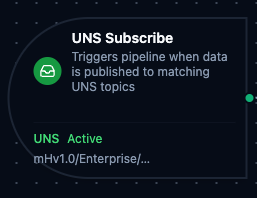
UNS trigger node
UNS Trigger Node
Overview
The UNS Trigger Node automatically initiates MaestroHub pipelines when data is published to matching Unified Namespace topics. Unlike the UNS connector nodes which publish, fetch, or search within an already-running pipeline, the UNS Trigger starts new pipeline executions in response to incoming data events — enabling fully event-driven automation on your UNS infrastructure.
Core Functionality
What It Does
UNS Trigger enables real-time, event-driven pipeline execution by:
1. Event-Driven Pipeline Execution Start pipelines automatically when data is published to matching UNS topics, without manual intervention or polling. Perfect for reacting to real-time production data, equipment state changes, and cross-system data flows.
2. Flexible Topic Matching with Wildcards
Subscribe to specific topics or use MQTT-style wildcards (+ and #) to match multiple topics with a single pattern. Multiple topic patterns can be configured on a single trigger.
3. Data Payload Passthrough
Incoming UNS data (topic, payload, and timestamp) is passed directly to the pipeline, making it available to all downstream nodes via the $trigger variable. The published value is {{ $trigger.result }}; {{ $trigger._metadata }} carries topic, timestamp, orgId, retain, source (when the publisher identified itself) and quality — the quality the record was stored with, as good, uncertain or bad — plus quality_reason when the store kept one (comm_error, range_violation, stale, out_of_service, …). A UNS Publish node downstream inherits the quality and its reason automatically, so a reading a device reported as bad stays bad · comm_error through every pipeline that re-publishes it.
Topic Pattern Wildcards
UNS Trigger supports MQTT-style wildcard patterns for flexible topic matching.
What you type
In the Topic Patterns field you type only the path inside your organization. The panel adds the other two levels for you:
- The version (for example
mHv1.0) comes from the dropdown in front of the field. - The organization is your current organization's slug, shown as a locked chip between the dropdown and the field.
So typing enterprise/site1/+/temperature with version mHv1.0 in an organization whose slug is acme subscribes to mHv1.0/acme/enterprise/site1/+/temperature. The Subscribed Topics list shows this full form. If you paste a full topic that starts with a version, such as one copied from that list, the panel splits it back into the version and the path. Do not start the path with your organization: the panel already adds it, so it would appear twice and the pattern would match nothing.
The examples below are written the way you type them.
| Wildcard | Behavior | Example | Matches |
|---|---|---|---|
+ | Matches exactly one level | +/temperature | site1/temperature, site2/temperature |
# | Matches zero or more levels at the end | enterprise/# | enterprise/site1, enterprise/site1/area1/temp |
+/+ | Multi-level single wildcards | +/+/pressure | Any site and area combination under pressure |
+ and # combined | Single-level then multi-level | +/packaging/# | Any site, all topics under packaging |
The multi-level wildcard (#) must be at the end of the topic pattern. Patterns like enterprise/#/temperature are invalid and will fail validation.
Configuration Options
Basic Information
| Field | Type | Description |
|---|---|---|
| Node Label | String (Required) | Display name for the node on the pipeline canvas |
| Description | String (Optional) | Explains what this trigger initiates |
Parameters
| Parameter | Type | Default | Required | Constraints | Description |
|---|---|---|---|---|---|
| Topic Patterns | string[] | [] | Yes | At least one | UNS topic paths to subscribe to. Pick the version, then type the path inside your organization — see What you type. Supports + and # wildcards. |
| Trigger Mode | select | "always" | No | always / onChange | always: Trigger on every message. onChange: Only trigger when payload differs from last received value per topic. |
| Enabled | boolean | true | No | -- | Enable/disable the trigger. When disabled, the trigger will not listen for UNS data events. |
Change Detection Settings (Trigger Mode = onChange)
When Trigger Mode is set to onChange, additional settings control how payload deduplication works:
| Parameter | Type | Default | Constraints | Description |
|---|---|---|---|---|
| Max Tracked Topics | number | 1000 | 1–10,000 | Maximum number of distinct topics tracked for change detection. When exceeded, the least recently used topic is evicted. |
- The first message after a pipeline restart always fires, regardless of trigger mode.
- Change detection state is held in memory and resets when MaestroHub restarts.
Settings
Description
A free-text area for documenting the node's purpose and behavior. Notes entered here are saved with the pipeline and visible to all team members.
Execution Settings
| Setting | Options | Default | Description |
|---|---|---|---|
| Timeout (seconds) | number | Pipeline default | Maximum execution time for this node (1–600). Leave empty for pipeline default. |
| Retry on Timeout | Pipeline Default / Enabled / Disabled | Pipeline Default | Whether to retry the node if it times out. |
| Retry on Fail | Pipeline Default / Enabled / Disabled | Pipeline Default | Whether to retry on failure. When Enabled, shows Advanced Retry Configuration. |
| On Error | Pipeline Default / Stop Pipeline / Continue Execution | Pipeline Default | Behavior when node fails after all retries. |
Advanced Retry Configuration (visible when Retry on Fail = Enabled)
| Field | Type | Default | Range | Description |
|---|---|---|---|---|
| Max Attempts | number | 3 | 1–10 | Maximum retry attempts. |
| Initial Delay (ms) | number | 1000 | 100–30,000 | Wait before first retry. |
| Max Delay (ms) | number | 120000 | 1,000–300,000 | Upper bound for backoff delay. |
| Multiplier | number | 2.0 | 1.0–5.0 | Exponential backoff multiplier. |
| Jitter Factor | number | 0.1 | 0–0.5 | Random jitter (+-percentage). |
Output Data Structure
When a matching UNS topic is published, the following data is available to downstream nodes via the $trigger variable.
Output Format
{
  "_metadata": {
    "type": "uns_trigger",
    "topic": "enterprise/site1/line3/temperature",
    "orgId": "org-1",
    "retain": false,
    "source": "mqtt-broker",
    "quality": "good",
    "timestamp": "2026-09-05T14:47:19.123Z"
  },
  "result": {
    "value": 21.5,
    "unit": "C"
  }
}
Accessing Published Data
| Field | Expression | Description |
|---|---|---|
| Published Value | $trigger.result | The value published to the topic, exactly as stored — $trigger.result.value reads a field of an object value |
| Topic | $trigger._metadata.topic | The topic that was published — with a wildcard pattern, the concrete topic that matched |
| Organization | $trigger._metadata.orgId | The organization the topic belongs to |
| Retain | $trigger._metadata.retain | true when the publish was a retained write — a boolean, unlike connector triggers whose values are all strings |
| Source | $trigger._metadata.source | Who published — present only when the publisher identified itself |
| Quality | $trigger._metadata.quality | The quality the record was stored with: good, uncertain or bad — present when the record carries one |
| Trigger Type | $trigger._metadata.type | Always uns_trigger |
| Timestamp | $trigger._metadata.timestamp | When the value was published (RFC 3339, UTC) |
Validation Rules
The UNS Trigger Node enforces these validation requirements:
Parameter Validation
Topic Patterns
- At least one topic pattern must be provided
- Each topic pattern must be a non-empty string
- Multi-level wildcard (
#) must be at the end of the pattern (e.g.,enterprise/#is valid,enterprise/#/temperatureis not)
Node Label
- Must be provided and non-empty
Usage Examples
Real-Time Production Monitoring
Scenario: React to live production metrics published to the UNS.
Configuration:
- Label: Production Metrics Monitor
- Topics:
enterprise/plant-1/+/production/# - Trigger Mode: always
- Enabled: true
Downstream Processing:
- Parse payload to extract OEE metrics
- Compare against target thresholds
- Update dashboard via REST API
- Send alerts if metrics fall below targets
Equipment State Change Detection
Scenario: Trigger workflows only when equipment state actually changes, ignoring duplicate readings.
Configuration:
- Label: Equipment State Watcher
- Topics:
+/+/equipment/+/state - Trigger Mode: onChange
- Max Tracked Topics: 5000
- Enabled: true
Downstream Processing:
- Identify which equipment changed state
- Log state transition to database
- Notify maintenance team for fault states
- Update digital twin model
Cross-Plant Data Aggregation
Scenario: Aggregate quality data from multiple plants for centralized analytics.
Configuration:
- Label: Quality Data Aggregator
- Topics:
enterprise/+/quality/# - Trigger Mode: always
- Enabled: true
Downstream Processing:
- Extract plant identifier from topic path
- Normalize quality metrics across plants
- Write aggregated data to InfluxDB
- Generate cross-plant quality reports
Configuration reference
The fields below are generated from the node's config contract, so they match what the pipeline validator enforces and what the designer's form offers.
trigger.uns.subscribe
| Field | Type | Required | Default | Values | Description |
|---|---|---|---|---|---|
topics | string[] | yes | — | — | UNS topic patterns to subscribe to, each including the version prefix, e.g. mHv1.0/plant/line1/temperature; + matches one level (mHv1.0/plant/+/temperature), # matches the rest of the path and must be last (mHv1.0/plant/#). A pattern without the prefix never matches. The received payload is the node's result |
triggerMode | string | no | always | always, onChange | always fires on every message; onChange fires only when the payload differs from the last one seen on the same topic (state resets on restart, so the first message after a restart always fires) |
dedupMaxKeys | integer | no | — | 1–10000 | onChange mode: how many distinct topics this node remembers a last payload for, 1 to 10000; when exceeded the least recently seen topic is forgotten. Empty uses the system default (1000) |
enabled | boolean | no | true | — | false pauses this trigger without deleting it: the topics are not subscribed and nothing fires. Default true |
testData | any | no | — | — | Message payload the designer's sandbox (Test) run pretends to receive, read downstream as $trigger.result exactly as a real message would be. Unused in production |
sandboxQuality | string | no | — | good, uncertain, bad | Sandbox (test run) only: the quality band the sample trigger reports in _metadata.quality — good, uncertain or bad — so a quality-aware pipeline can be tested before it meets a real device. Empty uses the good sample. Ignored by the live subscription; triggers whose metadata carries no quality make no statement |
lateValues | string | no | deliver | deliver, skip | What to do with a late value: a reading older than the UNS late threshold (60s unless the installation changed it) when it arrived, as a gateway replaying its buffer after an outage produces. deliver (the default) fires the pipeline with _metadata.late true, so archiving and forwarding keep working on replays; a write to a device in that run is refused unless its node allows late input. skip does not fire for late values at all; they are still stored |