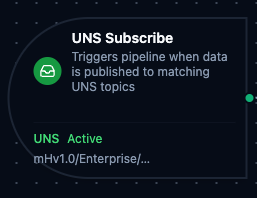
UNS trigger node
UNS Trigger Node
Overview
The UNS Trigger Node automatically initiates MaestroHub pipelines when data is published to matching Unified Namespace topics. Unlike the UNS connector nodes which publish, fetch, or search within an already-running pipeline, the UNS Trigger starts new pipeline executions in response to incoming data events — enabling fully event-driven automation on your UNS infrastructure.
Core Functionality
What It Does
UNS Trigger enables real-time, event-driven pipeline execution by:
1. Event-Driven Pipeline Execution Start pipelines automatically when data is published to matching UNS topics, without manual intervention or polling. Perfect for reacting to real-time production data, equipment state changes, and cross-system data flows.
2. Flexible Topic Matching with Wildcards
Subscribe to specific topics or use MQTT-style wildcards (+ and #) to match multiple topics with a single pattern. Multiple topic patterns can be configured on a single trigger.
3. Data Payload Passthrough
Incoming UNS data (topic, payload, and timestamp) is passed directly to the pipeline, making it available to all downstream nodes via the $trigger variable.
Topic Pattern Wildcards
UNS Trigger supports MQTT-style wildcard patterns for flexible topic matching.
| Wildcard | Behavior | Example | Matches |
|---|---|---|---|
+ | Matches exactly one level | mHv1.0/+/temperature | mHv1.0/site1/temperature, mHv1.0/site2/temperature |
# | Matches zero or more levels at the end | mHv1.0/enterprise/# | mHv1.0/enterprise/site1, mHv1.0/enterprise/site1/area1/temp |
+/+ | Multi-level single wildcards | mHv1.0/+/+/pressure | Any site and area combination under pressure |
+ and # combined | Single-level then multi-level | mHv1.0/+/packaging/# | Any site, all topics under packaging |
The multi-level wildcard (#) must be at the end of the topic pattern. Patterns like mHv1.0/#/temperature are invalid and will fail validation.
Configuration Options
Basic Information
| Field | Type | Description |
|---|---|---|
| Node Label | String (Required) | Display name for the node on the pipeline canvas |
| Description | String (Optional) | Explains what this trigger initiates |
Parameters
| Parameter | Type | Default | Required | Constraints | Description |
|---|---|---|---|---|---|
| Topic Patterns | string[] | [] | Yes | At least one | UNS topic paths to subscribe to. Supports + and # wildcards. |
| Trigger Mode | select | "always" | No | always / onChange | always: Trigger on every message. onChange: Only trigger when payload differs from last received value per topic. |
| Enabled | boolean | true | No | -- | Enable/disable the trigger. When disabled, the trigger will not listen for UNS data events. |
Change Detection Settings (Trigger Mode = onChange)
When Trigger Mode is set to onChange, additional settings control how payload deduplication works:
| Parameter | Type | Default | Constraints | Description |
|---|---|---|---|---|
| Max Tracked Topics | number | 1000 | 1–10,000 | Maximum number of distinct topics tracked for change detection. When exceeded, the least recently used topic is evicted. |
| State TTL | select | No expiry | 1h / 6h / 12h / 24h / 72h / 168h | How long to remember the last payload per topic. After expiry, the next message always fires. Enterprise edition only. |
- The first message after a pipeline restart always fires, regardless of trigger mode.
- In Lite edition, change detection state is held in-memory and resets on restart.
- In Enterprise edition, state is persisted via JetStream with configurable TTL.
Settings
Description
A free-text area for documenting the node's purpose and behavior. Notes entered here are saved with the pipeline and visible to all team members.
Execution Settings
| Setting | Options | Default | Description |
|---|---|---|---|
| Timeout (seconds) | number | Pipeline default | Maximum execution time for this node (1–600). Leave empty for pipeline default. |
| Retry on Timeout | Pipeline Default / Enabled / Disabled | Pipeline Default | Whether to retry the node if it times out. |
| Retry on Fail | Pipeline Default / Enabled / Disabled | Pipeline Default | Whether to retry on failure. When Enabled, shows Advanced Retry Configuration. |
| On Error | Pipeline Default / Stop Pipeline / Continue Execution | Pipeline Default | Behavior when node fails after all retries. |
Advanced Retry Configuration (visible when Retry on Fail = Enabled)
| Field | Type | Default | Range | Description |
|---|---|---|---|---|
| Max Attempts | number | 3 | 1–10 | Maximum retry attempts. |
| Initial Delay (ms) | number | 1000 | 100–30,000 | Wait before first retry. |
| Max Delay (ms) | number | 120000 | 1,000–300,000 | Upper bound for backoff delay. |
| Multiplier | number | 2.0 | 1.0–5.0 | Exponential backoff multiplier. |
| Jitter Factor | number | 0.1 | 0–0.5 | Random jitter (+-percentage). |
Validation Rules
The UNS Trigger Node enforces these validation requirements:
Parameter Validation
Topic Patterns
- At least one topic pattern must be provided
- Each topic pattern must be a non-empty string
- Multi-level wildcard (
#) must be at the end of the pattern (e.g.,mHv1.0/enterprise/#is valid,mHv1.0/#/temperatureis not)
Node Label
- Must be provided and non-empty
Usage Examples
Real-Time Production Monitoring
Scenario: React to live production metrics published to the UNS.
Configuration:
- Label: Production Metrics Monitor
- Topics:
mHv1.0/enterprise/plant-1/+/production/# - Trigger Mode: always
- Enabled: true
Downstream Processing:
- Parse payload to extract OEE metrics
- Compare against target thresholds
- Update dashboard via REST API
- Send alerts if metrics fall below targets
Equipment State Change Detection
Scenario: Trigger workflows only when equipment state actually changes, ignoring duplicate readings.
Configuration:
- Label: Equipment State Watcher
- Topics:
mHv1.0/+/+/equipment/+/state - Trigger Mode: onChange
- Max Tracked Topics: 5000
- Enabled: true
Downstream Processing:
- Identify which equipment changed state
- Log state transition to database
- Notify maintenance team for fault states
- Update digital twin model
Cross-Plant Data Aggregation
Scenario: Aggregate quality data from multiple plants for centralized analytics.
Configuration:
- Label: Quality Data Aggregator
- Topics:
mHv1.0/enterprise/+/quality/# - Trigger Mode: always
- Enabled: true
Downstream Processing:
- Extract plant identifier from topic path
- Normalize quality metrics across plants
- Write aggregated data to InfluxDB
- Generate cross-plant quality reports