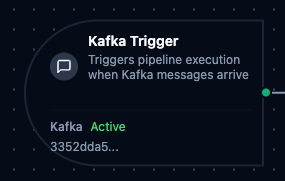
Kafka trigger node
Kafka Trigger Node
Overview
The Kafka Trigger Node automatically initiates MaestroHub pipelines when messages arrive on a Kafka topic. Unlike the Kafka Produce connector node which sends messages within an already-running pipeline, the Kafka Trigger starts new pipeline executions in response to incoming messages—enabling fully event-driven stream processing.
Core Functionality
What It Does
Kafka Trigger enables real-time, event-driven pipeline execution by:
1. Event-Driven Pipeline Execution Start pipelines automatically when messages arrive on a Kafka topic, without manual intervention or polling. Perfect for stream processing, event-driven microservices, and real-time data ingestion.
2. Consumer Group Integration Uses Kafka consumer groups for automatic load balancing and fault tolerance. Multiple pipeline instances can share a topic's partitions for parallel processing.
3. Message Payload and Metadata Passthrough
Incoming Kafka message payloads along with metadata (key, partition, offset, headers) are passed directly to the pipeline, making them available to all downstream nodes via the $node and $trigger variables.
Configuration Options
Basic Information
| Field | Type | Description |
|---|---|---|
| Node Label | String (Required) | Display name for the node on the pipeline canvas |
| Description | String (Optional) | Explains what this trigger initiates |
Parameters
| Parameter | Type | Default | Required | Constraints | Description |
|---|---|---|---|---|---|
| Connection ID | string | "" | Yes | -- | Kafka connection profile to use. |
| Function ID | string | "" | Yes | -- | Consume function within the connection. Only Consume functions are listed. |
| Trigger Mode | select | "always" | No | always / onChange | always: Trigger on every message. onChange: Only trigger when payload differs from last received value. |
| Enabled | boolean | true | No | -- | Enable/disable the trigger. When disabled, no messages are consumed from the topic. |
| Dedup Max Keys | number | 1000 | If onChange | 1–10,000 | Maximum number of distinct message keys tracked for change detection. Least recently used key is evicted when exceeded. |
| Dedup TTL | select | -- | If onChange | 1h / 6h / 12h / 24h / 72h / 168h | Change detection state TTL. Enterprise edition only. |
The selected function must be a Kafka Consume function type. Produce functions cannot be used with Kafka Trigger nodes.
Settings
Description
A free-text area for documenting the node's purpose and behavior. Notes entered here are saved with the pipeline and visible to all team members.
Execution Settings
| Setting | Options | Default | Description |
|---|---|---|---|
| Timeout (seconds) | number | Pipeline default | Maximum execution time for this node (1–600). Leave empty for pipeline default. |
| Retry on Timeout | Pipeline Default / Enabled / Disabled | Pipeline Default | Whether to retry the node if it times out. |
| Retry on Fail | Pipeline Default / Enabled / Disabled | Pipeline Default | Whether to retry on failure. When Enabled, shows Advanced Retry Configuration. |
| On Error | Pipeline Default / Stop Pipeline / Continue Execution | Pipeline Default | Behavior when node fails after all retries. |
Advanced Retry Configuration (visible when Retry on Fail = Enabled)
| Field | Type | Default | Range | Description |
|---|---|---|---|---|
| Max Attempts | number | 3 | 1–10 | Maximum retry attempts. |
| Initial Delay (ms) | number | 1000 | 100–30,000 | Wait before first retry. |
| Max Delay (ms) | number | 120000 | 1,000–300,000 | Upper bound for backoff delay. |
| Multiplier | number | 2.0 | 1.0–5.0 | Exponential backoff multiplier. |
| Jitter Factor | number | 0.1 | 0–0.5 | Random jitter (+-percentage). |
Validation Rules
The Kafka Trigger Node enforces these validation requirements:
Parameter Validation
Connection ID
- Must be provided and non-empty
- Must reference a valid Kafka connection profile
- Error: "Kafka connection is required"
Function ID
- Must be provided and non-empty
- Must reference a valid Kafka Consume function
- Function must belong to the specified connection
- Error: "Consume function is required"
Enabled Flag
- Must be a boolean if provided
- Error: "Enabled must be a boolean value"
Usage Examples
Stream Processing Pipeline
Scenario: Consume raw sensor events from a Kafka topic, enrich them with asset metadata, and produce processed results to a downstream topic.
Configuration:
- Label: Sensor Event Processor
- Connection: Production Kafka Cluster
- Function: Consume from
raw-sensor-events(consumer group:sensor-enrichment) - Trigger Mode: always
- Enabled: true
Downstream Processing:
- Parse JSON payload to extract sensor readings
- Enrich with asset metadata from MongoDB lookup
- Apply data quality validations
- Produce enriched events to
processed-sensor-eventstopic
Change Data Capture
Scenario: React to database change events published to Kafka by a CDC connector and synchronize data across systems.
Configuration:
- Label: CDC Event Handler
- Connection: CDC Kafka Cluster
- Function: Consume from
db-changes.orders(consumer group:order-sync) - Trigger Mode: always
- Enabled: true
Downstream Processing:
- Parse CDC event to extract operation type (insert, update, delete)
- Route through condition node based on operation
- Synchronize changes to PostgreSQL and Elasticsearch
- Log sync results for audit trail
Deduplicated Event Processing
Scenario: Process equipment status updates from Kafka but only trigger pipeline execution when the status actually changes, reducing unnecessary processing.
Configuration:
- Label: Equipment Status Monitor
- Connection: Factory Kafka
- Function: Consume from
equipment-status(consumer group:status-monitor) - Trigger Mode: onChange
- Dedup Max Keys: 5000
- Enabled: true
Downstream Processing:
- Extract equipment ID and new status from payload
- Update equipment state in MongoDB
- Send notification via MS Teams for critical status changes
- Log state transitions for historical analysis