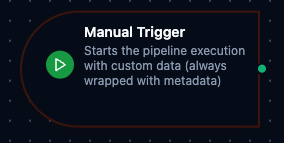
Manual trigger node
Manual Trigger Node
Overview
The Manual Trigger Node serves as the entry point for user-initiated pipeline executions in MaestroHub's orchestration platform. Unlike automated triggers, this node provides complete control over when and how your workflows start, making it ideal for testing, controlled operations, and user-driven processes.
Core Functionality
What It Does
Manual Trigger enables precise control over pipeline execution by:
1. User-Controlled Initiation
Start workflows exactly when needed, rather than relying on automated schedules or events. Perfect for operations requiring human judgment or approval.
2. Data Injection
Pass initial data into your pipeline at runtime, allowing dynamic workflows that adapt to current business needs and context.
3. Testing and Validation
Provide a controlled environment for pipeline testing with known inputs, enabling thorough validation before production deployment.
4. Custom Business Workflows
Support scenarios where automation alone isn't appropriate—such as approval workflows, manual data imports, or exception handling processes.
Configuration Options
Basic Information
| Field | Type | Description |
|---|---|---|
| Node Label | String (Required) | Display name for the node in your pipeline |
| Description | String (Optional) | Explanation of what this trigger initiates |
Parameters
| Parameter | Type | Default | Required | Description |
|---|---|---|---|---|
| Output Data | JSON / null | null | No | Custom data payload that will be output when the trigger fires. |
Settings
Description
A free-text area for documenting the node's purpose and behavior. Notes entered here are saved with the pipeline and visible to all team members.
Execution Settings
| Setting | Options | Default | Description |
|---|---|---|---|
| Timeout (seconds) | number | Pipeline default | Maximum execution time for this node (1--600). Leave empty for pipeline default. |
| Retry on Timeout | Pipeline Default / Enabled / Disabled | Pipeline Default | Whether to retry the node if it times out. |
| Retry on Fail | Pipeline Default / Enabled / Disabled | Pipeline Default | Whether to retry on failure. When Enabled, shows Advanced Retry Configuration. |
| On Error | Pipeline Default / Stop Pipeline / Continue Execution | Pipeline Default | Behavior when node fails after all retries. |
Advanced Retry Configuration (visible when Retry on Fail = Enabled)
| Field | Type | Default | Range | Description |
|---|---|---|---|---|
| Max Attempts | number | 3 | 1--10 | Maximum retry attempts. |
| Initial Delay (ms) | number | 1000 | 100--30,000 | Wait before first retry. |
| Max Delay (ms) | number | 120000 | 1,000--300,000 | Upper bound for backoff delay. |
| Multiplier | number | 2.0 | 1.0--5.0 | Exponential backoff multiplier. |
| Jitter Factor | number | 0.1 | 0--0.5 | Random jitter (+-percentage). |
Output Data Structure
When the trigger is fired, the following data is available to downstream nodes via the $trigger variable.
Output Format
{
  "_metadata": {
    "type": "manual_trigger",
    "nodeId": "trigger-1",
    "nodeType": "trigger.manual",
    "userId": "9f3a7c2b-4d18-4a91-b6c7-2e5a1f0d8c33",
    "triggeredAt": "2026-09-05T14:47:19.123Z",
    "timestamp": "2026-09-05T14:47:19.123Z"
  },
  "result": {
    "orderId": "ORD-12345",
    "dryRun": true
  }
}
Accessing Trigger Data
| Field | Expression | Description |
|---|---|---|
| Payload | $trigger.result | The Output Data configured on the node, or the payload passed when firing — any JSON value (object, list, string, number). An empty object when neither was given |
| Node ID | $trigger._metadata.nodeId | The trigger node that was fired |
| Node Type | $trigger._metadata.nodeType | Always trigger.manual |
| User | $trigger._metadata.userId | The user who fired the trigger |
| Fired At | $trigger._metadata.triggeredAt | When the trigger was fired (RFC 3339, UTC) |
| Trigger Type | $trigger._metadata.type | Always manual_trigger |
| Timestamp | $trigger._metadata.timestamp | When the run was created (RFC 3339, UTC) |
$trigger.result.orderId reads one field of an object payload; $trigger.result is the whole value, whatever its type.
Validation Rules
The Manual Trigger Node enforces these validation requirements:
Node Configuration Validation
Label Requirements
- Must not be empty
- Must not consist only of whitespace
- Error: "Trigger node must have a name"
JSON Data Validation
- Output data must be valid JSON object or null
- Error: "Output data must be valid JSON"
Schema Validation
- Output schema (if provided) must be valid JSON Schema
- Error: "Output schema must be valid JSON"
Configuration reference
The fields below are generated from the node's config contract, so they match what the pipeline validator enforces and what the designer's form offers.
trigger.manual
| Field | Type | Required | Default | Values | Description |
|---|---|---|---|---|---|
outputData | any | no | — | — | Payload the pipeline starts with when the trigger is fired: any JSON value (object, list, string, number). Read it downstream as $trigger.result or $node["<trigger name>"].result. Empty means the run starts with no payload |