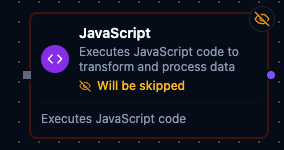
JavaScript node
JavaScript Node
Overview
The JavaScript Node executes custom JavaScript against the pipeline payload and returns the result on a single result output port. It is ideal for ad-hoc transformations, quick calculations, and bridging logic gaps when purpose-built nodes are unavailable. The node injects pipeline context variables, runs the user script inside the Maestro engine, and wraps the return value in a consistent structure for downstream nodes.
Core Functionality
1. Inline JavaScript Execution
- Author arbitrary ES5/ES6-compatible JavaScript directly inside the node.
- Access pipeline context variables such as
$node,$trigger,$execution, and more. - Return any JSON-serializable value (objects, arrays, scalars) via a
returnstatement.
2. Context Injection
$node['NodeName']: Outputs from any upstream node, keyed by node name or ID (recommended way to access data).$trigger: The original trigger data that started the execution.$input: Array of direct predecessor outputs (use$input[0]for the first predecessor).$item/$index: Current item and index when executing inside a For Each loop.$execution: Execution metadata (id, pipelineId, pipelineName, etc.).
3. Auto-Wrapped Output
- Result is emitted through
defaultOutunder theresultfield. - Downstream nodes receive payloads shaped as
{ "result": <return value> }. - Access outputs from downstream nodes via
$node['JavaScript'].result.
4. Message Quality — Read and Set
- Every message carries a quality verdict: read the incoming one as
$input[0]._metadata.quality(good,uncertainorbad) and its reason asqualityReasonon the same_metadataobject. A script that returns a plain value keeps that verdict — the engine carries it onto the node's output. - To state a verdict, return the envelope itself:
return { result: value, _metadata: { quality: "bad", qualityReason: "range_violation" } }. An object shaped exactly{result, _metadata}is used as the output as-is; any other object is the value. A UNS Publish node downstream reads the stated verdict instead of the trigger's — a script that discards bad readings and returns a clean aggregate can mark itgoodon purpose.
5. Shared Functions
- Functions from your organization's library (Orchestrate → Functions) can be called by name, like any JavaScript function, with no import or prefix:
return formatTag(t.area, t.line, t.tag);. The code editor autocompletes their names and parameters. - Each function is version-pinned per pipeline when the pipeline is saved: a newly called function is pinned at its latest version, and an already pinned one stays at its version until you update the pin under ⋯ More actions → Functions in the designer. Publishing a new version of a function never changes a saved pipeline.
- Write the function name literally in the code. A name that appears only in a string or a comment, or is built at run time, is not detected, so the function is not pinned and the call fails at run time.
- Save the pipeline after adding a call to a function. Test Node runs use the latest version of each function, while live runs use the pinned version.
- See Functions for creating, testing and versioning functions.
6. Standard Settings
- Shares baseline retry and error handling controls with other nodes.
- Documentation settings let you annotate the purpose of the script on the pipeline canvas.
Configuration Reference
Parameters
| Parameter | Type | Default | Required | Description |
|---|---|---|---|---|
| Code | string (JS) | "" | Yes | JavaScript code. Simple expressions are auto-returned; for multi-line logic use explicit return. |
Available variables: $node["NodeName"], $trigger, $execution
Settings
| Setting | Options | Default | Description |
|---|---|---|---|
| Timeout (seconds) | number | Pipeline default | Maximum execution time for this node (1--600). |
| Retry on Timeout | Pipeline Default / Enabled / Disabled | Pipeline Default | Whether to retry on timeout. |
| Retry on Fail | Pipeline Default / Enabled / Disabled | Pipeline Default | Whether to retry on failure. When Enabled, shows Advanced Retry Configuration. |
| On Error | Pipeline Default / Stop Pipeline / Continue Execution | Pipeline Default | Behavior when node fails after all retries. |
Advanced Retry Configuration (only visible when Retry on Fail = Enabled):
| Field | Type | Default | Range | Description |
|---|---|---|---|---|
| Max Attempts | number | 3 | 1--10 | Maximum retry attempts. |
| Initial Delay (ms) | number | 1000 | 100--30,000 | Wait before first retry. |
| Max Delay (ms) | number | 120000 | 1,000--300,000 | Upper bound for backoff delay. |
| Multiplier | number | 2.0 | 1.0--5.0 | Exponential backoff multiplier. |
| Jitter Factor | number | 0.1 | 0--0.5 | Random jitter. |
Usage Examples
Example 1: Format Operator Summary
| Field | Value |
|---|---|
| Script | See snippet below |
| Description | Build operator display name for dashboards. |
const operator = $node['Fetch Operator'].result.operator;
return {
  id: operator.badgeId,
  name: `${operator.firstName} ${operator.lastName}`.trim(),
  activeShift: operator.shift
};
The downstream payload exposes the formatted object under result (access via $node['Format Operator'].result).
Example 2: Calculate Production Yield
| Field | Value |
|---|---|
| Script | See snippet below |
| On Error | Continue Execution |
const data = $node['Read Production'];
const produced = Number(data.goodUnits || 0);
const defective = Number(data.scrapUnits || 0);
const total = produced + defective;
if (!total) {
  return { yield: 0 };
}
return { yield: Number(((produced / total) * 100).toFixed(2)) };
Even if the script throws, the Continue Execution setting lets the branch proceed for monitoring.
Example 3: Summarize Packaging Batch Metrics
| Field | Value |
|---|---|
| Script | See snippet below |
| Retry on Fail | Enabled |
| Description | Create aggregated stats for the current packaging batch. |
const batch = $node['Read Batch'];
const cartons = Array.isArray(batch.cartons) ? batch.cartons : [];
const totalWeight = cartons.reduce((sum, carton) => sum + (carton.weightKg || 0), 0);
const defectiveCount = cartons.filter(carton => carton.defectFlag === true).length;
return {
  batchId: batch.batchId,
  cartonCount: cartons.length,
  averageWeightKg: cartons.length ? Number((totalWeight / cartons.length).toFixed(2)) : 0,
  defectiveCount
};
Use this when a packaging station sends per-carton details and you need a single summary object for downstream reporting.
Configuration reference
The fields below are generated from the node's config contract, so they match what the pipeline validator enforces and what the designer's form offers.
logic.javascript
| Field | Type | Required | Default | Values | Description |
|---|---|---|---|---|---|
code | string | yes | — | — | JavaScript source run on every execution. A single expression is returned as-is; multi-statement code must end in an explicit return. The script reads $input, $trigger, $node["Name"], $execution, $item/$index/$key inside a loop, and the org's global functions |