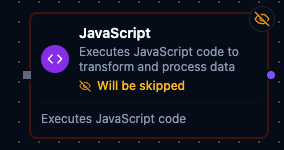
JavaScript node
JavaScript Node
Overview
The JavaScript Node executes custom JavaScript against the pipeline payload and returns the result on a single result output port. It is ideal for ad-hoc transformations, quick calculations, and bridging logic gaps when purpose-built nodes are unavailable. The node injects pipeline context variables, runs the user script inside the Maestro engine, and wraps the return value in a consistent structure for downstream nodes.
Core Functionality
1. Inline JavaScript Execution
- Author arbitrary ES5/ES6-compatible JavaScript directly inside the node.
- Access pipeline context variables such as
$node,$trigger,$execution, and more. - Return any JSON-serializable value (objects, arrays, scalars) via a
returnstatement.
2. Context Injection
$node['NodeName']: Outputs from any upstream node, keyed by node name or ID (recommended way to access data).$trigger: The original trigger data that started the execution.$input: Array of direct predecessor outputs (use$input[0]for the first predecessor).$item/$index: Current item and index when executing inside a For Each loop.$execution: Execution metadata (id, pipelineId, pipelineName, etc.).
3. Auto-Wrapped Output
- Result is emitted through
defaultOutunder theresultfield. - Downstream nodes receive payloads shaped as
{ "result": <return value> }. - Access outputs from downstream nodes via
$node['JavaScript'].result.
4. Standard Settings
- Shares baseline retry and error handling controls with other nodes.
- Documentation settings let you annotate the purpose of the script on the pipeline canvas.
Configuration Reference
Parameters
| Parameter | Type | Default | Required | Description |
|---|---|---|---|---|
| Code | string (JS) | "" | Yes | JavaScript code. Simple expressions are auto-returned; for multi-line logic use explicit return. |
Available variables: $node["NodeName"], $trigger, $execution
Settings
| Setting | Options | Default | Description |
|---|---|---|---|
| Timeout (seconds) | number | Pipeline default | Maximum execution time for this node (1--600). |
| Retry on Timeout | Pipeline Default / Enabled / Disabled | Pipeline Default | Whether to retry on timeout. |
| Retry on Fail | Pipeline Default / Enabled / Disabled | Pipeline Default | Whether to retry on failure. When Enabled, shows Advanced Retry Configuration. |
| On Error | Pipeline Default / Stop Pipeline / Continue Execution | Pipeline Default | Behavior when node fails after all retries. |
Advanced Retry Configuration (only visible when Retry on Fail = Enabled):
| Field | Type | Default | Range | Description |
|---|---|---|---|---|
| Max Attempts | number | 3 | 1--10 | Maximum retry attempts. |
| Initial Delay (ms) | number | 1000 | 100--30,000 | Wait before first retry. |
| Max Delay (ms) | number | 120000 | 1,000--300,000 | Upper bound for backoff delay. |
| Multiplier | number | 2.0 | 1.0--5.0 | Exponential backoff multiplier. |
| Jitter Factor | number | 0.1 | 0--0.5 | Random jitter. |
Usage Examples
Example 1: Format Operator Summary
| Field | Value |
|---|---|
| Script | See snippet below |
| Notes | Build operator display name for dashboards. |
| Display Note in Pipeline | true |
const operator = $node['Fetch Operator'].operator;
return {
  id: operator.badgeId,
  name: `${operator.firstName} ${operator.lastName}`.trim(),
  activeShift: operator.shift
};
The downstream payload exposes the formatted object under result (access via $node['Format Operator'].result).
Example 2: Calculate Production Yield
| Field | Value |
|---|---|
| Script | See snippet below |
| On Error | Continue Execution |
const data = $node['Read Production'];
const produced = Number(data.goodUnits || 0);
const defective = Number(data.scrapUnits || 0);
const total = produced + defective;
if (!total) {
  return { yield: 0 };
}
return { yield: Number(((produced / total) * 100).toFixed(2)) };
Even if the script throws, the Continue Execution setting lets the branch proceed for monitoring.
Example 3: Summarize Packaging Batch Metrics
| Field | Value |
|---|---|
| Script | See snippet below |
| On Error | retryNode |
| Notes | Create aggregated stats for the current packaging batch. |
const batch = $node['Read Batch'];
const cartons = Array.isArray(batch.cartons) ? batch.cartons : [];
const totalWeight = cartons.reduce((sum, carton) => sum + (carton.weightKg || 0), 0);
const defectiveCount = cartons.filter(carton => carton.defectFlag === true).length;
return {
  batchId: batch.batchId,
  cartonCount: cartons.length,
  averageWeightKg: cartons.length ? Number((totalWeight / cartons.length).toFixed(2)) : 0,
  defectiveCount
};
Use this when a packaging station sends per-carton details and you need a single summary object for downstream reporting.