Getting Started
MaestroHub helps industrial teams connect disparate systems, model operations, and orchestrate real-time data pipelines. Use this guide to work through the practical setup steps: confirm prerequisites, install the platform, bring the MaestroHub UI online, and finish configuration with the in-app onboarding tour.
Begin with installation, then sign in to the MaestroHub UI and start building your first pipeline.
MaestroHub Lite
MaestroHub Lite is a streamlined, all-in-one deployment that runs core services (workflow engine, UNS manager, UI) in a single process with embedded databases and MQTT broker. Available as native binaries for Windows, macOS, Linux, or as a Docker container.
Binary Installation
Quick Start
Download the binary for your OS from the MaestroHub Portal and follow the steps below:
- Windows
- macOS
- Linux
- Download the MaestroHub Lite ZIP file for Windows.
- Extract the ZIP file to a folder of your choice.
After extraction, you'll see the following structure:
maestrohub-lite/
├── README.txt
├── ThirdPartyNotices.txt
├── starter.bat
├── maestrohub-lite.exe
├── admin-cli.exe
└── config.yaml
- Double-click
starter.batto start the application. If your system blocks.batfiles for security reasons, you can runmaestrohub-lite.exedirectly instead.
A console window will appear showing the application starting all services. Once all services are running, your default browser will automatically open to http://localhost:6163 where you can sign in and start using MaestroHub.
- Download the MaestroHub Lite archive for your Mac:
- Apple Silicon:
maestrohub-lite_*_darwin_arm64.tar.gz
- Apple Silicon:
- Extract the archive:
tar -xzf maestrohub-lite_*_darwin_arm64.tar.gz
After extraction, you'll see the following structure:
maestrohub-lite/
├── README.txt
├── ThirdPartyNotices.txt
├── maestrohub-lite
├── admin-cli
└── config.yaml
- Run the application by double-clicking
maestrohub-liteor run this command in Terminal:./maestrohub-lite
The application will start all services and automatically open the web UI in your default browser at http://localhost:6163.
If macOS blocks the application with a message that it "cannot be opened because it is from an unidentified developer," you need to allow it in your security settings:
- Go to System Settings (or System Preferences on older macOS) > Privacy & Security
- Scroll down to the Security section
- You'll see a message that MaestroHub Lite was blocked
- Click Open Anyway and confirm
For more information, see Apple's guide on opening apps from unidentified developers.
- Download the MaestroHub Lite archive:
maestrohub-lite_*_linux_amd64.tar.gz - Extract the archive:
tar -xzf maestrohub-lite_*_linux_amd64.tar.gz
After extraction, you'll see the following structure:
maestrohub-lite/
├── README.txt
├── ThirdPartyNotices.txt
├── maestrohub-lite
├── admin-cli
└── config.yaml
- Run the application:
./maestrohub-lite
The application will start all services and automatically open the web UI in your default browser at http://localhost:6163.
Running and Managing
Once you run MaestroHub Lite, it will:
- Start all MaestroHub services automatically
- Open the web UI at
http://localhost:6163in your default browser - Application data files are stored in
~/maestrohub/data/(under your home directory) - Configuration is stored in
config.yamlalongside the executable
Configuration
You can customize MaestroHub by editing the config.yaml file. For example, to change the server port:
http:
  port: 8080
Alternatively, you can use environment variables with the MAESTROHUB_ prefix:
export MAESTROHUB_HTTP_PORT=8080
After making changes, restart the application for them to take effect.
Shutting Down
To shut down MaestroHub, press Ctrl+C (or Cmd+C on macOS) in the terminal to initiate a graceful shutdown.
Troubleshooting
- Verify the application is running by checking the console window
- Review application logs stored in
~/maestrohub/data/within your home directory - Ensure port 6163 is not already in use and is not blocked by your firewall or antivirus software such as Windows Defender
- If you want to restart the application with a data purge, you can clear the data directory
~/maestrohub/data/
Docker Installation
MaestroHub Lite runs all modules in a single container with an embedded UI. No external databases or message brokers required.
Quick Start
Download the Docker image for your architecture from the MaestroHub Portal and follow the steps below:
- AMD64 (Intel/AMD)
- ARM64 (Apple Silicon)
Download: maestrohub-lite_2.0.0_docker_amd64.zip
After extracting:
maestrohub-lite-amd/
├── ThirdPartyNotices.txt
└── maestrohub-lite-amd64.tar.gz
Load the image into Docker:
docker load -i maestrohub-lite-amd/maestrohub-lite-amd64.tar.gz
Create a volume for persistent data:
docker volume create maestrohub-data
Run the container:
docker run -d \
  --name maestrohub \
  -p 8080:8080 \
  -p 1883:1883 \
  -p 8083:8083 \
  -v maestrohub-data:/data \
  maestrohub/lite:v2.0.0
Open your browser to access the UI from port 8080.
Download: maestrohub-lite_2.0.0_docker_arm64.tar.gz
After extracting:
maestrohub-lite-arm/
├── ThirdPartyNotices.txt
└── maestrohub-lite-arm64.tar.gz
Load the image into Docker:
docker load -i maestrohub-lite-arm/maestrohub-lite-arm64.tar.gz
Create a volume for persistent data:
docker volume create maestrohub-data
Run the container:
docker run -d \
  --name maestrohub \
  -p 8080:8080 \
  -p 1883:1883 \
  -p 8083:8083 \
  -v maestrohub-data:/data \
  maestrohub/lite:v2.0.0
Open your browser to access the UI from port 8080.
Ports
| Port | Protocol | Description |
|---|---|---|
| 8080 | HTTP | Web UI + REST API |
| 1883 | TCP | MQTT broker |
| 8083 | WebSocket | MQTT over WebSocket |
Health Check
MaestroHub exposes a health endpoint:
curl http://localhost:8080/health
The container includes a built-in Docker health check that polls /health every 30 seconds.
# Check container health status
docker inspect --format='{{.State.Health.Status}}' maestrohub
Lifecycle
# Start
docker run -d --name maestrohub -p 8080:8080 -p 1883:1883 -p 8083:8083 -v maestrohub-data:/data maestrohub/lite:v2.0.0

# View logs
docker logs -f maestrohub

# Stop (data is preserved in the volume)
docker stop maestrohub

# Start again
docker start maestrohub

# Remove container (data is preserved in the volume)
docker stop maestrohub && docker rm maestrohub

# Remove everything including data
docker stop maestrohub && docker rm maestrohub && docker volume rm maestrohub-data
Timezone
The container uses UTC by default. To set a specific timezone:
docker run -d \
  --name maestrohub \
  -p 8080:8080 \
  -v maestrohub-data:/data \
  -e TZ=Europe/Istanbul \
  maestrohub/lite:v2.0.0
Troubleshooting
Container keeps restarting
Check the logs for errors:
docker logs maestrohub
Cannot access the UI
Verify the container is healthy and the port is not in use:
docker ps
docker inspect --format='{{.State.Health.Status}}' maestrohub
lsof -i :8080
Reset to clean state
docker stop maestrohub && docker rm maestrohub
docker volume rm maestrohub-data
docker volume create maestrohub-data
docker run -d --name maestrohub -p 8080:8080 -p 1883:1883 -p 8083:8083 -v maestrohub-data:/data maestrohub/lite:v2.0.0
Backup and Restore
# Backup
docker run --rm -v maestrohub-data:/data -v $(pwd):/backup alpine tar czf /backup/maestrohub-backup.tar.gz -C /data .

# Restore
docker run --rm -v maestrohub-data:/data -v $(pwd):/backup alpine sh -c "cd /data && tar xzf /backup/maestrohub-backup.tar.gz"
Build Your First Pipeline
When MaestroHub is running, the application automatically opens the UI in your browser at http://localhost:6163.
When you start MaestroHub Lite for the first time, you'll need to create an initial administrator account. After creating the initial account, you will be signed in automatically and redirected to the home page.

Create your initial administrator account to get started with MaestroHub.
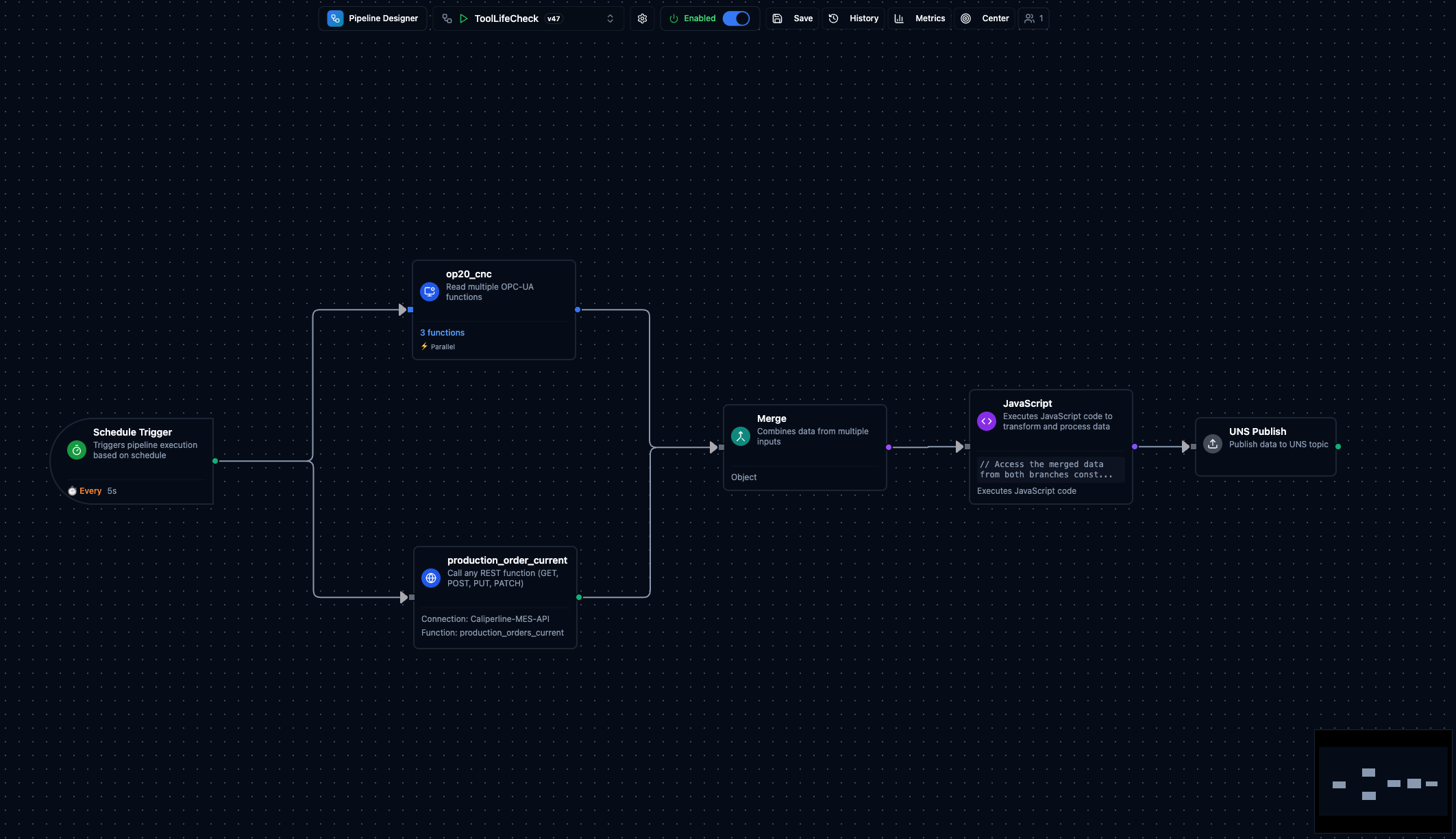
To build your first pipeline, follow the Build Your First Pipeline guide. It uses the Digital Factory Simulator as a live data source and walks you step-by-step through reading OPC UA and REST data, merging them, transforming the result with JavaScript, and publishing to the Unified Namespace. By the end, you will have a working pipeline and understand the core read, merge, transform, publish pattern that every MaestroHub pipeline follows.
Core capabilities to explore next
Data Integration
Connect PLCs, historians, and IT systems while orchestrating flows with the visual pipeline designer.
Explore the guideUnified Namespace
Distribute real-time and historical data across teams with an UNS backbone and event-first architecture.
Explore the guideOperations & Diagnostics
Monitor pipelines, system health, and connector activity with built-in dashboards and alerting hooks.
Explore the guide