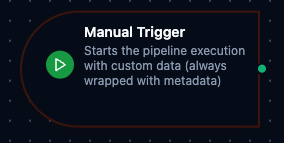
Manual trigger node
Manual Trigger Node
Overview
The Manual Trigger Node serves as the entry point for user-initiated pipeline executions in MaestroHub's orchestration platform. Unlike automated triggers, this node provides complete control over when and how your workflows start, making it ideal for testing, controlled operations, and user-driven processes.
Core Functionality
What It Does
Manual Trigger enables precise control over pipeline execution by:
1. User-Controlled Initiation
Start workflows exactly when needed, rather than relying on automated schedules or events. Perfect for operations requiring human judgment or approval.
2. Data Injection
Pass initial data into your pipeline at runtime, allowing dynamic workflows that adapt to current business needs and context.
3. Testing and Validation
Provide a controlled environment for pipeline testing with known inputs, enabling thorough validation before production deployment.
4. Custom Business Workflows
Support scenarios where automation alone isn't appropriate—such as approval workflows, manual data imports, or exception handling processes.
Configuration Options
Basic Information
| Field | Type | Description |
|---|---|---|
| Node Label | String (Required) | Display name for the node in your pipeline |
| Description | String (Optional) | Explanation of what this trigger initiates |
Parameters
| Parameter | Type | Default | Required | Description |
|---|---|---|---|---|
| Message | string | "Pipeline execution started manually" | No | A message included in the trigger output metadata. |
| Output Data | JSON / null | null | No | Custom data payload that will be output when the trigger fires. |
Settings
Description
A free-text area for documenting the node's purpose and behavior. Notes entered here are saved with the pipeline and visible to all team members.
Execution Settings
| Setting | Options | Default | Description |
|---|---|---|---|
| Timeout (seconds) | number | Pipeline default | Maximum execution time for this node (1--600). Leave empty for pipeline default. |
| Retry on Timeout | Pipeline Default / Enabled / Disabled | Pipeline Default | Whether to retry the node if it times out. |
| Retry on Fail | Pipeline Default / Enabled / Disabled | Pipeline Default | Whether to retry on failure. When Enabled, shows Advanced Retry Configuration. |
| On Error | Pipeline Default / Stop Pipeline / Continue Execution | Pipeline Default | Behavior when node fails after all retries. |
Advanced Retry Configuration (visible when Retry on Fail = Enabled)
| Field | Type | Default | Range | Description |
|---|---|---|---|---|
| Max Attempts | number | 3 | 1--10 | Maximum retry attempts. |
| Initial Delay (ms) | number | 1000 | 100--30,000 | Wait before first retry. |
| Max Delay (ms) | number | 120000 | 1,000--300,000 | Upper bound for backoff delay. |
| Multiplier | number | 2.0 | 1.0--5.0 | Exponential backoff multiplier. |
| Jitter Factor | number | 0.1 | 0--0.5 | Random jitter (+-percentage). |
Validation Rules
The Manual Trigger Node enforces these validation requirements:
Node Configuration Validation
Label Requirements
- Must not be empty
- Must not consist only of whitespace
- Error: "Trigger node must have a name"
JSON Data Validation
- Output data must be valid JSON object or null
- Error: "Output data must be valid JSON"
Schema Validation
- Output schema (if provided) must be valid JSON Schema
- Error: "Output schema must be valid JSON"