Nodes
Nodes are the fundamental building blocks of MaestroHub Pipelines. Each node represents a specific action, logic, or integration point in your workflow. By connecting nodes together, you create sophisticated automation without writing code.
The node library is organized into categories based on functionality and continues to grow with new integrations and capabilities added regularly.
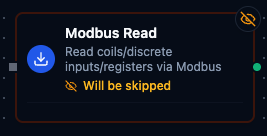
Modbus Read
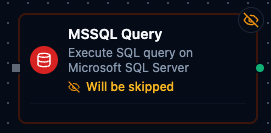
MSSQL Query
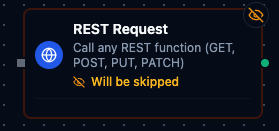
REST Request

UNS Publish
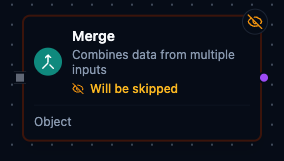
Merge
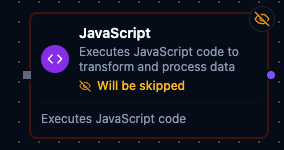
JavaScript
Node Configuration & Testing
When you click a node on the canvas or select Test Node from the node's context menu, the Test Node panel opens. This panel has a three-column layout: INPUT, CONFIGURATION, and OUTPUT.
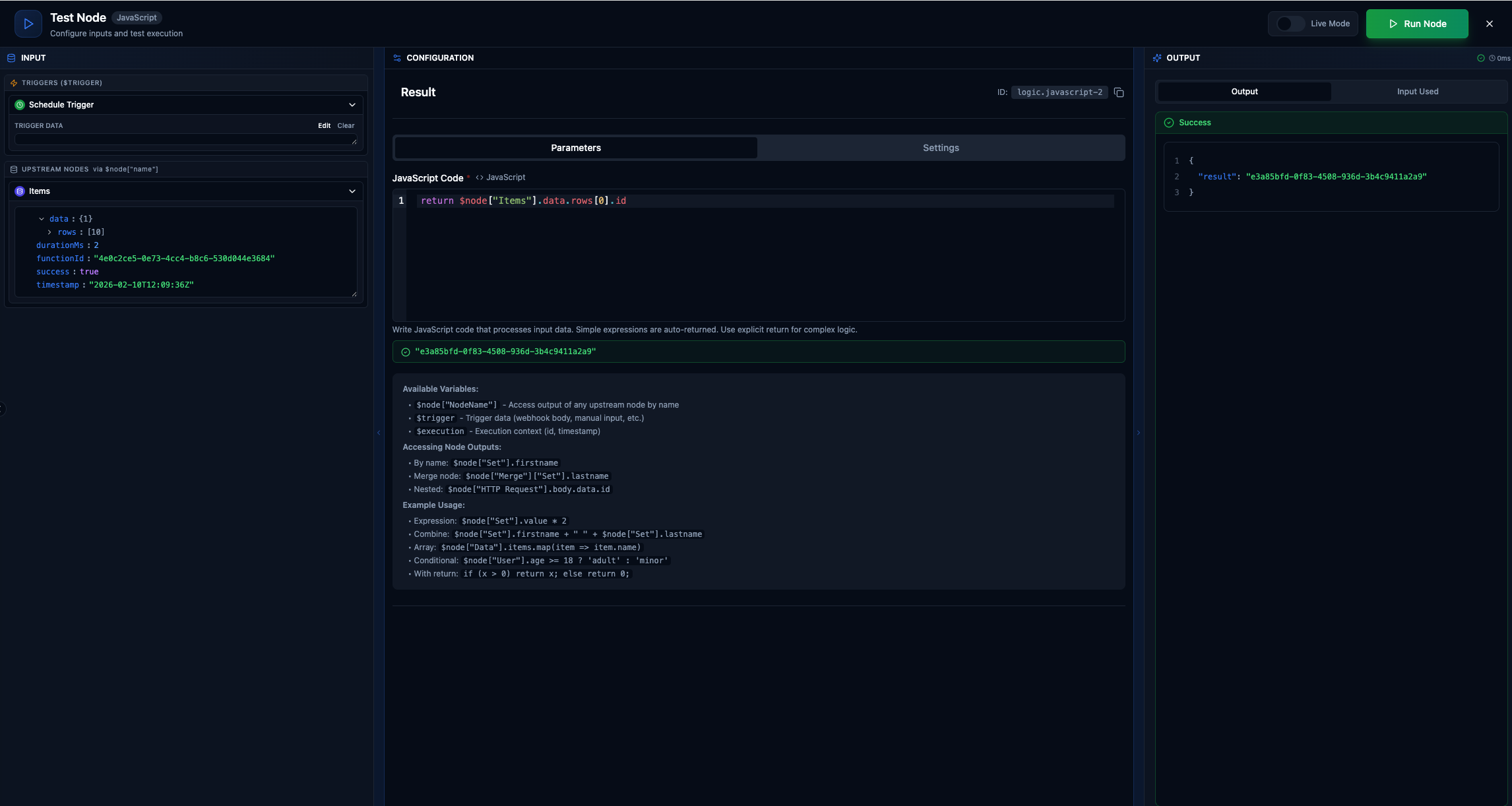
Test Node panel: upstream data on the left, node parameters in the center, and execution results on the right.
INPUT
The left column shows all data available to the node from upstream sources:
- Triggers (
$trigger) — the trigger node that started the pipeline. You can edit trigger data manually via a JSON editor or run the trigger to populate it. - Upstream Nodes (
$node["Name"]) — grouped by execution depth (direct parents first, then ancestors). Each node's output is displayed as an expandable JSON tree.
If an upstream node has no output yet, a Run button appears. Click it and the system executes all required dependencies in the correct order automatically. Drag any field from the JSON tree directly into an expression input in the CONFIGURATION column.
CONFIGURATION
The center column contains two tabs:
Parameters — node-specific configuration fields that vary by node type (code editor for JavaScript, field mappings for Set, query builder for SQL, etc.).
Settings — shared execution settings that apply to all node types (see Error Handling below).
OUTPUT
The right column shows results after running or testing the node:
- Output tab — the node's output data with syntax-highlighted JSON. Green header for success, red for failure with the error message.
- Input Used tab — which upstream data was actually consumed during execution, shown as variable badges (
$trigger,$node["Set"], etc.) with expandable JSON trees.
Live Mode vs Test Mode
A toggle in the top-right corner switches between modes:
- Live Mode — executes the node for real, affecting actual data.
- Test Mode — runs in a sandbox without side effects, useful for development and debugging.
Error Handling
The Settings tab on every node provides per-node error handling configuration. These settings override the pipeline-level defaults when specified.
| Setting | Options | Description |
|---|---|---|
| Timeout | 1–600 seconds | Maximum execution time for this node. Leave empty to use the pipeline default. |
| Retry on Timeout | Pipeline Default / Enabled / Disabled | Whether to retry when the node times out. |
| Retry on Fail | Pipeline Default / Enabled / Disabled | Whether to retry when the node fails. Enabling this reveals advanced retry settings. |
| On Error | Pipeline Default / Stop Pipeline / Continue Execution | What happens when the node fails after all retries are exhausted. |
Advanced Retry Settings
When Retry on Fail is enabled, additional settings become available:
| Setting | Range | Description |
|---|---|---|
| Max Attempts | 1–10 | Total number of execution attempts. |
| Initial Delay | 100–30,000 ms | Wait time before the first retry. |
| Max Delay | 1,000–300,000 ms | Maximum wait between retries. |
| Multiplier | 1.0–5.0 | Exponential backoff factor. Each retry waits current delay x multiplier. |
| Jitter Factor | 0–0.5 | Random variation added to retry delays to prevent thundering herd. |
Expressions
Nodes use a built-in expression engine for dynamic values — referencing upstream data, transforming fields, filtering arrays, and building strings on the fly. Expressions appear in most node configuration fields (topics, queries, field mappings, conditions, etc.).
Expression Syntax
Expressions are wrapped in {{ }} delimiters. There are three ways to write them:
Single expression — returns the native type
When the entire field value is a single {{ }} block, the result keeps its native type (number, boolean, object, array). This is what you'll use most often.
{{ $node["API"].data }}              → returns the array/object as-is
{{ $input.price * $input.quantity }} → returns a number
{{ $input.score > 50 }}              → returns a boolean
Template interpolation — always returns a string
When you mix literal text with one or more {{ }} blocks, each expression is evaluated and inserted into the text. The result is always a string.
Hello, {{ $input.name }}!
enterprise/{{ $item.site }}/{{ $item.area }}/temperature
Total: ${{ $input.price * $input.quantity }}
Plain text — no evaluation
If there are no {{ }} delimiters, the value is used as a literal string with no evaluation.
Hello world                          → literal string "Hello world"
enterprise/site1/area1/temperature   → literal string, no expressions
You can drag fields from the INPUT panel directly into expression fields. The editor automatically wraps the reference in {{ }} for you.
Expression Variables
Variables provide access to runtime context. All variables are prefixed with $.
| Variable | Type | Description | Example |
|---|---|---|---|
$node["Name"] | any | Output from any upstream node, by display name. | {{ $node["API"].data.rows }} |
$trigger | object | The trigger data that started the pipeline. | {{ $trigger.payload.message }} |
$input | any | Resolved output from the immediate predecessor node(s). | {{ $input.value }} |
$execution | object | Metadata about the current execution. | {{ $execution.id }} |
$item | any | Current item in a For-Each loop (innermost loop). | {{ $item.id }} |
$index | number | Current iteration index (0-based) in a For-Each loop (innermost loop). | {{ $index }} |
$node Access Patterns
Access upstream node outputs using the node's display name in bracket notation:
{{ $node["Set"].firstName }}
{{ $node["HTTP Request"].body.data[0].id }}
{{ $node["Merge"]["Set"].field }}
Keys with special characters use bracket notation automatically:
{{ $node["Set"]["field-name"] }}
{{ $node["Data"][0].value }}
$execution Properties
| Property | Type | Description |
|---|---|---|
$execution.id | string | Unique execution identifier. |
$execution.startedAt | number | Start time as Unix timestamp (ms). |
$execution.pipelineId | string | Pipeline ID. |
$execution.pipelineName | string | Pipeline name. |
$execution.orgId | string | Organization ID. |
$execution.triggerType | string | Trigger type (manual, webhook, cron, etc.). |
Named Loop Variables
When a For-Each node defines an Item Variable Name (e.g., order), additional named variables become available inside the loop body:
| Variable | Description |
|---|---|
$order | Alias for the current item (same as $item). |
$orderIndex | Alias for the current index (same as $index). |
Named variables improve readability and remain accessible by name. See the For-Each Loop documentation for details.
Operators
Standard operators are available inside expressions.
Arithmetic
| Operator | Example | Description |
|---|---|---|
+ | {{ $input.a + $input.b }} | Addition (also concatenates strings) |
- | {{ $input.a - $input.b }} | Subtraction |
* | {{ $input.price * $input.qty }} | Multiplication |
/ | {{ $input.total / $input.count }} | Division |
% | {{ $input.value % 3 }} | Modulo |
** | {{ 2 ** 10 }} | Exponentiation |
Comparison
| Operator | Example |
|---|---|
== | {{ $input.status == "active" }} |
!= | {{ $input.type != "error" }} |
> >= < <= | {{ $input.age >= 18 }} |
=== and !== are silently converted to == and !=. Both forms work identically.
Logical
| Operator | Example |
|---|---|
&& | {{ $input.isActive && $input.isVerified }} |
|| | {{ $input.isAdmin || $input.isModerator }} |
! | {{ !$input.isDisabled }} |
Ternary
{{ $input.score > 50 ? "pass" : "fail" }}
{{ $input.score >= 90 ? "A" : ($input.score >= 80 ? "B" : "C") }}
Nil Coalescing (??)
Returns the left side if it is not nil; otherwise returns the right side.
{{ $input.nickname ?? "No nickname" }}
{{ $input.config.timeout ?? 30 }}
Membership (in)
{{ "admin" in $input.roles }}
Expression Functions
The expression engine provides a library of built-in functions for transforming data. Functions can be used inside {{ }} blocks.
String Functions
| Function | Description | Example |
|---|---|---|
upper(s) | Converts to uppercase. | {{ upper($item.name) }} → "ALICE" |
lower(s) | Converts to lowercase. | {{ lower($item.status) }} → "active" |
trim(s) | Removes leading/trailing whitespace. | {{ trim($input.name) }} |
trimLeft(s, chars) | Removes specified characters from the left. | {{ trimLeft($input.code, "0") }} |
trimRight(s, chars) | Removes specified characters from the right. | {{ trimRight($input.path, "/") }} |
split(s, sep) | Splits a string into an array. | {{ split("a,b,c", ",") }} → ["a","b","c"] |
join(arr, sep) | Joins array elements into a string. | {{ join($input.tags, ", ") }} → "tag1, tag2" |
replace(s, old, new) | Replaces the first occurrence. | {{ replace($input.path, "/old", "/new") }} |
replaceAll(s, old, new) | Replaces all occurrences. | {{ replaceAll($input.text, " ", "_") }} |
substring(s, start, end) | Extracts a substring [start, end). | {{ substring($input.code, 0, 3) }} → "ABC" |
startsWith(s, prefix) | Returns true if the string starts with the prefix. | {{ startsWith($input.topic, "enterprise") }} |
endsWith(s, suffix) | Returns true if the string ends with the suffix. | {{ endsWith($input.file, ".csv") }} |
padLeft(s, len, pad) | Pads from the left to the target length. | {{ padLeft($input.id, 5, "0") }} → "00042" |
padRight(s, len, pad) | Pads from the right to the target length. | {{ padRight($input.name, 10, ".") }} |
contains(s, substr) | Returns true if the string contains the substring. | {{ contains($input.msg, "error") }} |
Math Functions
| Function | Description | Example |
|---|---|---|
abs(n) | Absolute value. | {{ abs($input.delta) }} |
ceil(n) | Rounds up to nearest integer. | {{ ceil(4.2) }} → 5 |
floor(n) | Rounds down to nearest integer. | {{ floor(4.8) }} → 4 |
round(n, decimals) | Rounds to N decimal places. | {{ round($input.price, 2) }} → 9.43 |
min(a, b, ...) | Returns the smallest value. Also accepts an array. | {{ min($input.a, $input.b) }} |
max(a, b, ...) | Returns the largest value. Also accepts an array. | {{ max($input.readings) }} |
sum(arr) | Sums all elements in an array. | {{ sum($input.scores) }} |
avg(arr) | Average of all elements in an array. | {{ avg($input.temperatures) }} |
pow(base, exp) | Exponentiation. | {{ pow(2, 10) }} → 1024 |
sqrt(n) | Square root. | {{ sqrt(144) }} → 12 |
mod(a, b) | Integer modulo. | {{ mod(17, 5) }} → 2 |
Array Functions
| Function | Description | Example |
|---|---|---|
first(arr) | Returns the first element. | {{ first($input.items) }} |
last(arr) | Returns the last element. | {{ last($input.items) }} |
nth(arr, n) | Returns element at index N (safe — returns nil if out of bounds). | {{ nth($input.items, 2) }} |
len(v) | Length of an array, object, or string. | {{ len($input.items) }} |
pluck(arr, field) | Extracts a single field from each object. | {{ pluck($input.users, "name") }} → ["Alice","Bob"] |
unique(arr) | Removes duplicate values. | {{ unique($input.tags) }} |
flatten(arr) | Flattens one level of nesting. | {{ flatten($input.nested) }} |
sortAsc(arr) | Sorts numerically, ascending. | {{ sortAsc($input.scores) }} |
sortDesc(arr) | Sorts numerically, descending. | {{ sortDesc($input.scores) }} |
reverse(arr) | Reverses the array. | {{ reverse($input.items) }} |
compact(arr) | Removes nil, empty strings, empty arrays, and empty objects. | {{ compact($input.values) }} |
slice(arr, start, end) | Returns a sub-array [start, end). | {{ slice($input.items, 0, 5) }} |
includes(arr, val) | Returns true if the array contains the value. | {{ includes($input.roles, "admin") }} |
indexOf(arr, val) | Index of first occurrence (-1 if not found). | {{ indexOf($input.items, "target") }} |
Array Higher-Order Functions
These functions accept a predicate expression using # to reference the current element. See The # Closure Variable below.
| Function | Description | Example |
|---|---|---|
filter(arr, predicate) | Returns elements matching the predicate. | {{ filter($input.items, #.status == "active") }} |
map(arr, transform) | Transforms each element. | {{ map($input.prices, # * 1.1) }} |
find(arr, predicate) | Returns the first matching element. | {{ find($input.users, #.id == 42) }} |
count(arr, predicate) | Counts matching elements. | {{ count($input.items, #.success == true) }} |
all(arr, predicate) | Returns true if all elements match. | {{ all($input.readings, # > 0) }} |
any(arr, predicate) | Returns true if any element matches. | {{ any($input.items, #.error != "") }} |
none(arr, predicate) | Returns true if no elements match. | {{ none($input.items, #.failed == true) }} |
one(arr, predicate) | Returns true if exactly one element matches. | {{ one($input.alerts, #.severity == "critical") }} |
reduce(arr, accumulator, initial) | Reduces the array to a single value. # is the current element, #acc is the accumulator. | {{ reduce($input.items, #acc + #.price, 0) }} |
Object Functions
| Function | Description | Example |
|---|---|---|
keys(obj) | Returns the object's keys as a sorted array. | {{ keys($item) }} → ["name","value"] |
values(obj) | Returns the object's values as an array. | {{ values($item) }} → [{...}] |
has(obj, key) | Returns true if the key exists. | {{ has($input, "email") }} |
get(obj, path, default) | Gets a nested value by dot-path, with a fallback. | {{ get($input, "user.address.city", "Unknown") }} |
merge(a, b, ...) | Shallow-merges objects. Later objects override earlier keys. | {{ merge($input.defaults, $input.overrides) }} |
pick(obj, key1, key2, ...) | Returns a new object with only the specified keys. | {{ pick($input, "name", "email") }} |
omit(obj, key1, key2, ...) | Returns a new object without the specified keys. | {{ omit($input, "password", "secret") }} |
Some nodes (e.g., industrial connectors) produce arrays where each item has a dynamic key rather than a fixed property name:
[{"Energy_KWh": {"value": 124299}}, {"Coolant_Temp": {"value": 218}}]
Use keys() and values() to extract the dynamic key and its value:
{{ keys($item)[0] }}           → "Energy_KWh"
{{ values($item)[0].value }}   → 124299
See For-Each Loop — Example 5 for a full walkthrough.
Type Functions
| Function | Description | Example |
|---|---|---|
toString(v) | Converts to string. | {{ toString(42) }} → "42" |
toNumber(v) | Converts to number. | {{ toNumber("3.14") }} → 3.14 |
toInt(v) | Converts to integer (truncates decimals). | {{ toInt(3.99) }} → 3 |
toBool(v) | Converts to boolean. "", "false", "0", 0, nil → false. | {{ toBool($input.flag) }} |
typeOf(v) | Returns the type name: "string", "number", "boolean", "array", "object", or "nil". | {{ typeOf($input.value) }} |
isNil(v) | Returns true if the value is nil. | {{ isNil($input.optional) }} |
isEmpty(v) | Returns true if nil, "", [], or {}. | {{ isEmpty($input.list) }} |
isArray(v) | Returns true if the value is an array. | {{ isArray($input.data) }} |
isObject(v) | Returns true if the value is an object. | {{ isObject($input.data) }} |
isNumber(v) | Returns true if the value is numeric. | {{ isNumber($input.value) }} |
isString(v) | Returns true if the value is a string. | {{ isString($input.name) }} |
Utility Functions
| Function | Description | Example |
|---|---|---|
coalesce(a, b, ...) | Returns the first non-nil, non-empty value. | {{ coalesce($input.nickname, $input.name, "Anonymous") }} |
defaultTo(v, fallback) | Returns v unless it is nil or empty, then returns fallback. | {{ defaultTo($input.timeout, 30) }} |
ternary(cond, ifTrue, ifFalse) | If cond is true, returns ifTrue; otherwise ifFalse. | {{ ternary($input.active, "ON", "OFF") }} |
The # Closure Variable
The # symbol is a special variable used inside array higher-order functions like filter, map, find, all, any, count, none, one, and reduce. It represents the current element being processed.
With simple arrays
When the array contains plain values (numbers, strings), # is the value itself:
{{ filter([1, 2, 3, 4, 5], # > 3) }}           → [4, 5]
{{ map([1, 2, 3], # * 2) }}                      → [2, 4, 6]
{{ all([10, 20, 30], # > 5) }}                   → true
With arrays of objects
When the array contains objects, use dot notation on # to access fields:
{{ filter($input.users, #.status == "active") }}
{{ find($input.items, #.id == 42) }}
{{ map($input.orders, #.total) }}
{{ count($input.readings, #.success == true) }}
With reduce
In reduce, # is the current element and #acc is the running accumulator:
{{ reduce($input.items, #acc + #.price, 0) }} → sum of all prices
The third argument (0) is the initial accumulator value.
Expression Error Handling
| Scenario | Behavior |
|---|---|
Missing top-level field ($input.missing) | Returns nil — no error. |
Nil input ($input when input is nil) | Returns nil — no error. |
Deeply nested nil access ($input.a.b.c where a is nil) | Returns an error — accessing a field on nil is not allowed. Use get($input, "a.b.c", defaultValue) for safe deep access. |
Array out of bounds ($input.items[10] on a 2-item array) | Returns an error. Use nth($input.items, 10) for safe access (returns nil). |
Nil in template interpolation (Hello, {{ $input.name }} where name is nil) | Renders nil as empty string: "Hello, ". |
Plain text without {{ }} | Returned as-is, no evaluation. |
Use get(), nth(), ??, and defaultTo() to avoid errors when data may be missing:
{{ get($input, "user.address.city", "Unknown") }}
{{ nth($input.items, 5) ?? "fallback" }}
{{ defaultTo($input.name, "Anonymous") }}
{{ $input.optional ?? "default" }}
Popular Nodes
Explore commonly used nodes to understand how they work in your pipelines:
- Schedule Trigger — automate workflows with time-based triggers using cron expressions
- Condition — branch your workflow based on data conditions and business rules
- Set — transform and manipulate data fields as they flow through your pipeline
- JavaScript — execute custom logic for complex business requirements