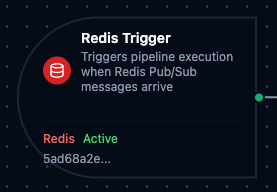
Redis trigger node
Redis Trigger Node
Overview
The Redis Trigger Node automatically initiates MaestroHub pipelines when messages arrive on subscribed Redis Pub/Sub channels. Unlike the Redis Command and Publish connector nodes which operate within an already-running pipeline, the Redis Trigger starts new pipeline executions in response to incoming messages—enabling fully event-driven automation.
Core Functionality
What It Does
Redis Trigger enables real-time, event-driven pipeline execution by:
1. Event-Driven Pipeline Execution Start pipelines automatically when messages are published to subscribed Redis channels, without manual intervention or polling. Perfect for real-time event processing, inter-service messaging, and live data stream handling.
2. Automatic Subscription Management Subscriptions are created and cleaned up automatically—no manual subscription management required. Supports both exact channel names and glob-style pattern matching via PSUBSCRIBE.
3. Message Payload Passthrough
Incoming Redis Pub/Sub message payloads are passed directly to the pipeline, making them available to all downstream nodes via the $node and $trigger variables.
Channel Pattern Matching
When the underlying Subscribe function has Use Patterns enabled, the trigger uses Redis PSUBSCRIBE for glob-style wildcard matching.
| Pattern | Matches | Does Not Match |
|---|---|---|
sensor:* | sensor:temperature, sensor:humidity | sensor:data:raw |
events:*:error | events:user:error, events:system:error | events:error |
alerts:* | alerts:critical, alerts:warning | events:alerts |
- Exact channels: Uses Redis
SUBSCRIBEcommand. Best for known, fixed channel names. - Pattern channels: Uses Redis
PSUBSCRIBEcommand. Best for dynamic or hierarchical channel structures.
Pattern matching is configured in the Subscribe function, not in the trigger node itself. See Redis Subscribe Function for details.
Configuration Options
Basic Information
| Field | Type | Description |
|---|---|---|
| Node Label | String (Required) | Display name for the node on the pipeline canvas |
| Description | String (Optional) | Explains what this trigger initiates |
Parameters
| Parameter | Type | Default | Required | Constraints | Description |
|---|---|---|---|---|---|
| Connection ID | string | "" | Yes | -- | Redis connection profile to use. |
| Function ID | string | "" | Yes | -- | Subscribe function within the connection. Only Subscribe functions are listed. |
| Trigger Mode | select | "always" | No | always / onChange | always: Trigger on every message. onChange: Only trigger when payload differs from last received value. |
| Enabled | boolean | true | No | -- | Enable/disable the trigger. When disabled, no channel subscriptions are active. |
| Dedup Max Keys | number | 1000 | If onChange | 1–10,000 | Maximum number of distinct channels tracked for change detection. Least recently used channel is evicted when exceeded. |
| Dedup TTL | select | -- | If onChange | 1h / 6h / 12h / 24h / 72h / 168h | Change detection state TTL. Enterprise edition only. |
The selected function must be a Redis Subscribe function type. Command and Publish functions cannot be used with Redis Trigger nodes.
Settings
Description
A free-text area for documenting the node's purpose and behavior. Notes entered here are saved with the pipeline and visible to all team members.
Execution Settings
| Setting | Options | Default | Description |
|---|---|---|---|
| Timeout (seconds) | number | Pipeline default | Maximum execution time for this node (1–600). Leave empty for pipeline default. |
| Retry on Timeout | Pipeline Default / Enabled / Disabled | Pipeline Default | Whether to retry the node if it times out. |
| Retry on Fail | Pipeline Default / Enabled / Disabled | Pipeline Default | Whether to retry on failure. When Enabled, shows Advanced Retry Configuration. |
| On Error | Pipeline Default / Stop Pipeline / Continue Execution | Pipeline Default | Behavior when node fails after all retries. |
Advanced Retry Configuration (visible when Retry on Fail = Enabled)
| Field | Type | Default | Range | Description |
|---|---|---|---|---|
| Max Attempts | number | 3 | 1–10 | Maximum retry attempts. |
| Initial Delay (ms) | number | 1000 | 100–30,000 | Wait before first retry. |
| Max Delay (ms) | number | 120000 | 1,000–300,000 | Upper bound for backoff delay. |
| Multiplier | number | 2.0 | 1.0–5.0 | Exponential backoff multiplier. |
| Jitter Factor | number | 0.1 | 0–0.5 | Random jitter (+-percentage). |
Validation Rules
The Redis Trigger Node enforces these validation requirements:
Parameter Validation
Connection ID
- Must be provided and non-empty
- Must reference a valid Redis connection profile
- Error: "Redis connection is required"
Function ID
- Must be provided and non-empty
- Must reference a valid Redis Subscribe function
- Function must belong to the specified connection
- Error: "Subscribe function is required"
Enabled Flag
- Must be a boolean if provided
- Error: "Enabled must be a boolean value"
Usage Examples
Real-Time Event Processing
Scenario: Process equipment status events published by other services in real-time.
Configuration:
- Label: Equipment Status Handler
- Connection: Production Redis
- Function: Subscribe to
equipment:status:*(pattern mode) - Trigger Mode: always
- Enabled: true
Downstream Processing:
- Parse JSON payload to extract equipment ID and status
- Route through condition node based on status type
- Update MongoDB with latest equipment state
- Send critical alerts via MS Teams if status is "fault"
Change-Only Data Capture
Scenario: Trigger data processing only when sensor values actually change, reducing unnecessary pipeline executions.
Configuration:
- Label: Sensor Change Detector
- Connection: Edge Redis
- Function: Subscribe to
sensor:data - Trigger Mode: onChange
- Dedup Max Keys: 5000
- Enabled: true
Downstream Processing:
- Extract changed sensor reading
- Compare with threshold values
- Store only changed values in InfluxDB
- Publish change event to downstream consumers
Inter-Pipeline Communication
Scenario: Chain multiple pipelines together using Redis Pub/Sub as the communication layer.
Configuration:
- Label: Pipeline Stage 2 Trigger
- Connection: Internal Redis
- Function: Subscribe to
pipeline:stage1:results - Trigger Mode: always
- Enabled: true
Downstream Processing:
- Receive processed results from Stage 1 pipeline
- Apply additional transformations
- Write final results to PostgreSQL
- Publish completion notification to
pipeline:stage2:complete