REST HTTP Nodes
Integrate with any REST API, web service, or HTTP endpoint using MaestroHub's REST connector nodes.
Configuration Quick Reference
| Field | What you choose | Details |
|---|---|---|
| Parameters | Connection, Function, Function Parameters, Timeout Override | Select the connection profile, function, configure function parameters with expression support, and optionally override timeout. |
| Settings | Description, Timeout (seconds), Retry on Timeout, Retry on Fail, On Error | Node description, maximum execution time, retry behavior on timeout or failure, and error handling strategy. All execution settings default to pipeline-level values. |
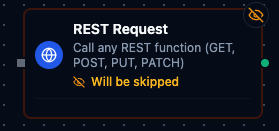
REST Request Node
REST Request Node
Run any REST function (GET, POST, PUT, PATCH) from a single node. The node simply executes the REST function you select from the connection profile, so you can mix reads and writes without changing node types.
Supported Function Types:
| Function Type | Purpose | Common Use Cases |
|---|---|---|
rest.get | Retrieve data from REST endpoints | Equipment status dashboards, weather feeds, asset catalogs |
rest.post | Send payloads to REST endpoints | Create work orders, push alerts, submit telemetry batches |
rest.put | Replace existing resources | Device configuration updates, metadata refresh |
rest.patch | Partially update resources | Incremental state changes, targeted overrides |
Parameter templating tips
REST Request parameters can be populated dynamically before the HTTP call runs:
((token))placeholders are replaced with the values you define on the node (ideal for quick path/query/header substitutions).{{ ... }}expressions let you use JavaScript plus the context objects injected by the pipeline engine ($input,$inputs,$pipeline,$node,$system, etc.).- Outside of
{{ }}, any string that starts with$is treated as a shorthand lookup into the upstream data packet. For example, setting a parameter to$.payload.assetIdpulls theassetIdfield from the previous node without writing JavaScript.
MaestroHub resolves expressions in that order—{{ }} first, then the $ shorthand—before sending the REST request.