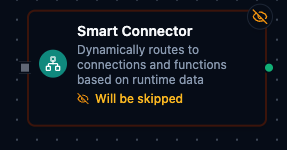
Smart Connector Node
Smart Connector Node
Overview
The Smart Connector Node is a dynamic connector that decides which connection and which function to use at runtime based on pipeline data.
Instead of hard-coding a single connection profile and function in the node configuration, you provide expressions that resolve to the right connection and function for each execution, with optional caching for high performance.
This makes Smart Connector ideal for:
- Multi-tenant routing where each tenant has its own connection profile.
- Conditional system selection (premium vs. standard processors).
- Dynamic protocol or data-source selection (PLC vs. MQTT vs. REST) using a single node.
Configuration Reference
Parameters Tab
| Parameter | Type | Default | Required | Constraints | Description |
|---|---|---|---|---|---|
| Lookup Mode | select | "name" | No | name / id | name: Resolve by display name. id: Resolve by UUID. |
| Connection Identifier | string | "" | Yes | Expression or literal | Connection name/ID or expression. |
| Function Identifier | string | "" | Yes | Expression or literal | Function name/ID or expression. |
| Arguments | JSON | {} | No | Valid JSON with optional expressions | Arguments to pass to the resolved function. |
Expression Examples
- Connection identifier:
{{$node["Route"].targetConnection}}{{$node["Route"].tenantId}}-database{{$item.connectionName}}(inside a For Each loop)
- Function identifier:
{{$node["Route"].targetFunction}}{{$node["Route"].amount > 10000 ? "process-premium" : "process-standard"}}{{$item.functionName}}(inside a For Each loop)
- Arguments object (JSON editor):
{
  "orderId": "{{$node["Prepare Order"].orderId}}",
  "amount": "{{$node["Prepare Order"].amount}}",
  "currency": "{{$node["Prepare Order"].currency || 'USD'}}"
}
Settings Tab
| Setting | Options | Default | Description |
|---|---|---|---|
| Timeout (seconds) | number | Pipeline default | Maximum execution time for this node (1-600). |
| Retry on Timeout | Pipeline Default / Enabled / Disabled | Pipeline Default | Whether to retry on timeout. |
| Retry on Fail | Pipeline Default / Enabled / Disabled | Pipeline Default | Whether to retry on failure. When Enabled, shows Advanced Retry Configuration. |
| On Error | Pipeline Default / Stop Pipeline / Continue Execution | Pipeline Default | Behavior when node fails after all retries. |
Advanced Retry Configuration (only visible when Retry on Fail = Enabled):
| Field | Type | Default | Range | Description |
|---|---|---|---|---|
| Max Attempts | number | 3 | 1-10 | Maximum retry attempts. |
| Initial Delay (ms) | number | 1000 | 100-30,000 | Wait before first retry. |
| Max Delay (ms) | number | 120000 | 1,000-300,000 | Upper bound for backoff delay. |
| Multiplier | number | 2.0 | 1.0-5.0 | Exponential backoff multiplier. |
| Jitter Factor | number | 0.1 | 0-0.5 | Random jitter. |
Usage Examples
Single Pipeline for Multiple Connections (For-Each + Smart Connector)
In many production scenarios you maintain a list of connections and functions (for different lines, machines, or tenants). Instead of adding many static connector nodes to the pipeline, you can:
- Use a For-Each Loop node that iterates over the list.
- Place one Smart Connector node inside the loop.
- Let Smart Connector resolve the correct connection and function for each item at runtime.
Assume the incoming payload to the For-Each Loop looks like:
{
  "connections": [
    { "connectionName": "line-1-plc", "functionName": "target-function", "payload": { "line": 1 } },
    { "connectionName": "line-2-plc", "functionName": "target-function", "payload": { "line": 2 } }
  ]
}
Configure the For-Each Loop to iterate over connections. Each iteration exposes the current item as $item.
| Field | Value |
|---|---|
| Lookup Mode | name |
| Connection Identifier | {{$item.connectionName}} |
| Function Identifier | {{$item.functionName}} |
| Parameters | {{$item.payload}} |
With this pattern:
- You keep a single pipeline definition instead of duplicating many connector nodes.
- Adding a new connection is as simple as updating the list (for example via an upstream node or configuration).
- The rest of the pipeline can remain the same, regardless of how many connections you have.
Best Practices
- Prefer name mode while designing and validating pipelines; switch to ID mode later for ultra-low latency when IDs are readily available.
- Keep expressions simple and readable; complex routing logic can be extracted to upstream nodes (e.g., Data Instance or JavaScript) that compute a
targetConnectionortargetFunction. - Combine Smart Connector with Condition, For-Each Loop, or Data Instance nodes to build powerful, dynamic routing and transformation flows with minimal duplication.