MQTT Nodes
MQTT is the de facto standard for IoT and event-driven architectures. MaestroHub supports both MQTT v3.1.1 and v5.0 with full feature parity so you can deliver real-time messaging reliably.
Configuration Quick Reference
| Field | What you choose | Details |
|---|---|---|
| Parameters | Connection, Function, Function Parameters, Timeout Override | Select the connection profile, function, configure function parameters with expression support, and optionally override timeout. |
| Settings | Description, Timeout (seconds), Retry on Timeout, Retry on Fail, On Error | Node description, maximum execution time, retry behavior on timeout or failure, and error handling strategy. All execution settings default to pipeline-level values. |
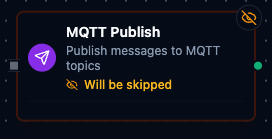
MQTT Publish Node
MQTT Publish Node
Publish messages to MQTT topics for real-time communication.
Supported Function Types:
| Function Name | Purpose | Common Use Cases |
|---|---|---|
| Publish Message | Send payloads to MQTT brokers using shared connections | Telemetry feeds, alarm broadcasts, command dispatch |
Output
The broker's acknowledgement is delivered under result; execution facts (success, functionId, durationMs, timestamp) under _metadata. MQTT Publish:
| Expression | Description |
|---|---|
$node["Name"].result.topic | The topic published to |
$node["Name"].result.qos | The QoS the message was sent with (0, 1 or 2) |
$node["Name"].result.retained | Whether the broker was asked to retain it |
$node["Name"].result.messageSize | Payload size in bytes |
$node["Name"]._metadata.method, $node["Name"]._metadata.connectionId, $node["Name"]._metadata.protocol | The call's own facts, on every node: the operation, the connection it ran over, mqtt |
Receiving MQTT messages
The node library has no MQTT subscribe node. To run a pipeline when MQTT messages arrive, start it with the MQTT Trigger.