AWS IoT Greengrass Nodes
The Greengrass Publish node sends a message to a topic on a Greengrass core device's local broker. Greengrass components on the core receive it directly, other client devices subscribed to the topic receive it, and the core's MQTT bridge can relay it to AWS IoT Core. Because the broker runs on the plant network, the node keeps working while the site's internet connection is down.
Configuration Quick Reference
| Field | What you choose | Details |
|---|---|---|
| Parameters | Connection, Function, Function Parameters, Timeout Override | Select the Greengrass connection, a Publish Message function, fill its ((parameters)) with expressions, and optionally override the timeout. |
| Settings | Description, Timeout (seconds), Retry on Timeout, Retry on Fail, On Error | Node description, maximum execution time, retry behavior and error handling. All execution settings default to pipeline-level values. |
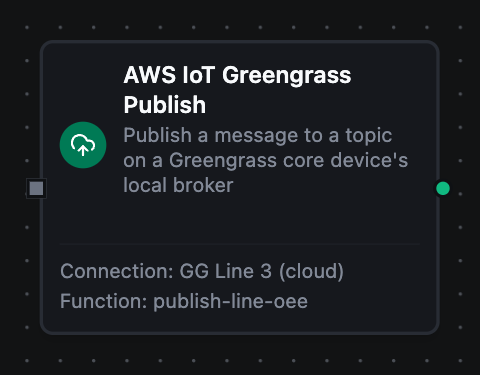
AWS IoT Greengrass Publish Node
AWS IoT Greengrass Publish Node
Supported Function Types:
| Function Name | Purpose | Common Use Cases |
|---|---|---|
| Publish Message | Send a payload to a topic on the core device's local broker | Edge KPIs for local components, alarms relayed to AWS IoT Core, commands to other client devices |
How It Works
- The node resolves the function's
((parameters))from its Function Parameters. - It publishes the payload on the connection's live session with the core, at the function's QoS.
- At QoS 1 it waits for the broker's PUBACK before completing.
If the core cannot be reached, for example while it restarts after a Greengrass deployment, the publish fails as a retryable error and Store & Forward holds the message until the connection is back. A wildcard in the topic, or an empty payload, fails the node at once and is not retried.
Configuration
| Field | What you choose | Details |
|---|---|---|
| Connection | Greengrass connection profile | A connection set up as a client device of the core, see the connection guide |
| Function | Publish Message function | Defines the topic, payload, QoS and retain flag |
| Function Parameters | Values for ((name)) placeholders | Literal values or {{ }} expressions over upstream data |
For the function fields, see Publish Message Function.
To run a pipeline whenever a message arrives on the core's broker, use the AWS IoT Greengrass Trigger.
Output
The broker's acknowledgement is delivered under result; execution facts (success, functionId, durationMs, timestamp) under _metadata.
| Expression | Description |
|---|---|
$node["Name"].result.topic | The local topic the message was published to |
$node["Name"].result.bytesWritten | Payload size in bytes |
$node["Name"].result.qos | The QoS the message was sent with (0 or 1) |
$node["Name"].result.retained | Whether the core's broker stored it as the topic's retained message |
$node["Name"]._metadata.method, $node["Name"]._metadata.connectionId, $node["Name"]._metadata.protocol | The call's own facts: the operation, the connection it ran over, greengrass |
{
  "result": {
    "topic": "factory/line3/oee",
    "bytesWritten": 13,
    "qos": 1,
    "retained": false
  }
}