Microsoft Teams Nodes
Microsoft Teams is a collaboration platform that enables real-time communication and workflow coordination. MaestroHub integrates with it to send automated notifications, alerts, and production updates directly to team channels using connector nodes.
Configuration Quick Reference
| Field | What you choose | Details |
|---|---|---|
| Parameters | Connection, Function, Function Parameters, Timeout Override | Select the connection profile, function, configure function parameters with expression support, and optionally override timeout. |
| Settings | Description, Timeout (seconds), Retry on Timeout, Retry on Fail, On Error | Node description, maximum execution time, retry behavior on timeout or failure, and error handling strategy. All execution settings default to pipeline-level values. |
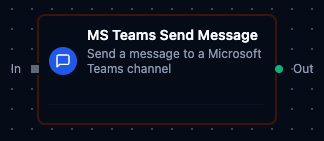
Microsoft Teams Send Message Node
Microsoft Teams Send Message Node
Send text or HTML-formatted messages to specific Microsoft Teams channels for automated notifications and team collaboration.
Supported Function Types:
| Function Name | Purpose | Common Use Cases |
|---|---|---|
| Send Message to Channel | Send notifications to Microsoft Teams channels | Production alerts, quality issue notifications, workflow status updates, machine fault alerts |
| Get Teams | List the teams the app registration can see | Resolving a team id before a send, tenant inventory |
| Get Channels | List a team's channels | Resolving a channel id by display name |
One node covers all three: the function you bind decides which of them runs, and which keys the result carries.
Output
The Microsoft Teams node delivers its data under result, and execution facts (success, functionId, durationMs, timestamp) under _metadata. Which keys appear depends on the function you bound:
| Function | Expression | Description |
|---|---|---|
| Send Message to Channel | $node["Name"].result.messageId | The id Microsoft Graph assigned the posted message |
$node["Name"].result.teamId | The team the message went to | |
$node["Name"].result.channelId | The channel the message went to | |
$node["Name"].result.createdDateTime | When Graph recorded the message, UTC RFC 3339 — present only when Graph returned a creation time | |
| Get Teams | $node["Name"].result.teams | One object per team: id, displayName, and description when set. $node["Name"].result.teams[0].id reads the first |
| Get Channels | $node["Name"].result.channels | One object per channel in the team: id, displayName, and description when set |