NATS Nodes
NATS is a lightweight, cloud-native messaging system with sub-millisecond pub/sub and optional JetStream persistence for durable streams. MaestroHub provides two messaging node types for NATS — Publish and Request (RPC-style). For receiving messages, see the NATS Trigger Node.
Configuration Quick Reference
| Field | What you choose | Details |
|---|---|---|
| Parameters | Connection, Function, Function Parameters, Timeout Override | Select the NATS connection profile, the function, configure function parameters via expressions, and optionally override timeout. |
| Settings | Description, Timeout (seconds), Retry on Timeout, Retry on Fail, On Error | Node description, maximum execution time, retry behavior, and error handling strategy. All execution settings default to pipeline-level values. |
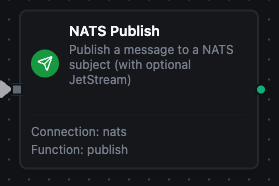
NATS Publish Node
NATS Publish Node
Publish messages to a NATS subject. Optionally publish via JetStream for persistent delivery with broker-acknowledged sequence numbers.
Supported Function Types:
| Function Name | Purpose | Common Use Cases |
|---|---|---|
| Publish | Send messages to a NATS subject with optional JetStream persistence | Event broadcasting, IoT telemetry fanout, persistent event log |
How It Works
When the pipeline executes, the Publish node:
- Connects via the selected NATS connection profile (already established by the connector runtime)
- Resolves any
((parameter))placeholders in subject, payload, and headers from upstream node outputs and trigger data - Publishes the message to the configured subject — either core NATS (fire-and-forget) or JetStream (broker-acknowledged) depending on the function's Use JetStream flag
- Returns the publish result
Configuration
| Field | What you choose | Details |
|---|---|---|
| Connection | NATS connection profile | Select a pre-configured NATS connection from your connection library |
| Function | Publish function | A NATS Publish function that defines subject, payload, headers, and JetStream behaviour |
| Function Parameters | Subject, payload, headers, replyTo, useJetStream | Configure dynamic values via expressions or upstream node outputs (inherited from function) |
Publish Result (core NATS)
{
  "subject": "events.sensor.temperature",
  "messageSize": 42,
  "jetstream": false
}
Publish Result (JetStream)
{
  "subject": "events.orders.created",
  "messageSize": 84,
  "stream": "ORDERS",
  "sequence": 4271,
  "jetstream": true
}
The sequence is the per-stream monotonic ID assigned by the JetStream broker — store it for at-least-once auditing or downstream deduplication.
For detailed function configuration options including headers and JetStream toggling, see the NATS Function Builder documentation.
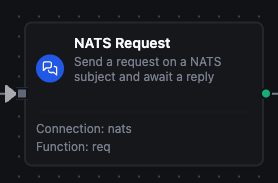
NATS Request Node
NATS Request Node
Send a request on a NATS subject and synchronously await a reply — RPC-style. The pipeline waits on the node until either a reply arrives or the timeout fires.
Supported Function Types:
| Function Name | Purpose | Common Use Cases |
|---|---|---|
| Request | Send a NATS request and wait for a reply | RPC-style service calls, synchronous IoT command/response |
How It Works
When the pipeline executes, the Request node:
- Resolves placeholders in subject and payload from upstream context
- Sends the request to the configured subject and registers an inbox subscription for the reply
- Blocks until either a single reply arrives or the configured Timeout (ms) elapses
- Returns the reply payload to the downstream nodes; on timeout the node fails (the On Error setting determines whether the pipeline halts or continues)
Configuration
| Field | What you choose | Details |
|---|---|---|
| Connection | NATS connection profile | Select a pre-configured NATS connection from your connection library |
| Function | Request function | A NATS Request function defining the subject, payload, and timeout |
| Function Parameters | Subject, payload, requestTimeout | Configure dynamic values via expressions or upstream node outputs |
Request Result
{
  "subject": "device.5f-3a.command",
  "replySubject": "_INBOX.aBcD.eFgH",
  "reply": "{\"status\":\"ok\",\"value\":23.5}",
  "replySize": 31
}
The reply field holds the responder's payload as a string. Use a downstream Code or Set node to JSON-parse it for typed access.
For detailed function configuration options, see the NATS Function Builder documentation.
Choosing Between Core NATS and JetStream
| Behaviour | Core NATS (Use JetStream = off) | JetStream (Use JetStream = on) |
|---|---|---|
| Persistence | None — fire-and-forget | Disk-backed, survives broker restart |
| Consumer offline | Message lost | Stream holds messages, redelivered when consumer returns |
| Replay | Not supported | Replay from any sequence or timestamp |
| Ack | Implicit | Explicit (Ack Wait retries on no-ack) |
| Throughput | Highest | High but with disk I/O overhead |
| Use when | Telemetry, fanout events, low-latency RPC | Order events, audit trails, anything that must not be lost |
The connection-level Enable JetStream toggle gates whether JetStream is available at all. Individual functions then opt in per operation via Use JetStream — so a single connection can serve both core and JetStream traffic side by side.
Output
The broker's acknowledgement is delivered under result; execution facts (success, functionId, durationMs, timestamp) under _metadata. NATS Publish and Request:
| Expression | Description |
|---|---|
$node["Name"].result.subject | The subject published to, or the request was sent on |
$node["Name"].result.messageSize | Publish: payload size in bytes |
$node["Name"].result.jetstream | Publish: whether it went through JetStream |
$node["Name"].result.stream | Publish, JetStream only: the stream that stored the message |
$node["Name"].result.sequence | Publish, JetStream only: the message's sequence number in the stream |
$node["Name"].result.replySubject | Request: the inbox the reply arrived on |
$node["Name"].result.reply | Request: the reply body as text — parse it downstream if it is JSON |
$node["Name"].result.replySize | Request: reply size in bytes |
$node["Name"]._metadata.method, $node["Name"]._metadata.connectionId, $node["Name"]._metadata.protocol | The call's own facts, on every node: the operation, the connection it ran over, nats |