REST HTTP Nodes
Integrate with any REST API, web service, or HTTP endpoint using MaestroHub's REST connector nodes.
Configuration Quick Reference
| Field | What you choose | Details |
|---|---|---|
| Parameters | Connection, Function, Function Parameters, Timeout Override | Select the connection profile, function, configure function parameters with expression support, and optionally override timeout. |
| Settings | Description, Timeout (seconds), Retry on Timeout, Retry on Fail, On Error | Node description, maximum execution time, retry behavior on timeout or failure, and error handling strategy. All execution settings default to pipeline-level values. |
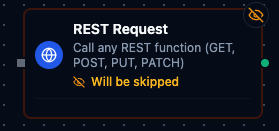
REST Request Node
REST Request Node
Run any REST function (GET, POST, PUT, PATCH) from a single node. The node simply executes the REST function you select from the connection profile, so you can mix reads and writes without changing node types.
Supported Function Types:
| Function Type | Purpose | Common Use Cases |
|---|---|---|
rest.get | Retrieve data from REST endpoints | Equipment status dashboards, weather feeds, asset catalogs |
rest.post | Send payloads to REST endpoints | Create work orders, push alerts, submit telemetry batches |
rest.put | Replace existing resources | Device configuration updates, metadata refresh |
rest.patch | Partially update resources | Incremental state changes, targeted overrides |
Output
Every REST Request node delivers the response under result, and execution facts under _metadata:
| Field | Expression | Description |
|---|---|---|
| Status code | $node["Name"].result.statusCode | HTTP status code, as a number |
| Status line | $node["Name"].result.status | e.g. "200 OK" |
| Headers | $node["Name"].result.headers | One key per response header, first value only — $node["Name"].result.headers["Content-Type"] |
| Body | $node["Name"].result.body | The body as text, whatever the content type |
| Body size | $node["Name"].result.bodySize | Body length in bytes |
| Parsed body | $node["Name"].result.bodyJSON | The body parsed as JSON — present only when the response's Content-Type is application/json and the body parses. Read fields off it: $node["Name"].result.bodyJSON.items[0].id |
| Success | $node["Name"]._metadata.success | true for a 2xx response |
| Duration | $node["Name"]._metadata.durationMs | Round-trip time in milliseconds |
A non-2xx response is still delivered — result.statusCode says what came back — and the node reports failure through _metadata.success and its error.
Parameter templating tips
REST Request parameters can be populated dynamically before the HTTP call runs:
((token))placeholders are replaced with the values you define on the node (ideal for quick path/query/header substitutions).{{ ... }}expressions let you use JavaScript plus the context objects injected by the pipeline engine ($input,$inputs,$pipeline,$node,$system, etc.).- Outside of
{{ }}, any string that starts with$is treated as a shorthand lookup into the upstream data packet. For example, setting a parameter to$.payload.assetIdpulls theassetIdfield from the previous node without writing JavaScript.
MaestroHub resolves expressions in that order—{{ }} first, then the $ shorthand—before sending the REST request.