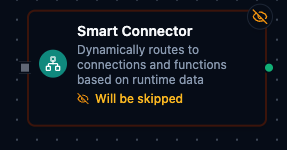
Smart Connector Node
Smart Connector Node
Overview
The Smart Connector Node is a dynamic connector that decides which connection and which function to use at runtime based on pipeline data.
Instead of hard-coding a single connection profile and function in the node configuration, you provide expressions that resolve to the right connection and function for each execution, with optional caching for high performance.
This makes Smart Connector ideal for:
- Multi-tenant routing where each tenant has its own connection profile.
- Conditional system selection (premium vs. standard processors).
- Dynamic protocol or data-source selection (PLC vs. MQTT vs. REST) using a single node.
Configuration
Parameters Tab
Every field, with its type, default and constraints, is in the Configuration reference at the foot of this page — generated from the contract the pipeline validator enforces.
The designer shows Lookup Mode, Connection Identifier, Function
Identifier and Arguments. Two keys in that table, cacheTtl and
timeoutOverride, have no field in the designer: the validator accepts
them, but only a node created or edited through the API or the assistant
can set them. A node built on the canvas caches name lookups for 300
seconds and has no per-request timeout override.
lookupMode decides how the identifiers are readname treats them as display names and resolves them to ids on every
run; id treats them as ids and dispatches directly. A node that omits
the key is read as id. The designer writes name into every node it
creates, so a node built on the canvas is in name mode unless you change
it — but a node created through the API or the assistant without the key
is in id mode, and a display name given to it will not resolve.
Expression Examples
- Connection identifier:
{{$node["Route"].result.targetConnection}}{{$node["Route"].result.tenantId}}-database{{$item.connectionName}}(inside a For Each loop)
- Function identifier:
{{$node["Route"].result.targetFunction}}{{$node["Route"].result.amount > 10000 ? "process-premium" : "process-standard"}}{{$item.functionName}}(inside a For Each loop)
- Arguments object (JSON editor):
{
  "orderId": "{{$node["Prepare Order"].result.orderId}}",
  "amount": "{{$node["Prepare Order"].result.amount}}",
  "currency": "{{$node["Prepare Order"].result.currency || 'USD'}}"
}
Settings Tab
| Setting | Options | Default | Description |
|---|---|---|---|
| Timeout (seconds) | number | Pipeline default | Maximum execution time for this node (1-600). |
| Retry on Timeout | Pipeline Default / Enabled / Disabled | Pipeline Default | Whether to retry on timeout. |
| Retry on Fail | Pipeline Default / Enabled / Disabled | Pipeline Default | Whether to retry on failure. When Enabled, shows Advanced Retry Configuration. |
| On Error | Pipeline Default / Stop Pipeline / Continue Execution | Pipeline Default | Behavior when node fails after all retries. |
Advanced Retry Configuration (only visible when Retry on Fail = Enabled):
| Field | Type | Default | Range | Description |
|---|---|---|---|---|
| Max Attempts | number | 3 | 1-10 | Maximum retry attempts. |
| Initial Delay (ms) | number | 1000 | 100-30,000 | Wait before first retry. |
| Max Delay (ms) | number | 120000 | 1,000-300,000 | Upper bound for backoff delay. |
| Multiplier | number | 2.0 | 1.0-5.0 | Exponential backoff multiplier. |
| Jitter Factor | number | 0.1 | 0-0.5 | Random jitter. |
Usage Examples
Single Pipeline for Multiple Connections (For-Each + Smart Connector)
In many production scenarios you maintain a list of connections and functions (for different lines, machines, or tenants). Instead of adding many static connector nodes to the pipeline, you can:
- Use a For-Each Loop node that iterates over the list.
- Place one Smart Connector node inside the loop.
- Let Smart Connector resolve the correct connection and function for each item at runtime.
Assume the incoming payload to the For-Each Loop looks like:
{
  "connections": [
    { "connectionName": "line-1-plc", "functionName": "target-function", "payload": { "line": 1 } },
    { "connectionName": "line-2-plc", "functionName": "target-function", "payload": { "line": 2 } }
  ]
}
Configure the For-Each Loop to iterate over connections. Each iteration exposes the current item as $item.
| Field | Value |
|---|---|
| Lookup Mode | name |
| Connection Identifier | {{$item.connectionName}} |
| Function Identifier | {{$item.functionName}} |
| Parameters | {{$item.payload}} |
With this pattern:
- You keep a single pipeline definition instead of duplicating many connector nodes.
- Adding a new connection is as simple as updating the list (for example via an upstream node or configuration).
- The rest of the pipeline can remain the same, regardless of how many connections you have.
Best Practices
- Prefer name mode while designing and validating pipelines; switch to ID mode later for ultra-low latency when IDs are readily available.
- Keep expressions simple and readable; complex routing logic can be extracted to upstream nodes (e.g., Data Instance or JavaScript) that compute a
targetConnectionortargetFunction. - Combine Smart Connector with Condition, For-Each Loop, or Data Instance nodes to build powerful, dynamic routing and transformation flows with minimal duplication.
Configuration reference
The fields below are generated from the node's config contract, so they match what the pipeline validator enforces and what the designer's form offers.
connected.smart.connector
| Field | Type | Required | Default | Values | Description |
|---|---|---|---|---|---|
lookupMode | string | no | id | id, name | How the two identifiers are interpreted: id means they are connection and function IDs; name means they are display names, resolved to IDs (and cached for cacheTtl seconds) on every run |
connectionIdentifier | string | yes | — | accepts an expression | The connection to use — its ID or, when lookupMode is name, its name. Usually an expression such as {{ $input[0].result.targetConnection }}; a literal works too. Must resolve to a non-empty string |
functionIdentifier | string | yes | — | accepts an expression | The function to execute on that connection — its ID or, when lookupMode is name, its name. Usually an expression such as {{ $input[0].result.targetFunction }}. Must resolve to a non-empty string |
arguments | object | no | — | — | Arguments for the resolved function's template parameters, keyed by parameter name; values accept expressions and are resolved at run time. The keys depend on whichever function the identifiers resolve to |
cacheTtl | integer | no | 300 | at least 0 | Lifetime in SECONDS of the name-to-ID lookup cache used when lookupMode is name. 0 means the default (300); caching cannot be switched off |
timeoutOverride | integer | no | — | at least 1 | Per-request timeout for this node in MILLISECONDS. Shortens the deadline only — it can never extend past the node, pipeline, connection or function timeouts; it also bounds the name lookup |