Approvals
Overview
Approvals is the inbox for decisions that pipelines hand to a person. Two kinds of request arrive here:
- Questions from Approval nodes. The pipeline holds its data at the node until someone approves or rejects it, or the question expires.
- Writes proposed by AI Agent nodes whose write mode is Require approval. The write does not run until someone approves it.
Nothing here is ever approved automatically. A request that nobody answers in time expires, and an expired request counts as rejected.
Navigation Path: Orchestrate > Approvals
Approvals is part of the Human in the Loop (Approvals) license feature. Without it, the Approvals menu item and the Approval node are not shown, and the approvals API refuses requests with Human-in-the-loop approvals are not available with your current license.
The four tabs at a glance
| Tab | What it shows |
|---|---|
| Pending | Approval-node questions waiting for an answer. |
| History | Approval-node questions that were answered or expired. |
| Agent writes | Writes proposed by AI Agent nodes that are waiting for a decision, plus approved writes whose outcome is unknown. |
| Agent history | Agent writes that were decided, ran, failed or expired. |
The two agent tabs are shown only to people with the agent_approval:read permission. See Permissions.
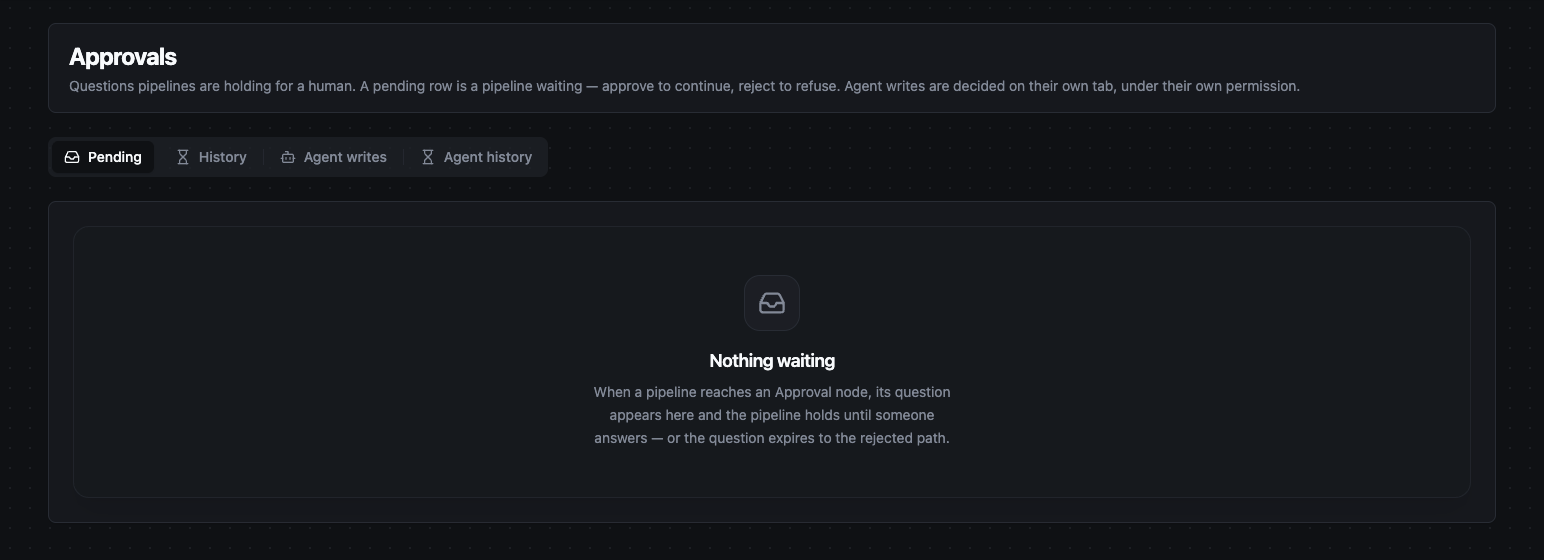
Orchestrate → Approvals with its four tabs; the Pending tab is empty
Who sees what
- Anyone with
approval:readsees every Approval-node question in the organization on Pending and History. - Anyone with
agent_approval:readalso sees the Agent writes and Agent history tabs, with every agent write in the organization. - The Who to notify (roles) setting on an Approval node or AI Agent node decides only whose notification feed the request lands in. It does not hide the request from anyone else who can open this page, and it does not let anyone decide without the decide permission.
Deciding is a separate permission from seeing: approving or rejecting a question needs approval:decide, and approving, rejecting or resolving an agent write needs agent_approval:decide. One does not grant the other.
Answering an Approval-node question
- Open Orchestrate > Approvals. The Pending tab lists each waiting question with the pipeline that asked it, when it was asked (Asked) and when it expires (Expires).
- Click Approve or Reject on the row.
- The dialog shows the Held data — exactly what continues down the pipeline if you approve. Read it before deciding.
- Optionally write a Note. It is stored with the decision, shown in History, and passed to the pipeline in the verdict.
- Click Approve or Reject in the dialog.
What happens next:
- Approve: the pipeline continues from the Approval node as a new execution, carrying the held data with
decision: approved. - Reject: the pipeline also continues from the Approval node as a new execution, with
decision: rejectedandreason: rejected. The node has a single output, so the downstream nodes run for a rejection too unless the pipeline branches ondecisionwith a Condition node.
The verdict fields that downstream nodes read are described on the Approval node page.
Repeated questions are answered together
When the same Approval node asks the same question about the same data several times, the questions are shown as one row with a count such as ×3. Data under _metadata is ignored for this comparison. One Approve or Reject answers all of them.
When an approval is refused as stale
Approving does not blindly release data that may be out of date. At the moment you approve, MaestroHub checks the request again, and the approval turns into a rejection with reason: stale when:
- the node's Proposal freshness window has passed;
- the pipeline has been saved since the question was asked — any change to the pipeline counts;
- the pipeline has been disabled or deleted;
- the Approval node has been removed from the pipeline.
The rejection keeps your name as the decider and adds the reason to the note. To act on the data anyway, run the pipeline again so that it asks a new question.
Deciding AI Agent writes
An AI Agent node in Require approval mode never writes on its own. Each write it wants to make is parked on the Agent writes tab as a row titled Agent wants: tool name, and the agent's run finishes without it.
- Open Orchestrate > Approvals > Agent writes.
- Click Approve or Reject on the row.
- The dialog shows the Proposed write: the tool name, the connection and function IDs, and the exact input the agent wants to send.
- Optionally add a Note and confirm.
What happens next:
- Approve: the write runs immediately, under the pipeline's own identity — not under yours. The pipeline then receives the verdict as a new execution from the AI Agent node, including the write's result.
- Reject: the write is discarded and never runs.
When the agent proposes the same write more than once while the first is still waiting, it gets the same request back instead of a new one, so the inbox is not flooded.
Before the write runs, the request is checked again in the same way as an Approval-node question (pipeline saved, disabled or deleted, node removed). It is also refused as stale when the node's write mode is now Read-only, or the function is no longer in the node's tool list.
After the write runs
| What happened | Where it ends up |
|---|---|
| The write succeeded. | Agent history, verdict Approved. |
| The connector reported a failure. | Agent history, verdict Rejected with approved — the write ran and failed. The connector's error is added to the note. A failed write is never retried. |
| The write was sent but no result came back. | Stays on Agent writes, marked Outcome unknown, above the waiting requests. |
Resolving an unknown outcome
An Outcome unknown row means the write may or may not have reached the target system. MaestroHub never retries it, because retrying could apply the write twice, and it sends a notification asking for the outcome to be checked.
- Check the target system yourself.
- Click Resolve… on the row.
- Choose what you found: It executed or It never ran.
- Describe what you checked under What you verified, then click Record outcome.
It executed closes the row as approved. It never ran closes it as rejected with approved — verified it never ran; run the pipeline again if the write is still wanted.
Deadlines and expiry
Every request has a deadline:
- Approval-node questions: the node's Decision window (
decisionTTL), one hour by default. - Agent writes: always one hour. The AI Agent node has no setting for it.
The Expires column counts down to the deadline and shows expiring… once it has passed. MaestroHub checks for overdue requests about every 30 seconds, so a request can stay on the list for a short time after its deadline.
When a request expires:
- it moves to History or Agent history with the verdict Expired and nobody answered in time;
- the pipeline continues from the node with
decision: rejectedandreason: timeout; - an agent write that expires never runs.
An expired request cannot be approved later. If the action is still needed, run the pipeline again.
The history tabs
History and Agent history keep the record of every verdict. Each row shows the Question, the Verdict, who decided (Decided by), the Note and When. Use the Verdict filter to show only approved, rejected or expired rows.
A rejected row can have a reason under the verdict:
| Reason shown | Meaning |
|---|---|
| nobody answered in time | The request expired. |
| approved, but the proposal went stale | Someone approved it, and the check described in When an approval is refused as stale turned it into a rejection. |
| approved — the write ran and failed | Agent writes only: the write ran and the connector reported a failure. |
| approved — verified it never ran | Agent writes only: someone resolved an unknown outcome as never run. |
A row shown as Approving… on History was approved and the pipeline is being continued. If the continuation was interrupted, MaestroHub completes it automatically.
Notifications
You do not have to watch this page. MaestroHub sends notifications when a request is created, reminders while it waits, and a notice when it expires. They go to the roles named in the node's Who to notify (roles) setting, or, when that is empty, to everyone who can decide that kind of request. When the run that asked was started under a user's identity, that user is also told the verdict.
Clicking an approval notification opens this page; a notification about an agent write opens the Agent writes tab.
A Test Node run in Sandbox never creates a request here. The Approval node, and an AI Agent node in Require approval mode, show Approve and Reject buttons on the canvas instead, and the test run waits for your answer. For an AI Agent write the approval is only simulated: nothing is written to the real system.
Permissions
| Action | Permission |
|---|---|
| Open Orchestrate > Approvals, see Pending and History | approval:read |
| Approve or reject an Approval-node question | approval:decide |
| See Agent writes and Agent history | agent_approval:read |
| Approve, reject or resolve an agent write | agent_approval:decide |
Among the built-in roles, only Organization Administrator (and System Administrator) hold these permissions. To let other people answer, give them a custom role with the permissions they need — for example, agent_approval:read and agent_approval:decide for the people trusted to approve agent writes to live systems. See Users & Roles.
Related
- Approval node — asks the questions answered on the Pending tab.
- AI Agent node — proposes the writes decided on the Agent writes tab.
- Pipelines — where both nodes are added and configured.