Azure Functions Nodes
Azure Functions runs your own code behind an HTTP trigger. MaestroHub provides two invocation nodes, one that waits for the response and one that does not, plus a discovery node that lists the functions in a function app. The connection holds the app's URL and key; a function names a route in that app.
Configuration Quick Reference
| Field | What you choose | Details |
|---|---|---|
| Parameters | Connection, Function, Function Parameters, Timeout Override | Select the connection profile, function, configure function parameters with expression support, and optionally override the per-call timeout. |
| Settings | Description, Timeout (seconds), Retry on Timeout, Retry on Fail, On Error | Node description, maximum execution time, retry behavior on timeout or failure, and error handling strategy. All execution settings default to pipeline-level values. |
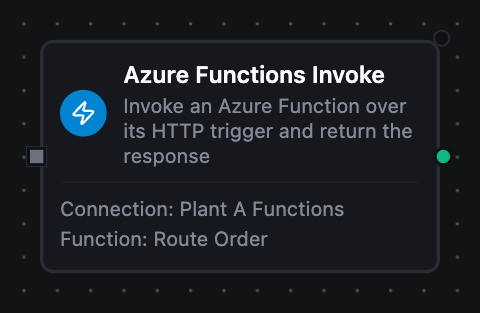
Azure Functions Invoke Node
Azure Functions Invoke Node
Call a function over its HTTP trigger and wait for the response. Use this when a downstream node needs what the function returns: a transform's output, an enrichment lookup, an inference result.
Supported Function Types:
| Function Name | Purpose | Common Use Cases |
|---|---|---|
| Invoke | Call a function and return its response | Serverless transforms, enrichment lookups, ML inference, reading a resource on a custom route |
How It Works
When the pipeline executes, the Invoke node:
- Resolves the configured Azure Functions connection profile and its function key
- Renders all templated fields (Function Name or Route, Payload, Query Parameters) against the current pipeline context
- Builds the URL from the connection's Function App URL, its route prefix and the route, and refuses a target that is a full URL or climbs out with
.. - Validates the body as JSON when Content Type says it is JSON, before any call is made
- Sends the function key as
x-functions-key, and an Entra ID bearer token when the connection has an App ID URI - Calls the trigger with the configured method, body, query and headers, using the per-call timeout override or the connection default, without following redirects
- Decodes the response body as JSON when it parses, delivers it as text when it does not, and fails the node on any non-2xx answer
Configuration
| Field | What you choose | Details |
|---|---|---|
| Connection | Azure Functions connection profile | Select a pre-configured connection from your connection library |
| Function | Invoke function | Choose an Azure Functions Invoke function that defines the route, method, body, query and headers |
| Function Parameters | Call values | Configure dynamic values for the route, Payload and query values using expressions or constants |
| Timeout Override | Per-call timeout | Optional. Overrides the connection-level request timeout for this node only. A Go duration string between 1s and 1h (e.g. 30s). Leave empty to use the connection default. |
For detailed function configuration options, including keys, the response size cap, and how status codes map to node outcomes, see the Azure Functions Invoke Function documentation.
A function that answers 400 or 500 has run and refused, so this node fails. Its error message carries the status code and a one-line summary of the response body; the failed node has no result.payload. The node's On Error setting decides what happens next: with Continue Execution the downstream nodes still run, but the failed node has no output for them to read (see Run status and On Error). A 4xx is treated as permanent (retrying the same body gets the same answer), while 5xx and 429 are retried.
If your function signals business outcomes with status codes, a 409 Conflict meaning "already processed" will fail the node. Answer 200 with a body the pipeline can branch on instead.
Azure Functions are invoked by MaestroHub; they do not push events back. To have a function start a pipeline, give the pipeline a Webhook Trigger and POST to it from the function, or send to Event Hubs and use the Azure Event Hubs trigger.
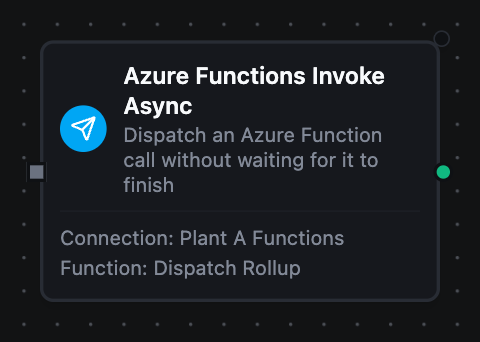
Azure Functions Invoke Async Node
Azure Functions Invoke Async Node
Dispatch an invocation and return immediately, without waiting for the function to finish. Use this for side-effectful work that must not hold the pipeline up: a notification, an audit write, a Durable Functions orchestration.
Supported Function Types:
| Function Name | Purpose | Common Use Cases |
|---|---|---|
| Invoke Async | Dispatch a call without waiting for it | Notifications, audit writes, starting a Durable Functions orchestration, handing off slow post-processing |
How It Works
When the pipeline executes, the Invoke Async node:
- Resolves the connection and builds the URL exactly as the Invoke node does, requesting any Entra ID token before it dispatches, so a credential failure fails the node
- Builds the request on the connection's context rather than the pipeline's; the pipeline's is cancelled the moment this node returns, which is immediately
- Hands the request to a supervised background dispatch, bounded by the node's timeout
- Returns
{"dispatched": true}without waiting for the function
Configuration
| Field | What you choose | Details |
|---|---|---|
| Connection | Azure Functions connection profile | Select a pre-configured connection from your connection library |
| Function | Invoke Async function | Choose an Azure Functions Invoke Async function that defines the route and body |
| Function Parameters | Call values | Configure dynamic values for the route, Payload and query values using expressions or constants |
| Timeout Override | Dispatch bound | Optional. Caps how long the dispatched call may run in the background, not how long the pipeline waits. |
For detailed function configuration options see the Azure Functions Invoke Async Function documentation.
An HTTP trigger has no service-side queue, so unlike AWS Lambda's Event invocation type this is a genuine fire-and-forget. The function's response and any failure after dispatch are logged on the connection, not returned to the pipeline: a function that is down, slow, or rejects the payload still produces a successful node.
Because delivery cannot be confirmed, this operation is not eligible for store-and-forward. Use the Invoke node when the pipeline must know the work landed, or send to Azure Event Hubs when a real queue is what you want.
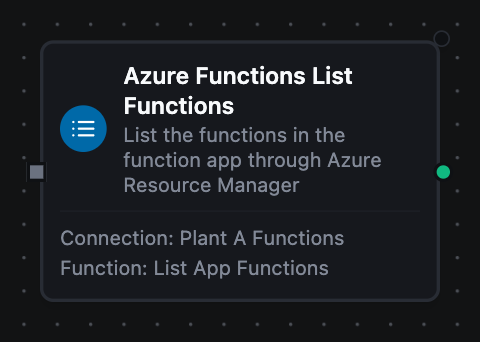
Azure Functions List Functions Node
Azure Functions List Functions Node
List the functions in the connection's function app, with each one's trigger type, route, auth level, invoke URL, and whether it is disabled.
Supported Function Types:
| Function Name | Purpose | Common Use Cases |
|---|---|---|
| List Functions | Discover the functions in a function app | Inventory audits, pre-flight checks before invoking, finding anonymous or disabled functions |
How It Works
When the pipeline executes, the List Functions node:
- Resolves the connection's Management fields (subscription, resource group, function app name) and its Entra ID identity
- Reads
Microsoft.Web/sites/<app>/functionsfrom Azure Resource Manager, one page per call; with a Page Token, it reads that page instead, after checking the token names this app on this connection's Resource Manager - Returns one object per function, plus a continuation token when more remain
Configuration
| Field | What you choose | Details |
|---|---|---|
| Connection | Azure Functions connection profile | Select a pre-configured connection from your connection library; it needs the Management fields and an Identity |
| Function | List Functions function | Choose an Azure Functions List Functions function |
| Function Parameters | Listing values | Configure a dynamic Page Token using an expression, such as the previous node's nextPageToken |
| Timeout Override | Per-call timeout | Optional. A Go duration string between 1s and 1h. |
For detailed function configuration options see the Azure Functions List Functions Function documentation.
Output
Every Azure Functions node delivers its data under result, and execution facts (success, functionId, durationMs, timestamp) under _metadata:
| Node | Expression | Description |
|---|---|---|
| Invoke | $node["Name"].result.payload | The function's response body, decoded from JSON, the raw string when it was not JSON, or null when the function returned nothing. Read a field with $node["Name"].result.payload.<field> |
$node["Name"].result.statusCode | The HTTP status the function answered with; a 202 from a Durable Functions starter is worth branching on | |
| Invoke Async | $node["Name"].result.dispatched | true once the request is on its way. The function's own output and any failure after dispatch are logged on the connection, never delivered here |
| List Functions | $node["Name"].result.functions | One object per function: name, resourceId and isDisabled, plus invokeUrl, language, triggerType, and for an HTTP trigger authLevel, route and methods, when Resource Manager returned them. $node["Name"].result.functions[0].route reads the first one's route |
$node["Name"].result.count | How many functions this call returned | |
$node["Name"].result.nextPageToken | Where the listing stopped, present only when more functions remain. Pass it back as the node's Page Token to continue | |
| Every node | $node["Name"]._metadata.method, $node["Name"]._metadata.connectionId, $node["Name"]._metadata.protocol | The call's other facts: the operation, the connection it ran over, and azurefunctions |