Azure Event Hubs Nodes
Azure Event Hubs is Microsoft's fully managed, real-time data ingestion service for high-throughput event streaming. MaestroHub provides connector nodes so you can send events, ship batches, and inspect a hub's topology from within your pipelines.
Configuration Quick Reference
| Field | What you choose | Details |
|---|---|---|
| Parameters | Connection, Function, Function Parameters, Timeout Override | Select the connection profile, function, configure function parameters with expression support, and optionally override timeout. |
| Settings | Description, Timeout (seconds), Retry on Timeout, Retry on Fail, On Error | Node description, maximum execution time, retry behavior on timeout or failure, and error handling strategy. All execution settings default to pipeline-level values. |
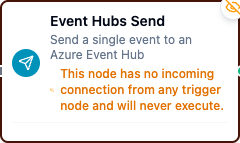
Event Hubs Send Node
Azure Event Hubs Connector Nodes
Event Hubs connector nodes run a function you defined on an Event Hubs connection as a step in an already-running pipeline.
Supported Function Types:
| Function Name | Purpose | Common Use Cases |
|---|---|---|
| Send Event | Send a single event with optional partition key or partition ID and custom properties | Telemetry ingestion, event streaming, bridging into Azure Stream Analytics |
| Send Batch | Send an array of events as one batched round-trip | Bulk telemetry upload, batched log shipping |
| Get Partitions | Retrieve partition IDs and per-partition properties | Inspect topology, verify traffic, size consumers |
| List Consumer Groups | List consumer groups on the hub via the Azure management plane | Audit or discover consumer groups |
How It Works
When the pipeline executes, a Send node:
- Connects to the Event Hubs namespace using the selected connection profile
- Builds an event batch with the configured payload and optional partition key or partition ID
- Sends the event (or batch) to the target hub
- Returns a confirmation including the event count and partition routing
Get Partitions and List Consumer Groups nodes instead return topology information — partition properties and consumer group names, respectively.
Configuration
| Field | What you choose | Details |
|---|---|---|
| Connection | Azure Event Hubs connection profile | Select a pre-configured Event Hubs connection from your connection library |
| Function | Send / Send Batch / Get Partitions / List Consumer Groups function | Choose the function that defines the operation and its parameters |
| Function Parameters | Event values | Configure dynamic values for payload, partition key, and properties using expressions or constants (Send and Send Batch only) |
For detailed function configuration options including partitioning and batching, see the Azure Event Hubs Functions documentation.
The List Consumer Groups function uses the Azure management plane and requires Subscription ID, Resource Group, and an environment Azure AD credential on the connection — a SAS key cannot authenticate it. See the connection guide.
If you want to automatically start a pipeline when events arrive on an event hub (rather than send within an already-running pipeline), use the Azure Event Hubs Trigger Node instead.
Output
Every Event Hubs node delivers its data under result, and execution facts (success, functionId, durationMs, timestamp) under _metadata:
| Node | Expression | Description |
|---|---|---|
$node["Name"].result.eventCount | How many events were sent — 1 for Send Event | |
$node["Name"].result.partitionKey | The partition key used, empty when none | |
$node["Name"].result.messageSize | Payload bytes — the total for a batch | |
| Send Event | $node["Name"].result.partitionId | The partition targeted, empty when the key or the service chose |
| Get Partitions | $node["Name"].result.eventHubName, $node["Name"].result.partitionCount, $node["Name"].result.partitionIds | The hub, how many partitions it has, and their ids |
$node["Name"].result.createdOn | When the hub was created, RFC 3339 UTC | |
$node["Name"].result.partitions | One object per partition: partitionId, isEmpty, beginningSequenceNumber, lastEnqueuedSequenceNumber, lastEnqueuedOffset, lastEnqueuedOn (RFC 3339 UTC) | |
| List Consumer Groups | $node["Name"].result.eventHubName, $node["Name"].result.consumerGroups, $node["Name"].result.count | The hub, one object per group (name, id when the management plane reports them), and how many |