Amazon EventBridge Nodes
Amazon EventBridge is AWS's serverless event router. A published event is matched against the rules on its event bus, and delivered only to the targets whose patterns match — so routing is a property of the bus, not of the publisher. MaestroHub provides a Put Event node for publishing, plus two discovery nodes for seeing which buses exist and where each one routes.
Configuration Quick Reference
| Field | What you choose | Details |
|---|---|---|
| Parameters | Connection, Function, Function Parameters, Timeout Override | Select the connection profile, function, configure function parameters with expression support, and optionally override the per-call timeout. |
| Settings | Description, Timeout (seconds), Retry on Timeout, Retry on Fail, On Error | Node description, maximum execution time, retry behavior on timeout or failure, and error handling strategy. All execution settings default to pipeline-level values. |
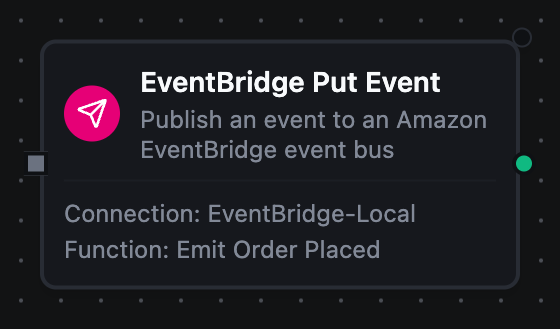
Amazon EventBridge Put Event Node
Amazon EventBridge Put Event Node
Publish one custom event onto an event bus, with the three fields rules match on — source, detail type, and a JSON detail body — plus optional associated resource ARNs and an explicit event time.
Supported Function Types:
| Function Name | Purpose | Common Use Cases |
|---|---|---|
| Put Event | Put a custom event onto an event bus for rule-based routing | Domain events consumed by Lambda and SQS, cross-account alarm routing, Step Functions workflow starts, telemetry summaries to an analytics bus |
How It Works
When the pipeline executes, the Put Event node:
- Resolves the configured EventBridge connection profile and loads AWS credentials (static IAM keys or the SDK default credential chain)
- Renders all templated fields (Event Bus, Source, Detail Type, Detail, Resources, Event Time) against the current pipeline context
- Rejects a source in the AWS-reserved
aws.namespace, and a detail body that is not a JSON object, before any call is made - Calls
PutEventswith a single entry, bounded by the connection's Request Timeout and, when set, the node's Timeout Override (the shorter one wins) - Inspects the response entry — a rejected event arrives as HTTP 200 with an error code, and the node fails rather than reporting a delivered event
- Returns the EventBridge-assigned event ID so downstream nodes can correlate the publish with target-side observations
Configuration
| Field | What you choose | Details |
|---|---|---|
| Connection | Amazon EventBridge connection profile | Select a pre-configured connection from your connection library |
| Function | Put Event function | Choose an EventBridge Put Event function that defines the bus, source, detail type, and detail body |
| Function Parameters | Event values | Configure dynamic values for Event Bus, Source, Detail Type, Detail, Resources, and Event Time using expressions or constants |
| Timeout Override | Per-call timeout | Optional. Bound for this node only; the connection's Request Timeout still applies and the shorter one wins. A Go duration string between 1s and 1h (e.g. 30s). Leave empty to use the connection default; 0 is not accepted. |
For detailed function configuration options — including the event-pattern contract, the JSON-object requirement on detail, and the 256 KB size limit — see the Amazon EventBridge Put Event Function documentation.
EventBridge reports a bad entry as a successful HTTP call carrying a per-entry error code. This node inspects the entry and fails with that code in the message — NotAuthorizedForSourceException when the bus policy refuses your source, ValidationException when the event is malformed or oversized. Only InternalFailure and ThrottlingException are retried; every other code fails the node at once, and its On Error setting decides what happens next, rather than burning the retry budget on an event AWS will keep refusing.
EventBridge delivers to AWS-native targets, not back to MaestroHub. To trigger a pipeline from an EventBridge event, add a rule whose target is an SQS queue and use the Amazon SQS trigger node, or point a rule at an API destination and use the Webhook Trigger.
Amazon EventBridge List Event Buses Node
List the event buses visible to the configured credentials — the default bus, custom buses, and partner buses — up to the function's item budget.
| Function Name | Purpose | Common Use Cases |
|---|---|---|
| List Event Buses | Discover the buses available to the credentials | Topology audits, resolving a bus by name, dynamic dispatch in a multi-tenant pipeline |
Amazon EventBridge List Rules Node
List the rules attached to an event bus, with each rule's event pattern or schedule expression, state, and ARN. Use it to answer where a published event will actually go.
| Function Name | Purpose | Common Use Cases |
|---|---|---|
| List Rules | Inspect a bus's routing | Pre-publish routing checks, auditing disabled rules, change review |
A rule whose state is DISABLED is inert — events matching its pattern are simply not routed, with no error anywhere. That is the usual reason a successfully published event appears to vanish, so check the state, not just the rule's existence.
Output
Every EventBridge node delivers its data under result, and execution facts (success, functionId, durationMs, timestamp) under _metadata:
| Node | Expression | Description |
|---|---|---|
| Put Event | $node["Name"].result.eventId | The id EventBridge assigned to the ingested event |
| List Event Buses | $node["Name"].result.eventBuses | One object per bus: name, arn and description. $node["Name"].result.eventBuses[0].name reads the first |
| List Rules | $node["Name"].result.rules | One object per rule: name, arn, state, eventPattern, scheduleExpression, description and managedBy. A rule is driven by either a pattern or a schedule, so one of those two is always empty |
| Both list nodes | $node["Name"].result.count | How many items were listed |
$node["Name"]._metadata.truncated | true when the item budget stopped the listing and more items exist — a fact about the call, so it rides with the execution facts | |
$node["Name"].result.nextToken | Where the listing stopped — present only when _metadata.truncated is true | |
| Every node | $node["Name"]._metadata.method, $node["Name"]._metadata.connectionId, $node["Name"]._metadata.protocol | The call's other facts: the operation, the connection it ran over, and eventbridge |
$node["Name"]._metadata.eventBusName | The bus the call addressed — on Put Event and List Rules | |
$node["Name"]._metadata.source, $node["Name"]._metadata.detailType | On Put Event, the two fields rules matched the event on |