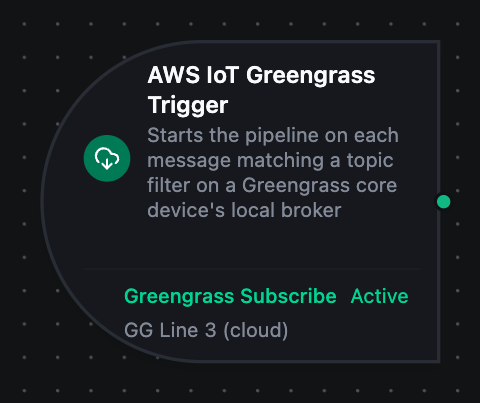
AWS IoT Greengrass trigger node
AWS IoT Greengrass Trigger Node
Overview
The AWS IoT Greengrass Trigger starts a pipeline each time a message arrives on a topic filter of a Greengrass core device's local broker. Messages published by other client devices, by Greengrass components through the MQTT bridge, and by AWS IoT Core through the bridge all arrive the same way. The subscription is on the plant network, so the trigger keeps firing while the site is offline.
Core Functionality
Event-driven runs. One pipeline run per message that matches the Subscribe function's topic filter. + and # wildcards let one trigger cover a whole line of devices.
Automatic subscription management. The subscription is opened when the pipeline is enabled and closed when it is disabled or deleted.
Reconnect and resubscribe. When the connection to the core drops and comes back, every trigger's filter is subscribed again. With cloud discovery, a reconnect that cannot reach AWS reuses the core endpoints discovered earlier; see offline operation.
Refused filters are reported. If the core's client device auth policy does not grant mqtt:subscribe on the filter, the subscription fails with an error naming the filter instead of silently never firing.
Use QoS 1 on the Subscribe function so the core redelivers a message that arrived while a run was being queued. MaestroHub acknowledges a QoS 1 message only after the run's trigger event is stored.
Configuration Options
Basic Information
| Field | Type | Description |
|---|---|---|
| Node Label | String (Required) | Display name for the node on the pipeline canvas |
| Description | String (Optional) | Explains what this trigger initiates |
Parameters
| Parameter | Type | Default | Required | Constraints | Description |
|---|---|---|---|---|---|
| Connection ID | string | "" | Yes | -- | Greengrass connection profile to use. |
| Function ID | string | "" | Yes | -- | Subscribe to Topic function within the connection. |
| Trigger Mode | select | "always" | No | always / onChange | always: trigger on every message. onChange: only trigger when the payload differs from the last one on the same topic. |
| Enabled | boolean | true | No | -- | Enable or disable the trigger. |
| Dedup Max Keys | number | 1000 | If onChange | 1--10,000 | Maximum tracked topic hashes for change detection. |
The selected function must be a Subscribe to Topic function. Publish Message functions cannot back a trigger.
Settings
Description
A free-text area for documenting the node's purpose. It is saved with the pipeline.
Execution Settings
| Setting | Options | Default | Description |
|---|---|---|---|
| Timeout (seconds) | number | Pipeline default | Maximum execution time for this node (1--600). Leave empty for the pipeline default. |
| Retry on Timeout | Pipeline Default / Enabled / Disabled | Pipeline Default | Whether to retry the node if it times out. |
| Retry on Fail | Pipeline Default / Enabled / Disabled | Pipeline Default | Whether to retry on failure. |
| On Error | Pipeline Default / Stop Pipeline / Continue Execution | Pipeline Default | Behavior when the node fails after all retries. |
Output
Each run receives the message body under result and the MQTT facts under _metadata. Every _metadata value is a string.
{
  "_metadata": {
    "type": "greengrass_trigger",
    "connectionId": "7b2a0cf0-c9f5-444c-835e-fc2cb957be07",
    "functionId": "85bab7a5-70da-4bb3-9639-9a59a414c01f",
    "protocol": "greengrass",
    "topic": "factory/line3/telemetry",
    "qos": "1",
    "retained": "false",
    "timestamp": "2026-09-25T10:30:00.123456789Z"
  },
  "result": {
    "line": "line3",
    "temperature": 71.5
  }
}
Accessing Message Data
| Field | Expression | Description |
|---|---|---|
| Message Payload | $trigger.result | The message body (parsed JSON object, or the raw value) |
| Topic | $trigger._metadata.topic | The topic the message was published on; useful behind a wildcard filter |
| QoS | $trigger._metadata.qos | Delivery QoS, "0" or "1" |
| Retained | $trigger._metadata.retained | "true" when the message is the topic's retained message, delivered on subscribe |
| Protocol | $trigger._metadata.protocol | Always greengrass |
| Connection ID | $trigger._metadata.connectionId | The Greengrass connection profile used |
| Function ID | $trigger._metadata.functionId | The Subscribe function that received the message |
| Trigger Type | $trigger._metadata.type | Always greengrass_trigger |
| Timestamp | $trigger._metadata.timestamp | When MaestroHub received the message |
$trigger._metadata.retained is the string "false", which is truthy in an expression. Compare it explicitly: {{ $trigger._metadata.retained == "true" }}.
Validation Rules
Connection ID
- Must be provided and reference a Greengrass connection profile
- Error: "Connection is required"
Function ID
- Must reference a Subscribe to Topic function of the selected connection
- Error: "Subscribe Function is required"
Usage Examples
Line telemetry from client devices
Scenario: sensors on line 3 publish to the core's broker as client devices.
Configuration: Subscribe function on factory/+/telemetry, QoS 1, Trigger Mode always. Downstream nodes read $trigger.result.temperature and use $trigger._metadata.topic to tell the devices apart.
Commands from the cloud
Scenario: operators send setpoints from AWS IoT Core; the core's MQTT bridge relays line3/commands from IotCore to LocalMqtt.
Configuration: Subscribe function on line3/commands. The pipeline writes $trigger.result.setpoint to the PLC.
Change-only state relay
Scenario: a device republishes its full state every few seconds, but downstream should run only when it changes.
Configuration: Trigger Mode = onChange. Identical payloads on the same topic are suppressed; a changed payload fires.