AWS IoT Core Trigger Nodes
Two trigger nodes start a pipeline from AWS IoT Core: Subscribe fires on each message matching a topic filter, and Shadow Delta fires when the cloud asks a device for something it has not yet reported.
| Trigger | Fires on | Common use cases |
|---|---|---|
| Subscribe Trigger | A message matching an MQTT topic filter | Cloud-issued commands, fleet telemetry ingest, rules-engine fan-out |
| Shadow Delta Trigger | A shadow delta — desired and reported disagree | Remote configuration, setpoint pushes, firmware-version requests |
Both are the first node in a pipeline. Neither takes upstream input, so neither accepts dynamic parameters.
To send data to AWS IoT Core, see the AWS IoT Core nodes.
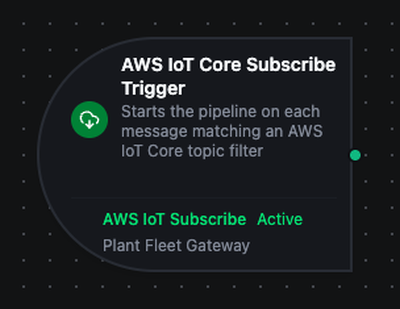
AWS IoT Core Subscribe Trigger
AWS IoT Core Subscribe Trigger
Holds a subscription open on a topic filter and starts the pipeline once per message. One filter can cover a whole device fleet.
Configuration
| Field | Required | Description |
|---|---|---|
| AWS IoT Core Connection | Yes | The connection whose MQTT session carries the subscription |
| Subscribe Function | Yes | A awsiot.subscribe function on that connection. Its topic filter decides which messages start this pipeline |
| Trigger Mode | No | Always fires on every message; On Change fires only when a topic delivers a payload different from the one it delivered last |
| Max Tracked Topics | No | On Change only. How many distinct topics keep a last-seen payload. Default 1000, maximum 10000 |
| Enable Trigger | No | When off, the subscription is not opened and no message starts the pipeline |
| Test Data | No | A sample body the editor's preview uses instead of a live message |
Topic filters
The filter lives on the function, not the node, so several pipelines can share one filter without configuring it twice.
| Filter | Matches |
|---|---|
factory/line3/telemetry | That topic only |
factory/+/telemetry | factory/line3/telemetry, factory/line4/telemetry, but not factory/line3/press/telemetry |
factory/# | Everything under factory/, at any depth |
+ matches exactly one level and # matches the rest of the topic and must be last. A filter that breaks either rule is refused when the function is saved.
AWS IoT Core does not answer an unauthorized subscribe with an error — it disconnects the client. If the connection flaps whenever this trigger is enabled, the policy is missing iot:Subscribe or iot:Receive on the filter.
Output
{
  "result": { "command": "setSetpoint", "value": 74 },
  "_metadata": {
    "type": "awsiot_subscribe_trigger",
    "connectionId": "8eb3633e-f5aa-4be9-8aae-a46c9c15cb23",
    "functionId": "0e6a425e-a84e-477a-8cad-516af9913344",
    "protocol": "awsiot",
    "topic": "factory/line3/commands",
    "qos": "0",
    "retained": "false",
    "timestamp": "2026-09-22T14:04:45.038598Z"
  }
}
| Field | Description |
|---|---|
$trigger.result | The message body. JSON is parsed; anything else arrives as it was sent |
$trigger._metadata.topic | The topic the message actually arrived on — the concrete one, not the filter |
$trigger._metadata.qos | The delivered QoS, which is the lower of the publisher's and the subscription's |
$trigger._metadata.retained | "true" when the broker replayed a retained message rather than delivering a live one |
$trigger._metadata.timestamp | When the pipeline received the message |
Metadata values are strings, including the ones that read as numbers — the wire carries metadata as text.
On Change is per topic
Change detection is scoped to the topic, not to the subscription. Two devices publishing the same reading both fire, because each topic is compared against its own previous payload. Without that, the second device's first reading would look like a duplicate.
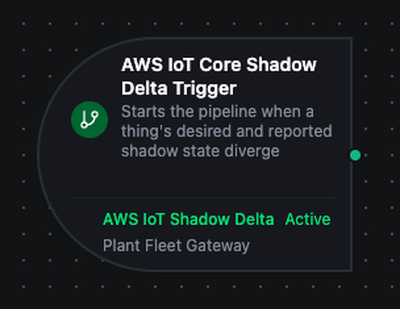
AWS IoT Core Shadow Delta Trigger
AWS IoT Core Shadow Delta Trigger
Subscribes to a thing's shadow delta topic. The shadow service publishes a delta whenever desired state differs from reported state, which makes this the channel for remote configuration: write a desired value in AWS, act on it here, report it back.
Configuration
| Field | Required | Description |
|---|---|---|
| AWS IoT Core Connection | Yes | The connection whose MQTT session carries the shadow subscription |
| Shadow Delta Function | Yes | A awsiot.shadow.delta function naming the thing and shadow to watch |
| Trigger Mode | No | Always fires on every delta; On Change fires only when a thing's delta differs from the one it last delivered |
| Max Tracked Things | No | On Change only. How many distinct things keep a last-seen delta. Default 1000, maximum 10000 |
| Enable Trigger | No | When off, the shadow subscription is not opened |
| Test Data | No | A sample delta the editor's preview uses |
Output
{
  "result": {
    "state": { "setpoint": 81 },
    "version": 2,
    "timestamp": 1790086276,
    "metadata": {}
  },
  "_metadata": {
    "type": "awsiot_shadow_trigger",
    "connectionId": "8eb3633e-f5aa-4be9-8aae-a46c9c15cb23",
    "functionId": "9f0af102-9495-4275-b9c1-bdd940d15885",
    "protocol": "awsiot",
    "topic": "$aws/things/e2e-press-01/shadow/update/delta",
    "thingName": "e2e-press-01",
    "shadowName": "",
    "version": "2",
    "shadowTimestamp": "1790086276",
    "timestamp": "2026-09-22T14:11:16.218242Z"
  }
}
| Field | Description |
|---|---|
$trigger.result.state | The attributes the cloud wants that the device has not reported |
$trigger._metadata.thingName | The thing the delta belongs to |
$trigger._metadata.shadowName | The named shadow, empty on the classic shadow |
$trigger._metadata.version | The shadow's version counter at the time of the delta |
$trigger._metadata.shadowTimestamp | When AWS wrote the shadow, Unix seconds |
$trigger._metadata.timestamp | When the pipeline received the delta |
timestamp is when MaestroHub received the event — the platform sets it on every trigger. shadowTimestamp is AWS's own clock. They have separate names on purpose: one name for both would silently replace one fact with the other.
Deltas repeat until the device reports back
The shadow service republishes the delta on every subsequent shadow write while the two sides still disagree. Close the loop with an Update Shadow node reporting the value the pipeline applied, or use On Change so an unchanged delta does not start the pipeline again.
Settings Tab
Both triggers share the same Settings tab:
| Setting | Type | Default | Description |
|---|---|---|---|
| Description | Text | - | Optional description shown on the node |
| On Error | Selection | Pipeline default | Pipeline Default (the pipeline's Error Handling setting), Stop Pipeline or Continue Execution |
Reconnection
The subscription belongs to the connection, not to the pipeline. When the link to AWS IoT Core drops, the supervisor redials and re-establishes every filter the connection held — the trigger resumes without being touched.
A failure that no retry can fix (a rejected certificate, a denied iot:Connect, an untrusted CA) is escalated on the first attempt instead of burning the reconnect budget, and shows on the connection's Health tab with the broker's own reason.
Usage Examples
Apply a cloud command on the line
- AWS IoT Core Subscribe Trigger — filter
factory/+/commands - Switch Node — branches on
$trigger.result.command - OPC UA Write — applies the command to the PLC named by
$trigger._metadata.topic
Remote setpoint, confirmed
- AWS IoT Core Shadow Delta Trigger — the line's classic shadow
- OPC UA Write — writes
$trigger.result.state.setpoint - AWS IoT Core Update Shadow — reports the applied value, which clears the delta
Fleet telemetry into the UNS
- AWS IoT Core Subscribe Trigger — filter
factory/#, Trigger ModeOn Change - JavaScript Node — derives the UNS topic from
$trigger._metadata.topic - UNS Publish — writes the reading into the namespace