AWS IoT Core Nodes
AWS IoT Core is Amazon's managed MQTT broker and device registry. Three pipeline nodes push data into it and read state back: Publish sends a message to a topic, Update Shadow writes reported state, and Get Shadow reads the whole shadow document.
To start a pipeline from AWS IoT Core instead, see the AWS IoT Core triggers.
Configuration Quick Reference
| Field | What you choose | Details |
|---|---|---|
| Parameters | Connection, Function, Function Parameters, Timeout Override | Pick the connection profile and the function on it, fill any templated parameters, and optionally override the timeout. |
| Settings | Description, Timeout (seconds), Retry on Timeout, Retry on Fail, On Error | Node description, maximum execution time, retry behaviour, and error strategy. All default to the pipeline's values. |
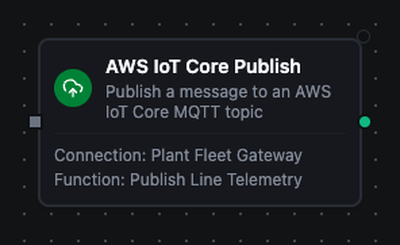
AWS IoT Core Publish Node
AWS IoT Core Publish Node
Send a payload to any MQTT topic the connection's IoT policy allows. This is the main path for pushing telemetry, events and commands into AWS, where rules engine actions can route them onward to Kinesis, Lambda, Timestream or S3.
Supported function types:
| Function name | Purpose | Common use cases |
|---|---|---|
Publish Message (awsiot.publish) | Publish a message to an MQTT topic | Telemetry upload, alarm events, command fan-out |
Node configuration
| Parameter | Type | Required | Description |
|---|---|---|---|
| Connection | Selection | Yes | The AWS IoT Core connection profile to use |
| Function | Selection | Yes | A Publish Message function on that connection |
| Function Parameters | Dynamic | Varies | Whatever the function templates. See the AWS IoT Core connection guide for the full parameter list |
| Timeout Override | Number (seconds) | No | Override the function's own timeout |
Function parameters for Publish Message:
| Parameter | Type | Required | Default | Description |
|---|---|---|---|---|
topic | String | Yes | - | The topic to publish to. At most 256 bytes and 7 forward slashes. Supports expressions |
payload | String | Yes | - | The message body, at most 128 KB. Objects are serialized as JSON; strings are sent as-is |
qos | Number | No | 0 | 0 (at most once) or 1 (at least once). AWS IoT Core does not support QoS 2 |
retain | Boolean | No | false | Store the message as the topic's retained message |
Input
The node receives the previous node's output. When the function's payload is empty, the pipeline input is published as-is — so a JavaScript or Set node upstream can shape the body without the function templating anything.
Output
{
  "result": {
    "topic": "factory/line3/telemetry",
    "bytesWritten": 156,
    "qos": 1,
    "retained": false
  },
  "_metadata": { "success": true, "functionId": "aef374c3-aa2b-454e-aabc-5657faac5950", "durationMs": 4, "timestamp": "2026-09-22T14:04:45Z" }
}
| Field | Type | Description |
|---|---|---|
result.topic | string | The topic the message was published to |
result.bytesWritten | number | Payload size in bytes |
result.qos | number | The QoS the message was sent with (0 or 1) |
result.retained | boolean | Whether the broker stored it as the topic's retained message |
Limits
AWS IoT Core caps a message at 128 KB and a topic at 256 bytes with at most 7 forward slashes. The node refuses an oversized message or topic before it reaches the wire — the broker's own answer to one is to close the connection with no error payload, which is far harder to diagnose.
Store & Forward
Publish is Store & Forward eligible. When the broker is unreachable the payload is buffered durably and replayed once the connection recovers. Turn it on for the connection under Orchestrate → Store & Forward, then choose a delivery mode on this node.
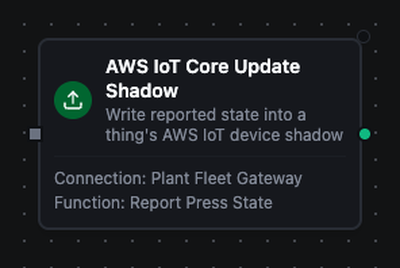
AWS IoT Core Update Shadow Node
AWS IoT Core Update Shadow Node
Report device state into the AWS IoT Device Shadow service, so cloud-side consumers can read it without the device being online.
Supported function types:
| Function name | Purpose | Common use cases |
|---|---|---|
Update Device Shadow (awsiot.shadow.update) | Write reported state into a thing's shadow | Firmware version, operating mode, applied setpoint |
Node configuration
| Parameter | Type | Required | Description |
|---|---|---|---|
| Connection | Selection | Yes | The AWS IoT Core connection profile to use |
| Function | Selection | Yes | An Update Device Shadow function on that connection |
| Function Parameters | Dynamic | Varies | See the connection guide |
| Timeout Override | Number (seconds) | No | Override the function's own timeout |
Function parameters for Update Device Shadow:
| Parameter | Type | Required | Default | Description |
|---|---|---|---|---|
state | Object | Yes | - | JSON object written under state.reported. The whole document is capped at 8 KB |
thingName | String | No | The connection's Default Thing Name | Which thing's shadow to update. Supports expressions |
shadowName | String | No | The classic shadow | Which named shadow to update |
requestTimeout | Duration | No | 10s | How long to wait for the accepted or rejected reply |
Output
{
  "result": {
    "thingName": "line-3-press",
    "shadowName": "maintenance",
    "version": 17,
    "timestamp": 1757030400,
    "bytesWritten": 89
  },
  "_metadata": { "success": true, "functionId": "bcd123ef-4567-89ab-cdef-000000000001", "durationMs": 8, "timestamp": "2026-09-22T14:11:16Z" }
}
| Field | Type | Description |
|---|---|---|
result.thingName | string | The thing whose shadow was written |
result.shadowName | string | The named shadow, empty for the classic one |
result.version | number | The shadow's version counter after the write |
result.timestamp | number | When the shadow service accepted the write, Unix seconds |
result.bytesWritten | number | Size of the state document sent, in bytes |
Merge semantics
A shadow update is a merge patch: only the attributes you send are changed, and the rest of reported stays as it was. Send null for an attribute to delete it.
It waits for the service's answer
The node publishes to the shadow update topic and waits for the service's accepted or rejected reply. A rejection fails the node with the service's own code and message — a 403 when the policy denies the shadow topic, a 400 when the document is malformed — rather than passing silently.
Store & Forward
Shadow updates are Store & Forward eligible, but they are buffered with a maximum age rather than indefinitely. A shadow is last-writer-wins per thing, so replaying a stale report hours later would overwrite a fresher value.
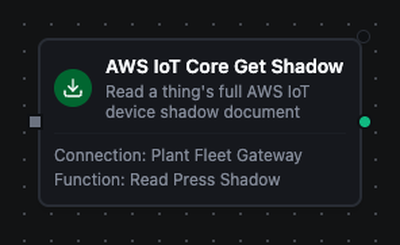
AWS IoT Core Get Shadow Node
AWS IoT Core Get Shadow Node
Read the current shadow document for a thing: what the cloud wants, what the device last reported, and where the two disagree.
Supported function types:
| Function name | Purpose | Common use cases |
|---|---|---|
Get Device Shadow (awsiot.shadow.get) | Read a thing's full shadow document | Reconcile a device against the cloud, seed a pipeline with last-known state |
Node configuration
| Parameter | Type | Required | Description |
|---|---|---|---|
| Connection | Selection | Yes | The AWS IoT Core connection profile to use |
| Function | Selection | Yes | A Get Device Shadow function on that connection |
| Function Parameters | Dynamic | Varies | See the connection guide |
| Timeout Override | Number (seconds) | No | Override the function's own timeout |
Function parameters for Get Device Shadow:
| Parameter | Type | Required | Default | Description |
|---|---|---|---|---|
thingName | String | No | The connection's Default Thing Name | Which thing's shadow to read. Supports expressions |
shadowName | String | No | The classic shadow | Which named shadow to read |
requestTimeout | Duration | No | 10s | How long to wait for the accepted or rejected reply |
Output
{
  "result": {
    "thingName": "line-3-press",
    "shadowName": "",
    "version": 17,
    "timestamp": 1757030400,
    "desired": { "setpoint": 72 },
    "reported": { "setpoint": 70, "firmware": "2.4.1" },
    "delta": { "setpoint": 72 },
    "metadata": { "reported": { "setpoint": { "timestamp": 1757030395 } } }
  },
  "_metadata": { "success": true, "functionId": "cde456ab-1234-5678-9abc-000000000002", "durationMs": 6, "timestamp": "2026-09-22T14:37:01Z" }
}
| Field | Type | Description |
|---|---|---|
result.thingName | string | The thing whose shadow was read |
result.shadowName | string | The named shadow, empty for the classic one |
result.version | number | The shadow's version counter |
result.timestamp | number | When the shadow service answered, Unix seconds |
result.desired | object | What the cloud wants the device to be |
result.reported | object | What the device last said it is |
result.delta | object | The attributes where the two disagree. Present only when they disagree |
result.metadata | object | Per-attribute update timestamps, mirroring the desired and reported trees |
desired, reported and delta are lifted out of the service's state wrapper, so a pipeline reads $node["Read Shadow"].result.reported.setpoint rather than digging through state.
When desired and reported agree, the shadow service sends no delta section and the node omits the key. Test for its presence ($node["Read Shadow"].result.delta) rather than for an empty object.
No shadow yet
A thing that has never reported has no shadow, and the service answers 404 No shadow exists with name: '<thing>'. The node fails with that message rather than returning an empty document.
Settings Tab
All three AWS IoT Core nodes share the same Settings tab:
| Setting | Type | Default | Description |
|---|---|---|---|
| Description | Text | - | Optional description shown on the node |
| Timeout (seconds) | Number | Pipeline default | Maximum time the node may run |
| Retry on Timeout | Toggle | Pipeline default | Retry the node when it times out |
| Retry on Fail | Toggle | Pipeline default | Retry the node when it fails |
| On Error | Selection | Pipeline default | Pipeline Default (the pipeline's Error Handling setting), Stop Pipeline or Continue Execution |
Left at their defaults these inherit from the pipeline's execution settings.
Usage Examples
Forward OPC UA readings to AWS
Scenario: publish PLC temperature and pressure readings to AWS IoT Core, where a rule routes them to Timestream.
- OPC UA Trigger — monitors the temperature and pressure nodes
- Set Node — shapes the body as
{"temperature": $trigger.result.value, "at": $trigger._metadata.sourceTimestamp} - AWS IoT Core Publish — topic
factory/line3/telemetry, payload{{ $input }}
Apply a cloud setpoint and report it back
Scenario: AWS writes a desired setpoint; the line applies it and confirms.
- AWS IoT Core Shadow Delta Trigger — fires on the delta
- OPC UA Write — writes
$trigger.result.state.setpointto the PLC - AWS IoT Core Update Shadow — reports
{"setpoint": $trigger.result.state.setpoint}
The third step is what stops the delta from repeating: the shadow service publishes a delta until reported matches desired.
Reconcile a device on a schedule
Scenario: every fifteen minutes, check whether the line matches what the cloud asked for.
- Schedule Trigger — every 15 minutes
- AWS IoT Core Get Shadow — reads the classic shadow
- Condition Node — continues only when
$node["Get Shadow"].result.deltais present - Notification — raises an alert naming the attributes that drifted