Ignition Nodes
Ignition by Inductive Automation is a widely adopted industrial automation platform. MaestroHub connects to Ignition Gateways and exposes read, write, and browse capabilities as pipeline nodes — enabling tag-level data access within your automation workflows.
Configuration Quick Reference
| Field | What you choose | Details |
|---|---|---|
| Parameters | Connection, Function, Function Parameters, Timeout Override | Select the Ignition connection profile, function, configure function parameters with expression support, and optionally override timeout. |
| Settings | Description, Timeout (seconds), Retry on Timeout, Retry on Fail, On Error | Node description, maximum execution time, retry behavior on timeout or failure, and error handling strategy. All execution settings default to pipeline-level values. |
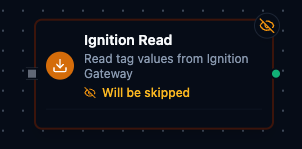
Ignition Read Node
Ignition Read Node
Read tag values from an Ignition Gateway. Supports reading multiple tags in a single execution with full quality and timestamp metadata.
Supported Function Types:
| Function Name | Purpose | Common Use Cases |
|---|---|---|
Ignition Read (ignition.read) | Fetch current tag values from Ignition Gateway | Equipment telemetry, process monitoring, quality checks, batch data collection |
Node Configuration
| Parameter | Type | Required | Description |
|---|---|---|---|
| Connection | Selection | Yes | Ignition connection profile to use |
| Function | Selection | Yes | Read function from the selected connection |
| Function Parameters | Dynamic | Varies | Auto-populated from the function schema. See your Ignition connection functions for full parameter details. |
| Timeout Override | Number (seconds) | No | Override the default function timeout |
Function parameters for Read:
| Parameter | Type | Required | Description |
|---|---|---|---|
tags | Array of strings | Yes | Tag paths to read (at least 1). Uses Ignition tag path format: [provider]Path/To/Tag |
All function parameters support expression syntax ({{ expression }}) for dynamic values from the pipeline context.
Output Structure
{
  "result": {
    "values": [
      {
        "path": "[default]Line1/Temperature",
        "value": 78.5,
        "quality": "Good",
        "timestamp": 1704067200123
      },
      {
        "path": "[default]Line1/Pressure",
        "value": 145.2,
        "quality": "Good",
        "timestamp": 1704067200150
      }
    ]
  },
  "_metadata": { "success": true, "functionId": "<function-id>", "durationMs": 42, "timestamp": "2026-01-15T08:30:00Z" }
}
| Field | Type | Description |
|---|---|---|
_metadata.success | boolean | true when the function executed without errors |
_metadata.functionId | string | ID of the executed function |
result.values | array | Array of tag read results |
result.values[].path | string | Full tag path including provider (e.g., "[default]Line1/Temperature") |
result.values[].value | any | Current tag value — type depends on the Ignition tag data type (Boolean, Int, Float, String, etc.) |
result.values[].quality | string | Quality indicator ("Good", "Bad", "Uncertain") |
result.values[].timestamp | number | Unix timestamp in milliseconds when the value was read |
result.values[].error | string | (Only present on error) Error message if the tag read failed |
_metadata.operation, _metadata.tagCount | string, number | The call's own facts: read, and how many tags came back |
_metadata.durationMs | number | Execution time in milliseconds |
_metadata.timestamp | string | ISO 8601 / RFC 3339 UTC timestamp |
Ignition Write Node
Write values to Ignition Gateway tags. Supports writing multiple tags in a single execution and dynamic values through expression syntax.
Supported Function Types:
| Function Name | Purpose | Common Use Cases |
|---|---|---|
Ignition Write (ignition.write) | Send values to Ignition tags | Update setpoints, write control commands, push recipe parameters |
Node Configuration
| Parameter | Type | Required | Description |
|---|---|---|---|
| Connection | Selection | Yes | Ignition connection profile to use |
| Function | Selection | Yes | Write function from the selected connection |
| Function Parameters | Dynamic | Varies | Auto-populated from the function schema. See your Ignition connection functions for full parameter details. |
| Timeout Override | Number (seconds) | No | Override the default function timeout |
Function parameters for Write:
| Parameter | Type | Required | Description |
|---|---|---|---|
data | Array of objects | Yes | Array of path/value pairs to write (at least 1) |
data[].path | String | Yes | Tag path to write to — must specify a full tag path, not just the provider (e.g., [default]Motor1/Speed, not [default]) |
data[].value | Any | Yes | Value to write |
All function parameters support expression syntax ({{ expression }}) for dynamic values from the pipeline context.
Output Structure
{
  "result": {
    "results": [
      {
        "path": "[default]Motor1/Setpoint",
        "success": true,
        "quality": "Good"
      },
      {
        "path": "[default]Motor1/Command",
        "success": false,
        "quality": "Bad"
      }
    ],
    "successCount": 1,
    "failureCount": 1
  },
  "_metadata": { "success": true, "functionId": "<function-id>", "durationMs": 15, "timestamp": "2026-01-15T08:30:00Z" }
}
| Field | Type | Description |
|---|---|---|
_metadata.success | boolean | true when the function executed without errors |
_metadata.functionId | string | ID of the executed function |
result.results | array | Per-tag write results |
result.results[].path | string | Ignition tag path |
result.results[].success | boolean | Whether this tag was written successfully |
result.results[].quality | string | Quality indicator for the write result |
result.successCount | number | Number of tags written successfully |
result.failureCount | number | Number of tags that failed |
_metadata.durationMs | number | Execution time in milliseconds |
_metadata.timestamp | string | ISO 8601 / RFC 3339 UTC timestamp |
Always implement validation and safety checks before writing to industrial equipment. Consider adding condition nodes to verify values are within safe ranges.
Ignition Browse Node
Browse the Ignition Gateway tag hierarchy to discover available tags. Useful for dynamic tag discovery, building tag catalogs, and verifying tag structure within pipelines.
Supported Function Types:
| Function Name | Purpose | Common Use Cases |
|---|---|---|
Ignition Browse (ignition.browse) | Traverse Gateway tag hierarchy | Tag discovery, catalog building, structure verification |
Node Configuration
| Parameter | Type | Required | Description |
|---|---|---|---|
| Connection | Selection | Yes | Ignition connection profile to use |
| Function | Selection | Yes | Browse function from the selected connection |
| Function Parameters | Dynamic | Varies | Auto-populated from the function schema. See your Ignition connection functions for full parameter details. |
| Timeout Override | Number (seconds) | No | Override the default function timeout |
Function parameters for Browse:
| Parameter | Type | Required | Default | Description |
|---|---|---|---|---|
path | String | No | "" | Tag path to browse. Empty string browses from the root. Uses format [provider]Path/To/Folder. |
limit | Number | No | 1000 | Maximum number of nodes to return (1–10,000) |
All function parameters support expression syntax ({{ expression }}) for dynamic values from the pipeline context.
Output Structure
{
  "result": {
    "path": "[default]Plant1/Line1",
    "nodes": [
      {
        "name": "Temperature",
        "path": "[default]Plant1/Line1/Temperature",
        "type": "AtomicTag",
        "dataType": "Float8",
        "hasChildren": false
      },
      {
        "name": "Motors",
        "path": "[default]Plant1/Line1/Motors",
        "type": "Folder",
        "hasChildren": true
      }
    ],
    "truncated": false
  },
  "_metadata": { "success": true, "functionId": "<function-id>", "durationMs": 85, "timestamp": "2026-01-15T08:30:00Z" }
}
| Field | Type | Description |
|---|---|---|
_metadata.success | boolean | true when the function executed without errors |
_metadata.functionId | string | ID of the executed function |
result.path | string | The path that was browsed |
result.nodes | array | Array of discovered nodes |
result.nodes[].name | string | Display name of the node |
result.nodes[].path | string | Full tag path including provider |
result.nodes[].type | string | Node type: "Folder", "AtomicTag", "UdtInstance", or "UdtType" |
result.nodes[].dataType | string | Data type for tags (e.g., "Boolean", "Int4", "Float8", "String") — present on tag nodes |
result.nodes[].hasChildren | boolean | Whether this node has child items |
_metadata.truncated | boolean | true if results were limited by the limit parameter — a fact about the call, so it rides with the execution facts |
_metadata.operation, _metadata.nodeCount | string, number | The call's other facts: browse, and how many nodes came back |
_metadata.durationMs | number | Execution time in milliseconds |
_metadata.timestamp | string | ISO 8601 / RFC 3339 UTC timestamp |
Tag Path Format
Ignition tag paths follow the format [provider]Path/To/Tag:
| Example Path | Description |
|---|---|
[default]Line1/Temperature | Temperature tag on Line 1 using the default provider |
[default]Equipment/Motor1/Speed | Motor speed tag in an Equipment folder |
[historian]Archive/DailyAvg | Tag from the historian provider |
If no provider is specified, the [default] provider is used automatically.
Settings Tab
All Ignition node types share the same Settings tab:
| Setting | Type | Default | Description |
|---|---|---|---|
| Description | Text | — | Optional description displayed on the node |
| Timeout (seconds) | Number | Pipeline default | Maximum time the node may run before timing out |
| Retry on Timeout | Toggle | Pipeline default | Automatically retry the node if it times out |
| Retry on Fail | Toggle | Pipeline default | Automatically retry the node if it fails |
| On Error | Selection | Pipeline default | Error strategy: Pipeline Default (the pipeline's Error Handling setting), Stop Pipeline or Continue Execution |
When left at their defaults, these settings inherit from the pipeline-level execution configuration.