Siemens S7 Nodes
Communicate with Siemens S7-300, S7-400, S7-1200, and S7-1500 series PLCs through dedicated read, write, and system nodes optimized for deterministic industrial control.
Configuration Quick Reference
| Field | What you choose | Details |
|---|---|---|
| Parameters | Connection, Function, Function Parameters, Timeout Override | Select the connection profile, function, configure function parameters with expression support, and optionally override timeout. |
| Settings | Description, Timeout (seconds), Retry on Timeout, Retry on Fail, On Error | Node description, maximum execution time, retry behavior on timeout or failure, and error handling strategy. All execution settings default to pipeline-level values. |
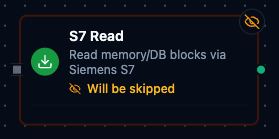
S7 Read Node
S7 Read Node
Read data from Siemens PLC data blocks and memory areas with optimized batch reading.
Supported Function Types:
| Function Name | Purpose | Common Use Cases |
|---|---|---|
Read Data Block Multi (s7.read.db.multi) | Fetch multiple data points from a single DB | Recipes, production counters, configuration |
Read Memory Area Multi (s7.read.memory.multi) | Read multiple data points from M, I, or Q areas | Interlocking, diagnostics, status dashboards |
Node Configuration
| Parameter | Type | Required | Description |
|---|---|---|---|
| Connection | Selection | Yes | S7 connection profile to use |
| Function | Selection | Yes | Read function from the selected connection |
| Function Parameters | Dynamic | Varies | Auto-populated from the function schema. See your S7 connection functions for full parameter details. |
| Timeout Override | Number (seconds) | No | Override the default function timeout |
All function parameters support expression syntax ({{ expression }}) for dynamic values from the pipeline context.
Input
The node receives the output of the previous node as input. Input data can be referenced in function parameter expressions using $input.
Output Structure
On success the node produces:
{
  "result": { ... },
  "_metadata": { "success": true, "functionId": "<function-id>", "durationMs": 42, "timestamp": "2026-01-15T08:30:00Z" }
}
| Field | Type | Description |
|---|---|---|
_metadata.success | boolean | true when the function executed without errors |
_metadata.functionId | string | ID of the executed function |
result | object | Function-specific result data (see below) |
_metadata.durationMs | number | Execution time in milliseconds |
_metadata.timestamp | string | ISO 8601 / RFC 3339 UTC timestamp |
Function-Specific Output Data
Read Data Block Multi (s7.read.db.multi) — the node's result:
{
  "dbNumber": 100,
  "dataPoints": {
    "Temperature": {
      "value": 25.5,
      "dataType": "REAL",
      "start": 0,
      "size": 4,
      "rawBuffer": [...]
    },
    "Pressure": {
      "value": 1234,
      "dataType": "INT",
      "start": 4,
      "size": 2,
      "rawBuffer": [...]
    }
  },
  "readOperations": [
    { "start": 0, "size": 6, "bytesRead": 6 }
  ],
  "totalDataPoints": 2,
  "totalReads": 1
}
| Field | Type | Description |
|---|---|---|
result.dbNumber | number | Data block number that was read |
result.dataPoints | object | Map of data point name to result. Each entry contains value, dataType, start, size, rawBuffer and quality (good — a point that decoded is the PLC's own reading; a read or parse failure fails the whole node instead of storing a value). Pass quality to a UNS Publish node's Quality parameter. |
result.readOperations | array | Optimized read operations performed (adjacent points are coalesced) |
result.totalDataPoints | number | Number of data points returned |
result.totalReads | number | Number of actual read operations (may be fewer than data points due to coalescing) |
Read Memory Area Multi (s7.read.memory.multi) — the node's result:
{
  "area": "M",
  "dataPoints": {
    "Flag1": {
      "value": true,
      "dataType": "BIT",
      "start": 0,
      "size": 1,
      "rawBuffer": [...]
    }
  },
  "readOperations": [
    { "start": 0, "size": 1, "bytesRead": 1 }
  ],
  "totalDataPoints": 1,
  "totalReads": 1
}
| Field | Type | Description |
|---|---|---|
result.area | string | Memory area: M (Merkers), I (Process Inputs), Q (Process Outputs) |
result.dataPoints | object | Same structure as Read Data Block |
result.readOperations | array | Optimized read operations |
result.totalDataPoints | number | Number of data points |
result.totalReads | number | Actual read operations performed |
Function parameters for Read Data Block Multi:
| Parameter | Type | Required | Description |
|---|---|---|---|
dbNumber | Number | Yes | Data block number (0–65535) |
dataPoints | Array | Yes | Data points to read (see Data Point Structure below) |
Function parameters for Read Memory Area Multi:
| Parameter | Type | Required | Description |
|---|---|---|---|
area | String | Yes | Memory area: M, I, or Q |
dataPoints | Array | Yes | Data points to read (see Data Point Structure below) |
Data Point Structure:
| Field | Type | Required | Description |
|---|---|---|---|
name | String | Yes | Unique name for this data point |
start | Number | Yes | Byte offset (>= 0) |
size | Number | Yes | Size in bytes (1–65536) |
dataType | String | Yes | S7 data type (see Supported Data Types) |
bitPos | Number | For BIT only | Bit position (0–7), required when dataType is BIT |
Adjacent data points are automatically merged into fewer read operations. Data points within 32 bytes of each other are combined into a single read (up to 255 bytes per operation), reducing PLC communication overhead.
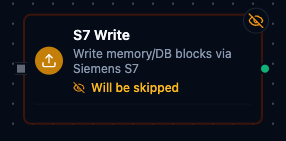
S7 Write Node
S7 Write Node
Write deterministic control values to Siemens PLC data blocks or memory areas.
Supported Function Types:
| Function Name | Purpose | Common Use Cases |
|---|---|---|
Write Data Block (s7.write.db) | Write a value to a DB location | Download production orders or recipes |
Write Memory Area (s7.write.memory) | Write a value to M or Q areas | Force outputs, toggle sequences, command transitions |
Node Configuration
| Parameter | Type | Required | Description |
|---|---|---|---|
| Connection | Selection | Yes | S7 connection profile to use |
| Function | Selection | Yes | Write function from the selected connection |
| Function Parameters | Dynamic | Varies | Auto-populated from the function schema. See your S7 connection functions for full parameter details. |
| Timeout Override | Number (seconds) | No | Override the default function timeout |
All function parameters support expression syntax ({{ expression }}) and template placeholders (((paramName))) for dynamic values.
Input
The node receives the output of the previous node as input. Use expressions like {{ $input[0].result.value }} to pass dynamic values to write parameters.
Function-Specific Parameters and Output
Write Data Block (s7.write.db):
| Parameter | Type | Required | Description |
|---|---|---|---|
dbNumber | Number | Yes | Data block number (0–65535) |
start | Number | Yes | Byte offset (>= 0) |
dataType | String | Yes | S7 data type (see Supported Data Types) |
value | String | Yes | Value to write (parsed according to dataType) |
bitPos | Number | For BIT only | Bit position (0–7) |
size | Number | For STRING/CHAR | Size in bytes (1–65536) |
The node's result (result.dbNumber, result.start, result.dataType, result.value, result.bytesWritten; when the write ran is _metadata.timestamp):
{
  "dbNumber": 100,
  "start": 0,
  "dataType": "REAL",
  "value": "25.5",
  "bytesWritten": 4
}
Write Memory Area (s7.write.memory):
| Parameter | Type | Required | Description |
|---|---|---|---|
area | String | Yes | Memory area: M or Q only (I is read-only) |
start | Number | Yes | Byte offset (>= 0) |
dataType | String | Yes | S7 data type (STRING not supported for memory writes) |
value | String | Yes | Value to write |
bitPos | Number | For BIT only | Bit position (0–7) |
The node's result (result.area instead of result.dbNumber, the rest as above):
{
  "area": "M",
  "start": 0,
  "dataType": "BIT",
  "value": "true",
  "bytesWritten": 1
}
BIT writes use a Read-Modify-Write pattern: the node reads the current byte, modifies the specific bit, and writes the byte back. This ensures other bits in the same byte are preserved.
Always implement validation and safety checks before writing to industrial equipment. Consider adding condition nodes to verify values are within safe ranges. The Input area (I) is read-only and cannot be written.
S7 Read Group Node
The S7 Read Group node executes multiple S7 read operations in a single node with request coalescing for efficiency. It supports selective function lists, an All Functions mode, and parallel or sequential execution.
Node Configuration
| Parameter | Type | Required | Default | Description |
|---|---|---|---|---|
| Connection | Selection | Yes | — | S7 connection profile |
| Function Selection | Selection | No | Select Functions | Select Functions reads the functions you list. All Functions reads every read function on the connection. By Labels reads every function whose labels match the labels you pick. |
| Functions | Array of {functionId, alias} | When Function Selection is Select Functions | [] | List of specific functions to execute. Each entry requires a functionId; alias is optional. |
| Execution Mode | Selection | No | parallel | parallel — all functions run concurrently. sequential — functions run one after another. |
| Continue on Error | Toggle | No | true | When enabled, the node continues executing remaining functions even if one fails |
| Debug Mode | Toggle | No | false | Enable detailed logging for troubleshooting |
All Functions Mode
When Function Selection is All Functions, the function list is ignored. The node automatically discovers and executes every read function defined on the selected connection.
Read function types that All Functions runs:
| Function Type | Description |
|---|---|
s7.read.db.multi | Read Data Block Multi |
s7.read.memory.multi | Read Memory Area Multi |
Input
The node receives the output of the previous node as input.
Output Structure
The node output is the canonical {result, _metadata} envelope: result holds one entry per function read, keyed by the function's output key; _metadata holds the group's accounting.
{
  "result": {
    "DB100 Temperatures": {
      "value": { "dbNumber": 100, "dataPoints": { "Temperature": { "value": 25.5, "dataType": "REAL", "start": 0, "size": 4 } }, "totalDataPoints": 1, "totalReads": 1 },
      "success": true,
      "error": "",
      "duration": 45,
      "timestamp": "2026-09-07T08:30:00Z"
    },
    "Merker Flags": {
      "value": { "area": "M", "dataPoints": { "RunFlag": { "value": true, "dataType": "BIT", "start": 0, "size": 1 } }, "totalDataPoints": 1, "totalReads": 1 },
      "success": true,
      "error": "",
      "duration": 38,
      "timestamp": "2026-09-07T08:30:00Z"
    }
  },
  "_metadata": {
    "connectionId": "conn-123",
    "connectionName": "S7-1500 Line A",
    "total": 2,
    "successful": 2,
    "failed": 0,
    "totalDuration": 83,
    "executionMode": "parallel",
    "originalRequests": 2
  }
}
Each entry under result is one function's read — keyed by the function's alias, else its name, else its id (see Output Key Resolution):
| Field | Type | Description |
|---|---|---|
result.<alias>.value | any | What the function read — its own result.value when it has one (the whole {dbNumber, dataPoints, totalDataPoints, totalReads} object for a DB read, {area, dataPoints, …} for a memory read — neither result carries a top-level value), otherwise its whole result. null when the read failed |
result.<alias>.success | boolean | true when this function's read succeeded |
result.<alias>.error | string | Why the read failed; empty when it succeeded — always present |
result.<alias>.duration | number | How long this function's read took, in milliseconds |
result.<alias>.timestamp | string | When the read was issued, RFC 3339 UTC |
The _metadata object is the group's execution summary:
| Field | Type | Description |
|---|---|---|
_metadata.connectionId | string | The connection every function was read on |
_metadata.connectionName | string | That connection's display name |
_metadata.total | number | How many functions the group ran |
_metadata.successful | number | How many read successfully — including the ones onChange then suppressed |
_metadata.failed | number | How many failed; successful + failed = total |
_metadata.totalDuration | number | Wall-clock time of the whole group, in milliseconds |
_metadata.executionMode | string | parallel or sequential |
_metadata.originalRequests | number | How many functions were selected to run |
_metadata.keyCollisions | string[] | Output keys that two or more functions resolved to — the later read overwrote the earlier under that key. Present only when it happened |
_metadata.configWarnings | string[] | Non-fatal problems in the node's config, each saying what was ignored. Present only when there were any |
_metadata.outputMode | string | onChange — present only in that mode |
_metadata.suppressedCount | number | onChange mode: how many successful reads were unchanged since the last run and left out of result |
_metadata.emittedCount | number | onChange mode: how many entries result carries — total − suppressedCount |
_metadata.suppressedKeys | string[] | onChange mode: the output keys left out as unchanged. Present only when at least one was |
_metadata.reason | string | onChange mode, when every successful read was unchanged: why result is empty — the node buffers instead of waking downstream |
Output Key Resolution
Each function result is keyed in the output map using the first available value:
- Alias — the custom alias set in the function entry
- Function Name — the name defined on the connection function
- Function ID — the unique function identifier (fallback)
Execution Modes
Parallel (default)
- All functions execute concurrently.
- Fastest total execution time.
- Best when reading from different data blocks or memory areas.
Sequential
- Functions execute one after another in list order.
- More predictable timing and lower peak load on the PLC.
- When Continue on Error is off, execution stops at the first failure.
S7 PLCs typically support a limited number of concurrent connections (usually 8). Parallel mode runs multiple reads within a single connection, which is safe and efficient.
Error Handling
| Continue on Error | Behavior |
|---|---|
true (default) | The node completes even if individual functions fail. Failed functions include an error field in their result. The node output remains successful. |
false | The node fails as soon as any function fails. In sequential mode, remaining functions are skipped. The node result is marked as failed. |
Validation Rules
connectionIdis required.executionModemust beparallelorsequential.- With Select Functions, at least one function entry is required; with By Labels, at least one label is required.
- Duplicate
functionIdvalues are not allowed. - Duplicate
aliasvalues are not allowed. - The connection type must be
s7.
Best Practices
- Use All Functions for complete PLC data snapshots during commissioning or diagnostics.
- Use specific functions in production pipelines for targeted reads.
- Assign aliases to make output keys descriptive (e.g.,
"Line A Temperatures"instead of a function ID). - Leverage read coalescing — define data points close together in the same DB to minimize the number of actual read operations.
Supported Data Types
The following data types are supported in S7 read and write operations:
| Data Type | Size | Description |
|---|---|---|
BIT | 1 byte | Boolean value (requires bitPos 0–7) |
BYTE | 1 byte | Unsigned 8-bit integer (0–255) |
WORD | 2 bytes | Unsigned 16-bit integer (0–65535) |
DWORD | 4 bytes | Unsigned 32-bit integer |
INT | 2 bytes | Signed 16-bit integer (−32768 to 32767) |
DINT | 4 bytes | Signed 32-bit integer |
REAL | 4 bytes | 32-bit IEEE 754 floating point |
LREAL | 8 bytes | 64-bit IEEE 754 floating point |
CHAR | Variable | ASCII character(s) |
STRING | Variable | S7 string with 2-byte header (DB writes only) |
Memory Areas:
| Area | Name | Readable | Writable |
|---|---|---|---|
M | Merkers (Flags) | Yes | Yes |
I | Process Inputs | Yes | No |
Q | Process Outputs | Yes | Yes |
Settings Tab
All S7 node types share the same Settings tab:
| Setting | Type | Default | Description |
|---|---|---|---|
| Description | Text | — | Optional description displayed on the node |
| Timeout (seconds) | Number | Pipeline default | Maximum time the node may run before timing out |
| Retry on Timeout | Toggle | Pipeline default | Automatically retry the node if it times out |
| Retry on Fail | Toggle | Pipeline default | Automatically retry the node if it fails |
| On Error | Selection | Pipeline default | Error strategy: Pipeline Default (the pipeline's Error Handling setting), Stop Pipeline or Continue Execution |
When left at their defaults, these settings inherit from the pipeline-level execution configuration.