OPC UA Nodes
OPC UA (Unified Architecture) is the modern, platform-independent standard for industrial communication. MaestroHub provides read, write, browse, and batch-read capabilities with hardened security options.
Configuration Quick Reference
| Field | What you choose | Details |
|---|---|---|
| Parameters | Connection, Function, Function Parameters, Timeout Override | Select the connection profile, function, configure function parameters with expression support, and optionally override timeout. |
| Settings | Description, Timeout (seconds), Retry on Timeout, Retry on Fail, On Error | Node description, maximum execution time, retry behavior on timeout or failure, and error handling strategy. All execution settings default to pipeline-level values. |
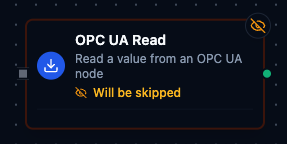
OPC UA Read Node
OPC UA Read Node
Read node values from OPC UA servers with namespace-aware identifiers.
Supported Function Types:
| Function Name | Purpose | Common Use Cases |
|---|---|---|
Read Node Value (opcua.read) | Fetch scalar or structured values from endpoints | Equipment telemetry, quality checks, energy monitoring |
Node Configuration
| Parameter | Type | Required | Description |
|---|---|---|---|
| Connection | Selection | Yes | OPC UA connection profile to use |
| Function | Selection | Yes | Read function from the selected connection |
| Function Parameters | Dynamic | Varies | Auto-populated from the function schema. See your OPC UA connection functions for full parameter details. |
| Timeout Override | Number (seconds) | No | Override the default function timeout |
Function parameters for Read:
| Parameter | Type | Required | Description |
|---|---|---|---|
namespaceIndex | Number | Yes | Node namespace index (0–65535) |
identifier | String | Yes | Node identifier. Formats: i=123 (numeric), s=String (string), g=GUID (GUID), b=0xHEX (byte string) |
requestTimeoutSeconds | Number | No | Bound on this operation; the connection's Request Timeout still applies and the shorter one wins |
All function parameters support expression syntax ({{ expression }}) for dynamic values from the pipeline context.
Input
The node receives the output of the previous node as input. Input data can be referenced in function parameter expressions using $input.
Output Structure
On success the node delivers the value under result and execution facts under _metadata:
{
  "result": {
    "value": 72.5,
    "sourceTimestamp": "2026-01-15T08:30:00.123456789Z",
    "serverTimestamp": "2026-01-15T08:30:00.125Z",
    "statusCode": "0x00000000",
    "quality": "good",
    "dataType": "Double"
  },
  "_metadata": {
    "success": true,
    "functionId": "<function-id>",
    "durationMs": 42,
    "timestamp": "2026-01-15T08:30:00Z"
  }
}
| Field | Type | Description |
|---|---|---|
result.value | any | The node value — typed as the OPC UA data type. This is the reading: $node["Name"].result.value |
result.sourceTimestamp | string | When the value was sampled at the source (RFC 3339, UTC) |
result.serverTimestamp | string | When the OPC UA server processed it (RFC 3339, UTC) |
result.statusCode | string | OPC UA status code in 0x hex format |
result.quality | string | The status mapped to the canonical band: good, uncertain or bad — the same scale every connector uses |
result.dataType | string | OPC UA data type name (e.g., Boolean, Int32, Double, String, DateTime); Structure for a decoded structure |
_metadata.success | boolean | true when the function executed without errors |
_metadata.functionId | string | ID of the executed function |
_metadata.durationMs | number | Execution time in milliseconds |
_metadata.timestamp | string | ISO 8601 / RFC 3339 UTC timestamp |
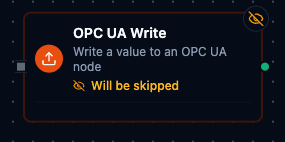
OPC UA Write Node
OPC UA Write Node
Write setpoints and command values to OPC UA nodes.
Supported Function Types:
| Function Name | Purpose | Common Use Cases |
|---|---|---|
Write Node Value (opcua.write) | Send scalar or structured values to endpoints | Adjust temperature setpoints, acknowledge alarms, update schedules |
Node Configuration
| Parameter | Type | Required | Description |
|---|---|---|---|
| Connection | Selection | Yes | OPC UA connection profile to use |
| Function | Selection | Yes | Write function from the selected connection |
| Function Parameters | Dynamic | Varies | Auto-populated from the function schema. See your OPC UA connection functions for full parameter details. |
| Timeout Override | Number (seconds) | No | Override the default function timeout |
Function parameters for Write:
| Parameter | Type | Required | Description |
|---|---|---|---|
namespaceIndex | Number | Yes | Node namespace index (0–65535) |
identifier | String | Yes | Node identifier (same formats as Read) |
value | String | Yes | Value to write (converted to appropriate OPC UA type) |
dataType | String | Yes | Target data type: bool, int8, uint8, int16, uint16, int32, uint32, int64, uint64, float, double, string |
requestTimeoutSeconds | Number | No | Bound on this operation; the connection's Request Timeout still applies and the shorter one wins |
All function parameters support expression syntax ({{ expression }}) for dynamic values.
Input
The node receives the output of the previous node as input. Use expressions like {{ $input[0].result.value }} to pass dynamic values to write parameters.
Output Structure
{
  "result": {
    "success": true,
    "statusCode": "0x00000000"
  },
  "_metadata": {
    "success": true,
    "functionId": "<function-id>",
    "durationMs": 15,
    "timestamp": "2026-01-15T08:30:00Z"
  }
}
| Field | Type | Description |
|---|---|---|
result.statusCode | string | The OPC UA status code the server answered with, in 0x hex format |
Always implement validation and safety checks before writing to industrial equipment. Consider adding condition nodes to verify values are within safe ranges.
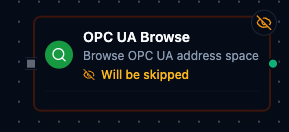
OPC UA Browse Node
OPC UA Browse Node
Discover available nodes in the OPC UA address space.
Supported Function Types:
| Function Name | Purpose | Common Use Cases |
|---|---|---|
Browse Nodes (opcua.browse) | Traverse address space to find readable/writable nodes | Build tag catalogs, search for equipment folders |
Node Configuration
| Parameter | Type | Required | Description |
|---|---|---|---|
| Connection | Selection | Yes | OPC UA connection profile to use |
| Function | Selection | Yes | Browse function from the selected connection |
| Function Parameters | Dynamic | Varies | Auto-populated from the function schema. See your OPC UA connection functions for full parameter details. |
| Timeout Override | Number (seconds) | No | Override the default function timeout |
Function parameters for Browse:
| Parameter | Type | Required | Default | Description |
|---|---|---|---|---|
namespaceIndex | Number | No | 0 | Starting node namespace index |
identifier | String | No | i=85 | Starting node identifier (default is the Objects folder) |
maxChildren | Number | No | 0 | Maximum children to return (0 = no limit) |
continuationPoint | String | No | "" | Continuation point from a previous browse for pagination |
Input
The node receives the output of the previous node as input.
Output Structure
{
  "result": {
    "namespace": 0,
    "identifier": "i=85",
    "nodeClass": "Object",
    "browseName": "Objects",
    "description": "",
    "accessLevel": "",
    "userAccessLevel": "",
    "dataType": "",
    "readable": false,
    "writable": false,
    "children": [
      {
        "namespace": 2,
        "identifier": "i=1001",
        "nodeClass": "Variable",
        "browseName": "Temperature",
        "description": "Current temperature",
        "accessLevel": "CurrentRead",
        "userAccessLevel": "CurrentRead",
        "dataType": "Double",
        "readable": true,
        "writable": false
      }
    ],
    "continuationPoint": "",
    "hasMore": false
  },
  "_metadata": {
    "success": true,
    "functionId": "<function-id>",
    "durationMs": 85,
    "timestamp": "2026-01-15T08:30:00Z"
  }
}
| Field | Type | Description |
|---|---|---|
result.namespace | number | Namespace index of the browsed node |
result.identifier | string | Identifier of the browsed node |
result.nodeClass | string | OPC UA node class: Object, Variable, Method, ObjectType, VariableType, ReferenceType, DataType, View |
result.browseName | string | The node's browse name |
result.description | string | Node description, empty when the server gives none |
result.accessLevel | string | Access level as reported (CurrentRead, CurrentWrite, …); empty for a non-Variable node |
result.userAccessLevel | string | Access level for the connected user |
result.dataType | string | OPC UA data type for a Variable node; empty otherwise |
result.readable | boolean | Whether the node's value can be read |
result.writable | boolean | Whether the node accepts writes |
result.children | array | One entry per child, with the same fields as the browsed node (without children, continuationPoint, hasMore) |
result.continuationPoint | string | Opaque cursor for the next page of children; empty when there is none |
result.hasMore | boolean | true when more children remain — pass continuationPoint to the next browse |
OPC UA Read Group Node
The OPC UA Read Group node executes multiple OPC UA read operations in a single node. It supports selective function lists, an All Functions mode, and parallel or sequential execution.
Node Configuration
| Parameter | Type | Required | Default | Description |
|---|---|---|---|---|
| Connection | Selection | Yes | — | OPC UA connection profile |
| Function Selection | Selection | No | Select Functions | Select Functions reads the functions you list. All Functions reads every read function on the connection. By Labels reads every function whose labels match the labels you pick. |
| Functions | Array of {functionId, alias} | When Function Selection is Select Functions | [] | List of specific functions to execute. Each entry requires a functionId; alias is optional. |
| Execution Mode | Selection | No | parallel | parallel — all functions run concurrently. sequential — functions run one after another. |
| Continue on Error | Toggle | No | true | When enabled, the node continues executing remaining functions even if one fails |
| Debug Mode | Toggle | No | false | Enable detailed logging for troubleshooting |
All Functions Mode
When Function Selection is All Functions, the function list is ignored. The node automatically discovers and executes every read function defined on the selected connection.
Read function types that All Functions runs:
| Function Type | Description |
|---|---|
opcua.read | Single node read |
opcua.batchread | Batch node read |
Input
The node receives the output of the previous node as input.
Output Structure
The node output is the canonical {result, _metadata} envelope: result holds one entry per function read, keyed by the function's output key; _metadata holds the group's accounting.
{
  "result": {
    "Temperature Sensor": {
      "value": 72.5,
      "success": true,
      "error": "",
      "duration": 45,
      "timestamp": "2026-09-07T08:30:00Z"
    },
    "Batch Read - Line 1": {
      "value": { "results": [{ "nodeId": "ns=2;s=Line1.Speed", "value": 1450, "statusCode": "0x00000000" }], "totalNodes": 1, "successCount": 1, "failureCount": 0 },
      "success": true,
      "error": "",
      "duration": 62,
      "timestamp": "2026-09-07T08:30:00Z"
    }
  },
  "_metadata": {
    "connectionId": "conn-123",
    "connectionName": "OPC Server 1",
    "total": 2,
    "successful": 2,
    "failed": 0,
    "totalDuration": 83,
    "executionMode": "parallel",
    "originalRequests": 2
  }
}
Each entry under result is one function's read — keyed by the function's alias, else its name, else its id (see Output Key Resolution):
| Field | Type | Description |
|---|---|---|
result.<alias>.value | any | What the function read — its own result.value when it has one (the node's value for opcua.read, since its result carries value; the whole {results, totalNodes, successCount, failureCount} object for opcua.batchread), otherwise its whole result. null when the read failed |
result.<alias>.success | boolean | true when this function's read succeeded |
result.<alias>.error | string | Why the read failed; empty when it succeeded — always present |
result.<alias>.duration | number | How long this function's read took, in milliseconds |
result.<alias>.timestamp | string | When the read was issued, RFC 3339 UTC |
result.<alias>.sourceTimestamp | string | When the device sampled the value, RFC 3339 UTC — the server's SourceTimestamp. Present only when the read succeeded and the server stamped the value. timestamp moves on every poll whatever the device does; this one stands still when the device's value does — a hung communications card or a gateway serving its cache keeps answering good with an old sourceTimestamp. Publish with it (system.uns.publish → Timestamp: {{ $item.ts }}) so a reading never looks fresher than it is |
result.<alias>.quality | string | The device's verdict on the value — good, uncertain or bad, from the OPC UA status severity. Present only when the read succeeded and the server classified the value. A read can succeed and still be doubtful: Uncertain_LastUsableValue is a server saying "this is the last thing I knew" — success stays true, quality says uncertain. Publish with it (system.uns.publish → Quality: {{ $item.q }}); the publish node folds it worst-of with the trigger's own verdict |
The _metadata object is the group's execution summary:
| Field | Type | Description |
|---|---|---|
_metadata.connectionId | string | The connection every function was read on |
_metadata.connectionName | string | That connection's display name |
_metadata.total | number | How many functions the group ran |
_metadata.successful | number | How many read successfully — including the ones onChange then suppressed |
_metadata.failed | number | How many failed; successful + failed = total |
_metadata.totalDuration | number | Wall-clock time of the whole group, in milliseconds |
_metadata.executionMode | string | parallel or sequential |
_metadata.originalRequests | number | How many functions were selected to run |
_metadata.keyCollisions | string[] | Output keys that two or more functions resolved to — the later read overwrote the earlier under that key. Present only when it happened |
_metadata.configWarnings | string[] | Non-fatal problems in the node's config, each saying what was ignored. Present only when there were any |
_metadata.outputMode | string | onChange — present only in that mode |
_metadata.suppressedCount | number | onChange mode: how many successful reads were unchanged since the last run and left out of result |
_metadata.emittedCount | number | onChange mode: how many entries result carries — total − suppressedCount |
_metadata.suppressedKeys | string[] | onChange mode: the output keys left out as unchanged. Present only when at least one was |
_metadata.reason | string | onChange mode, when every successful read was unchanged: why result is empty — the node buffers instead of waking downstream |
Output Key Resolution
Each function result is keyed in the output map using the first available value:
- Alias — the custom alias set in the function entry
- Function Name — the name defined on the connection function
- Function ID — the unique function identifier (fallback)
Execution Modes
Parallel (default)
- All functions execute concurrently.
- Fastest total execution time.
- Best for independent read operations from different nodes.
Sequential
- Functions execute one after another in list order.
- More predictable timing.
- When Continue on Error is off, execution stops at the first failure.
Error Handling
| Continue on Error | Behavior |
|---|---|
true (default) | The node completes even if individual functions fail. Failed functions include an error field in their result. The node output remains successful. |
false | The node fails as soon as any function fails. In sequential mode, remaining functions are skipped. The node result is marked as failed. |
Validation Rules
connectionIdis required.executionModemust beparallelorsequential.- With Select Functions, at least one function entry is required; with By Labels, at least one label is required.
- Duplicate
functionIdvalues are not allowed. - Duplicate
aliasvalues are not allowed. - The connection type must be
opcua.
Best Practices
- Use All Functions when you need a full snapshot of every read function defined on a connection.
- Use specific functions in production pipelines for better performance and clarity.
- Assign aliases to keep output keys readable, especially when mixing
opcua.readandopcua.batchreadfunctions. - Prefer parallel mode for independent reads from different nodes in the address space.
Settings Tab
All OPC UA node types share the same Settings tab:
| Setting | Type | Default | Description |
|---|---|---|---|
| Description | Text | — | Optional description displayed on the node |
| Timeout (seconds) | Number | Pipeline default | Maximum time the node may run before timing out |
| Retry on Timeout | Toggle | Pipeline default | Automatically retry the node if it times out |
| Retry on Fail | Toggle | Pipeline default | Automatically retry the node if it fails |
| On Error | Selection | Pipeline default | Error strategy: Pipeline Default (the pipeline's Error Handling setting), Stop Pipeline or Continue Execution |
When left at their defaults, these settings inherit from the pipeline-level execution configuration.