CANopen Nodes
Communicate with CANopen PLCs, motor drives, and sensors over CAN bus from inside your pipelines. MaestroHub provides three CANopen connector nodes — SDO Read, SDO Write, and NMT Command — backed by a shared connection profile. For event-driven TPDO subscriptions, see the CANopen Trigger node.
Configuration Quick Reference
| Field | What you choose | Details |
|---|---|---|
| Parameters | Connection, Function, Function Parameters, Timeout Override | Select the CANopen connection profile, choose a function from that connection, configure function parameters with expression support, and optionally override the timeout. |
| Settings | Description, Timeout (seconds), Retry on Timeout, Retry on Fail, On Error | Node description, maximum execution time, retry behavior on timeout or failure, and error handling strategy. All execution settings default to pipeline-level values. |
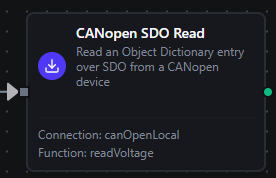
CANopen SDO Read Node
CANopen SDO Read Node
Read a single Object Dictionary entry over SDO. The node issues a real SDO upload against the remote node and decodes the response bytes locally according to the configured data type.
Supported Function Types:
| Function Name | Purpose | Common Use Cases |
|---|---|---|
SDO Read (canopen.sdo.read) | Read an OD entry by (index, sub-index) | Statuswords, identity objects, vendor-specific configuration |
Node Configuration
| Parameter | Type | Required | Description |
|---|---|---|---|
| Connection | Selection | Yes | CANopen connection profile to use |
| Function | Selection | Yes | SDO Read function from the selected connection |
| Function Parameters | Dynamic | Varies | Auto-populated from the function schema (index, subIndex, dataType). See your CANopen connection functions for full parameter details. |
| Timeout Override | Number (seconds) | No | Override the default function timeout |
All function parameters support expression syntax ({{ expression }}) for dynamic values from the pipeline context.
Input
The node receives the output of the previous node as input. Input data can be referenced in function parameter expressions using $input.
Output Structure
On success the node produces:
{
  "result": {
    "index": "0x1000",
    "subIndex": 0,
    "dataType": "uint32",
    "value": 401
  },
  "_metadata": { "success": true, "functionId": "<function-id>", "durationMs": 12, "timestamp": "2026-05-20T08:30:00Z" }
}
| Field | Type | Description |
|---|---|---|
_metadata.success | boolean | true when the SDO upload completed without an abort |
_metadata.functionId | string | ID of the executed function |
result.index | string | OD index of the entry read, formatted as 0xNNNN |
result.subIndex | number | OD sub-index of the entry read |
result.dataType | string | Data type used to decode the response (see Data Types) |
result.value | any | The decoded value. Type matches dataType — bool returns a boolean, uint16 a number, string a string, etc. |
_metadata.durationMs | number | Execution time in milliseconds |
_metadata.timestamp | string | ISO 8601 / RFC 3339 UTC timestamp |
On an SDO abort, success is false, error contains the abort message (e.g. SDO abort 0x06020000: object does not exist in the object dictionary), and the per-call metadata includes the raw abortCode. See SDO Abort Codes for the table.
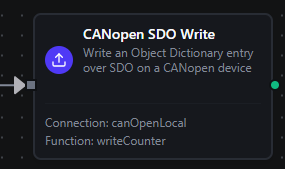
CANopen SDO Write Node
CANopen SDO Write Node
Write a value to an Object Dictionary entry via SDO. The connector encodes the value to the wire width implied by the data type, then issues a real SDO download.
Supported Function Types:
| Function Name | Purpose | Common Use Cases |
|---|---|---|
SDO Write (canopen.sdo.write) | Write an OD entry by (index, sub-index) | Setpoints, controlwords, mode changes, recipe parameters |
Node Configuration
| Parameter | Type | Required | Description |
|---|---|---|---|
| Connection | Selection | Yes | CANopen connection profile to use |
| Function | Selection | Yes | SDO Write function from the selected connection |
| Function Parameters | Dynamic | Varies | Auto-populated from the function schema (index, subIndex, dataType, value). The value field supports ((paramName)) templates — see your CANopen connection functions. |
| Timeout Override | Number (seconds) | No | Override the default function timeout |
All function parameters support expression syntax ({{ expression }}) for dynamic values. Use expressions like {{ $input[0].result.value }} (an upstream SDO Read) to feed dynamic values into the value parameter.
Input
The node receives the output of the previous node as input.
Output Structure
{
  "result": {
    "index": "0x6040",
    "subIndex": 0,
    "dataType": "uint16",
    "value": 15
  },
  "_metadata": { "success": true, "functionId": "<function-id>", "durationMs": 14, "timestamp": "2026-05-20T08:30:00Z" }
}
| Field | Type | Description |
|---|---|---|
result.index | string | OD index of the written entry, formatted as 0xNNNN |
result.subIndex | number | OD sub-index of the written entry |
result.dataType | string | Data type used to encode the value |
result.value | any | Echo of the value that was written (after parameter substitution and type coercion) |
On an SDO abort, success is false and error contains the abort message — see SDO Abort Codes.
Always implement validation and safety checks before writing to industrial equipment. CANopen Controlwords and target setpoints can put a motor, valve, or actuator into motion immediately. Use a Condition node upstream to bound the value, or gate the write behind an explicit operator action.
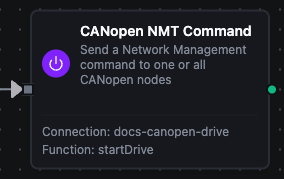
CANopen NMT Command Node
CANopen NMT Command Node
Send a Network Management command to drive a CANopen node through its CiA 301 state machine. Pass nodeId=0 to broadcast to every node on the bus.
Supported Function Types:
| Function Name | Purpose | Common Use Cases |
|---|---|---|
NMT Command (canopen.nmt.command) | Send an NMT command to one or all nodes | Drive startup, controlled shutdown, hung-node recovery |
Node Configuration
| Parameter | Type | Required | Description |
|---|---|---|---|
| Connection | Selection | Yes | CANopen connection profile to use |
| Function | Selection | Yes | NMT Command function from the selected connection |
| Function Parameters | Dynamic | Varies | Auto-populated from the function schema (command, nodeId). See NMT Commands. |
| Timeout Override | Number (seconds) | No | Override the default function timeout |
Input
The node receives the output of the previous node as input.
Output Structure
{
  "result": {
    "command": "start",
    "nodeId": 16
  },
  "_metadata": { "success": true, "functionId": "<function-id>", "durationMs": 3, "timestamp": "2026-05-20T08:30:00Z" }
}
| Field | Type | Description |
|---|---|---|
result.command | string | The NMT command that was sent (start, stop, preOperational, resetNode, resetCommunication) |
result.nodeId | number | The target node ID. 0 indicates a broadcast to every node on the bus. |
Setting Target Node ID to 0 broadcasts the command to every node on the CAN segment. A broadcast resetNode will hard-reset every device on the bus simultaneously. Use with care on shared segments.
Settings Tab
All three CANopen node types share the same Settings tab:
| Setting | Type | Default | Description |
|---|---|---|---|
| Description | Text | — | Optional description displayed on the node |
| Timeout (seconds) | Number | Pipeline default | Maximum time the node may run before timing out |
| Retry on Timeout | Toggle | Pipeline default | Automatically retry the node if it times out |
| Retry on Fail | Toggle | Pipeline default | Automatically retry the node if it fails |
| On Error | Selection | Pipeline default | Error strategy: Pipeline Default (the pipeline's Error Handling setting), Stop Pipeline or Continue Execution |
When left at their defaults, these settings inherit from the pipeline-level execution configuration.