SparkPlug B Nodes
SparkPlug B is the MQTT-based interoperability standard for industrial IoT, providing a well-defined topic namespace, payload encoding, and birth/death certificate lifecycle. MaestroHub acts as a SparkPlug B Edge Node, publishing device data to SCADA hosts and IoT platforms.
SparkPlug B nodes in MaestroHub publish data outward. There are no read nodes — data ingestion from SparkPlug B is handled through MQTT subscriptions on the connection level.
Configuration Quick Reference
| Field | What you choose | Details |
|---|---|---|
| Parameters | Connection, Function, Function Parameters, Timeout Override | Select the connection profile, function, configure function parameters with expression support, and optionally override timeout. |
| Settings | Description, Timeout (seconds), Retry on Timeout, Retry on Fail, On Error | Node description, maximum execution time, retry behavior on timeout or failure, and error handling strategy. All execution settings default to pipeline-level values. |
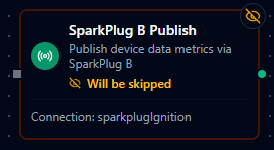
SparkPlug B Publish Node
SparkPlug B Publish Node
Publish device data metrics to a SparkPlug B infrastructure via MQTT.
Supported Function Types:
| Function Name | Purpose | Common Use Cases |
|---|---|---|
Publish Device Data (sparkplugb.ddata) | Publish DDATA message with device metrics | Sensor telemetry, machine status updates, periodic data reporting |
Node Configuration
| Parameter | Type | Required | Description |
|---|---|---|---|
| Connection | Selection | Yes | SparkPlug B connection profile to use |
| Function | Selection | Yes | Publish function from the selected connection |
| Function Parameters | Dynamic | Varies | Auto-populated from the function schema. See your SparkPlug B connection functions for full parameter details. |
| Timeout Override | Number (seconds) | No | Override the default function timeout |
All function parameters support expression syntax ({{ expression }}) for dynamic values from the pipeline context.
Input
The node receives the output of the previous node as input. Input data can be referenced in function parameter expressions using $input.
Output Structure
On success the node produces:
{
  "result": {
    "topic": "spBv1.0/Plant1/DDATA/EdgeNode1/sensor-001",
    "deviceId": "sensor-001",
    "metricCount": 2,
    "action": "ddata"
  },
  "_metadata": { "success": true, "functionId": "<function-id>", "durationMs": 15, "timestamp": "2026-01-15T08:30:00Z" }
}
| Field | Type | Description |
|---|---|---|
_metadata.success | boolean | true when the publish completed without errors |
_metadata.functionId | string | ID of the executed function |
result | object | Publish result details (see below) |
_metadata.durationMs | number | Execution time in milliseconds |
_metadata.timestamp | string | ISO 8601 / RFC 3339 UTC timestamp |
result fields:
| Field | Type | Description |
|---|---|---|
result.topic | string | Full MQTT topic the message was published to |
result.deviceId | string | Device identifier used in the message |
result.metricCount | number | Number of metrics included in the payload |
result.action | string | Always "ddata" for device data publishes |
Publish Device Data (DDATA)
The DDATA function publishes device metrics to the SparkPlug B topic namespace.
Function Parameters
| Parameter | Type | Required | Description |
|---|---|---|---|
deviceId | String | Yes | Device identifier. Becomes part of the MQTT topic. Supports template placeholders. |
metrics | Object | Yes | Name-value map of metrics to publish. At least one metric is required. Values support template placeholders. |
Example metrics:
{
  "temperature": 25.5,
  "humidity": 60,
  "motorRunning": true,
  "status": "ACTIVE"
}
Supported Metric Data Types
Metric types are automatically inferred from the values provided:
| Value Type | SparkPlug B Type | Example |
|---|---|---|
| Integer | Int32 / Int64 | 60 |
| Float | Double | 25.5 |
| Boolean | Boolean | true |
| String | String | "ACTIVE" |
Topic Structure
Messages are published to the standard SparkPlug B topic namespace:
spBv1.0/{groupId}/DDATA/{edgeNodeId}/{deviceId}
The groupId and edgeNodeId are configured on the connection profile. The deviceId comes from the function parameter.
Automatic Lifecycle Management
The SparkPlug B connector automatically manages birth and death certificates — you only need to publish DDATA.
| Certificate | When Published | Purpose |
|---|---|---|
| NBIRTH (Node Birth) | Automatically on connection | Announces the Edge Node to the SCADA host |
| NDEATH (Node Death) | Automatically on disconnect (also set as MQTT Last Will) | Notifies the host that the Edge Node is offline |
| DBIRTH (Device Birth) | Automatically on first DDATA for a device | Registers the device and its metric definitions |
| DDEATH (Device Death) | Automatically on disconnect | Marks all devices as offline |
You do not need to publish birth or death certificates manually. The connector handles the full SparkPlug B session lifecycle, including sequence number management and LWT (Last Will and Testament) configuration.
Sequence Numbers
The connector manages two sequence counters per the SparkPlug B specification:
| Counter | Scope | Behavior |
|---|---|---|
| bdSeq | Birth-death cycle | Increments on each NBIRTH/NDEATH cycle, wraps at 256 |
| seq | Message sequence | Increments per message, resets to 0 on NBIRTH, wraps at 256 |
Validation Rules
deviceIdis required and cannot be empty.metricsmust be a valid object with at least one key-value pair.- The connection must be active (connected to the MQTT broker) at execution time.
Settings Tab
The SparkPlug B Publish node uses the standard Settings tab:
| Setting | Type | Default | Description |
|---|---|---|---|
| Description | Text | — | Optional description displayed on the node |
| Timeout (seconds) | Number | Pipeline default | Maximum time the node may run before timing out |
| Retry on Timeout | Toggle | Pipeline default | Automatically retry the node if it times out |
| Retry on Fail | Toggle | Pipeline default | Automatically retry the node if it fails |
| On Error | Selection | Pipeline default | Error strategy: Pipeline Default (the pipeline's Error Handling setting), Stop Pipeline or Continue Execution |
When left at their defaults, these settings inherit from the pipeline-level execution configuration.