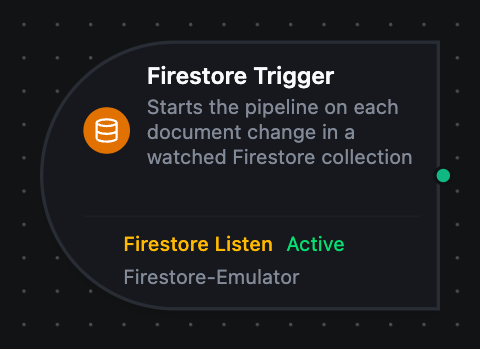
Firestore trigger node
Firestore Trigger Node
Overview
The Firestore Trigger Node starts a pipeline whenever a document changes in a watched collection. Unlike the Firestore connector nodes, which read and write within an already-running pipeline, the trigger starts new executions in response to changes — which is what makes Firestore's real-time listener useful as an automation source rather than something to poll.
One changed document is one pipeline run. A write that touches three documents starts three runs.
How it works
The connector opens a Firestore real-time listener on the collection the function names. Firestore pushes every change on that query, and each one becomes a pipeline execution carrying:
- the document's fields at
$trigger.result - which document changed, and how, at
$trigger._metadata
A removed document arrives with the fields it had when it went. Delivering nothing would leave a pipeline unable to say which record was deleted from the body alone.
Configuration
| Field | Required | Description |
|---|---|---|
| Firestore Connection | yes | The connection whose database this listener watches |
| Listen Function | yes | A firestore.listen function. Its collection and filters decide which changes start the pipeline |
| Trigger Mode | no | Always fires on every change; On Change fires only when the document differs from the last state it delivered |
| Max Tracked Documents | no | On Change only — how many documents keep a last-seen state (default 1000, max 10000) |
| Enable Trigger | no | When off, no listener is opened and no change starts the pipeline |
The collection, the filters, the change types and the startup behaviour all live on the function, not the node — see the connection guide.
Trigger modes
Always runs the pipeline for every change the listener delivers.
On Change compares each document against the last state that document produced and suppresses a repeat. The comparison is per document — two machines that happen to share a status do not suppress each other. It is worth turning on for two cases:
- a listener that reconnects replays its opening snapshot, and every document in it arrives unchanged
- a pipeline watching for a status change is otherwise fired by every unrelated field on the same document
Change types
The function's Change Types decides which kinds of change fire at all:
| Change type | When it fires |
|---|---|
added | a document starts matching the query — created, or edited into range |
modified | a matching document's fields changed |
removed | a document stops matching — deleted, or edited out of range |
Narrow it to stop a pipeline running for changes it does not care about. A listener that watches none of them would never fire, so the form refuses that.
A document edited so it no longer matches the filter arrives as removed, even though it still exists. Likewise one edited into range arrives as added. Branch on changeType knowing it describes the query's view.
Output
$trigger.result
The changed document's fields, as plain JSON — the collection's own schema. A deletion carries the document's last known fields.
$trigger._metadata
| Key | Example | Description |
|---|---|---|
protocol | firestore | Always firestore |
collection | machines | The collection the listener watches |
path | machines/press-1 | Path of the changed document, inside the database |
documentId | press-1 | ID of the changed document |
changeType | modified | added, modified or removed |
readTime | 2026-09-24T07:45:51.784Z | When Firestore produced the snapshot |
connectionId | - | The connection that delivered it |
functionId | - | The listen function that delivered it |
The addressing facts live in _metadata rather than in the body because the body is the user's own schema — an _id stamped into it would collide with a real field of that name.
Scaling
A Firestore connection is exclusive: only one replica runs it.
Firestore listeners broadcast — every listener on a query receives every change, with no server-side work distribution. Two replicas watching the same collection would each fire the pipeline for the same document, so the connector declares the connection exclusive rather than letting that happen.
Common Use Cases
- React to a status change — watch
machinesfiltered tostatus == "fault"and raise an alert - Mirror writes into another system — watch a collection and forward each change to a warehouse or broker
- Act on deletions — watch with Change Types set to
removedalone, and clean up downstream records - Process new work — watch an
orderscollection foraddedand run the fulfilment pipeline
Troubleshooting
| Symptom | Cause | Fix |
|---|---|---|
| The trigger never fires | Change Types excludes the change being made | Tick the change type you need on the function |
| The trigger never fires | The trigger or the pipeline is disabled | Both have their own switch; check each |
| A flood of runs at startup | Fire For Existing Documents is on | Turn it off unless you want the backlog replayed |
| Repeat runs after a reconnect | The listener replayed its opening snapshot | Set Trigger Mode to On Change |
| Runs for changes you do not care about | Firestore delivers the whole document on any field change | Narrow the function's filters, or use On Change |
Related
- Firestore connection guide — connection setup and the six function types
- Firestore nodes — reading and writing documents inside a pipeline