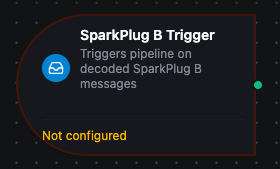
SparkPlug B trigger node
SparkPlug B Trigger Node
Overview
The SparkPlug B Trigger Node starts a MaestroHub pipeline when a SparkPlug B message arrives on the broker of a SparkPlug B connection. The connector decodes the Protocol Buffers payload before the pipeline starts, so downstream nodes read metrics by name — $trigger.result.temperature — instead of parsing binary data.
The trigger is the way to build a pipeline that consumes SparkPlug B data from other edge nodes. The SparkPlug B Publish node covers the other direction: publishing device data from a pipeline.
Core Functionality
What It Does
1. Fires on decoded SparkPlug B messages Each matching NBIRTH, NDEATH, NDATA, DBIRTH, DDEATH or DDATA message starts one pipeline run. NCMD and DCMD can be added in the Subscribe function.
2. Filters by group, edge node, device and message type The filters live on the connection's Subscribe function, not on the trigger node. One Subscribe function can listen to one device, every device under an edge node, or a whole group.
3. Resolves metric aliases to names NDATA and DDATA usually carry metrics by numeric alias only. The connector learns the alias-to-name table from NBIRTH and DBIRTH messages and clears it when the edge node sends NDEATH. It tracks BIRTH messages even when they are not selected to fire the trigger.
4. Optional change detection
With Trigger Mode set to onChange, a run starts only when the decoded metrics or their quality differ from the last message on the same topic.
The connector does not act as a SparkPlug B Host Application. It does not publish STATE messages, request rebirths, or send NCMD/DCMD commands. If MaestroHub starts listening after an edge node sent its BIRTH, aliased metrics cannot be named until the next BIRTH — see Unresolved aliases.
Configuration Options
The node panel has two tabs: Parameters and Settings.
Basic Information
| Field | Type | Description |
|---|---|---|
| Node Label | String (Required) | Display name for the node on the pipeline canvas |
| Description | String (Optional) | Explains what this trigger initiates. Edited on the Settings tab |
Parameters
| Parameter | Type | Default | Required | Constraints | Description |
|---|---|---|---|---|---|
| SparkPlug B Connection | string | "" | Yes | -- | The SparkPlug B connection to listen on. Changing it clears the selected function. |
| Subscribe Function | string | "" | Yes | -- | A Subscribe function (sparkplugb.subscribe) on the selected connection. Only Subscribe functions are listed. |
| Trigger Mode | select | always | No | always / onChange | always: fire on every matching message. onChange: fire only when the decoded metrics or their quality differ from the last message on the same topic. |
| Enable Trigger | boolean | true | No | -- | When disabled, the trigger does not listen for SparkPlug B messages. |
| Sample Payload | JSON | -- | No | Up to 100 KB | Sample metrics used when you run the node with Test Node in Sandbox mode. See Testing with a sample payload. |
| Sample Quality | select | Good | No | Good / Uncertain / Bad | The quality the sandbox sample reports in $trigger._metadata.quality. Ignored by the live subscription. |
The selected function must be a SparkPlug B Subscribe function. The Publish Device Data function on the same connection cannot drive a trigger.
Subscribe Function Configuration
The Subscribe function, created on the connection in the Connect module, decides which messages fire the trigger:
| Field | Default | Description |
|---|---|---|
| Group ID | The connection's Group ID | Group to listen to. Use + for any group. |
| Edge Node ID | The connection's Edge Node ID | Edge node to listen to. Use + for any edge node. |
| Device ID | Empty (all devices) | Device to listen to. Leave empty or use + for every device under the edge node. |
| Message Types | NBIRTH, NDEATH, NDATA, DBIRTH, DDEATH, DDATA | Message types that fire the trigger. |
Device ID narrows only device messages (DBIRTH, DDEATH, DDATA, DCMD). Node messages (NBIRTH, NDEATH, NDATA, NCMD) from the selected edge node still fire the trigger when their type is selected. To react to one device only, select only device message types.
The connection's Discover tab can create a Subscribe function scoped to a topic it has seen. See the SparkPlug B Subscribe function for the full reference.
Change Detection
With Trigger Mode set to onChange:
- The comparison covers the decoded metrics (
$trigger.result) and the message quality. A message with the same metric values and quality but a new sequence number or timestamp does not fire. - Each topic is tracked separately, so two devices under the same edge node do not suppress each other.
- Up to 1,000 topics are tracked per trigger. When more arrive, the least recently seen topic is forgotten, and its next message fires.
- The state is kept in memory. The first message on each topic after MaestroHub restarts always fires.
Settings
Description
A free-text area for documenting the node's purpose. Saved with the pipeline and visible to all team members.
Execution Settings
| Setting | Options | Default | Description |
|---|---|---|---|
| Timeout (seconds) | number | Pipeline default | Maximum execution time for this node (1–600). Leave empty for the pipeline default. |
| Retry on Timeout | Pipeline Default / Enabled / Disabled | Pipeline Default | Whether to retry the node if it times out. |
| Retry on Fail | Pipeline Default / Enabled / Disabled | Pipeline Default | Whether to retry on failure. When Enabled, shows Advanced Retry Configuration. |
| On Error | Pipeline Default / Stop Pipeline / Continue Execution | Pipeline Default | Behavior when the node fails after all retries. |
Output Data Structure
Each message starts one run. The trigger output has two keys: _metadata describes the message, and result holds the decoded metrics.
Output Format
{
  "_metadata": {
    "type": "sparkplugb_trigger",
    "connectionId": "bf29be94-fc0a-4dc4-8e5c-092f1b74eb4b",
    "functionId": "aef374c3-aa2b-454e-aabc-5657faac5950",
    "timestamp": "2026-09-05T14:47:19.123456789Z",
    "protocol": "sparkplugb",
    "topic": "spBv1.0/Plant/DDATA/Edge1/Boiler7",
    "messageType": "DDATA",
    "groupId": "Plant",
    "edgeNodeId": "Edge1",
    "deviceId": "Boiler7",
    "qos": "0",
    "retained": "false",
    "metricsTotal": "2",
    "sparkplugTimestamp": "1757083639120",
    "seq": "42",
    "quality": "good"
  },
  "result": {
    "temperature": 25.5,
    "humidity": 60
  }
}
result
result is a flat map from metric name to value — the same shape a JSON message over MQTT would deliver. The message type, group, edge node and device are not repeated inside it; they are in _metadata.
- Numbers, booleans and strings arrive as JSON values. A metric flagged as null arrives as
null. - DataSet and Template metrics arrive as nested objects.
- A metric whose alias could not be resolved arrives under the key
_alias_<N>, for example_alias_7.
_metadata fields
Every value is a string, as on other connector triggers. Convert qos, metricsTotal, seq and sparkplugTimestamp before doing arithmetic on them.
| Field | Description |
|---|---|
type | Always sparkplugb_trigger |
connectionId / functionId | The connection and Subscribe function that received the message |
timestamp | When MaestroHub received the message (RFC 3339, UTC) |
protocol | Always sparkplugb |
topic | The full SparkPlug B topic, for example spBv1.0/Plant/DDATA/Edge1/Boiler7 |
messageType | NBIRTH, NDEATH, NDATA, DBIRTH, DDEATH, DDATA, NCMD or DCMD |
groupId / edgeNodeId | Group and edge node from the topic |
deviceId | Device from the topic. Empty for node messages (NBIRTH, NDEATH, NDATA, NCMD) |
qos / retained | MQTT delivery details of the message |
metricsTotal | Number of metrics in the message |
sparkplugTimestamp | The payload's own timestamp in milliseconds since the Unix epoch. Present only when the publisher set one |
seq | The payload's sequence number. Present only when the publisher set one |
unresolvedAliases | Number of metrics whose alias could not be named. Present only when greater than zero |
quality | good, uncertain or bad. For data messages it is the worst quality any metric states; it is absent when no metric states one. NDEATH and DDEATH are always bad. See Quality on subscribed frames |
Referencing in Downstream Nodes
| Expression | Returns |
|---|---|
$trigger.result.temperature | The value of the temperature metric |
$trigger.result | Every decoded metric |
$trigger._metadata.messageType | The message type, for routing BIRTH, DEATH and DATA messages differently |
$trigger._metadata.deviceId | The device that sent the message |
$trigger._metadata.quality | The quality of the message |
Unresolved Aliases
When _metadata.unresolvedAliases is present, the connector saw DATA messages before the BIRTH message that names their metrics — usually because MaestroHub started listening after the edge node came online. The values still arrive, under _alias_<N> keys. They get their names once the edge node publishes a new NBIRTH or DBIRTH. The connector does not request a rebirth, so trigger one from the edge node or its host application if you need names straight away.
Testing with a Sample Payload
Run the node with Test Node in Sandbox mode to try downstream nodes without a live broker. The trigger then emits:
result: the Sample Payload, or{ "temperature": 25.5, "humidity": 60 }when the editor is empty._metadata: a sample DDATA message from groupPlant, edge nodeEdge1, deviceBoiler7, with the quality chosen in Sample Quality.
Write the sample payload as a flat metric map, the shape result has at run time:
{
  "temperature": 25.5,
  "humidity": 60
}
The editor's placeholder shows messageType, groupId, edgeNodeId, deviceId and a nested metrics object. Live messages do not have that shape: those fields are in _metadata, and the metrics are directly under result. A sample written in the placeholder's shape leads to expressions such as $trigger.result.metrics.temperature that find nothing at run time.
The live subscription and the node's Fire Trigger action do not use the sample payload.
Usage Examples
Device Telemetry into the UNS
- Subscribe function: Group ID
Plant, Edge Node IDEdge1, Device ID+, Message TypesDDATA - Trigger Mode: always
Downstream, publish $trigger.result to a UNS topic built from $trigger._metadata.deviceId. The UNS Publish node inherits _metadata.quality.
Edge Node Online/Offline Alerts
- Subscribe function: Group ID
Plant, Edge Node ID+, Message TypesNBIRTH,NDEATH - Trigger Mode: always
Downstream, branch on $trigger._metadata.messageType and notify with $trigger._metadata.edgeNodeId when an edge node goes offline (NDEATH) or comes back (NBIRTH).
Only React to Changed Values
- Subscribe function: Group ID
Plant, Edge Node IDEdge1, Device IDBoiler7, Message TypesDDATA - Trigger Mode: onChange
The pipeline runs only when the decoded metric values (or their quality) of Boiler7 change, even if the edge node republishes the same values.