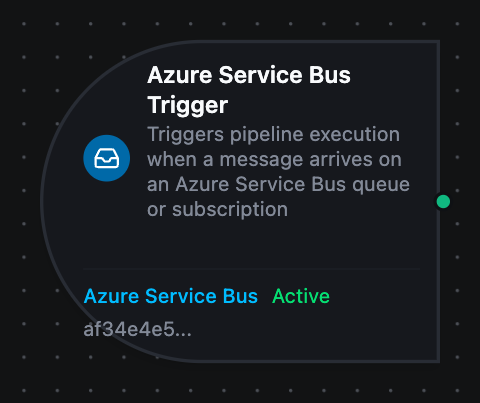
Azure Service Bus trigger node
Azure Service Bus Trigger Node
Overview
The Azure Service Bus Trigger Node starts a MaestroHub pipeline for each message that arrives on a queue or topic subscription. Unlike the Service Bus connector nodes, which send and receive within an already-running pipeline, the trigger starts new runs as messages arrive.
Core Functionality
What It Does
1. One run per message
Each message on the queue or subscription starts one pipeline run, with the message body under $trigger.result and its properties under $trigger._metadata.
2. Peek-lock, completed once MaestroHub has the message
A message is locked while MaestroHub takes it in and completed as soon as it is stored for the pipeline, so it leaves the entity before the run starts. If MaestroHub cannot take it in, the message is abandoned and delivered again at once; Service Bus moves it to the dead-letter queue itself after the entity's maximum delivery count. A failure MaestroHub marks permanent dead-letters it straight away with the reason MaestroHubPipelineRejected.
The run's own outcome does not settle the message. A run that fails afterwards, because a PLC is offline or a script throws, leaves no copy on the queue and does not move the message to the dead-letter queue. Handle failed runs in the pipeline instead:
- Retry on Fail on the node that can fail transiently, such as a write to a machine that is briefly offline. See Run status and On Error.
- A Pipeline Event trigger watching
failedto alert someone or record the failure. - Retry in Execution History, which runs the pipeline again with the same input.
3. Competing consumers Several MaestroHub instances can run the same trigger: Service Bus gives each message to one of them.
4. Sessions With Session-enabled Entity on the Consume function, the trigger takes one session at a time and receives that session's messages in order. A session that has been quiet for a few seconds is released so others get their turn.
5. Dead-letter queues
A Consume function with Sub-queue deadLetter starts a run for every message that lands in the dead-letter queue, with the reason Service Bus recorded.
Configuration Options
Basic Information
| Field | Type | Description |
|---|---|---|
| Node Label | String (Required) | Display name for the node on the pipeline canvas |
| Description | String (Optional) | Explains what this trigger initiates |
Parameters
| Parameter | Type | Default | Required | Constraints | Description |
|---|---|---|---|---|---|
| Connection ID | string | "" | Yes | -- | Azure Service Bus connection profile to use. |
| Function ID | string | "" | Yes | -- | Consume function within the connection. Only Consume functions are listed. |
| Trigger Mode | select | "always" | No | always / onChange | always: trigger on every message. onChange: only trigger when the payload differs from the last one received on the same queue or topic. |
| Enabled | boolean | true | No | -- | Enable/disable the trigger. When disabled, no messages are consumed. |
The selected function must be an Azure Service Bus Consume function. Send, Send Batch, Receive, Peek and List Entities functions cannot drive a trigger.
In onChange mode a repeated payload does not start a run, but the message is still completed: it was received and judged a duplicate.
Settings
Description
A free-text area for documenting the node's purpose and behavior. Notes entered here are saved with the pipeline and visible to all team members.
Execution Settings
| Setting | Options | Default | Description |
|---|---|---|---|
| Timeout (seconds) | number | Pipeline default | Maximum execution time for this node (1–600). Leave empty for pipeline default. |
| Retry on Timeout | Pipeline Default / Enabled / Disabled | Pipeline Default | Whether to retry the node if it times out. |
| Retry on Fail | Pipeline Default / Enabled / Disabled | Pipeline Default | Whether to retry on failure. When Enabled, shows Advanced Retry Configuration. |
| On Error | Pipeline Default / Stop Pipeline / Continue Execution | Pipeline Default | Behavior when node fails after all retries. |
Advanced Retry Configuration (visible when Retry on Fail = Enabled)
| Field | Type | Default | Range | Description |
|---|---|---|---|---|
| Max Attempts | number | 3 | 1–10 | Maximum retry attempts. |
| Initial Delay (ms) | number | 1000 | 100–30,000 | Wait before first retry. |
| Max Delay (ms) | number | 120000 | 1,000–300,000 | Upper bound for backoff delay. |
| Multiplier | number | 2.0 | 1.0–5.0 | Exponential backoff multiplier. |
| Jitter Factor | number | 0.1 | 0–0.5 | Random jitter (+-percentage). |
Output Data Structure
When a message starts a run, the following is available to downstream nodes via the $trigger variable.
Output Format
{
  "_metadata": {
    "type": "azureservicebus_trigger",
    "protocol": "azureservicebus",
    "entity": "line-events",
    "subscription": "relay",
    "subQueue": "none",
    "messageId": "wo-10482",
    "sequenceNumber": "1042",
    "enqueuedTime": "2026-09-29T08:30:00Z",
    "deliveryCount": "1",
    "contentType": "application/json",
    "subject": "work-order.released",
    "correlationId": "erp-7f3a2c",
    "attr_plant": "izmir-1",
    "connectionId": "bf29be94-fc0a-4dc4-8e5c-092f1b74eb4b",
    "functionId": "aef374c3-aa2b-454e-aabc-5657faac5950",
    "timestamp": "2026-09-29T08:30:00.123Z"
  },
  "result": {
    "order": "wo-10482",
    "line": 3
  }
}
Accessing Message Data
| Field | Expression | Description |
|---|---|---|
| Message Body | $trigger.result | The message body. Valid JSON is delivered parsed, so $trigger.result.<field> reads a field directly; anything else is delivered as a string |
| Entity | $trigger._metadata.entity | The queue, or the topic when a subscription was consumed |
| Subscription | $trigger._metadata.subscription | The topic subscription — present only when one was consumed |
| Sub-queue | $trigger._metadata.subQueue | none, deadLetter or transferDeadLetter |
| Message ID | $trigger._metadata.messageId | The message's ID |
| Sequence Number | $trigger._metadata.sequenceNumber | The number Service Bus assigned the message in its entity |
| Enqueued Time | $trigger._metadata.enqueuedTime | When Service Bus accepted the message (RFC 3339, UTC) |
| Delivery Count | $trigger._metadata.deliveryCount | 1 on first delivery; higher when the message was abandoned or its lock expired before |
| Content Type | $trigger._metadata.contentType | Present when the sender set one |
| Subject | $trigger._metadata.subject | Present when the sender set one |
| Correlation ID | $trigger._metadata.correlationId | Present when the sender set one |
| Session ID | $trigger._metadata.sessionId | Present on a session-enabled entity |
| Partition Key | $trigger._metadata.partitionKey | Present when the sender set one |
| Reply To | $trigger._metadata.replyTo | Where the sender wants an answer, when set |
| To | $trigger._metadata.to | The sender's intended destination, when set |
| Scheduled Enqueue Time | $trigger._metadata.scheduledEnqueueTime | For a message that was scheduled: when it became visible |
| Dead-letter Reason | $trigger._metadata.deadLetterReason, $trigger._metadata.deadLetterErrorDescription, $trigger._metadata.deadLetterSource | On a message read from a dead-letter queue: why it was dead-lettered, the detail, and the entity it came from |
| Application Properties | $trigger._metadata.attr_<name> | One key per property the sender set, e.g. $trigger._metadata.attr_plant |
| Protocol | $trigger._metadata.protocol | Always azureservicebus |
| Connection ID | $trigger._metadata.connectionId | The connection profile the trigger runs on |
| Function ID | $trigger._metadata.functionId | The Consume function that received the message |
| Trigger Type | $trigger._metadata.type | Always azureservicebus_trigger |
| Timestamp | $trigger._metadata.timestamp | When MaestroHub received the message (RFC 3339, UTC) |
"1", not 1 — compare deliveryCount and sequenceNumber as strings, or convert them in a transform. The message body keeps its JSON types.
Validation Rules
Connection ID and Function ID
- Both are required, and the function must be a Consume function on that connection. The designer marks a missing one on the field.
Starting the trigger
- A Consume function naming a queue or subscription that does not exist fails when the trigger starts, naming the entity, instead of retrying silently in the background.
- A queue or subscription that requires sessions, consumed with Session-enabled Entity off, fails the same way, and the message says to turn the switch on.
Usage Examples
Work Order Intake
Scenario: The ERP posts released work orders to a work-orders queue; each should download a recipe to the line.
Configuration:
- Label: Work Order Intake
- Connection: Plant ERP Service Bus
- Function: Consume from
work-orders - Trigger Mode: always
Downstream Processing:
- Look up the recipe for
$trigger.result.order - Write setpoints with an OPC UA write node, with Retry on Fail enabled so a line that is briefly offline is retried
- A second pipeline with a Pipeline Event trigger on this one's
failedruns tells the planner which order did not reach the line; the message itself has already left the queue
Topic Subscription Relay
Scenario: The MES publishes line events to a line-events topic. MaestroHub consumes the relay subscription and forwards each event to a queue another system reads.
Configuration:
- Function: Consume from
line-events, subscriptionrelay
Downstream Processing:
- A Service Bus Send node to
relay-out, with Correlation ID set to{{ $trigger._metadata.messageId }}so the forwarded message can be traced back
Dead-Letter Alerts
Scenario: Tell the maintenance channel whenever an order lands in the dead-letter queue: one MaestroHub could not take in, one whose time to live ran out on an entity that dead-letters expired messages, or one another consumer dead-lettered. A failed pipeline run does not put its message here.
Configuration:
- Function: Consume from
work-orders, Sub-queuedeadLetter
Downstream Processing:
- Post
$trigger._metadata.deadLetterReasonand$trigger._metadata.deadLetterErrorDescriptionwith the order number to MS Teams