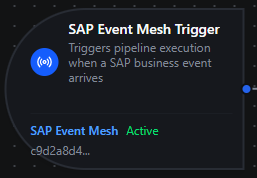
SAP Event Mesh trigger node
SAP Event Mesh Trigger Node
Overview
The SAP Event Mesh Trigger Node automatically starts a MaestroHub pipeline when a SAP business event arrives on an Event Mesh queue (AMQP) or topic (MQTT). Events are delivered as CloudEvents 1.0, so the moment SAP records a change — a sales order created, an outbound delivery changed, a goods movement posted — a new pipeline execution begins, with the event payload available to every downstream node.
This node is the entry point for event-driven SAP integration. It relies on a SAP Event Mesh connection and a Subscribe function you create in Connect — configure the broker, authentication, queue, and prerequisites there first.
Core Functionality
What It Does
1. Event-Driven Pipeline Execution Starts a pipeline automatically for every business event SAP publishes to the subscribed queue or topic — no polling, no manual invocation. Ideal for near-real-time reactions to master-data and transactional changes in S/4HANA.
2. Durable, At-Least-Once Delivery (AMQP) On the durable AMQP transport, events are retained in the broker queue while the pipeline/connector is offline and replayed on reconnect, and each event is acknowledged only after the pipeline durably captures it. Design downstream logic to be idempotent — redelivery is possible.
3. CloudEvents Payload and Metadata Passthrough
The CloudEvents envelope is passed to the pipeline as $trigger.result, and the event's identity attributes (id, type, source, subject, time) are surfaced under _metadata, available to all downstream nodes.
Configuration Options
Basic Information
| Field | Type | Description |
|---|---|---|
| Node Label | String (Required) | Display name for the node on the pipeline canvas |
| Description | String (Optional) | Explains what this trigger initiates |
Parameters
| Parameter | Type | Default | Required | Constraints | Description |
|---|---|---|---|---|---|
| SAP Event Mesh Connection | string | "" | Yes | — | The SAP Event Mesh connection profile to consume events from. |
| Subscribe Function | string | "" | Yes | — | The Subscribe function within the connection. Only *.subscribe functions are listed. |
| Trigger Mode | select | always | No | always / onChange | always: fire on every event. onChange: fire only when the payload differs from the last received value for that key. |
| Max Tracked Keys | number | 1000 | If onChange | 1–10,000 | Distinct event keys tracked for change detection. The least-recently-used key is evicted when exceeded. |
| Enable Trigger | boolean | true | No | — | When disabled, no events are consumed from the queue/topic. |
| Test Data | JSON | — | No | — | A sample CloudEvent used to dry-run the pipeline without a live SAP event. |
The selected function must be a SAP Event Mesh Subscribe function. The picker only lists functions whose type ends in .subscribe.
Change-detection state is kept in memory and resets when MaestroHub restarts, so the first event after a restart always fires.
Settings
Description
A free-text area for documenting the node's purpose and behavior. Notes entered here are saved with the pipeline and visible to all team members.
Execution Settings
| Setting | Options | Default | Description |
|---|---|---|---|
| Timeout (seconds) | number | Pipeline default | Maximum execution time for this node (1–600). Leave empty for pipeline default. |
| Retry on Timeout | Pipeline Default / Enabled / Disabled | Pipeline Default | Whether to retry the node if it times out. |
| Retry on Fail | Pipeline Default / Enabled / Disabled | Pipeline Default | Whether to retry on failure. When Enabled, shows Advanced Retry Configuration. |
| On Error | Pipeline Default / Stop Pipeline / Continue Execution | Pipeline Default | Behavior when the node fails after all retries. |
Advanced Retry Configuration (visible when Retry on Fail = Enabled)
| Field | Type | Default | Range | Description |
|---|---|---|---|---|
| Max Attempts | number | 3 | 1–10 | Maximum retry attempts. |
| Initial Delay (ms) | number | 1000 | 100–30,000 | Wait before first retry. |
| Max Delay (ms) | number | 120000 | 1,000–300,000 | Upper bound for backoff delay. |
| Multiplier | number | 2.0 | 1.0–5.0 | Exponential backoff multiplier. |
| Jitter Factor | number | 0.1 | 0–0.5 | Random jitter (±percentage). |
Validation Rules
The SAP Event Mesh Trigger Node enforces these validation requirements:
Node Label
- Must be provided and non-empty
- Error: "Node name is required"
SAP Event Mesh Connection
- Must be provided and non-empty
- Error: "SAP Event Mesh connection is required"
Subscribe Function
- Must be provided and non-empty
- Must be a SAP Event Mesh Subscribe function belonging to the selected connection
- Error: "Subscribe function is required"
Enable Trigger
- Must be a boolean if provided
- Error: "Enabled must be a boolean value"
The Event Payload
Each incoming business event is normalized to a CloudEvents 1.0 envelope as the trigger payload, with identity attributes surfaced as metadata.
$trigger.result — the CloudEvents envelope:
{
  "specversion": "1.0",
  "id": "b7f3a1e2-0c4d-4f8a-9b2e-1a2b3c4d5e6f",
  "type": "sap.s4.beh.salesorder.v1.SalesOrder.Created.v1",
  "source": "/default/sap.s4.beh/244572008",
  "subject": "0000012345",
  "time": "2026-07-28T09:15:42Z",
  "datacontenttype": "application/json",
  "data": {
    "SalesOrder": "0000012345"
  }
}
The business object's keys are under data — access them as $trigger.result.data.SalesOrder. SAP business events are lightweight notifications carrying the changed object's keys, not the full record; a downstream node typically fetches full details via an OData call.
_metadata — routing attributes as strings:
| Key | Example |
|---|---|
_metadata.protocol | sap_eventmesh |
_metadata.id | b7f3a1e2-… (idempotency key) |
_metadata.type | sap.s4.beh.salesorder.v1.SalesOrder.Created.v1 |
_metadata.source | /default/sap.s4.beh/244572008 |
_metadata.subject | 0000012345 |
_metadata.time | 2026-07-28T09:15:42Z |
Because delivery is at-least-once, an event can be redelivered after a crash. Use _metadata.id (the CloudEvents id) as an idempotency key so downstream processing runs exactly once per event.
Test Data
Provide a sample CloudEvent in Test Data to dry-run the pipeline without waiting for a live SAP event, for example:
{
  "specversion": "1.0",
  "type": "sap.s4.beh.outbounddelivery.v1.OutboundDelivery.Created.v1",
  "data": { "DeliveryDocument": "80000123" }
}
Usage Examples
Near-Real-Time Order Fulfillment
Scenario: Start an order-fulfillment pipeline the instant SAP records a new sales order.
Configuration:
- Label: Sales Order Created
- Connection: Production SAP Event Mesh
- Function: Subscribe from
default/myorg.com/integration/SALESORDERS - Trigger Mode: always
- Enabled: true
Downstream Processing:
- Read
$trigger.result.data.SalesOrder - Fetch full order details via an OData/REST call
- Publish to the Unified Namespace and notify the MES
Deduplicated Master-Data Sync
Scenario: Keep an external system's business-partner records in sync, but only run the pipeline when a partner's payload actually changes.
Configuration:
- Label: Business Partner Sync
- Connection: SAP Event Mesh
- Function: Subscribe from
default/myorg.com/integration/BUSINESSPARTNERS - Trigger Mode: onChange
- Max Tracked Keys: 5000
- Enabled: true
Downstream Processing:
- Fetch the partner via OData using
$trigger.result.data.BusinessPartner - Upsert into the target system
- Use
_metadata.idto dedupe any redeliveries
Event-Routed Notifications
Scenario: Route different business events to different actions.
Configuration:
- Label: Logistics Event Router
- Connection: SAP Event Mesh
- Function: Subscribe from
default/myorg.com/integration/LOGISTICS - Trigger Mode: always
- Enabled: true
Downstream Processing:
- Branch on
$trigger.result.type(or_metadata.type) OutboundDelivery.Created→ notify the carrierMaterialDocument.Created→ update the line dashboard
Related
- SAP Event Mesh Connector Guide — connection setup, prerequisites, authentication, and the Subscribe function.
- Connector Nodes — patterns for combining triggers with downstream connector steps.