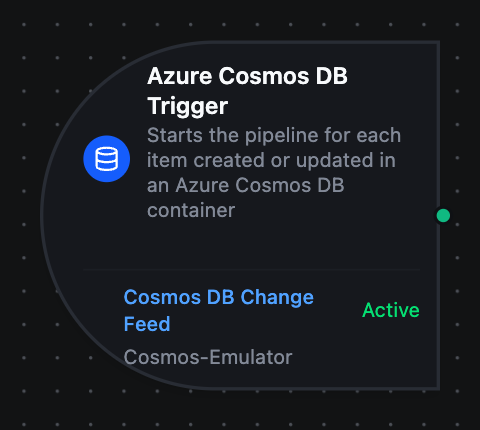
Azure Cosmos DB trigger node
Azure Cosmos DB Trigger Node
Overview
The Azure Cosmos DB Trigger Node starts a pipeline for each item created or updated in a container. Unlike the Azure Cosmos DB connector nodes, which read and write within an already-running pipeline, the trigger starts new executions in response to changes.
One changed item is one pipeline run. A batch that writes three items starts three runs.
How it works
The connector reads the container's change feed — the ordered record of writes Cosmos DB keeps for every container. It asks for new changes every Poll Interval; when a read comes back full, it reads again at once instead of waiting, so a busy container does not fall behind. Each changed item becomes a pipeline execution carrying:
- the item, as it is now, at
$trigger.result - which item changed, and where it sits in the feed, at
$trigger._metadata
The change feed reports the latest version of each item that was created or updated. Two things follow from that:
- Deletes do not start a run. A deleted item is simply gone from the feed. To react to deletions, mark items deleted with a field (and a TTL to remove them later) instead of deleting them.
- Rapid updates collapse. An item written twice between two reads starts one run, carrying its latest content.
Configuration
| Field | Required | Description |
|---|---|---|
| Azure Cosmos DB Connection | yes | The connection whose database holds the container |
| Change Feed Function | yes | An azurecosmosdb.change.feed function. Its container, start point and partition key decide which changes start the pipeline |
| Trigger Mode | no | Always fires on every change; On Change fires only when the item's fields differ from the last state it delivered |
| Max Tracked Items | no | On Change only — how many items keep a last-seen state (default 1000, max 10000) |
| Enable Trigger | no | When off, the feed is not read and no change starts the pipeline |
The container, Start From, Partition Key, Poll Interval and Max Items Per Poll all live on the function, not the node — see the connection guide.
Trigger modes
Always runs the pipeline for every change the feed delivers.
On Change compares each item with the last state that item produced and suppresses a repeat. The comparison ignores _etag and _ts, which Cosmos DB rewrites on every write — so a write that stores the same fields again, such as a replayed upsert, does not start a run. Items are compared one by one: two items that happen to hold the same fields do not suppress each other.
Start From
| Start From | What fires |
|---|---|
now | Only changes made after the trigger starts, counted from the start of that second |
beginning | Every item in the container first, then every later change |
The feed position is kept in memory. When MaestroHub restarts, the trigger starts again from this setting: now skips the changes made while it was down, and beginning replays the whole container.
Output
$trigger.result
The changed item as plain JSON — the container's own fields, plus _etag and _ts. The resource-link properties _rid, _self, _attachments and _lsn are removed.
$trigger._metadata
| Key | Example | Description |
|---|---|---|
protocol | azurecosmosdb | Always azurecosmosdb |
container | readings | The container the feed belongs to |
id | r-1027 | The changed item's id |
partitionKey | press-1 | The item's partition key, written the way the Partition Key field accepts it |
etag | "0a00c2e4-…" | The item's ETag after the change — usable as If-Match |
lsn | 1027 | The change's position in its partition's feed |
modifiedAt | 2026-09-29T13:33:40Z | When the write happened (the item's _ts) |
connectionId | - | The connection that delivered it |
functionId | - | The change feed function that delivered it |
id and partitionKey together identify the item — an id is only unique inside its partition — so pass both into a Read Item or Patch Item downstream.
Scaling
An Azure Cosmos DB connection is exclusive: only one replica runs it.
The feed's position is held in memory rather than in a lease container, so a second replica would read the same feed from its own position and start every run twice.
Common Use Cases
- Process new work — follow an
orderscontainer and run the fulfilment pipeline for each new order - React to a status change — follow a machines container with Trigger Mode
On Change, and branch on the status field - Mirror writes into another system — follow a container from the beginning once, then keep forwarding each change
- Scope to one line — set Partition Key on the function to follow only one partition's changes
Troubleshooting
| Symptom | Cause | Fix |
|---|---|---|
| The trigger never fires | The trigger or the pipeline is disabled | Both have their own switch; check each |
| The trigger never fires for deletes | The change feed does not report deletes | Soft-delete with a field and a TTL |
| A flood of runs at startup | Start From is beginning | Use now unless you want the container replayed |
| Changes made during a restart never ran | Start From now resumes from the restart, not from where it stopped | Use beginning and On Change if a gap is not acceptable |
| Fewer runs than writes | Several writes to one item between two reads collapse into one | Expected — each run carries the item's latest content |
Subscribe fails with container "…" not found | A typo in the function's container | Container names are case-sensitive |
Related
- Azure Cosmos DB connection guide — connection setup and the eight function types
- Azure Cosmos DB nodes — reading and writing items inside a pipeline