Amazon Timestream Nodes
MaestroHub integrates with Amazon Timestream for LiveAnalytics, the serverless time-series database that keeps recent data in a fast memory store and ages it into cheaper magnetic storage. Use these nodes to persist telemetry from a pipeline, query it back with Timestream SQL, and read the retention windows that decide which writes are accepted.
Configuration Quick Reference
| Field | What you choose | Details |
|---|---|---|
| Parameters | Connection, Function, Function Parameters, Timeout Override | Select the connection profile, function, configure function parameters with expression support, and optionally override the timeout. |
| Settings | Description, Timeout (seconds), Retry on Timeout, Retry on Fail, On Error | Node description, maximum execution time, retry behavior on timeout or failure, and error handling strategy. All execution settings default to pipeline-level values. |
Node Types
The Timestream connector provides five node types:
| Node | Purpose | Common Use Cases |
|---|---|---|
| Write Records | Write time-series records with dimensions and measures | Persisting OT telemetry, vehicle and IoT fleet data |
| Query | Run Timestream SQL and return the rows | Dashboards, KPI recomputation, backfills |
| List Databases | List the databases in the region | Discovery, iterating over databases |
| List Tables | List the tables in a database | Schema discovery, fanning out over tables |
| Describe Table | Read a table's status and retention settings | Diagnosing rejected writes, pre-flighting a backfill |
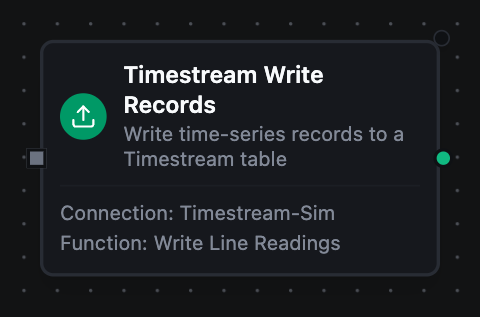
Amazon Timestream Write Records Node
Amazon Timestream Write Records Node
Write one or more records into a Timestream table. A record carries its dimensions (the metadata identifying the series), either one measure or a multi-measure object, and a timestamp. Records go out in batches of 100 to match the WriteRecords quota, so a node can take a whole upstream batch through ((records)) without knowing the limit.
Supported Function Types:
| Function Name | Purpose | Common Use Cases |
|---|---|---|
| Write Records | Persist time-series records | Ingesting MQTT/OPC UA readings, backfilling archives |
See the Write Records function reference for the record shape, type inference and configuration fields.
A failing batch does not stop the ones after it — each is an independent write, and every batch is attempted. Records that landed are durable, and _metadata.recordsWritten carries the total across all of them while _metadata.failedBatches lists the zero-based index of each one that did not.
Replaying does not double-write. Timestream refuses a record whose dimensions, measure name and time match a row that already exists at an equal or higher version, so a replayed record is rejected rather than duplicated. When every record in a batch comes back that way, the batch is already durable and the node counts it as written — _metadata.duplicateRecords reports how many. That is the ordinary replay case, and it lets the batches that never landed go through on the same run.
A batch where only some records were already present is reported as failed, not written. Timestream does not document whether the rest of such a batch is stored, so the node does not guess: replay it, and the records that are genuinely missing land while the ones already there are refused again.
A record with no time of its own is stamped with the moment its write was produced, and a store-and-forward replay keeps that moment — so a replayed record matches the first one and is refused as a duplicate, not written twice.
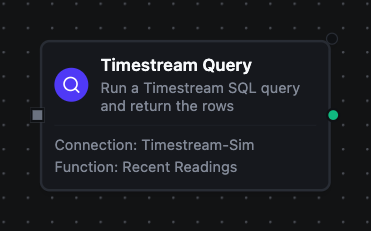
Amazon Timestream Query Node
Amazon Timestream Query Node
Run a Timestream SQL statement and return the result rows as structured records with a columns schema and a row count. Timestream SQL adds time-series functions on top of standard SQL, so one query can interpolate gaps, bin readings into intervals, or pick the latest value per series. Supports parameterised SQL with ((param)).
Supported Function Types:
| Function Name | Purpose | Common Use Cases |
|---|---|---|
| Query | Read rows out of Timestream | Dashboards, downsampling, KPI recomputation |
See the Query function reference for configuration fields and response format.
Scalars arrive as strings, because Timestream puts no type tag on the value itself. Read result.columns for the type, and cast in the query (measure_value::double) when you want the arithmetic done server-side.
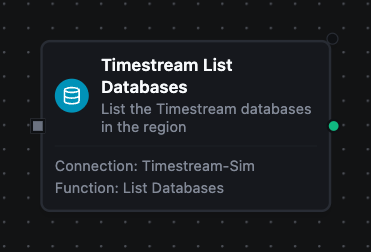
Amazon Timestream List Databases Node
Amazon Timestream List Databases Node
List the Timestream databases visible to the connection's credentials, each with its table count. Use for discovery, or to drive a pipeline that iterates over databases.
Supported Function Types:
| Function Name | Purpose | Common Use Cases |
|---|---|---|
| List Databases | Enumerate databases in the region | Discovery wizards, iterating over databases |
See the List Databases function reference for the response format.
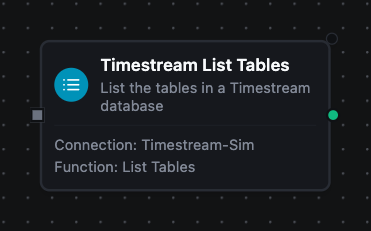
Amazon Timestream List Tables Node
Amazon Timestream List Tables Node
List the tables in a Timestream database along with their status. The database falls back to the connection's default when the node does not name one.
Supported Function Types:
| Function Name | Purpose | Common Use Cases |
|---|---|---|
| List Tables | Enumerate tables in a database | Schema discovery, fan-out over every table |
See the List Tables function reference for the response format.
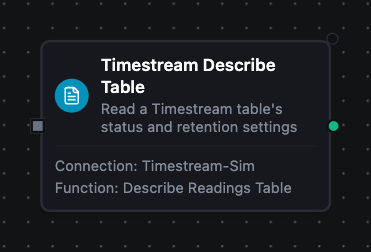
Amazon Timestream Describe Table Node
Amazon Timestream Describe Table Node
Read one table's ARN, status and retention settings. A write whose timestamp falls outside the memory-store or magnetic-store window is rejected, so this node is what turns "the batch bounced" into a number you can act on.
Supported Function Types:
| Function Name | Purpose | Common Use Cases |
|---|---|---|
| Describe Table | Read status and retention | Diagnosing rejected writes, pre-flighting a backfill |
See the Describe Table function reference for the response format.
Branch on result.memoryStoreRetentionHours before a backfill. Rows older than both retention windows can never be accepted, so filtering them upstream is cheaper than watching them land in the dead-letter queue.
Output
Every Timestream node delivers its data under result, and execution facts (success, functionId, durationMs, timestamp) under _metadata:
| Node | Expression | Description |
|---|---|---|
| Write Records | $node["Name"].result.recordsWritten | How many records Timestream accepted |
$node["Name"].result.memoryStore | How many landed in the fast memory store | |
$node["Name"].result.magneticStore | How many were old enough to go straight to magnetic storage | |
$node["Name"].result.batches | How many WriteRecords calls the records were split across (100 per call) | |
| Query | $node["Name"].result.rows | One object per row keyed by column name, up to Max Rows. $node["Name"].result.rows[0].<column> reads a value |
$node["Name"].result.columns | The result schema, with name and Timestream type per column | |
$node["Name"].result.rowCount | How many rows were delivered | |
$node["Name"]._metadata.truncated | true when the row limit cut the result short. A fact about the call, so it rides with the execution facts | |
| List Databases | $node["Name"].result.databases, $node["Name"].result.count | One object per database (name, tableCount) and how many |
| List Tables | $node["Name"].result.tables, $node["Name"].result.count | One object per table (name, status) and how many |
| Describe Table | $node["Name"].result.name, $node["Name"].result.status, $node["Name"].result.arn | The table's name, lifecycle status and ARN |
$node["Name"].result.memoryStoreRetentionHours | How many hours back the memory store accepts writes | |
$node["Name"].result.magneticStoreRetentionDays | How many days data is kept in magnetic storage before it expires |
The call's own facts ride along under _metadata next to the four every connected node carries. Write Records delivers $node["Name"]._metadata.database, _metadata.table, _metadata.batches and _metadata.recordsWritten, plus _metadata.duplicateRecords when rows were already present and _metadata.failedBatches listing the index of every batch that did not land. Query delivers _metadata.queryId, _metadata.truncated and _metadata.bytesScanned. List Tables delivers _metadata.database, and Describe Table _metadata.database and _metadata.table. Every node also carries _metadata.method, _metadata.connectionId and _metadata.protocol.