Azure Synapse Analytics Nodes
Azure Synapse Analytics is Microsoft's analytics service: a serverless SQL pool that queries the data lake, dedicated SQL pools for warehousing, and pipelines for orchestration. These nodes run T-SQL against a pool, land pipeline output in a dedicated pool, move data between the pools and Azure Storage, read the catalog, and start and follow Synapse pipeline runs.
Set the connection up first: see the Azure Synapse Analytics Integration Guide.
Configuration Quick Reference
| Field | What you choose | Details |
|---|---|---|
| Parameters | Connection, Function, Function Parameters, Timeout Override | Select the connection profile and function, bind the function's parameters to upstream values or constants, and optionally override the timeout. |
| Settings | Description, Timeout (seconds), Retry on Timeout, Retry on Fail, On Error | Node description, maximum execution time, retry behaviour, and error handling. All execution settings default to the pipeline's. |
A node binds to a connection, and the connection decides which SQL pool statements run on. Write and Copy Into need a connection to a dedicated pool; on a serverless connection they are refused before anything is sent.
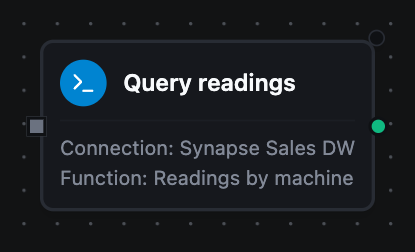
Azure Synapse Query Node
Azure Synapse Query Node
Run a SELECT — including OPENROWSET over lake files on the serverless pool — and pass the rows downstream.
| Function Name | Purpose | Common Use Cases |
|---|---|---|
| Query | Run a parameterised SELECT | Warehouse aggregates, lake queries, enrichment lookups, data-quality checks |
{
  "rows": [{ "machine_id": "press-01", "readings": 8, "avg_temp": 40.76 }],
  "rowCount": 1
}
Read a value downstream as $node["Query"].result.rows[0].machine_id.
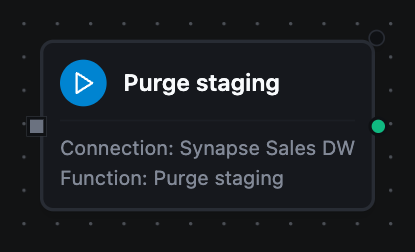
Azure Synapse Execute Node
Azure Synapse Execute Node
Run a statement that changes data or schema and report how many rows it touched.
| Function Name | Purpose | Common Use Cases |
|---|---|---|
| Execute | Run DML or DDL | Housekeeping deletes, UPDATE STATISTICS, CTAS rebuilds, DDL before a load |
{ "rowsAffected": 3 }
rowsAffected is -1 when the statement has no row count of its own.
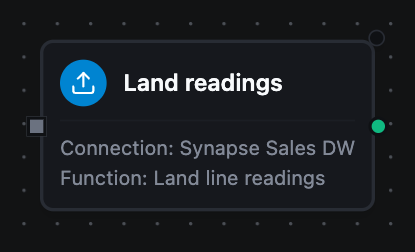
Azure Synapse Write Node
Azure Synapse Write Node
Insert pipeline records into a dedicated-pool table, deriving the columns from the batch.
| Function Name | Purpose | Common Use Cases |
|---|---|---|
| Write | Insert records with schema detection | Landing OT telemetry, persisting transform output, appending to a fact table |
{ "rowsInserted": 3 }
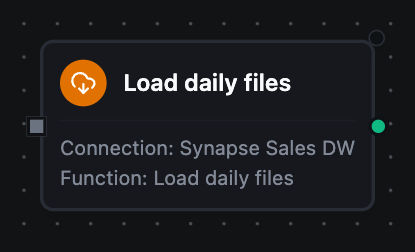
Azure Synapse Copy Into Node
Azure Synapse Copy Into Node
Bulk-load CSV, Parquet or ORC files from Azure Storage into a dedicated-pool table with COPY INTO.
| Function Name | Purpose | Common Use Cases |
|---|---|---|
| Copy Into | Load files the pool reads in parallel | Ingesting a day of landed files, backfilling from the lake |
{ "table": "sensor_archive", "sourceUrl": "https://lake.dfs.core.windows.net/raw/readings/2026-09-28/*.csv", "rowsLoaded": 48 }
The pool reads the files itself, with the connection's storage credential; the rows never pass through the pipeline.
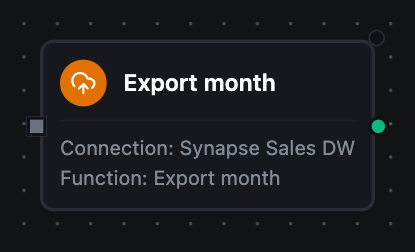
Azure Synapse Export To Storage Node
Azure Synapse Export To Storage Node
Write a query's result to the lake as a new external table (CREATE EXTERNAL TABLE AS SELECT).
| Function Name | Purpose | Common Use Cases |
|---|---|---|
| Export To Storage | Export a result set as Parquet or CSV files | Handing an extract to another system, archiving a slice of history |
{ "externalTable": "readings_2026_09", "location": "exports/2026-09/", "rowsExported": 48 }
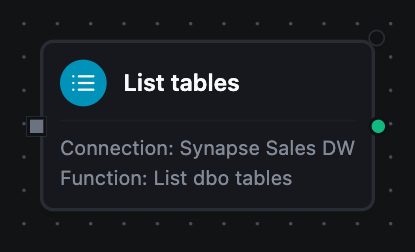
Azure Synapse List Tables Node
Azure Synapse List Tables and Describe Table Nodes
Read the catalog: the tables, views and external tables in a schema, and one table's columns.
| Function Name | Purpose | Common Use Cases |
|---|---|---|
| List Tables | List a schema's tables, optionally filtered by a LIKE pattern | Discovering what is queryable, looping over a set of tables |
| Describe Table | Read a table's column definitions | Driving a mapping step, checking a target before a write |
{ "tables": [{ "schema": "dbo", "name": "sensor_history", "type": "BASE TABLE" }], "count": 1 }
{
  "schema": "dbo",
  "table": "sensor_history",
  "columns": [{ "name": "machine_id", "type": "nvarchar(4000)", "nullable": true }],
  "columnCount": 1
}
A table that does not exist is a permanent failure for Describe Table — asking again returns the same nothing.
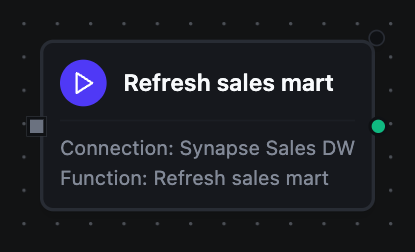
Azure Synapse Run Pipeline Node
Azure Synapse Pipeline Nodes
Start a Synapse pipeline, follow it, cancel it, and list what can be run. These need a connection that signs in with Microsoft Entra ID.
| Function Name | Purpose | Common Use Cases |
|---|---|---|
| Run Pipeline | Start a run and return its run ID at once | Refreshing a mart after files land, re-running a backfill for one day |
| Get Pipeline Run | Read a run's status, timings and failure message | Waiting for a run to finish, branching on its outcome |
| Cancel Pipeline Run | Ask Synapse to cancel a queued or running run | Stopping a run started with the wrong parameters |
| List Pipelines | List published pipelines with their parameters | Finding a pipeline's parameter names before wiring Run Pipeline |
{ "pipelineName": "refresh_sales_mart", "runId": "a37adbaa-db2f-44fc-be75-41ad12fc86c2" }
Run Pipeline does not wait. To act on the outcome, loop a Get Pipeline Run node — its runId bound to $node["Run Pipeline"].result.runId — until $node["Get Pipeline Run"].result.terminal is true, then branch on result.succeeded. A failed run is a successful read: the node succeeds, and result.message carries Synapse's reason.
Run Pipeline sends its request once. If the call times out or the connection drops after Synapse received it, the run may have started while the node reports a failure. With Retry on Fail turned on, the retry starts a second run. Leave it off on Run Pipeline, and check the workspace's Monitor hub before starting the run again by hand.
Output
Every Synapse node delivers its data under result, and execution facts (success, functionId, durationMs, timestamp) under _metadata.
| Node | Expression | Description |
|---|---|---|
| Query | $node["Name"].result.rows | The result rows, one object per row keyed by column name |
$node["Name"].result.rowCount | How many rows were delivered | |
| Execute | $node["Name"].result.rowsAffected | Rows the statement affected; -1 for a statement with no count |
| Write | $node["Name"].result.rowsInserted | Rows inserted across every batch of this execution |
| Copy Into | $node["Name"].result.rowsLoaded | Rows COPY INTO loaded |
$node["Name"].result.table | The table it loaded into | |
$node["Name"].result.sourceUrl | The storage location it read | |
| Export To Storage | $node["Name"].result.rowsExported | Rows written to the lake |
$node["Name"].result.externalTable | The external table created over the files | |
$node["Name"].result.location | The folder the files were written to | |
| List Tables | $node["Name"].result.tables | One object per table, each with schema, name and type (BASE TABLE, VIEW or EXTERNAL TABLE) |
$node["Name"].result.count | How many tables matched | |
| Describe Table | $node["Name"].result.columns | One object per column, each with name, the declared type and nullable |
$node["Name"].result.columnCount | How many columns the table has | |
$node["Name"].result.schema | The schema it read from | |
$node["Name"].result.table | The table it described | |
| Run Pipeline | $node["Name"].result.runId | The run ID Synapse assigned |
$node["Name"].result.pipelineName | The pipeline that was started | |
| Get Pipeline Run | $node["Name"].result.status | Queued, InProgress, Succeeded, Failed, Canceling or Cancelled |
$node["Name"].result.terminal | Whether the run has stopped for good | |
$node["Name"].result.succeeded | Whether it finished successfully | |
$node["Name"].result.message | Why it failed; empty otherwise | |
$node["Name"].result.runStart, result.runEnd | RFC 3339 times; runEnd is empty while the run is going | |
$node["Name"].result.durationMs | How long it ran; 0 while it is going | |
$node["Name"].result.lastUpdated | When Synapse last updated the run | |
$node["Name"].result.parameters | The parameter values the run was started with | |
$node["Name"].result.runGroupId, result.isLatest | The recovery group the run belongs to, and whether it is the latest in it | |
$node["Name"].result.invokedBy | What started it: Manual for an API call, or a trigger's name | |
$node["Name"].result.runId, result.pipelineName | The run and its pipeline | |
| Cancel Pipeline Run | $node["Name"].result.runId | The run Synapse accepted a cancel request for |
$node["Name"].result.recursive | Whether the runs it started were asked to cancel too | |
| List Pipelines | $node["Name"].result.pipelines | One object per pipeline: name, description, folder, parameters and activityCount |
$node["Name"].result.count | How many were listed | |
$node["Name"].result.truncated | Whether more exist than Max Items allowed |
A Query node's picker offers the connection's Execute and Write functions too, so a Query node bound to one of those delivers that function's key instead: result.rowsAffected or result.rowsInserted.
The call's own facts, under _metadata
Every node carries _metadata.method, _metadata.connectionId, _metadata.protocol (always azuresynapse) and _metadata.pool — serverless or dedicated, the pool the connection points at.
A Query adds _metadata.driver (always azuresynapse), _metadata.rowCount, _metadata.truncated (true when a row cap cut the result short) and _metadata.columns, each result column's name, type and nullability. An Execute adds _metadata.driver alone.
A Write adds _metadata.driver, _metadata.table, _metadata.schema, _metadata.batchSize, _metadata.totalRows and _metadata.matchedColumns (the table columns the data was mapped onto). It adds _metadata.skippedFields when the data carried fields the table has no column for, and _metadata.schemaEvolution when the write added columns. A write that created the table first reports _metadata.tableCreated and the _metadata.columns it created. A write that failed part-way reports _metadata.rowsInserted, the rows that landed before the failure.
Copy Into adds _metadata.table and _metadata.sourceUrl; Export To Storage adds _metadata.externalTable and _metadata.location. The two catalog nodes add _metadata.schema, and Describe Table adds _metadata.table. Run Pipeline adds _metadata.pipelineName; Get Pipeline Run and Cancel Pipeline Run add _metadata.runId.
truncated before you aggregateA query stopped at the row cap returns a shorter rows array that looks exactly like a complete result. The cap is the connection's Max Result Rows (1000 by default). Branch on _metadata.truncated, or narrow the query, rather than assuming the read was complete.
Store and Forward
Write and Copy Into are store-and-forward eligible. With durability enabled on the binding, a batch that cannot reach the pool — a paused pool included — is buffered and drained when it recovers, rather than lost.
Both are non-idempotent: a replayed batch inserts the rows again, and a replayed COPY INTO loads the same files again. See Store & Forward for the full contract.
Error Handling
| Kind of failure | Classification | Examples |
|---|---|---|
| The statement, the schema or the setup | Permanent — straight to the DLQ | Syntax error, unknown object, value too wide for its column, a number with a fraction for a whole-number column, login failed, permission denied, firewall refusal, missing files for Copy Into, an unknown pipeline, a pipeline RBAC refusal |
| The service, the network, or concurrency | Transient — Write and Copy Into are buffered and retried; the other nodes fail and follow their Retry settings | Connection lost, deadlock, a pool that is paused or warming up, Azure SQL's "retry later" errors, HTTP 429 and 5xx from the development endpoint |
Node errors carry the pool's own message and error number, for example Invalid object name 'dbo.readings'. (error 208), and Entra ID refusals are cut down to their reason.
Related Nodes
- Microsoft SQL Server nodes — the same T-SQL dialect on an operational database
- Amazon Redshift nodes, Snowflake nodes and BigQuery nodes — the other cloud warehouses