Databricks SQL Nodes
Databricks SQL is a cloud-native analytics service built on the Databricks Lakehouse Platform. MaestroHub provides connector nodes for running SQL queries and executing statements against your Databricks SQL warehouses.
Configuration Quick Reference
| Field | What you choose | Details |
|---|---|---|
| Parameters | Connection, Function, Function Parameters, Timeout Override | Select the connection profile, function, configure function parameters with expression support, and optionally override timeout. |
| Settings | Description, Timeout (seconds), Retry on Timeout, Retry on Fail, On Error | Node description, maximum execution time, retry behavior on timeout or failure, and error handling strategy. All execution settings default to pipeline-level values. |
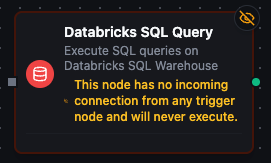
Databricks SQL Query Node
Databricks SQL Query Node
Execute SQL queries against your Databricks SQL warehouse with full parameter binding.
Supported Function Types:
| Function Name | Purpose | Common Use Cases |
|---|---|---|
| Execute Query | Run parameterized SQL SELECT against Databricks SQL | Analytics dashboards, ETL reads, cross-catalog joins, data quality checks |
Node Configuration
| Parameter | Type | Required | Description |
|---|---|---|---|
| Connection | Selection | Yes | Databricks SQL connection profile to use |
| Function | Selection | Yes | Query function from the selected connection |
| Function Parameters | Dynamic | Varies | Auto-populated from the function schema (e.g., query parameters). See your Databricks SQL connection functions for full parameter details. |
| Timeout Override | Number (seconds) | No | Override the default function timeout |
All function parameters support expression syntax ({{ expression }}) for dynamic values from the pipeline context.
Input
The node receives the output of the previous node as input. Input data can be referenced in function parameter expressions using $input.
Output Structure
On success the node produces:
{
  "result": {
    "rows": [
      {"machine_id": "M-001", "event_count": 142, "avg_efficiency": 94.5},
      {"machine_id": "M-002", "event_count": 98, "avg_efficiency": 87.3}
    ]
  },
  "_metadata": {
    "success": true,
    "functionId": "<function-id>",
    "durationMs": 1245,
    "timestamp": "2026-04-09T10:30:00Z"
  }
}
| Field | Type | Description |
|---|---|---|
result.rows | array | Array of row objects with column name → value mappings — count them with result.rows.length |
result.rowCount | number | How many rows were delivered — the same as result.rows.length |
_metadata.truncated | boolean | true when the query hit a result limit and rows holds only what fit — the first 20,000 rows at the default cap, or fewer when the size budget tripped first |
_metadata.truncatedBy | string | Which limit cut the result — rows or bytes. Present only when truncated is true |
_metadata.driver, _metadata.query | string, string | The call's other facts: the driver name and the SQL that ran |
result.rowsAffected | number | Instead of rows, when the function bound to this node is an Execute function |
truncated before you aggregateA query stopped at the row limit returns a shorter rows array that looks exactly like a complete result. Nothing fails and nothing warns, so a downstream sum, average or count is silently wrong. The limits are the connectors module's queryResultMaxRows (20,000 rows by default — the 20,000-row cap) and queryResultMaxBytes (25 MB by default), whichever trips first — branch on _metadata.truncated, or narrow the query, rather than assuming the read was complete; _metadata.truncatedBy says which limit did it.
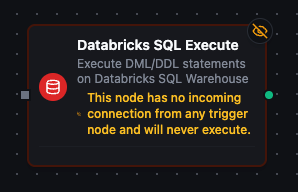
Databricks SQL Execute Node
Databricks SQL Execute Node
Execute DML/DDL statements against your Databricks SQL warehouse.
Supported Function Types:
| Function Name | Purpose | Common Use Cases |
|---|---|---|
| Execute Statement | Run INSERT, UPDATE, DELETE, MERGE, CREATE, ALTER, DROP statements | Data modifications, schema changes, incremental loads |
Node Configuration
| Parameter | Type | Required | Description |
|---|---|---|---|
| Connection | Selection | Yes | Databricks SQL connection profile to use |
| Function | Selection | Yes | Execute function from the selected connection |
| Function Parameters | Dynamic | Varies | Auto-populated from the function schema. See your Databricks SQL connection functions for full parameter details. |
| Timeout Override | Number (seconds) | No | Override the default function timeout |
Input
The node receives the output of the previous node as input. Use expressions like {{ $input[0].result }} to dynamically pass values into parameterized statements.
Output Structure
On success the node produces:
{
  "result": {
    "rowsAffected": 150
  },
  "_metadata": {
    "success": true,
    "functionId": "<function-id>",
    "durationMs": 832,
    "timestamp": "2026-04-09T10:30:00Z"
  }
}
| Field | Type | Description |
|---|---|---|
result.rowsAffected | number | Number of rows affected by the statement |
_metadata.driver, _metadata.query | string, string | The call's other facts: the driver name and the SQL that ran |
Settings Tab
Both Databricks SQL node types share the same Settings tab:
| Setting | Type | Default | Description |
|---|---|---|---|
| Description | Text | — | Optional description displayed on the node |
| Timeout (seconds) | Number | Pipeline default | Maximum time the node may run before timing out |
| Retry on Timeout | Toggle | Pipeline default | Automatically retry the node if it times out |
| Retry on Fail | Toggle | Pipeline default | Automatically retry the node if it fails |
| On Error | Selection | Pipeline default | Error strategy: Pipeline Default (the pipeline's Error Handling setting), Stop Pipeline or Continue Execution |
When left at their defaults, these settings inherit from the pipeline-level execution configuration.