Amazon Redshift Nodes
Amazon Redshift is AWS's cloud data warehouse. These nodes run SQL against it, land pipeline output in it, move data between it and S3, and read its catalog — over either of the connector's two transports.
Set the connection up first: see the Amazon Redshift Integration Guide.
Configuration Quick Reference
| Field | What you choose | Details |
|---|---|---|
| Parameters | Connection, Function, Function Parameters, Timeout Override | Select the connection profile and function, bind the function's parameters to upstream values or constants, and optionally override the timeout. |
| Settings | Description, Timeout (seconds), Retry on Timeout, Retry on Fail, On Error | Node description, maximum execution time, retry behaviour, and error handling. All execution settings default to the pipeline's. |
A node binds to a connection, and the connection decides whether statements travel over the Redshift Data API or a direct PostgreSQL-wire session. Every node below returns the same result shape either way, so re-pointing a node at a connection with the other transport does not change what downstream nodes read.
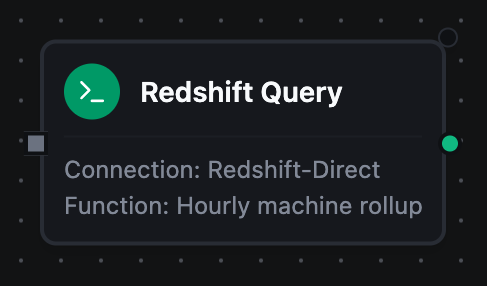
Redshift Query Node
Redshift Query Node
Run a SELECT and pass the rows downstream.
Supported Function Types:
| Function Name | Purpose | Common Use Cases |
|---|---|---|
| Query | Run a parameterised SELECT | BI aggregates, historical reads, enrichment lookups, data-quality checks |
Output
{
  "rows": [{ "machine_id": "press-02", "avg_temp": 42.7 }],
  "rowCount": 1
}
Read a value downstream as $node["Query"].result.rows[0].machine_id.
The node's _metadata carries the facts about the call rather than the data. They are listed under Output below, with every other node's.
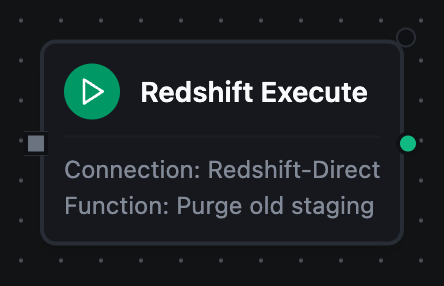
Redshift Execute Node
Redshift Execute Node
Run a statement that changes data or schema and report how many rows it touched.
Supported Function Types:
| Function Name | Purpose | Common Use Cases |
|---|---|---|
| Execute | Run DML or DDL | Targeted updates, housekeeping deletes, VACUUM / ANALYZE, DDL before a load |
Output
{ "rowsAffected": 3 }
rowsAffected is -1 when the statement type has no row count of its own, so "matched no rows" stays distinguishable from "not a counting statement".
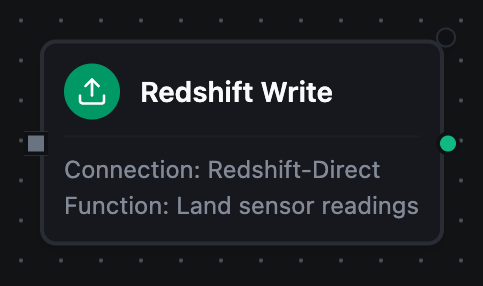
Redshift Write Node
Redshift Write Node
Insert pipeline records into a table, deriving the columns from the batch.
Supported Function Types:
| Function Name | Purpose | Common Use Cases |
|---|---|---|
| Write | Insert records with schema detection | Landing OT telemetry, persisting transform output, appending to a fact table |
Output
{ "rowsInserted": 3 }
The node's _metadata reports what the write actually did: the columns it mapped onto, skippedFields when the batch carried fields the table has no column for, and schemaEvolution when it added columns.
Write inserts through the leader node. For a large load, land the files in S3 and use the Copy From S3 node, which reads in parallel across slices.
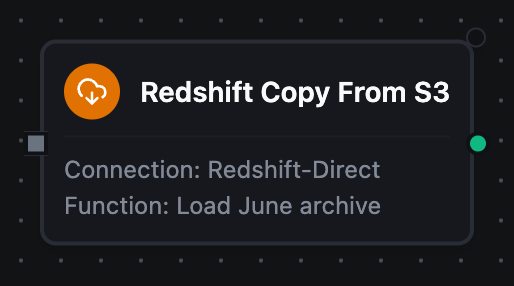
Redshift Copy From S3 Node
Redshift Copy From S3 Node
Bulk-load an S3 prefix into a table with COPY.
Supported Function Types:
| Function Name | Purpose | Common Use Cases |
|---|---|---|
| Copy From S3 | Load objects under a prefix | Ingesting archives, replaying exports, backfilling a table from a data lake |
Output
{ "table": "sensor_archive", "s3Uri": "s3://ot-archive/2024/06/", "rowsLoaded": 148213 }
COPY is executed by Redshift, which assumes the IAM role on the connection (or the one the function overrides it with). The rows never pass through the pipeline, which is what makes this the fast path — and it means MaestroHub needs no S3 permission of its own.
Redshift Unload To S3 Node
Redshift Unload To S3 Node
Export a query's result set to S3 with UNLOAD.
Supported Function Types:
| Function Name | Purpose | Common Use Cases |
|---|---|---|
| Unload To S3 | Write a result set to S3 in parallel | Handing an extract to another system, archiving a slice of history, staging for a downstream load |
Output
{ "s3Uri": "s3://exports/readings_", "rowsUnloaded": 148213 }
Like COPY, the rows go straight from Redshift to S3 — the node returns the destination and the count, not the data.
Redshift List Tables Node
Redshift List Tables Node
Enumerate the tables and views in a schema.
Supported Function Types:
| Function Name | Purpose | Common Use Cases |
|---|---|---|
| List Tables | List a schema's tables, optionally filtered | Discovering what is queryable, driving a loop over a set of tables |
Output
{
  "tables": [{ "schema": "public", "name": "sensor_history", "type": "TABLE" }],
  "count": 1
}
Redshift Describe Table Node
Redshift Describe Table Node
Return a table's columns with their types and nullability.
Supported Function Types:
| Function Name | Purpose | Common Use Cases |
|---|---|---|
| Describe Table | Read a table's column definitions | Driving a mapping step, validating a target before a write, populating a column picker |
Output
{
  "schema": "public",
  "table": "sensor_history",
  "columns": [{ "name": "machine_id", "type": "character varying", "nullable": false }],
  "columnCount": 1
}
A table that does not exist is a permanent failure rather than a retry — asking again returns the same nothing.
Output
Every Redshift node delivers its data under result, and execution facts (success, functionId, durationMs, timestamp) under _metadata.
| Node | Expression | Description |
|---|---|---|
| Query | $node["Name"].result.rows | The result rows, one object per row keyed by column name. $node["Name"].result.rows[0].<column> reads a value |
$node["Name"].result.rowCount | How many rows were delivered, the same as result.rows.length | |
| Execute | $node["Name"].result.rowsAffected | Rows the statement affected, as the transport reports it |
| Write | $node["Name"].result.rowsInserted | Rows inserted across every batch of this execution |
| Copy From S3 | $node["Name"].result.rowsLoaded | Rows COPY loaded |
$node["Name"].result.table | The table it loaded into, schema-qualified | |
$node["Name"].result.s3Uri | The prefix it read | |
| Unload To S3 | $node["Name"].result.rowsUnloaded | Rows UNLOAD wrote |
$node["Name"].result.s3Uri | The destination prefix. Redshift appends a slice number per file | |
| List Tables | $node["Name"].result.tables | One object per table, each with schema, name and type |
$node["Name"].result.count | How many tables matched | |
| Describe Table | $node["Name"].result.columns | One object per column, each with name, type and nullable |
$node["Name"].result.columnCount | How many columns the table has | |
$node["Name"].result.schema | The schema it read from | |
$node["Name"].result.table | The table it described |
A Query node's picker offers the connection's Execute and Write functions too, so a Query node bound to one of those delivers that function's key instead. result.rowsAffected and result.rowsInserted are on the Query node's contract for that reason, not because a SELECT delivers them.
The call's own facts, under _metadata
A Query adds _metadata.driver (always redshift), _metadata.rowCount, _metadata.truncated (true when the row cap cut the result short) and _metadata.columns, each column's name, type and nullability. An Execute adds _metadata.driver alone.
A Write adds _metadata.driver, _metadata.table, _metadata.batchSize, _metadata.totalRows (the rows it was given, which exceeds rowsInserted only on a partial failure) and _metadata.matchedColumns (the table columns the data was mapped onto). It adds _metadata.skippedFields when the data carried fields the table has no column for, and _metadata.schemaEvolution when evolution is on and the write added them as columns. A write that created the table first reports _metadata.tableCreated and the _metadata.columns it created.
Copy From S3 and Unload To S3 add _metadata.s3Uri, and Copy adds _metadata.table. The two discovery nodes add _metadata.schema, and Describe Table adds _metadata.table.
Every node also carries _metadata.method, _metadata.connectionId, _metadata.protocol, and _metadata.mode — either direct or dataapi, saying which transport ran it. A pipeline that must behave differently per transport branches on mode rather than on the connection's name.
truncated before you aggregateA query stopped at the row cap returns a shorter rows array that looks exactly like a complete result. Nothing fails and nothing warns, so a downstream sum, average or count is silently wrong. The cap is the connection's Max Result Rows (1000 by default), which is why _metadata.truncated rides on every query. Branch on it, or narrow the query, rather than assuming the read was complete.
Store and Forward
Write and Copy From S3 are store-and-forward eligible. With durability enabled on the binding, a batch that cannot reach the warehouse is buffered and drained when it recovers, rather than lost.
Both are non-idempotent: a replayed batch inserts the rows again, and a replayed COPY re-loads the same objects. Redshift has no upsert primitive that does not need a staging table and a merge key the caller nominates, which these operations do not model — so enabling durability is accepting dup-on-replay in exchange for not losing the write. See Store & Forward for the full contract.
Error Handling
The connector classifies failures so the durability dispatcher can tell a blip from a mistake:
| Kind of failure | Classification | Examples |
|---|---|---|
| The statement or the schema | Permanent — straight to the DLQ | Syntax error, undefined table or column, constraint violation, value too wide for its column, insufficient privilege |
| The network, the server, or concurrency | Transient — buffered and retried | Connection failure, serialisation failure, deadlock, disk full, out of memory, a WLM timeout |
A refusal names what to do about it rather than restating the failure — a write blocked by schema evolution names the fields and both ways forward; a COPY without an IAM role names the two places one can be set.
Related Nodes
- PostgreSQL nodes — Redshift's wire ancestor, for an operational database rather than a warehouse
- Amazon Athena nodes — serverless SQL over S3 with no warehouse to provision
- Snowflake nodes and BigQuery nodes — the other cloud warehouses