ODBC Nodes
ODBC is MaestroHub's universal database fallback — it reaches any database that exposes an ODBC driver (IBM Db2, Sybase / SAP ASE, Teradata, Informix, Progress OpenEdge, and other legacy or proprietary engines) through the MaestroHub ODBC Adapter. Once you have an ODBC connection and its functions, MaestroHub exposes them as pipeline nodes for read, write, and data-loading operations.
ODBC nodes run against an ODBC connection profile, which in turn talks to the MaestroHub ODBC Adapter. The adapter must be installed and running on a host that has the native ODBC driver for your database. See the ODBC Adapter Setup Guide and the ODBC Connector Guide.
Configuration Quick Reference
| Field | What you choose | Details |
|---|---|---|
| Parameters | Connection, Function, Function Parameters, Timeout Override | Select the ODBC connection profile, the function, configure its parameters with expression support, and optionally override the timeout. |
| Settings | Description, Timeout (seconds), Retry on Timeout, Retry on Fail, On Error | Node description, maximum execution time, retry behavior on timeout or failure, and error-handling strategy. All execution settings default to pipeline-level values. |
Node Types
The ODBC connector provides three specialized node types:
| Node | Purpose | Common Use Cases |
|---|---|---|
| Query | Execute SELECT queries and return structured rows | Reading KPIs from legacy DBs, data lookups, reporting |
| Execute | Execute DML/DDL statements, return rowsAffected | INSERT/UPDATE/DELETE, schema changes, stored procedures |
| Write | Load pipeline data into a table with auto schema detection | Bulk loading sensor/event data, auto-create tables from upstream nodes |
(( ))ODBC Query and Execute SQL uses ((placeholder)) templating, which the engine renders to a final SQL string before execution. Function parameters also support expression syntax ({{ expression }}) for dynamic values from the pipeline context.
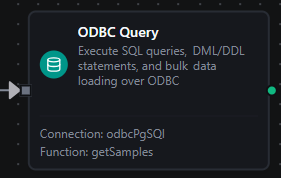
ODBC Query Node
ODBC Query Node
Execute SQL SELECT queries and return rows as structured data. Supports ((placeholder)) templating for dynamic, reusable queries.
Supported Function Types:
| Function Name | Purpose | Common Use Cases |
|---|---|---|
Query (odbc.query) | Run SELECT queries against any ODBC data source | Legacy-DB reporting, data lookups, aggregated KPI calculations |
Node Configuration
| Parameter | Type | Required | Description |
|---|---|---|---|
| Connection | Selection | Yes | ODBC connection profile to use |
| Function | Selection | Yes | Query function from the selected connection |
| Function Parameters | Dynamic | Varies | Auto-populated from the function schema. See your ODBC connection functions for full parameter details. |
| Timeout Override | Number (seconds) | No | Override the default function timeout |
Function parameters for Query:
| Parameter | Type | Required | Default | Description |
|---|---|---|---|---|
query | String | Yes | — | SELECT statement to execute (supports ((placeholder))) |
requestTimeout | Number | No | 1800 | Per-execution timeout (1–3600). The connection's Request Timeout (30s default) still applies and the shorter one wins. |
Output Structure
{
  "result": {
    "rows": [
      { "line_id": "L1", "event_count": 842, "avg_efficiency": 0.91 },
      { "line_id": "L2", "event_count": 760, "avg_efficiency": 0.88 }
    ]
  },
  "_metadata": { "success": true, "functionId": "<function-id>", "durationMs": 37, "timestamp": "2026-06-25T08:30:00Z" }
}
| Field | Type | Description |
|---|---|---|
_metadata.success | boolean | true when the function executed without errors |
_metadata.functionId | string | ID of the executed function |
result.rows | array | Result rows as objects (column name → value) |
result.rowCount | number | How many rows were delivered — the adapter's count when it reports one and nothing was cut here, else result.rows.length |
_metadata.truncated | boolean | true when the query hit a result limit and rows holds only what fit — the first 20,000 rows at the default cap, or fewer when the size budget tripped first |
_metadata.truncatedBy | string | Which limit cut the result — rows or bytes. Present only when truncated is true |
_metadata.driver, _metadata.query | string, string | The call's other facts: the driver name and the SQL that ran |
result.rowsAffected | number | Instead of rows, when the function bound to this node is an Execute function |
result.rowsInserted | number | Instead of rows, when the function bound to this node is a Write function |
_metadata.durationMs | number | Execution time in milliseconds |
_metadata.timestamp | string | ISO 8601 / RFC 3339 UTC timestamp |
The call's own facts ride along under _metadata next to the four every connected node carries — $node["Name"]._metadata.driver, $node["Name"]._metadata.query (the SQL that ran), $node["Name"]._metadata.dialect (the dialect the adapter resolved) , $node["Name"]._metadata.truncated and — only when that is true — $node["Name"]._metadata.truncatedBy (rows or bytes). Count rows with $node["Name"].result.rowCount.
truncated before you aggregateA query stopped at the row limit returns a shorter rows array that looks exactly like a complete result. Nothing fails and nothing warns, so a downstream sum, average or count is silently wrong. The limits are the connectors module's queryResultMaxRows (20,000 rows by default — the 20,000-row cap) and queryResultMaxBytes (25 MB by default), whichever trips first — branch on _metadata.truncated, or narrow the query, rather than assuming the read was complete; _metadata.truncatedBy says which limit did it.
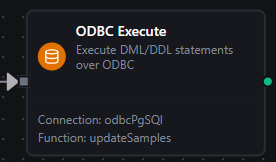
ODBC Execute Node
ODBC Execute Node
Execute DML/DDL statements (INSERT, UPDATE, DELETE, CREATE, ALTER, DROP) and return rowsAffected. Use for data modifications and schema changes.
Supported Function Types:
| Function Name | Purpose | Common Use Cases |
|---|---|---|
Execute (odbc.execute) | Run any DML/DDL statement or stored procedure call | Data modifications, schema migrations, maintenance tasks |
Node Configuration
| Parameter | Type | Required | Description |
|---|---|---|---|
| Connection | Selection | Yes | ODBC connection profile to use |
| Function | Selection | Yes | Execute function from the selected connection |
| Function Parameters | Dynamic | Varies | Auto-populated from the function schema |
| Timeout Override | Number (seconds) | No | Override the default function timeout |
Function parameters for Execute:
| Parameter | Type | Required | Default | Description |
|---|---|---|---|---|
query | String | Yes | — | DML/DDL statement to execute (supports ((placeholder))) |
requestTimeout | Number | No | 1800 | Per-execution timeout (1–3600). The connection's Request Timeout (30s default) still applies and the shorter one wins. |
Output Structure
{
  "result": {
    "rowsAffected": 12
  },
  "_metadata": { "success": true, "functionId": "<function-id>", "durationMs": 21, "timestamp": "2026-06-25T08:30:00Z" }
}
| Field | Type | Description |
|---|---|---|
_metadata.success | boolean | true when the function executed without errors |
_metadata.functionId | string | ID of the executed function |
result.rowsAffected | number | Rows affected by the statement |
_metadata.driver, _metadata.query | string, string | The call's other facts: the driver name and the SQL that ran |
_metadata.durationMs | number | Execution time in milliseconds |
_metadata.timestamp | string | ISO 8601 / RFC 3339 UTC timestamp |
The Execute node runs arbitrary SQL, so it is intentionally not Store & Forward eligible — replaying arbitrary statements is unsafe. Use the Write node for durable, replay-tolerant data loading.

ODBC Write Node
ODBC Write Node
Load pipeline data into a table with automatic schema detection. The column set is inferred from the incoming records, the whole write runs in one transaction, and the table can be auto-created when the connection's SQL dialect is recognized.
Supported Function Types:
| Function Name | Purpose | Common Use Cases |
|---|---|---|
Write (odbc.write) | Load structured data into a table | Bulk sensor/event ingestion, auto-create tables from pipeline data |
Node Configuration
| Parameter | Type | Required | Description |
|---|---|---|---|
| Connection | Selection | Yes | ODBC connection profile to use |
| Function | Selection | Yes | Write function from the selected connection |
| Function Parameters | Dynamic | Varies | Auto-populated from the function schema |
| Timeout Override | Number (seconds) | No | Override the default function timeout |
Function parameters for Write:
| Parameter | Type | Required | Default | Description |
|---|---|---|---|---|
table | String | Yes | — | Target table (supports ((placeholder))) |
data | Array / Object | No | upstream input | Row data to write — usually bound from an upstream node |
schema | Object | No | — | Type hints for table creation (field → type, e.g. {"temp":"Float64"}) |
createTableIfNotExists | Boolean | No | false | Auto-create the table if absent (recognized dialects only) |
batchSize | Number | No | 500 | Rows per INSERT batch (1–10,000) |
requestTimeout | Number | No | 1800 | Per-execution timeout (1–3600). The connection's Request Timeout (30s default) still applies and the shorter one wins. |
Output Structure
{
  "result": {
    "rowsInserted": 1300
  },
  "_metadata": { "success": true, "functionId": "<function-id>", "durationMs": 240, "timestamp": "2026-06-25T08:30:00Z" }
}
| Field | Type | Description |
|---|---|---|
_metadata.success | boolean | true when the function executed without errors |
_metadata.functionId | string | ID of the executed function |
result.rowsInserted | number | Total rows successfully inserted |
_metadata.durationMs | number | Execution time in milliseconds |
_metadata.timestamp | string | ISO 8601 / RFC 3339 UTC timestamp |
The call's own facts ride along under _metadata next to the four every connected node carries — $node["Name"]._metadata.driver, $node["Name"]._metadata.table, $node["Name"]._metadata.tableCreated (whether the node created it), $node["Name"]._metadata.batches (how many INSERT batches ran) and $node["Name"]._metadata.totalRows (the rows it was given).
If the connection's dialect resolved to unknown at CONNECT, Create Table If Not Exists fails loudly with a permanent HYC00 before any DDL runs — the adapter refuses to guess a schema. Pre-create the table and write without auto-create. Query, Execute, and writes to existing tables work regardless of dialect.
Settings Tab
All ODBC node types share the same Settings tab:
| Setting | Type | Default | Description |
|---|---|---|---|
| Description | Text | — | Optional description displayed on the node |
| Timeout (seconds) | Number | Pipeline default | Maximum time the node may run before timing out |
| Retry on Timeout | Toggle | Pipeline default | Automatically retry the node if it times out |
| Retry on Fail | Toggle | Pipeline default | Automatically retry the node if it fails |
| On Error | Selection | Pipeline default | Error strategy: Pipeline Default (the pipeline's Error Handling setting), Stop Pipeline or Continue Execution |
When left at their defaults, these settings inherit from the pipeline-level execution configuration.
The ODBC adapter classifies each database failure as transient (connection/deadlock/timeout — safe to retry) or permanent (everything else). Pair Retry on Fail with this: transient failures recover on retry, while permanent ones (bad SQL, constraint violations) should follow the On Error path instead. See Error Handling for the full classification.