MongoDB Nodes
MongoDB is a flexible document database widely used for IoT data, application backends, and real-time analytics. MaestroHub provides five dedicated nodes for querying, aggregating, inserting, updating, and deleting documents within your pipelines.
Configuration Quick Reference
| Field | What you choose | Details |
|---|---|---|
| Parameters | Connection, Function, Function Parameters, Timeout Override | Select the connection profile, function, configure function parameters with expression support, and optionally override timeout. |
| Settings | Description, Timeout (seconds), Retry on Timeout, Retry on Fail, On Error | Node description, maximum execution time, retry behavior on timeout or failure, and error handling strategy. All execution settings default to pipeline-level values. |
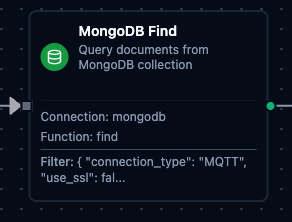
MongoDB Find Node
MongoDB Find Node
Query documents from a MongoDB collection with filters, projections, and sorting.
Supported Function Types:
| Function Name | Purpose | Common Use Cases |
|---|---|---|
| Find | Query documents using MongoDB query syntax with optional projection, sort, and limit | Dashboard data retrieval, filtered lookups, paginated queries |
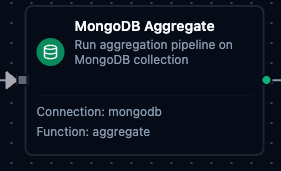
MongoDB Aggregate Node
MongoDB Aggregate Node
Run an aggregation pipeline on a MongoDB collection for complex transformations and analytics.
Supported Function Types:
| Function Name | Purpose | Common Use Cases |
|---|---|---|
| Aggregate | Execute multi-stage aggregation pipelines with $match, $group, $sort, $lookup, and more | Shift reports, KPI calculations, grouped statistics, data transformations |
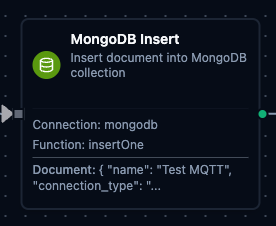
MongoDB Insert Node
MongoDB Insert Node
Insert a single document into a MongoDB collection.
Supported Function Types:
| Function Name | Purpose | Common Use Cases |
|---|---|---|
| Insert One | Insert a JSON document into a collection with template parameter support | Sensor data ingestion, audit logging, event archival |
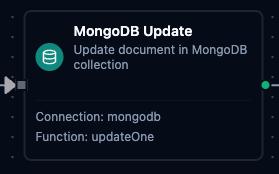
MongoDB Update Node
MongoDB Update Node
Update a single document in a MongoDB collection using MongoDB update operators.
Supported Function Types:
| Function Name | Purpose | Common Use Cases |
|---|---|---|
| Update One | Update a matched document using $set, $inc, $push, and other operators, optionally inserting one when nothing matches (Upsert) | Status updates, counter increments, device state synchronization |
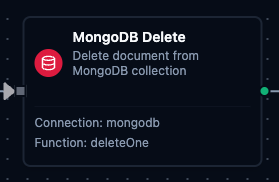
MongoDB Delete Node
MongoDB Delete Node
Delete a single document from a MongoDB collection that matches a given filter.
Supported Function Types:
| Function Name | Purpose | Common Use Cases |
|---|---|---|
| Delete One | Remove a document matching a filter criteria | Expired record cleanup, processed queue removal, temporary data deletion |
Output
Every MongoDB node delivers its data under result, and execution facts (success, functionId, durationMs, timestamp) under _metadata:
| Node | Expression | Description |
|---|---|---|
| Find, Aggregate | $node["Name"].result.rows | The matching documents, one object each with its _id, up to the configured limit. $node["Name"].result.rows[0].<field> reads a value |
$node["Name"].result.rowCount | How many documents were delivered | |
| Insert One | $node["Name"].result.insertedId | The _id of the inserted document — the ObjectID the server assigned, or the _id the document carried |
| Update One | $node["Name"].result.matchedCount | Documents the filter matched (0 or 1) |
$node["Name"].result.modifiedCount | Documents the update changed — 0 when the match already had the values | |
$node["Name"].result.upsertedCount | 1 when Upsert inserted a document, otherwise 0 | |
$node["Name"].result.upsertedId | The _id of the upserted document, null when nothing was upserted | |
| Delete One | $node["Name"].result.deletedCount | Documents deleted (0 or 1) |
The call's own facts ride along under _metadata next to the four every connected node carries: $node["Name"]._metadata.database and $node["Name"]._metadata.collection name where the call ran.