Bigtable Nodes
Google Cloud Bigtable is GCP's petabyte-scale NoSQL wide-column store. MaestroHub provides five nodes covering the single-row operations, the range scan and the bulk write, so a pipeline can look a row up, scan a device's history, land a batch, or clean up — all against the table its connection profile names.
Cells cross the boundary as plain JSON. A read delivers a list of cell objects, each with its family, column, value and the cell's own timestamp, so a downstream node reads result.cells[0].value rather than a protobuf field.
Configuration Quick Reference
| Field | What you choose | Details |
|---|---|---|
| Parameters | Connection, Function, Function Parameters, Timeout Override | Select the connection profile (which fixes the project, instance and table), the function, values for any ((parameter)) the function uses, and optionally a timeout override. |
| Settings | Description, Timeout (seconds), Retry on Timeout, Retry on Fail, On Error | Node description, maximum execution time, retry behavior on timeout or failure, and error handling strategy. All execution settings default to pipeline-level values. |
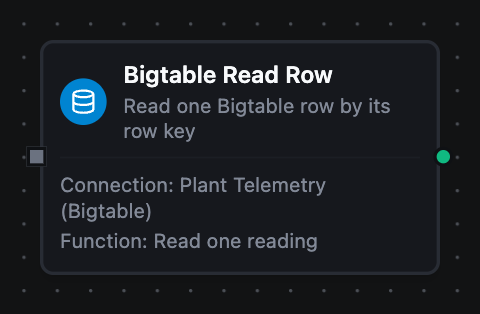
Bigtable Read Row Node
Bigtable Read Row Node
Read one row by its exact row key, optionally narrowed to particular column families, columns or cell versions.
A key that matches nothing is not an error. The node succeeds with result.found false and no cells, so a pipeline branches on the lookup instead of routing it through failure handling.
Supported Function Types:
| Function Name | Purpose | Common Use Cases |
|---|---|---|
| Read Row | Read a single row by key, optionally filtered to a family, a column or a version count | Enrichment lookups, reading a machine's current state, existence checks before a write |
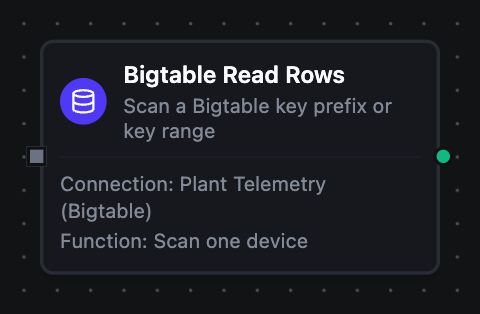
Bigtable Read Rows Node
Bigtable Read Rows Node
Scan a contiguous run of rows — everything under a key prefix, or a half-open start-to-end range.
Bigtable stores rows sorted by key, so a well-chosen prefix reads only the tablets that hold it. The row cap and every family, column and version filter are applied by Bigtable itself, so nothing is streamed and then thrown away.
Supported Function Types:
| Function Name | Purpose | Common Use Cases |
|---|---|---|
| Read Rows | Scan a prefix or a key range with a server-side row cap and filters | Time-window reads per device, replaying a day of history, exporting a small lookup table |
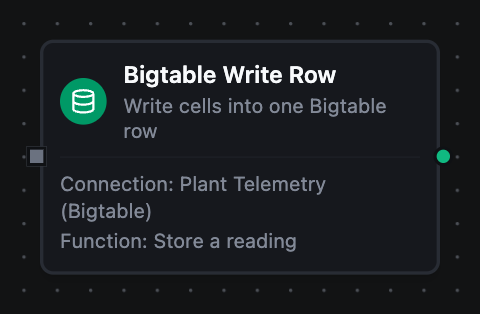
Bigtable Write Row Node
Bigtable Write Row Node
Write a set of cells into one row, creating the row when it does not exist.
Columns the write does not name are left alone, so this both inserts and patches. The cells carry an explicit timestamp, which is what makes a buffered write overwrite the same cells on replay rather than stack another version behind them.
Supported Function Types:
| Function Name | Purpose | Common Use Cases |
|---|---|---|
| Write Row | Write cells into a single row at an explicit timestamp | Persisting a reading, patching one column, backfilling a historical cell |
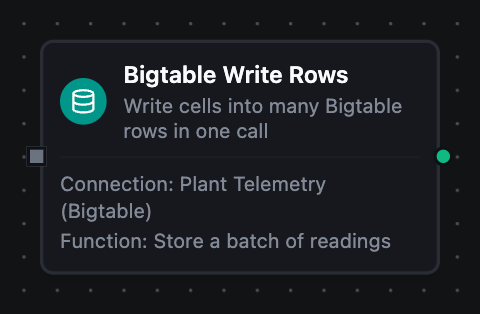
Bigtable Write Rows Node
Bigtable Write Rows Node
Write cells into many rows in a single bulk call.
This is the shape a time-series pipeline needs, where one upstream batch turns into hundreds of rows. Any row Bigtable refuses fails the whole operation and names the rows that failed, so nothing is silently half-written — and because the writes carry explicit timestamps, retrying the whole batch is safe.
Supported Function Types:
| Function Name | Purpose | Common Use Cases |
|---|---|---|
| Write Rows | Write many rows in one bulk call, each optionally at its own timestamp | Landing a window of readings, fanning a transform's array into the table, backfilling a day of history |
Bigtable Delete Row Node
Bigtable Delete Row Node
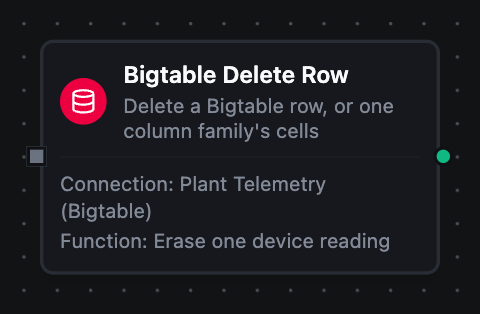
Delete every cell in a row, or — when a column family is named — only that family's cells.
Deleting a row that does not exist succeeds and changes nothing, which makes this node safe to replay.
Supported Function Types:
| Function Name | Purpose | Common Use Cases |
|---|---|---|
| Delete Row | Remove a whole row, or scope the delete to one column family | Retention cleanup, erasure requests, clearing a staging family after a step |
Paging through a scan
Limit is sent to Bigtable, so it bounds what the service reads rather than trimming a full result set afterwards. A Bigtable range is routinely millions of rows, so this is the difference between a bounded read and one whose cost scales with the table.
result.truncated says the scan stopped at the limit. To continue, set the next run's Start Key just past the last rowKey delivered — there is no opaque cursor, because row keys are the cursor.
truncated is true exactly when a full page came back, so it is also true on the last page of a range that happens to hold exactly Limit rows. A follow-up scan returning nothing is the definitive end.
Output
Every Bigtable node delivers its data under result, and execution facts under _metadata:
| Node | Expression | Description |
|---|---|---|
| All nodes | $node["Name"].result.table | The table the operation ran against |
| Read Row | $node["Name"].result.found | Whether a row exists at that key — a miss is a normal result, so branch on this rather than on failure |
$node["Name"].result.rowKey | The row key that was asked for | |
$node["Name"].result.cells | One entry per cell version returned, empty when found is false. Each carries family, column, value and timestamp — the cell's own Bigtable timestamp, which for a time-series table is the sample time rather than the write time. $node["Name"].result.cells[0].value reads a value | |
| Read Rows | $node["Name"].result.rows | The matching rows in key order, each with its own rowKey and cells. $node["Name"].result.rows[0].cells[0].value reads a value |
$node["Name"].result.rowCount | How many rows were delivered | |
$node["Name"].result.truncated | Whether the scan stopped at the row limit — resume from the last rowKey delivered | |
| Write Row | $node["Name"].result.rowKey | The row the cells were written to |
$node["Name"].result.cellCount | How many cells the write set — worth checking when a templated cells object came out smaller than expected | |
| Write Rows | $node["Name"].result.rowCount | How many rows the bulk write landed. Always every row, since any per-row refusal fails the whole operation |
$node["Name"].result.cellCount | How many cells those rows carried in total | |
| Delete Row | $node["Name"].result.rowKey | The row that was deleted — deleting an absent row succeeds and changes nothing |
$node["Name"].result.columnFamily | The single family whose cells were deleted, present only when the delete was scoped to one |
Alongside the engine's own success, functionId, durationMs and timestamp, each node carries the connector's facts about the call:
| Expression | Description |
|---|---|
$node["Name"]._metadata.method | The operation that ran, e.g. bigtable.readRows |
$node["Name"]._metadata.protocol | Always bigtable |
$node["Name"]._metadata.connectionId | The connection profile the call went through |
Cell values are text by default and base64 when the function's Value Encoding says so, so a binary column survives the round trip rather than being mangled into UTF-8. See the connection guide for when to use which.