Google Cloud Dataflow Nodes
MaestroHub provides native Google Cloud Dataflow integration for Apache Beam stream and batch pipelines. Use these nodes to launch jobs from templates, follow how they are going, read their counters, and stop them.
Configuration Quick Reference
| Field | What you choose | Details |
|---|---|---|
| Parameters | Connection, Function, Function Parameters, Timeout Override | Select the connection profile, function, configure function parameters with expression support, and optionally override the timeout. |
| Settings | Description, Timeout (seconds), Retry on Timeout, Retry on Fail, On Error | Node description, maximum execution time, retry behavior on timeout or failure, and error handling strategy. All execution settings default to pipeline-level values. |
Node Types
The Dataflow connector provides seven node types across launching, following and stopping:
| Node | Purpose | Common Use Cases |
|---|---|---|
| Launch Flex Template | Start a job from a Flex Template and return its job ID | Nightly aggregations, per-day backfills, catch-up loads on bigger workers |
| Launch Classic Template | Start a job from a classic template | The Google-provided template library, templates built before Flex Templates |
| Get Job | Read a job's state, timings and template source | Waiting for a job, branching on the outcome, confirming a drain finished |
| List Jobs | List the jobs in the region | Discovery before launching a replacement, estate inventory |
| Cancel or Drain Job | Stop a running job | Blue/green redeploys, stopping a runaway backfill |
| Get Job Metrics | Read a job's metric snapshot | Asserting an element count, reading a custom Beam counter |
| List Job Messages | Read a job's log messages | Surfacing why a job failed, collecting warnings |
Launch Flex Template and Launch Classic Template return as soon as Dataflow accepts the request. Dataflow jobs run for minutes to hours, so a node that blocked until completion would hold the whole pipeline open. Pair each Launch node with Get Job in a later step.
The region comes from the connection. A job launched through one connection is invisible to a connection pointed at a different region.
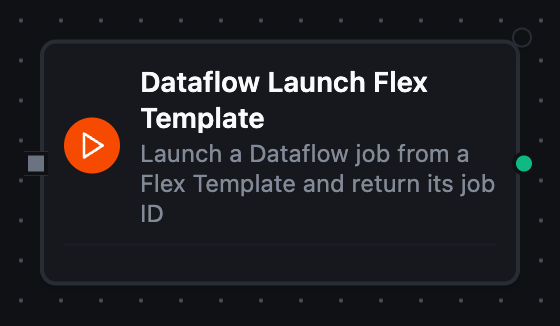
Dataflow Launch Flex Template Node
Dataflow Launch Flex Template Node
Launches a job from a Flex Template spec in Cloud Storage with optional per-launch template parameters and worker overrides, and returns the job ID immediately.
Configuration: Job Name (required, templatable), Template Spec Path (required, gs://, templatable), Template Parameters (JSON object of string values, templatable), and the worker overrides Machine Type, Max Workers, Initial Workers, Worker Service Account, Temp Location, Subnetwork.
Output
| Key | What it is |
|---|---|
result.jobId | The job ID Dataflow assigned — pass it to Get Job to follow the run |
result.jobName | The name Dataflow accepted, which can differ from the one asked for when it disambiguates |
result.jobType | JOB_TYPE_BATCH or JOB_TYPE_STREAMING, as the template declares |
result.region | The regional endpoint the job runs in |
result.createTime | When Dataflow recorded the job, RFC3339 |
A later node reads the handle as $node["Launch Flex Template"].result.jobId.
Dataflow answers a launch with the job it recorded, not a state. The job's first state — and every one after it — come from Get Job.
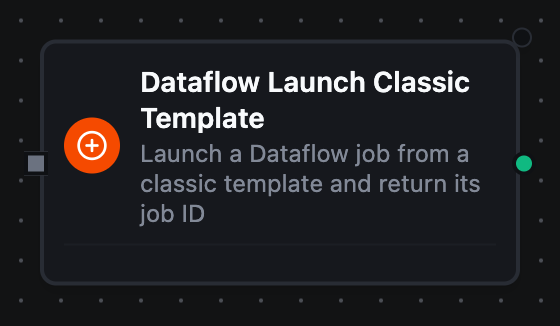
Dataflow Launch Classic Template Node
Dataflow Launch Classic Template Node
Launches a job from a classic template staged in Cloud Storage — the shape every Google-provided template under gs://dataflow-templates uses.
Configuration: Job Name (required, templatable), Template Path (required, gs://, templatable), Template Parameters (JSON object of string values, templatable), and the same worker overrides as the Flex launch. Classic templates usually require Temp Location.
Output
| Key | What it is |
|---|---|
result.jobId | The job ID Dataflow assigned — pass it to Get Job to follow the run |
result.jobName | The name Dataflow accepted, which can differ from the one asked for when it disambiguates |
result.jobType | JOB_TYPE_BATCH or JOB_TYPE_STREAMING, as the template declares |
result.region | The regional endpoint the job runs in |
result.createTime | When Dataflow recorded the job, RFC3339 |
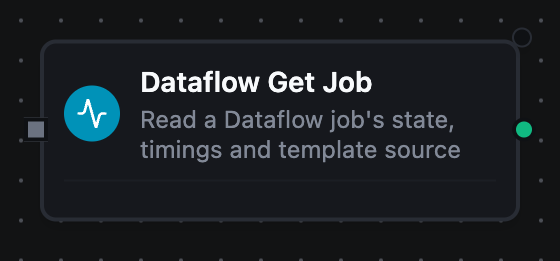
Dataflow Get Job Node
Dataflow Get Job Node
Reads one job by ID. This is the polling half of a launch — loop over it until the state is terminal, then branch on how it ended.
Configuration: Job ID (required, templatable).
Output
| Key | What it is |
|---|---|
result.jobId | The job this is about |
result.jobName | The job's name |
result.currentState | JOB_STATE_RUNNING, JOB_STATE_DONE, JOB_STATE_FAILED, JOB_STATE_CANCELLED, JOB_STATE_DRAINED or one of Dataflow's other job states |
result.currentStateTime | When the job entered that state, RFC3339 |
result.requestedState | The state a cancel or drain asked for — empty on a job nobody has asked to stop |
result.jobType | JOB_TYPE_BATCH or JOB_TYPE_STREAMING |
result.region | The regional endpoint the job runs in |
result.createTime | When the job was created, RFC3339 |
result.startTime | When Dataflow started the workers, RFC3339 — empty while the job is still queued |
result.sdkVersion | The Beam SDK version the job runs — empty until the workers report it |
result.labels | The job's labels, one key per label — empty on an unlabelled job |
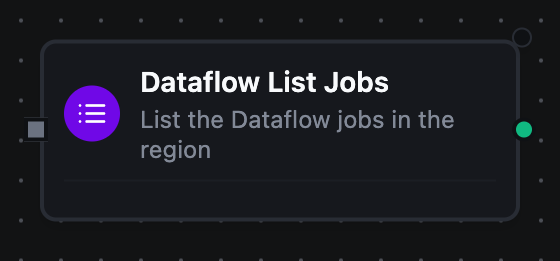
Dataflow List Jobs Node
Dataflow List Jobs Node
Returns the jobs in the region, optionally narrowed to only the active or only the terminated ones.
Configuration: Filter (ALL, ACTIVE, TERMINATED — applied by Dataflow), Name Filter (a substring applied to the results, templatable), Max Items.
Output
| Key | What it is |
|---|---|
result.jobs | One object per job — jobId, jobName, currentState, currentStateTime, jobType, region and createTime |
result.jobCount | How many were listed |
result.truncated | Whether the item budget stopped the listing before the region ran out of jobs |
jobs is always a list, so a ForEach over a region with no matching jobs does nothing rather than failing on a missing source.
Dataflow Cancel or Drain Job Node
Dataflow Cancel or Drain Job Node
Asks Dataflow to stop a running job. Cancelling halts processing at once and discards in-flight data; draining stops ingestion and lets buffered work finish, which is the safe choice for a streaming job.
Configuration: Job ID (required, templatable), Requested State (JOB_STATE_CANCELLED or JOB_STATE_DRAINED — draining is streaming-only).
Output
| Key | What it is |
|---|---|
result.jobId | The job that was asked to stop |
result.jobType | JOB_TYPE_BATCH or JOB_TYPE_STREAMING |
result.requestedState | The state that was asked for — JOB_STATE_CANCELLED or JOB_STATE_DRAINED |
Dataflow answers a state change with almost nothing — no state of its own. So
this node tells you what was asked for, not what happened. Follow it with
Get Job to see the job reach JOB_STATE_CANCELLING / JOB_STATE_DRAINING
and then its terminal state.
Dataflow Get Job Metrics Node
Dataflow Get Job Metrics Node
Returns the metric values Dataflow recorded for a job — element counts per step, worker time, and any custom counters the Beam pipeline publishes.
Configuration: Job ID (required, templatable), Since (RFC 3339, templatable), Max Items.
Output
| Key | What it is |
|---|---|
result.metrics | One object per metric — name, origin, step, kind, value, cumulative and updateTime. value is whichever of Dataflow's typed value fields this metric's kind populated |
result.metricCount | How many were delivered |
result.metricTime | The instant the snapshot describes, RFC3339 |
result.truncated | Whether the item budget cut the snapshot short |
Dataflow List Job Messages Node
Dataflow List Job Messages Node
Returns the messages Dataflow logged for a job, filtered by minimum importance.
Configuration: Job ID (required, templatable), Minimum Importance, From / Until (RFC 3339, templatable), Max Items.
Output
| Key | What it is |
|---|---|
result.messages | One object per message — id, importance, text and time. A failed job records why it failed here and nowhere else in the API |
result.messageCount | How many were delivered |
result.truncated | Whether the item budget stopped the listing before the job ran out of messages |
Pipeline Patterns
Launch, wait, read
The shape most Dataflow pipelines take:
- Launch Flex Template emits
jobId - A Delay node waits
- Get Job reads the state with
$node["Launch Flex Template"].result.jobId - A Condition node branches on
currentState— loop back to the delay onJOB_STATE_RUNNING, continue onJOB_STATE_DONE, and onJOB_STATE_FAILEDrun List Job Messages so the alert carries the cause
Drain before redeploy
Cancel or Drain Job with JOB_STATE_DRAINED, then Get Job until currentState is JOB_STATE_DRAINED, then Launch Classic Template for the replacement. Draining rather than cancelling is what keeps the buffered work.
Assert a load before trusting it
Get Job Metrics reads ElementCount for the write step; a Condition node compares it against the expected row count before any downstream node consumes the output.
Related
- Google Cloud Dataflow connection guide — connection setup, IAM permissions and function configuration