Amazon Athena Nodes
MaestroHub provides native Amazon Athena integration for running serverless Presto/Trino SQL over data in Amazon S3 via the AWS Glue Data Catalog. Athena is read-only OLAP — use these nodes to query archived telemetry, browse databases and tables, and run long scans asynchronously without provisioning a warehouse.
Configuration Quick Reference
| Field | What you choose | Details |
|---|---|---|
| Parameters | Connection, Function, Function Parameters, Timeout Override | Select the connection profile, function, configure function parameters with expression support, and optionally override the timeout. |
| Settings | Description, Timeout (seconds), Retry on Timeout, Retry on Fail, On Error | Node description, maximum execution time, retry behavior on timeout or failure, and error handling strategy. All execution settings default to pipeline-level values. |
Node Types
The Athena connector provides five node types for querying and catalog discovery:
| Node | Purpose | Common Use Cases |
|---|---|---|
| Query | Run SQL and wait for results (poll to completion) | Analytical reads, KPI backfills, joining pipeline data against S3 tables |
| Start Async Query | Start a query and return its execution ID without waiting | Long-running scans, decoupling submission from retrieval |
| Get Query Results | Fetch the rows of a previously started query by execution ID | Retrieving async results, polling a scheduled query |
| List Databases | List databases (schemas) in the data catalog | Discovery, iterating over multiple databases |
| List Tables | List tables in a database, optionally filtered by regex | Discovery, catalog-driven iteration |
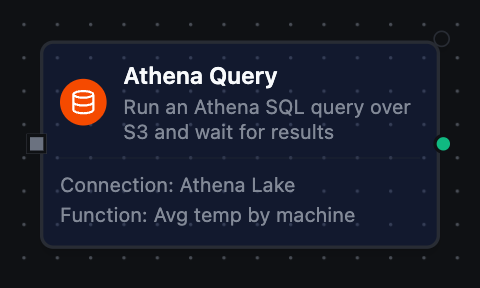
Amazon Athena Query Node
Amazon Athena Query Node
Start an Athena SQL query, poll until it completes, and return the result rows as structured records with a columns schema, rowCount, and a truncated flag. Supports parameterized SQL with ((param)) syntax and per-query database/catalog overrides.
Supported Function Types:
| Function Name | Purpose | Common Use Cases |
|---|---|---|
| Query | Run SQL and wait for results | Analytics reads, KPI backfills, cross-table joins over S3 data |
See the Query function reference for configuration fields and response format.
Cap large scans with Max Rows and watch the truncated flag in the output — a true value means the result set hit the row limit and was cut short.
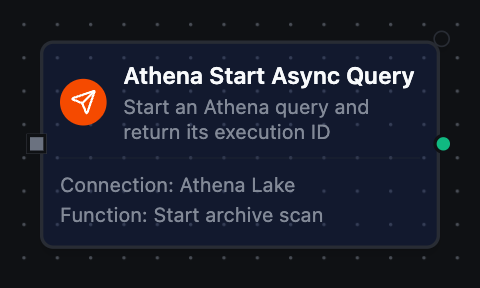
Amazon Athena Start Async Query Node
Amazon Athena Start Async Query Node
Start an Athena SQL query and immediately return its query execution ID without waiting for completion. Pair with a Get Query Results node to fetch the rows once the query has finished.
Supported Function Types:
| Function Name | Purpose | Common Use Cases |
|---|---|---|
| Start Async Query | Start a query, return its execution ID | Long-running scans, fan-out submission, non-blocking pipelines |
See the Start Async Query function reference for configuration fields and response format.
Bind the returned queryExecutionId to a downstream Get Query Results node with {{ $input[0].result.queryExecutionId }} to complete the start → fetch pattern.
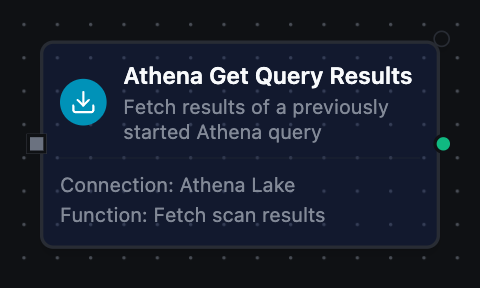
Amazon Athena Get Query Results Node
Amazon Athena Get Query Results Node
Fetch the result rows of a query that was previously started, using its query execution ID. Returns the rows once the query has succeeded, or an error describing the query's current state if it has not yet completed.
Supported Function Types:
| Function Name | Purpose | Common Use Cases |
|---|---|---|
| Get Query Results | Fetch rows for an execution ID | Retrieving async results, polling a scheduled query to completion |
See the Get Query Results function reference for configuration fields and response format.
Enable Retry on Fail so the node re-polls while the query is still running — a not-yet-complete execution returns an error the retry can recover from.
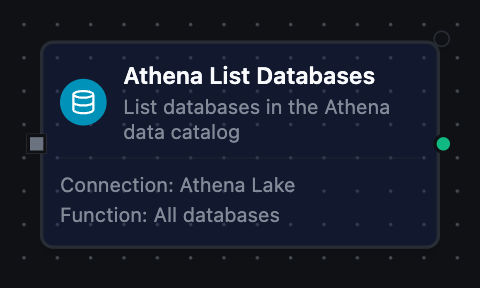
Amazon Athena List Databases Node
Amazon Athena List Databases Node
List the databases (schemas) available in the configured data catalog. Use for discovery and to drive pipelines that iterate over multiple databases.
Supported Function Types:
| Function Name | Purpose | Common Use Cases |
|---|---|---|
| List Databases | List databases in the data catalog | Discovery wizards, iterating over schemas |
See the List Databases function reference for configuration fields and response format.
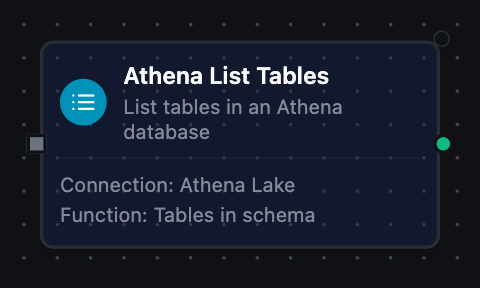
Amazon Athena List Tables Node
Amazon Athena List Tables Node
List the tables in a database within the data catalog, optionally filtered by a regular expression. Each entry includes the table name, type, and column schema.
Supported Function Types:
| Function Name | Purpose | Common Use Cases |
|---|---|---|
| List Tables | List tables in a database | Discovery, catalog-driven iteration over matching tables |
See the List Tables function reference for configuration fields and response format.
Pair a List Tables node (with a Name Filter regex) with a Query node: discover the matching tables first, then fan out a query over each one.
Output
Every Athena node delivers its data under result, and execution facts (success, functionId, durationMs, timestamp) under _metadata:
| Node | Expression | Description |
|---|---|---|
| Query, Get Query Results | $node["Name"].result.rows | One object per row keyed by column name, up to Max Rows. $node["Name"].result.rows[0].<column> reads a value |
$node["Name"].result.columns | The result schema — name and Athena type per column | |
$node["Name"].result.rowCount | How many rows were delivered | |
$node["Name"]._metadata.truncated | true when the row limit cut the result short — a fact about the call, so it rides with the execution facts | |
| Start Async Query | $node["Name"].result.queryExecutionId | The execution to pass to a Get Query Results node |
$node["Name"].result.state | QUEUED — the query has been accepted, not run | |
| List Databases | $node["Name"].result.databases, $node["Name"].result.count | One object per database (name, description) and how many |
| List Tables | $node["Name"].result.tables, $node["Name"].result.count | One object per table (name, tableType, columns with name and type each) and how many |
The call's own facts ride along under _metadata next to the four every connected node carries. Query and Get Query Results deliver $node["Name"]._metadata.queryExecutionId, _metadata.state, _metadata.dataScannedInBytes, _metadata.engineExecutionTimeMs and _metadata.statementType; Start Async Query delivers _metadata.queryExecutionId; List Databases delivers _metadata.catalog, and List Tables _metadata.catalog and _metadata.database. Every node also carries _metadata.method, _metadata.connectionId and _metadata.protocol.