Microsoft SQL Server Nodes
MaestroHub delivers full support for Microsoft SQL Server with native T-SQL syntax, parameter binding, and connection tuning so you can integrate enterprise workloads.
Configuration Quick Reference
| Field | What you choose | Details |
|---|---|---|
| Parameters | Connection, Function, Function Parameters, Timeout Override | Select the connection profile, function, configure function parameters with expression support, and optionally override timeout. |
| Settings | Description, Timeout (seconds), Retry on Timeout, Retry on Fail, On Error | Node description, maximum execution time, retry behavior on timeout or failure, and error handling strategy. All execution settings default to pipeline-level values. |
Node Types
Microsoft SQL Server connector provides three specialized node types for different operation patterns:
| Node | Purpose | Common Use Cases |
|---|---|---|
| Query | Execute SELECT queries and return structured rows | Reporting dashboards, data lookups, KPI calculations |
| Execute | Execute DML/DDL statements, return rows affected | INSERT/UPDATE/DELETE statements, schema changes, stored procedures |
| Write | Load pipeline data into a table with auto schema detection | Bulk sensor ingestion, auto-create tables, data loading from upstream nodes |
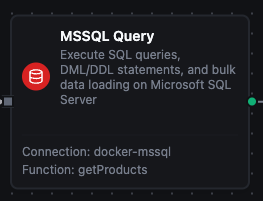
MSSQL Query Node
MSSQL Query Node
Execute SQL SELECT queries and return rows as structured data. Supports parameterized queries with @p1 style placeholders.
Supported Function Types:
| Function Name | Purpose | Common Use Cases |
|---|---|---|
| Query | Run parameterized SELECT queries against SQL Server | Reporting dashboards, data lookups, aggregated KPI calculations |
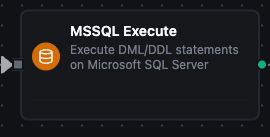
MSSQL Execute Node
MSSQL Execute Node
Execute DML/DDL statements (INSERT, UPDATE, DELETE, CREATE, ALTER, DROP) and return rowsAffected. Use for data modifications and schema changes.
Supported Function Types:
| Function Name | Purpose | Common Use Cases |
|---|---|---|
| Execute | Run any T-SQL statement or stored procedure call | Data modifications, schema migrations, maintenance tasks |

MSSQL Write Node
MSSQL Write Node
Load pipeline data into an MSSQL table. Write reads the table's columns and maps the incoming data fields to them, in batches of Batch Size rows. With Create Table If Not Exists on, it creates a missing table first. With Allow Schema Evolution on, it adds a column when the data carries a field the table has no column for. See the Write Function for its fields.
Supported Function Types:
| Function Name | Purpose | Common Use Cases |
|---|---|---|
| Write | Load structured data into an MSSQL table | Bulk sensor ingestion, auto-create tables from pipeline data, data loading |
Output
Every SQL Server node delivers its data under result, and execution facts (success, functionId, durationMs, timestamp) under _metadata:
| Node | Expression | Description |
|---|---|---|
| Query | $node["Name"].result.rows | The result rows — one object per row keyed by column name, up to the result limits — the 20,000-row cap and the 25 MB size budget by default. $node["Name"].result.rows[0].<column> reads a value |
$node["Name"]._metadata.truncated | true when the query hit a result limit and rows holds only what fit — the first 20,000 rows at the default cap, or fewer when the size budget tripped first | |
$node["Name"]._metadata.truncatedBy | Which limit cut the result — rows or bytes. Present only when truncated is true | |
$node["Name"].result.rowCount | How many rows were delivered — the same as result.rows.length | |
| Execute | $node["Name"].result.rowsAffected | Rows the statement affected, as the driver reports it |
| Write | $node["Name"].result.rowsInserted | Rows inserted across every batch of this execution |
The call's own facts ride along under _metadata next to the four every connected node carries. A Query delivers $node["Name"]._metadata.driver (the driver name), $node["Name"]._metadata.query (the SQL that ran) , $node["Name"]._metadata.truncated — true when the query hit a result limit and the rows were cut short — and, only then, $node["Name"]._metadata.truncatedBy (rows or bytes: which limit did it). An Execute delivers _metadata.driver and _metadata.query. A Write delivers _metadata.driver, _metadata.table, _metadata.batchSize, _metadata.totalRows (the rows it was given) and _metadata.matchedColumns (the table columns the data was mapped onto), plus _metadata.skippedFields when the data carried fields the table has no column for, or _metadata.schemaEvolution when schema evolution is on and the write added them as columns; when it created the table first, it delivers _metadata.tableCreated and the _metadata.columns it created instead of matchedColumns.
truncated before you aggregateA query stopped at the row limit returns a shorter rows array that looks exactly like a complete result. Nothing fails and nothing warns, so a downstream sum, average or count is silently wrong. The limits are the connectors module's queryResultMaxRows (20,000 rows by default) and queryResultMaxBytes (25 MB by default), whichever trips first, which is why _metadata.truncated is delivered on every query — branch on it, or narrow the query, rather than assuming the read was complete; _metadata.truncatedBy says which limit did it.